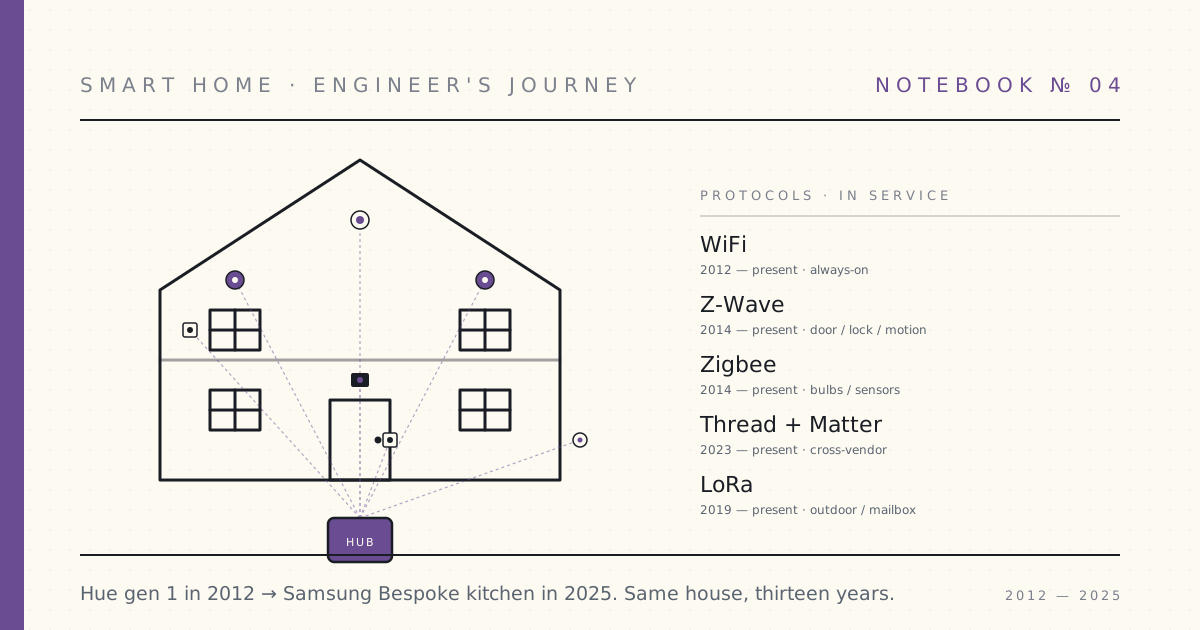
 Notebook · 61 parts
 Smart Home IoT — An Engineer's Journey
Hue gen 1 went on a kitchen pendant in October 2012. Thirteen years and four protocol migrations later, the kitchen is a Samsung Bespoke install running Matter to Home Assistant. The protocol wars, the platform collapses, the products that bricked themselves — documented in the order it happened, by someone who never reset and started over.
October 2012. The Hue gen 1 starter kit arrives. Two bulbs, a bridge, $200. The dining room pendant becomes the first node in what's now a thirteen-year experiment in smart-home protocols, platforms, and the products that promised to integrate them.
Zigbee versus Z-Wave. SmartThings to Hubitat to Home Assistant. Echo to Google to neither. Insteon's collapse. Wink's collapse. The Matter promise and the cross-vendor reality. The Samsung Bespoke kitchen that finally got the whole house speaking one language in 2025.
A separate smart-home-security thread runs the length of it — door and window sensors in 2014, cameras you can trust and cameras you can't, leak detection, smoke integration, the eventual all-Home-Assistant alarm panel. Voice throughout: protocol-deep, integration-code-first, and written by the engineer who never reset the system and started over.
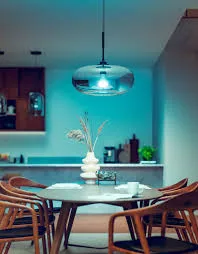 Part 01 of 61
 Philips Hue is here — I turned my dining room blue from my phone
Day one. Picked up the Hue starter kit at the Apple Store on launch morning — Philips and Apple did an exclusive launch. Three bulbs, one bridge.
Picked up the Hue starter kit at the Apple Store this morning. Philips and Apple did an exclusive launch — $199 for three A19 bulbs and a small white bridge. Apparently broader retail rollout is a few weeks out.
I am sitting at the dining table. The pendant above me is deep ocean blue. The teal light is bouncing off the kitchen cabinets behind me. I am going to keep cycling colors for a while.
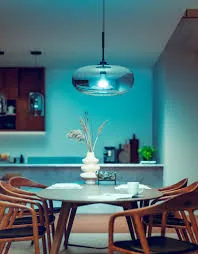
What's in the box
Three E26 (US screw-base) bulbs labeled "Hue," roughly the shape and weight of a normal LED bulb but heavier — the heatsink is real. A small white plastic disc about the size of a hockey puck — the bridge. An Ethernet cable. A power adapter for the bridge. That's it.
No CD-ROM. No printed manual beyond a quickstart card with a single URL. 2012-Apple-aesthetic product.
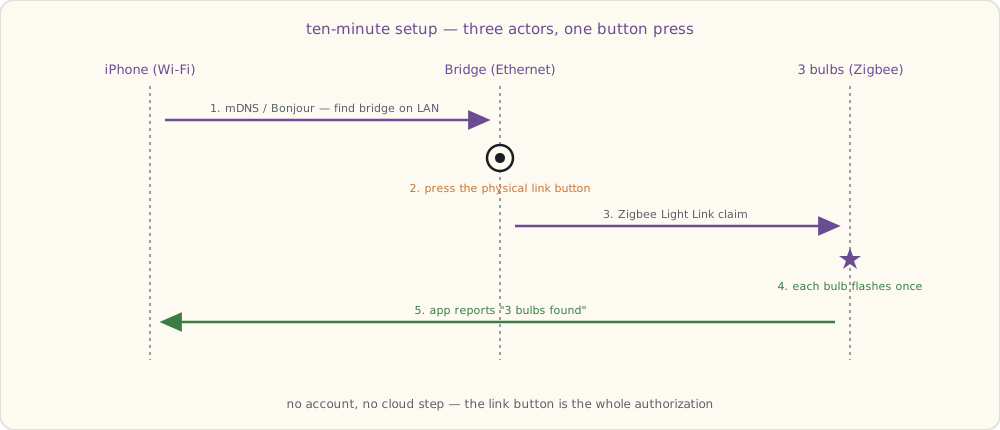
Install — ten minutes
- Screwed bulbs into the dining-room pendant, the kitchen pendant, and a floor lamp in the living room.
- Plugged the bridge into the router with the Ethernet cable.
- Downloaded the Hue iOS app, ran setup. The app found the bridge automatically — looked like mDNS / Bonjour but I'm guessing.
- Pressed the physical "link" button on the bridge when the app told me to.
- App reported three bulbs found.
Ten minutes elapsed. The bulbs were already turned on (light switches up) when I started; as soon as the bridge claimed them, each flashed once to confirm.
The dining pendant is the showstopper
I knew before I bought it that the dining pendant was going to be the killer placement. It hangs in the middle of the great room — kitchen on one side, dining table directly under it, living room visible from the other side. One bulb shifts the color temperature of the entire shared space.
The blue scene in the photo is what I made first. Hit a deep ocean blue and the entire room turns into something that doesn't look like my kitchen anymore. The walls go teal. The white cabinets pick up a faint cyan cast. Dinner is going to feel like a different room every night.
Made three more presets in the first hour:
- Warm dinner: dining pendant at 60% brightness, ~2200K warm orange. Felt like candlelight. Kitchen recedes; the table is the center.
- Kitchen prep: dining and kitchen pendants both at 100%, cool white ~5000K. Bright, clean, work-the-recipe energy.
- Reading: living-room floor lamp at warm yellow, dining pendant off, kitchen pendant at low blue ambient. Two-room lighting from one app.
What you can do, in the app
- Color: tap a point on a color wheel, the bulb changes in maybe 200 ms. Fast.
- Brightness: slider. Dims smoothly down to about 1% before turning fully off.
- Whites: a separate mode for warm-to-cool white. The bulbs have a dedicated white LED on top of the RGB channels, so the whites look genuinely good — not the slightly green-tinted white you get from pure RGB mixing.
- Scenes: presets like Reading, Concentrate, Energize, Relax. Each is a saved state across all bulbs in a "group."
- Per-bulb control: each bulb has its own ID; you can target them independently or as a group.
I am going to be obnoxious about this for a while.
How it works (the part I'm guessing about, before reading deeper)
The bridge has only Ethernet — no WiFi on the device itself. It's plugged into the router. The router has my phone on WiFi. The app on the phone talks to the bridge over the local network. So far so normal.
The interesting question: how does the bridge talk to the bulbs? The bulbs are mains-powered but they have no Ethernet, no visible WiFi, no obvious antenna. The bridge has a tiny antenna visible through the plastic.
Reading the support docs: it's Zigbee. Specifically a profile called Zigbee Light Link, which Philips is one of the launch partners for. Zigbee runs at 2.4 GHz like WiFi but is a different physical-layer protocol designed for low-power mesh networking. Each bulb is a node in the mesh — so as I add more bulbs, the coverage extends.
The mesh part means: if I add a fourth bulb far from the bridge but near one of my existing three, the new bulb routes its traffic through the existing one. So I don't need the bridge to be physically central; I need bulbs to be distributed.
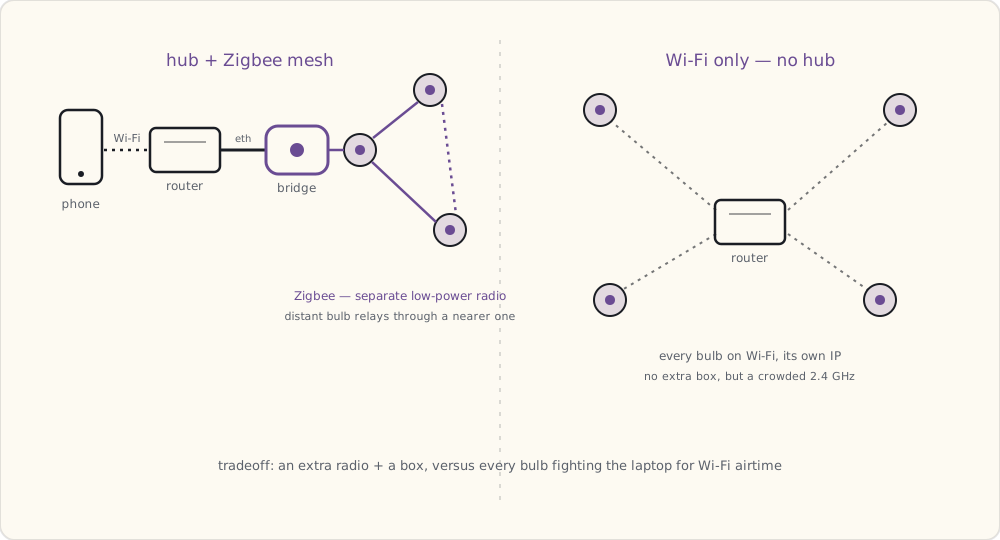
Interesting that Philips picked a hub-plus-mesh approach instead of WiFi-only. There's a Kickstarter called LIFX that's been running since mid-September and has already blown past its goal — pledges capped at $1.3M — doing WiFi-only color bulbs, no hub, every bulb on the home WiFi directly. Their bulbs aren't shipping until well into next year. I can see arguments either way: WiFi-only is simpler for the customer (no extra box), but every device is on the WiFi taking an IP, drawing more power, and dependent on the router being healthy. Mesh-plus-hub uses a separate radio so the bulbs don't fight with the laptop for airtime, and the bridge is the single thing that integrates with the network.
I'm using Hue today. I'll see what LIFX delivers when it ships.
What I'm wondering about
A few things I can't tell from the app yet:
- Can I write my own schedules? The app has timers, but expressing "twenty minutes before sunset" requires me to recalculate every couple of weeks manually. There are murmurs on a couple of forums about the bridge having some kind of local HTTP API. Going to poke at it with
nmapthis weekend. - What's the actual color quality? The blue looks great. The reds look slightly orange. Is that a limitation of the LED phosphors or just my eyes adjusting?
- What happens if the bridge dies? Bulbs go back to bright white at full power, I think. The scenes seem to live on the bridge.
- Cost at scale: $60/bulb. Doing my whole house (14 fixtures) would be $840 in bulbs plus the bridge. I'll do high-impact rooms first and add over time — the porch light is the next one I want, but only if I can script it.
- Anyone on my LAN can control the bulbs. Once the app paired with the bridge, no further authentication seemed to happen. If someone else hops on my WiFi, they can probably pair their own device. Fine for now — the LAN is full of trusted people — but a thing to know.
Where I'm headed
Three bulbs in is enough to want more. Bedroom side lamps, the front porch, the basement workshop. The porch light is the manually-annoying one — flipping it on at dusk and off at midnight every single night. If the bridge has a scriptable local API, that's the first thing I'm building.
If the bridge has a local API, I'll find it.
 Part 02 of 61
 Hue scenes and the local REST API — first Python automation
Two months with Hue. Time to move past the app. Notes on scene storage, group commands, and the cron job that turns on the porch light at sunset.
Two months into the Hue setup. The official Philips app is fine for ad-hoc lighting changes; it's terrible for schedules. The "schedule" feature is bridge-resident but UI-driven and won't let me express "twenty minutes before sunset" without manual recalculation every couple of weeks.
Time to move past the app.
Caveat up front: Philips hasn't published any developer documentation for the bridge. The HTTP endpoint is just there — undocumented, unauthenticated beyond a one-time button-press pairing token, sitting on the LAN. A few enthusiasts on a Dutch forum and a couple of GitHub gists have reverse-engineered the JSON API since launch in October. That community work is what I'm running with. Philips may or may not bless this someday; for now it's all unofficial. (Worth noting: nothing on the bridge prevents you from hitting it. The endpoint isn't hidden, it's just not documented.)
Scenes — bridge-resident state snapshots
The Hue bridge stores scenes server-side. A scene is a named snapshot of light states (on/off, brightness, hue/saturation, color temperature) for a specified set of lights. The bridge persists scenes in non-volatile storage; they survive reboot.
Creating one via the REST API:
# PUT a new scene named livingroom-reading
curl -X PUT http://192.168.1.42/api/<username>/scenes/livingroom-reading \
     -d '{
       "name": "Living Room — Reading",
       "lights": ["1","2","3"],
       "transitiontime": 4
     }'

# Capture current light states INTO the scene
curl -X PUT http://192.168.1.42/api/<username>/scenes/livingroom-reading \
     -d '{"storelightstate": true}'

# Recall the scene (apply to group 0 = all lights)
curl -X PUT http://192.168.1.42/api/<username>/groups/0/action \
     -d '{"scene": "livingroom-reading"}'
Three details that matter:
- Scene IDs are bridge-assigned strings. You don't get to pick them; the bridge returns one when you POST. Store the ID in your client.
transitiontimeis in deciseconds.4= 0.4 seconds. The default if omitted is4. Long transitions (60 = 6 seconds) feel like a movie fade; instant (0) feels jarring.storelightstate: trueis the way to capture state. Otherwise the scene is empty.
Groups — bulk operations over Zigbee
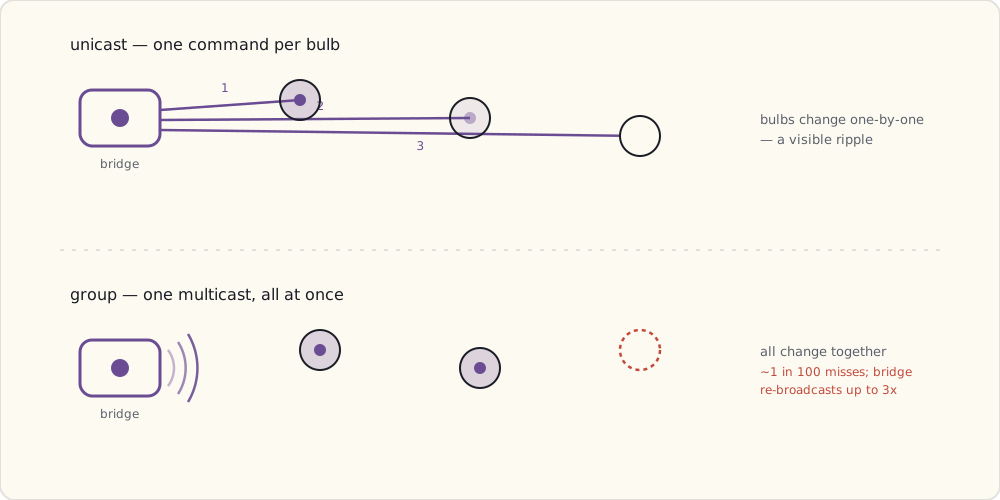
Sending an On command to bulb 1, then bulb 2, then bulb 3 means three separate Zigbee unicasts — bulbs change one at a time, visibly rippling. The bridge can issue a group command as a single Zigbee broadcast that all group members act on simultaneously:
# Create a group
curl -X POST http://192.168.1.42/api/<username>/groups \
     -d '{
       "name": "Living Room",
       "lights": ["1","2","3"],
       "type": "LightGroup"
     }'

# Command the group
curl -X PUT http://192.168.1.42/api/<username>/groups/1/action \
     -d '{"on": true, "bri": 200}'
Group commands use Zigbee multicast vs unicast. They're not transactional — one bulb can miss the broadcast and stay off. The bridge re-broadcasts up to three times; you'll still see occasional misses in practice (~1 in 100 in my logs so far).
The first automation — porch light at sunset
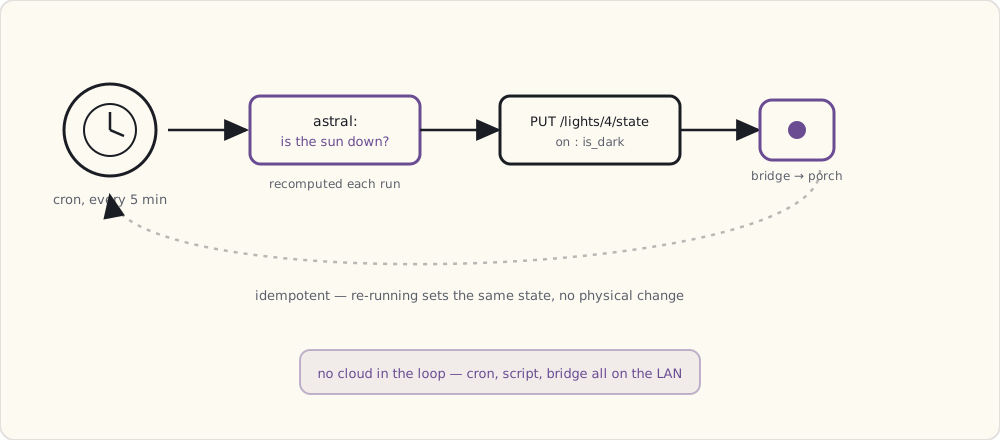
Python script, runs from cron every five minutes on the home server:
#!/usr/bin/env python
# turn porch light on at sunset, off at sunrise

import json, requests
from datetime import datetime, timezone
import astral  # pip install astral

BRIDGE = "http://192.168.1.42"
USERNAME = "4mpFn-fLgvqnGzFDxYZ..."
LIGHT_ID = "4"  # porch light

a = astral.Astral()
loc = a["Boston"]
now = datetime.now(timezone.utc)
suntimes = loc.sun(date=now.date(), local=False)

is_dark = now < suntimes["sunrise"] or now > suntimes["sunset"]

state = {"on": is_dark, "bri": 200, "ct": 454}  # warm white
r = requests.put(
    f"{BRIDGE}/api/{USERNAME}/lights/{LIGHT_ID}/state",
    data=json.dumps(state),
    timeout=2.0,
)
print(r.status_code, r.text)
Cron entry:
*/5 * * * * /usr/local/bin/hue-porch.py >> /var/log/hue-porch.log 2>&1
Five-minute granularity is overkill (sunrise/sunset shift minutes per day), but the script is idempotent — setting on:true on an already-on light is a no-op at the Zigbee layer, so re-running has zero physical effect. Cheap and correct beats clever.
The state JSON, in detail
A complete light state response from the bridge:
{
  "state": {
    "on": true,
    "bri": 254,
    "hue": 15331,
    "sat": 121,
    "effect": "none",
    "xy": [0.4575, 0.4099],
    "ct": 343,
    "alert": "none",
    "colormode": "ct",
    "reachable": true
  },
  "type": "Extended color light",
  "name": "Living Room 1",
  "modelid": "LCT001",
  "manufacturername": "Philips",
  "uniqueid": "00:17:88:01:00:13:24:48-0b",
  "swversion": "65003148"
}
Field notes:
briis 1–254.bri:0is not off —on:falseis off.hueis 16-bit (0–65535), wraps around.ctis mired (153–500, 153 = ~6500K cool, 500 = ~2000K warm).xyis the CIE 1931 chromaticity — what Hue stores internally.hue/sat/ctare convenience conversions.reachableis the bridge's best guess about Zigbee reachability. Flaps false-positive sometimes; if you've seen the bulb respond recently, trust that overreachable.
Security note
The bridge's HTTP API has no authentication beyond the one username token I generated by pressing the link button. Anyone on my LAN can hit the API and control my lights. That's fine for now — the LAN is trusted, and there's no path from the public internet to the bridge today (the bridge holds no inbound port-forward by default).
The thing that's going to make this not-fine eventually: the bridge runs an embedded OS with services I haven't audited. If Philips ever exposes the bridge to remote control via their cloud, the bridge's software stack becomes an internet-facing target. Also — and this is the bigger structural issue — the API is undocumented by Philips. That means the contract can change without warning. A firmware update that closes an endpoint, renames a JSON field, or removes a feature is entirely within Philips's rights. The community-reverse-engineered docs aren't a stable surface. I'm building on sand and I know it.
What's next
Three months in. Hue is solid. The next pain point is that I want to control non-Hue devices the same way. Coming up: BLE 4.0 entering the consumer market, and the first WiFi smart plug.
 Part 03 of 61
 Bluetooth Low Energy 4.0 in the smart home — the protocol primer
BLE 4.0 has been shipping in phones since the iPhone 4S (Oct 2011). It's now showing up in fitness trackers, beacons, and the first smart-home devices. A protocol primer before the products land.
BLE 4.0 was ratified in June 2010. iPhone 4S (October 2011) was the first major handset to ship with it. By early 2013, BLE peripherals are common — Fitbit Flex ships next month, Pebble shipped in January, and the first BLE smart-lock retrofit (Lockitron) is taking pre-orders. Smart-home is the next wave.
Notes on the protocol underneath, before the smart-home devices arrive.
What "low energy" actually means
BLE is not a faster or longer-range Bluetooth Classic. It's a fundamentally different design optimized for one constraint: peripheral devices that run for a year on a coin cell.
The numbers:
- Classic Bluetooth: average ~30 mW transmit, ~10 mW idle. A coin cell (225 mAh @ 3V) lasts ~20 hours of active use.
- BLE 4.0: ~15 mW peak transmit, sub-microamp idle. Same coin cell lasts a year of typical usage.
Two design decisions pull this off:
- Advertising-based discovery. Instead of holding an active connection, a BLE peripheral broadcasts short advertising packets every N milliseconds (configurable, 20 ms to 10.24 s). Radio on ~1 ms per advertisement, then asleep. Tiny duty cycle.
- Connection intervals. When a connection is established, peripheral and central agree on a connection interval (7.5 ms to 4 s). Radio wakes briefly at each interval; otherwise sleeps. Orders of magnitude lower than Classic's continuous radio activity.
Tradeoff: BLE is slow compared to Classic. Throughput peaks ~305 kbps theoretical, ~100 kbps practical in 2013-era pairings. Fine for sensor data, terrible for streaming audio.
GATT, services, and characteristics
BLE 4.0 defines the Generic Attribute Profile (GATT) — a hierarchical data model:
- Service: a logical group (Battery, Heart Rate, custom-vendor).
- Characteristic: a value within a service (battery level, heart rate BPM).
- Descriptor: metadata on a characteristic (units, valid range, notification enable).
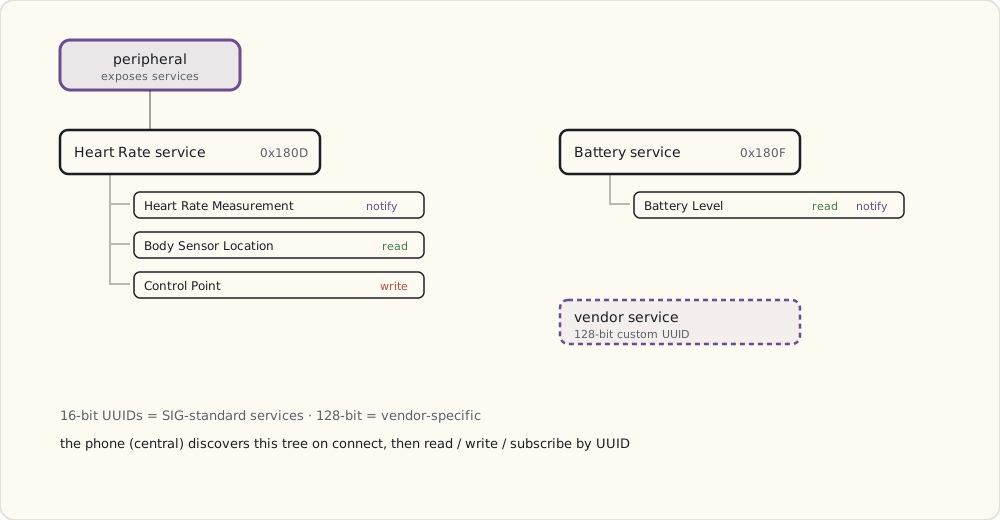
Every BLE peripheral exposes one or more services with characteristics. The phone (central) discovers services on connect, then reads/writes characteristics by UUID:
Heart Rate Service (0x180D)
├── Heart Rate Measurement (0x2A37) — notify
├── Body Sensor Location (0x2A38) — read
└── Heart Rate Control Point (0x2A39) — write

Battery Service (0x180F)
└── Battery Level (0x2A19) — read, notify
Standard services have 16-bit UUIDs assigned by the Bluetooth SIG. Vendor-specific services use 128-bit UUIDs (Nest's thermostat service, for example, is custom).
Apple's iBeacon (rumored for WWDC 2013, soft-leaked already)
Apple's iBeacon spec — coming with iOS 7 this fall — turns BLE advertising into proximity detection. A beacon broadcasts an advertising packet with this payload:
Field         Bytes  Meaning
------------- -----  ---------------------------------------
Prefix        9      Apple-defined fixed prefix
UUID          16     128-bit, identifies the beacon owner
Major         2      16-bit, region identifier (e.g., a store)
Minor         2      16-bit, sub-region (a shelf, a room)
TX Power      1      Calibration byte at 1m, signed dBm
The phone uses RSSI (received signal strength) relative to TX Power to estimate distance:
distance ≈ 10 ^ ((TX_Power - RSSI) / (10 * n))
where n is environment factor, ~2-4
Three distance bands defined: immediate (< 0.5 m), near (~3 m), far (~10+ m). RSSI-based ranging is noisy but works fine for proximity bands.
For smart-home, this matters: iBeacon is the first widely-adopted standard for "I am near this device." Useful for room-level presence detection long before Hue or anyone builds it natively.
Where BLE fits in smart home
Fits:
- Proximity / presence sensors — beacons, tap-to-pair, room-level location.
- Battery-powered sensor peripherals — door/window, temperature, leak (when mesh isn't needed).
- Direct phone-to-device pairing — fitness trackers, smart locks, the rumored Apple wearable (Bloomberg's been hinting at an "iWatch" since last year — vapor for now).
Doesn't fit:
- Always-on actuators (light bulbs). Hue uses Zigbee mesh because BLE 4.0 doesn't have a mesh profile yet — there's talk of mesh being added to a future spec revision, but it's not here.
- Range > 10 m through walls. BLE in 2.4 GHz loses badly to drywall and brick.
- High-throughput devices (cameras, audio streaming).
The architectural rule: BLE is for peripherals talking to one phone at a time. Anything that needs a hub, mesh, or many simultaneous controllers wants Zigbee, Z-Wave, or WiFi.
Power-profile math, in detail
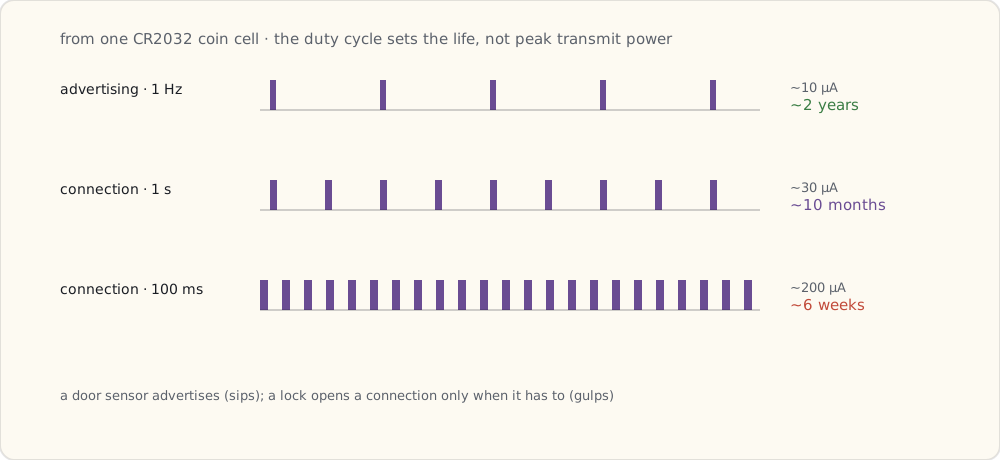
Coin cell (CR2032, 225 mAh @ 3V):
- BLE peripheral advertising at 1 Hz (1 ad packet per second), each packet ~1 ms of radio on at ~10 mA: average current ~10 µA → ~2 year battery life.
- BLE peripheral in persistent connection at 1 s interval: average ~30 µA → ~10 month battery life.
- BLE peripheral at 100 ms connection interval (responsive): average ~200 µA → ~6 weeks battery life.
Door/window sensors and temperature sensors target the advertising-only mode for multi-year life. Locks and locks-class devices use connection mode when active, advertising when idle.
The first BLE smart-home devices I'm watching
- Lockitron — a BLE/Wi-Fi smart-lock retrofit that fits over your existing deadbolt. Kickstarter turned it down as a "home improvement" project last fall, so the team stood up their own pre-order site and pulled in well over a million dollars in the first week. Shipping "later this year," allegedly — crowdfunded hardware timelines being what they are.
- And whatever follows it: a phone-as-key smart lock is the obvious first BLE product for the home, and Lockitron won't be the only one. I'll write about whichever actually lands and is integrate-able.
What's next
WiFi smart plugs are about to flood the market — Wemo is already on shelves, others are coming. The next primer is on WiFi as a smart-home transport, and what it costs (electrically and architecturally) compared to BLE and Zigbee.
 Part 04 of 61
 WiFi as smart-home transport — the always-on tax
A year on SmartThings + Hue. WiFi smart bulbs and plugs sounded great — until the router was rebooted and 30 devices went offline at once.
Wemo has been shipping WiFi smart plugs for six months. Belkin's about to add light switches, light bulbs (rebranded GE/Wemo bulbs), and a motion sensor to the lineup. A handful of smaller vendors are queuing up too — Quirky's Spotter, Lowe's Iris-branded outlets, a few smaller startups. WiFi is the cheap path to smart home for any vendor that doesn't want to design a hub.
Notes on why WiFi wins for vendors and what it costs the homeowner.
What WiFi smart devices actually are
A WiFi smart plug, at minimum:
- A 2.4 GHz WiFi SoC — typically TI's CC3000 (announced 2012, in volume this year) or one of the comparable embedded-WiFi modules from Atmel/Microchip and the GainSpan/Roving-Networks crowd. Around $3-5 in volume at 2013 pricing.
- A small companion microcontroller (8-bit AVR or low-end Cortex-M0) to drive the relay and shuttle data to/from the WiFi part.
- A relay capable of 10-15 A switching.
- A small AC-DC converter to power the electronics.
- Firmware that:
- Joins home WiFi via WPA2-PSK
- Advertises itself via mDNS or UPnP
- Holds an open TCP connection to a vendor cloud
- Listens for on/off commands from cloud + local network
That's it. No hub, no mesh. Plug into outlet, install vendor app, scan QR or enter credentials in a temporary AP mode, done.
The discovery problem
How does your phone find the smart plug on first install? Three approaches in use:
1. Temporary access point mode (the Wemo approach). Plug boots advertising its own SSID (e.g., WemoNet.PlugN-A1B2). Your phone joins that SSID, the app sends your home WiFi credentials to the plug, the plug joins your home WiFi, your phone rejoins your home WiFi. Five user actions, two SSID switches, fragile.
2. WiFi Protected Setup (WPS). Press a button on the router, press a button on the device, they handshake automatically. Fast — but WPS has known PIN brute-force vulnerabilities (4-10 hours), and many routers ship with WPS disabled.
3. Bluetooth-assisted onboarding (in theory). Device has BLE + WiFi. Phone pairs via BLE, sends WiFi credentials over BLE, device joins WiFi. Two transports, more BOM. No mainstream consumer product is shipping this approach today — the BLE radios cost too much for a $25 plug — but it's the obvious next step once BLE chip prices come down.
For now, almost everyone uses Approach 1. Bad UX, free to implement.
mDNS, UPnP, and finding the device after install
Once on the WiFi, your phone needs to discover the device locally. Two protocols dominate:
mDNS / Bonjour (RFC 6762). Device advertises as wemo-plugN-a1b2._smartplug._tcp.local.. Phone issues a multicast DNS query for _smartplug._tcp.local. and gets back the IP + port. Apple invented this for printers; the smart-home crowd adopted it.
UPnP / SSDP (Simple Service Discovery Protocol). Device listens on UDP port 1900 for M-SEARCH multicasts. Phone broadcasts a search:
M-SEARCH * HTTP/1.1
HOST: 239.255.255.250:1900
MAN: "ssdp:discover"
ST: urn:Belkin:device:**
MX: 2
Device responds with a LOCATION URL pointing to its XML device description. Older protocol (1999), still ubiquitous in 2013. Wemo uses it.
Once discovered, the plug usually speaks a vendor-specific REST/SOAP API. More on the Wemo SOAP API next post.
The always-on tax
A 2.4 GHz WiFi radio cannot enter the microsecond sleep states a BLE radio does. WiFi association requires:
- Periodic beacon listening (every 100 ms by default).
- DTIM intervals (typically 1-3 beacons).
- ARP probes from the router every few minutes.
- Re-authentication on roaming or after timeout.
Minimum idle current on a CC3000-class WiFi part with active association: ~70-100 mA at 3.3V, or 0.25-0.33 W for the chip alone. Add the relay's holding coil (~50 mA on/off depending on type), the AC-DC converter's standby loss (~0.5 W), and the indicator LED:
Total per-device idle draw: 1.0-1.5 W.
Multiply across a smart home:
| Device count | Idle draw | Annual cost (US avg $0.16/kWh) |
|---|---|---|
| 5 plugs | 7.5 W | $10.50 |
| 15 plugs + switches | 22 W | $30.80 |
| 30 devices | 45 W | $63.00 |
This is the always-on tax. Zigbee and BLE peripherals draw microamps idle; WiFi devices draw nearly a thousand times more.
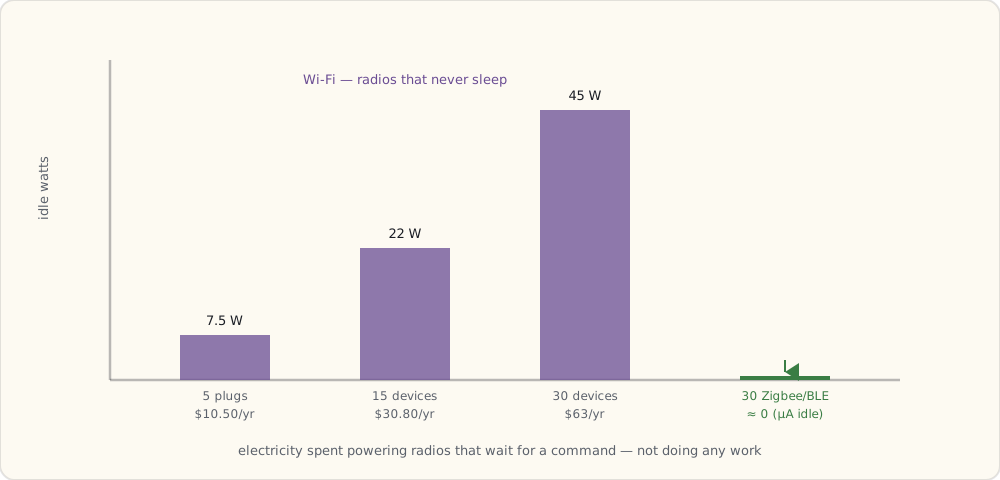
Architectural cost — cloud by default
Most WiFi vendors don't bother with a local API. The plug holds a persistent TCP connection to the vendor cloud; commands route through that cloud even when phone and plug are on the same WiFi.
This is cheaper to engineer (no local discovery server, no per-vendor SDK quirks) and gives the vendor telemetry they can sell separately. It also gives the vendor a kill switch.
Compare to Hue: bulbs talk Zigbee to the bridge, bridge has a local REST API, the whole thing runs without internet. The contrast couldn't be sharper.
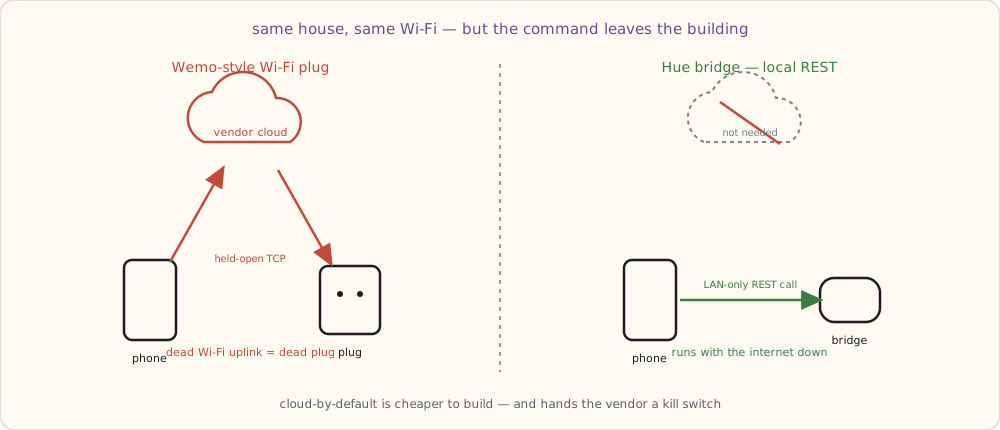
Most consumer-WiFi vendors will not expose a local API until forced by regulation. That's still years off in 2013.
When WiFi is the right choice
Despite the costs, WiFi wins for:
- Plug-in devices on permanent power. Energy cost is real but small; no battery to worry about.
- Single-room deployments. No mesh complexity.
- Vendors who don't want to ship a hub. Lower BOM, faster onboarding.
- High-bandwidth devices. Cameras, smart speakers, anything streaming. Zigbee/BLE can't carry the throughput.
The right call for me going forward: WiFi for plugs and cameras, lights stay on Zigbee. Mixed-protocol is the future of any non-trivial smart home — a hub will be needed to bridge them.
Channel congestion math (the real-world hit)
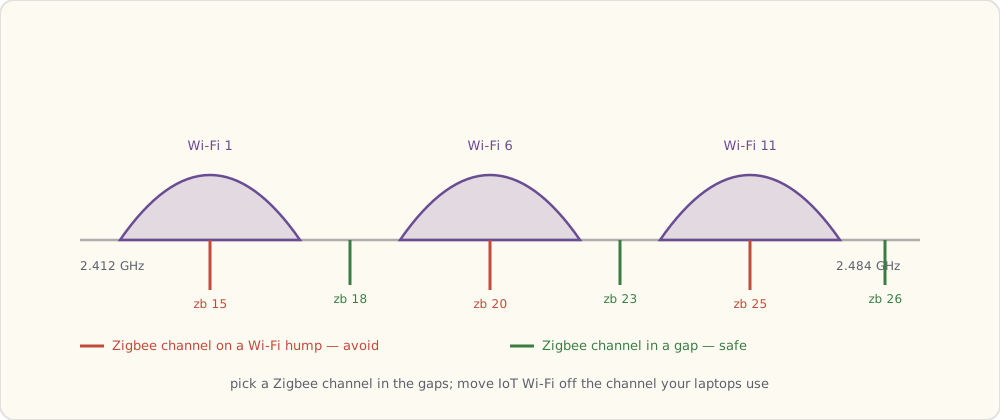
A 2.4 GHz home network in an urban apartment building is already crowded with neighbors' WiFi, microwaves, Bluetooth, and now smart-home devices. Channel 6 is usually the worst.
- WiFi channels 1, 6, 11 are non-overlapping in the US 2.4 GHz band.
- Zigbee channels 11-26 sit between the WiFi channels but channels 15, 20, 25 overlap WiFi's 1, 6, 11 worst.
- Many smart-home WiFi devices are stuck on 2.4 GHz (no 5 GHz radio to save BOM).
- 30 WiFi smart devices on the same channel can knock 802.11n throughput down 30-50%.
The takeaway: planned smart homes split WiFi 5 GHz for laptops/phones and use 2.4 GHz only for IoT. Most consumer routers don't make this easy in 2013.
What's next
Next post: my first Wemo plug, SOAP-over-HTTP, the multi-vendor app problem starting in earnest.
 Part 05 of 61
 Wemo plugs and the multi-vendor app problem
I now have a Wemo Insight plug controlling the coffee maker. The Wemo app is fine for the plug. It can't see my Hue bulbs. The multi-vendor app problem starts here.
Wemo Insight Switch arrived this morning. Plugs into a wall outlet, the coffee maker plugs into it, install the Wemo app, find the new SSID WemoNet.xxxxxx, join it, hand over home WiFi credentials, switch back, online. Eight steps. Twelve minutes.
The plug works. The Wemo app works. The Wemo app cannot see my Hue bulbs. The Hue app cannot see my Wemo plug. I now have two apps, two clouds, zero shared state.
This is the problem that's going to drive everything else for the next two years.
Wemo on the wire
I left tcpdump running while commissioning the plug. The traffic is illuminating.
Discovery — UPnP SSDP (per the WiFi primer):
M-SEARCH * HTTP/1.1
HOST: 239.255.255.250:1900
MAN: "ssdp:discover"
ST: urn:Belkin:device:**
MX: 2
Plug responds:
HTTP/1.1 200 OK
LOCATION: http://192.168.1.155:49153/setup.xml
ST: urn:Belkin:device:insight:1
USN: uuid:Insight-1_0-221404K1101...
SERVER: Unspecified, UPnP/1.0, Unspecified
The app then GETs setup.xml, which describes the plug's services (BasicEvent, InsightEvent, MetaInfo, etc.) and their SOAP control endpoints.
Control — SOAP over HTTP:
POST /upnp/control/basicevent1 HTTP/1.1
Host: 192.168.1.155:49153
Content-Type: text/xml; charset="utf-8"
SOAPACTION: "urn:Belkin:service:basicevent:1#SetBinaryState"

<?xml version="1.0" encoding="utf-8"?>
<s:Envelope xmlns:s="http://schemas.xmlsoap.org/soap/envelope/"
            s:encodingStyle="http://schemas.xmlsoap.org/soap/encoding/">
  <s:Body>
    <u:SetBinaryState xmlns:u="urn:Belkin:service:basicevent:1">
      <BinaryState>1</BinaryState>
    </u:SetBinaryState>
  </s:Body>
</s:Envelope>
SOAP. In 2013. The protocol's been considered antiquated for five years. But it's well-documented (Wemo's UPnP descriptors are public), works on the LAN, and Belkin's API is at least callable from a script. Better than what most cheap WiFi vendors are doing.
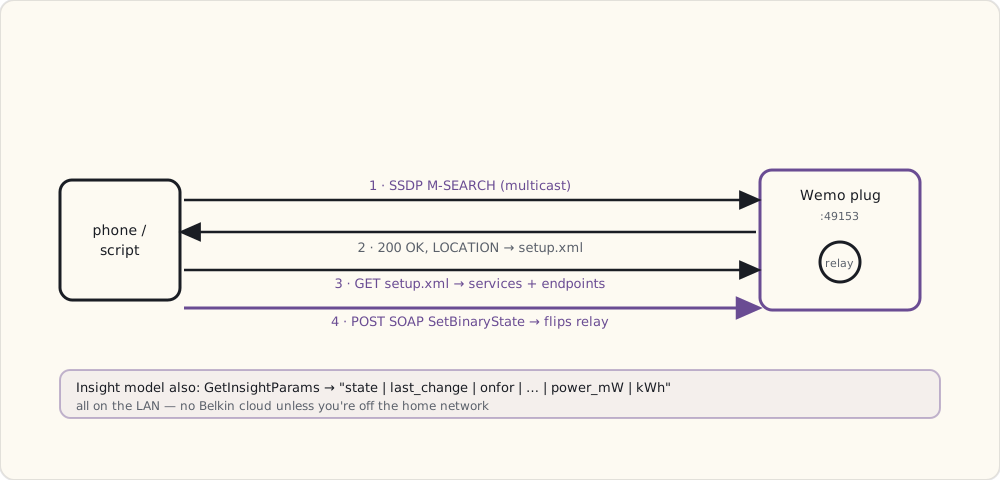
A minimum-viable Wemo client in Python
import requests

WEMO_IP = "192.168.1.155"
WEMO_PORT = 49153
SOAP_ACTION = "urn:Belkin:service:basicevent:1#SetBinaryState"

def wemo_set(state):
    body = f"""<?xml version="1.0"?>
<s:Envelope xmlns:s="http://schemas.xmlsoap.org/soap/envelope/"
            s:encodingStyle="http://schemas.xmlsoap.org/soap/encoding/">
  <s:Body>
    <u:SetBinaryState xmlns:u="urn:Belkin:service:basicevent:1">
      <BinaryState>{1 if state else 0}</BinaryState>
    </u:SetBinaryState>
  </s:Body>
</s:Envelope>"""
    headers = {
        "Content-Type": 'text/xml; charset="utf-8"',
        "SOAPACTION": f'"{SOAP_ACTION}"',
    }
    r = requests.post(
        f"http://{WEMO_IP}:{WEMO_PORT}/upnp/control/basicevent1",
        data=body, headers=headers, timeout=3.0,
    )
    return r.status_code

# Turn coffee maker on
wemo_set(True)
The Insight model also reports power consumption — useful for "did I leave the coffee maker on" automations:
def wemo_insight():
    # action: GetInsightParams
    # returns: "1|1390000000|600|...|180|2400|0.234"
    # fields: state | last_change | onfor_today | ... | currentpower_mW | todaympower_mW | average_kwh
    ...
Power readings update every second. The Insight has decent calibration (within 5% of a Kill-a-Watt meter I checked against).
What works
- Local control via SOAP: I can hit the plug from a Python script with no Belkin cloud involvement at all. SOAP is verbose; it's just HTTP.
- Discovery: UPnP works reliably on my home network. The plug shows up
< 1second after powering on. - Schedules on the plug itself: it has an internal RTC, syncs to NTP. Schedules survive router reboots.
What doesn't
- Stability: drops off WiFi about once a week. Factory reset and re-pair required to recover. Belkin's WiFi stack is not industrial-grade.
- Vendor sprawl: Wemo app is decent for Wemo. It can't see Hue. The Hue app can't see Wemo. I have two apps for what should be one room of automation.
- Cloud dependency for off-LAN control: if I want to turn off the coffee maker from my office, I need Belkin's cloud. It's been down twice in six months.
- Idle draw is real: ~1.2 W constant for the Insight plug. Acceptable for one plug; concerning at fleet scale.
The multi-vendor problem, articulated
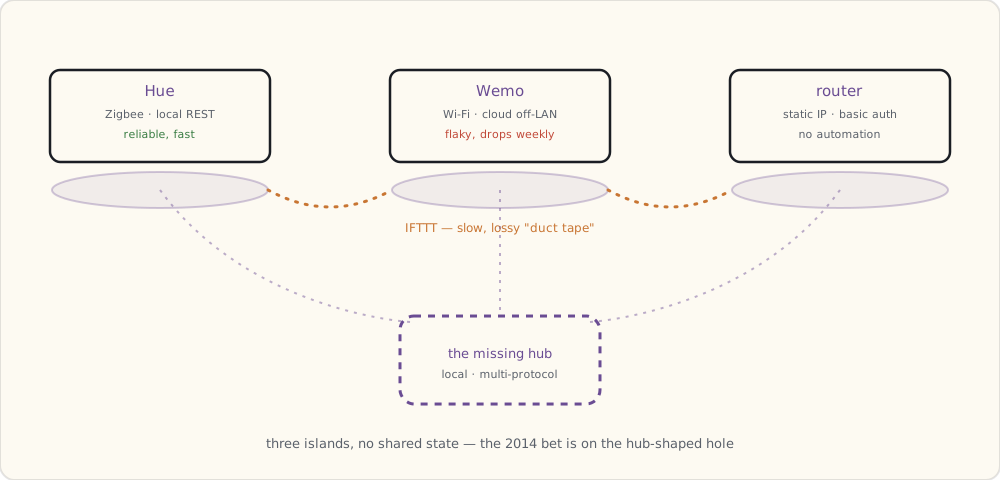
Today's state: three apps to control my house — Hue (3 bulbs), Wemo (1 plug), my router. Each app has its own:
- Authentication system (Hue uses a bearer token, Wemo uses a Belkin account, router is plain HTTP basic auth).
- Discovery mechanism (Hue config endpoint, Wemo UPnP, router static IP).
- Concept of "room" / "scene" / "device" (Hue has scenes, Wemo has timers, router has nothing).
This isn't going to scale to ten devices. Or five.
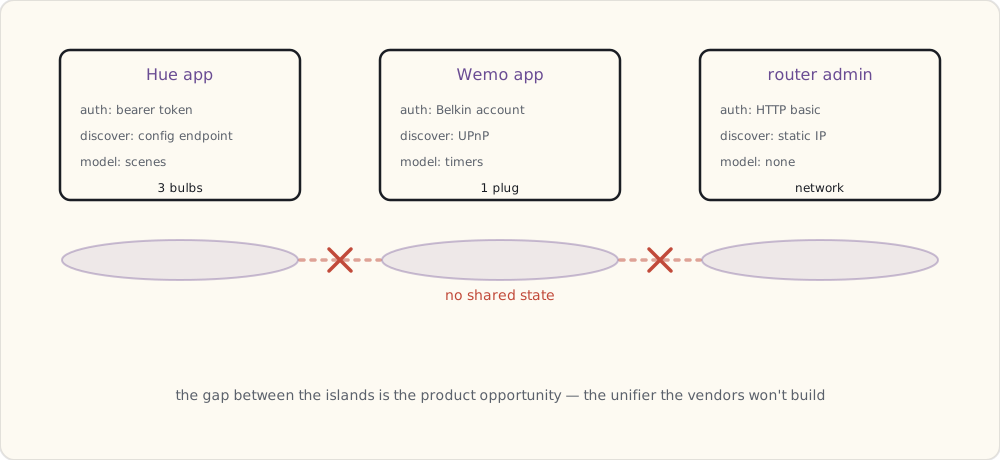
I see three candidates for the unifier:
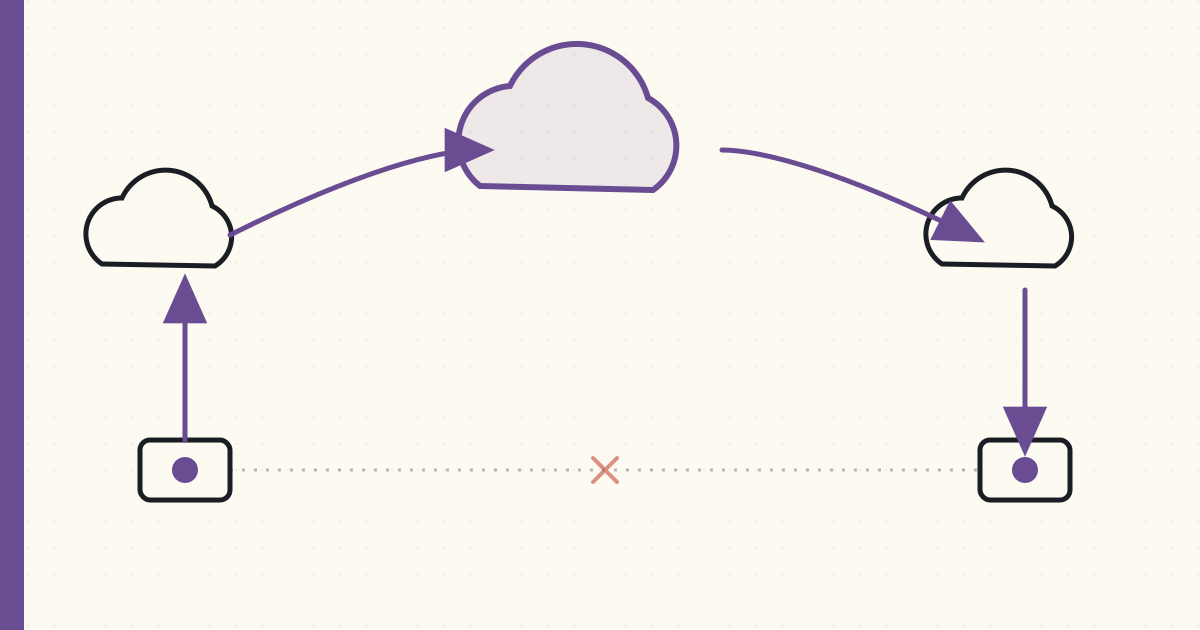
- IFTTT — live since 2011, web-based "if this then that," cross-vendor recipes. Latency is poor (5-15 s) but it's the only thing that works today. Next post.
- SmartThings — startup, Kickstarter just shipped to backers, hub-based, dual-radio (Zigbee + Z-Wave). Pre-Samsung-acquisition; retail launch pending.
- Apple HomeKit — rumored. No product yet. Apple's smart-home story is opaque.
Whichever wins, the multi-vendor problem is the real product opportunity of the next two years. Vendors aren't going to solve it — they're causing it.
What's next
Trying IFTTT as the unifier. Spoiler: it works, slowly.
 Part 06 of 61
 IFTTT — first cross-vendor automation attempt
IFTTT recipes connect Hue to Wemo to Gmail. The latency is bad, the reliability is patchy, but it's the first thing that's crossed vendor lines. Notes on what works and what doesn't.
IFTTT (If This Then That) launched in 2011 with Gmail as one of the original channels. They added channels for Philips Hue and Belkin Wemo this year — that's the cross-vendor unification I've been waiting for. A few months in — here's what I've built and what's broken.
How IFTTT actually works
IFTTT runs as a web service. Each "channel" (a vendor integration) is implemented on IFTTT's servers using whatever API the vendor exposes:
- Hue channel: IFTTT registered as an OAuth client with Philips's Meethue cloud. When the user authorizes Hue → IFTTT, IFTTT gets a token to call the Meethue API on the user's behalf. Commands route through Philips cloud → bridge → bulbs.
- Wemo channel: IFTTT calls a Belkin cloud endpoint that mirrors the local SOAP API. Belkin's cloud holds a persistent connection to the plug.
- Gmail channel: IFTTT polls Gmail via IMAP for new messages matching a filter.
An IFTTT "Recipe" is a {trigger, action} pair:
TRIGGER: New email arriving in Gmail with label "package-delivered"
ACTION:  Hue → blink "Living Room" three times
When the trigger fires, IFTTT calls the action's API. End-to-end latency: poll Gmail (~1 min), match filter, dispatch action, action vendor's cloud, action vendor's bridge/cloud, action device. Total: 60-180 seconds for email triggers, 5-15 seconds for instant-trigger Recipes.
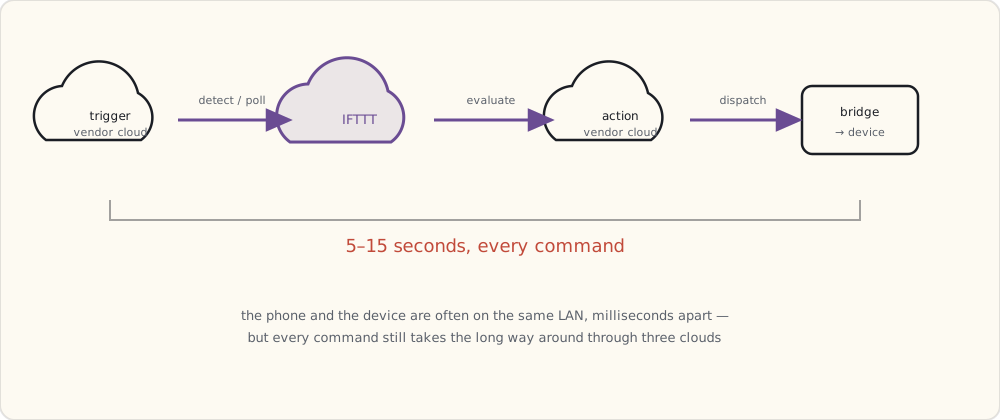
Three working Recipes
1. Weather → porch light on at sunset (Hue)
Replaces my Python cron job. IFTTT's "Weather" channel triggers at sunset for my zip code.
IF (Weather: Sunset for 02139)
THEN (Philips Hue: Turn "Porch" on, brightness 200, color "warm")
Latency: 1-3 minutes after actual sunset. Acceptable for a porch light.
2. Weekday alarm time → Wemo coffee plug on
There's no physical button I can wire into IFTTT yet — Hue has no switch accessory, and IFTTT has no "button" trigger — so the closest thing to "start the coffee on my way out of bed" is a time trigger. The Date & Time channel fires at a fixed weekday time and flips the Wemo coffee plug.
IF (Date & Time: Every day at 06:30 on weekdays)
THEN (WeMo Switch: Turn "Coffee Maker" on)
Latency: 5-15 seconds from the scheduled minute to the plug actually clicking. For a fixed-time trigger it doesn't matter — but it's a preview of why this won't work for anything I want to feel instant. A rigid clock is a poor substitute for "when I actually get up," and there's no way today to make that the trigger.
3. iPhone geofence → multi-device "I'm home"
iPhone GPS geofence (via IFTTT iOS app) → fan-out to Hue (3 bulbs) and Wemo (1 plug). Implementation: two separate Recipes because IFTTT doesn't support multi-action triggers yet.
Recipe A:
IF (iOS Location: Enter area "Home")
THEN (Philips Hue: Turn "Living Room" on, brightness 200)

Recipe B (same trigger, second action — IFTTT doesn't fan-out, so two Recipes):
IF (iOS Location: Enter area "Home")
THEN (WeMo Switch: Turn "Hallway Lamp" on)
Latency: 30-60 seconds for the geofence to fire, then 5-15 s per device. Total: a minute before the lights are actually on.
What's broken
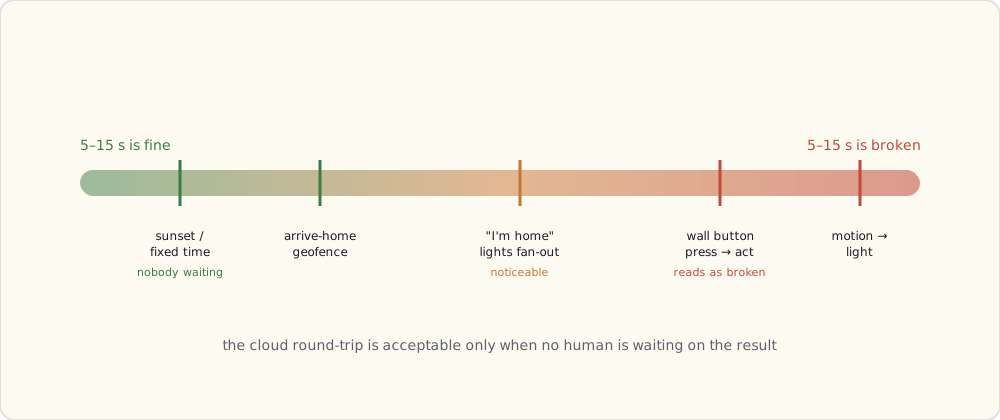
Latency. A 5-15 second delay is invisible on a sunset or a fixed-time trigger and intolerable on anything I'd want to feel immediate. The router-LAN ping to both endpoints is < 5 ms; IFTTT inserts 5-15 seconds of internet round-tripping on top. The day I want a real button — press, and the thing happens now — this architecture can't deliver it.
Reliability. IFTTT misses about 5-10% of triggers in my logs. The Hue trigger side is polled, not pushed — the cloud checks bridge state only every so often, so a fast-changing condition can slip through the gap and never fire. Wemo's cloud has nightly maintenance windows where Recipes silently no-op.
No conditionals. A 2013 Recipe is one trigger and one action. No if it's already on, skip. No between sunset and 11 pm. No unless I'm not home. Chaining Recipes is brittle and hard to debug.
No native scene support. I can turn one Hue bulb on through the Hue channel, but there's no action for "recall a Hue scene" — so a multi-bulb scene means one Recipe per bulb, and they fire raggedly one after another instead of snapping on together.
What this tells me about the unifier
IFTTT works. IFTTT is not the unifier. The latency floor (5-15s cross-vendor) is too high for "real" smart-home use; it's fine only for time-based or location-based automations where seconds don't matter.
The real unifier needs to:
- Run locally (no cloud round-trip for cross-vendor commands).
- Speak multiple protocols natively (Zigbee, Z-Wave, WiFi — at minimum).
- Allow conditional logic and scenes.
- Survive vendor cloud outages.
That's a hub. SmartThings is the only thing shipping that close to this spec in 2013, and even they haven't shipped to the general public yet (Kickstarter backers got units this summer; retail availability is pending Samsung's acquisition).
I'll wait until next year.
What's next
End-of-year wrap-up coming. Three vendors, three apps, one annoyed homeowner. Predicting how 2014 plays out.
 Part 07 of 61
 2013 review — three vendors, one annoyed homeowner
Year-end check-in. Hue is solid, Wemo is fine, IFTTT is duct tape. Forecast: 2014 is the year of the hub — SmartThings looks set to take it to retail, Amazon's rumored to ship a voice device, and Apple's smart-home play is the one to watch.
End of year — time to take stock. The kit is in three buckets:
Hue (Philips, 5 bulbs now): Zigbee + bridge + local REST + cloud-optional. Reliable, fast, expensive. Best-in-class. No complaints.
Wemo (Belkin, 2 plugs + 1 motion sensor I added in October): WiFi + cloud-required for off-LAN + SOAP/UPnP locally. Works most of the time. Drops off WiFi monthly. The motion sensor's PIR is too aggressive — false positives every time the heater kicks on near it.
IFTTT (cross-vendor): Web-only, 5-15 s latency, cross-vendor unifier of last resort. Cheap. Slow. Acceptable for time-and-location triggers; unacceptable for instant-feedback automations.
What worked this year
- Hue + the local REST API as a self-contained lighting system. App and scripts hit the bridge over the LAN; the bridge drives the bulbs over Zigbee with near-zero latency, no cloud in the loop. The one gap is physical control — there's still no good wall switch or button for Hue, so every change goes through a phone or a script.
- Sunset porch automation. Started as a Python cron, moved to IFTTT. Still works.
- Power telemetry from the Wemo Insight. Useful for "did I leave the iron on" anxiety queries.
What didn't
- Multi-vendor app sprawl. Three apps for one house. The motion-triggers-Hue Recipe through IFTTT misses 1 trigger in 10. Unacceptable for security-class automations (still ahead of me).
- WiFi reliability on cheap devices. Wemo's WiFi stack is a known-bad data point — and I expect the same from every $30 WiFi smart plug landing in 2014.
- No conditionals. "Porch light at sunset, but only if I'm home" is impossible in IFTTT today.
Forecast for 2014
Predictions in approximate order of confidence:
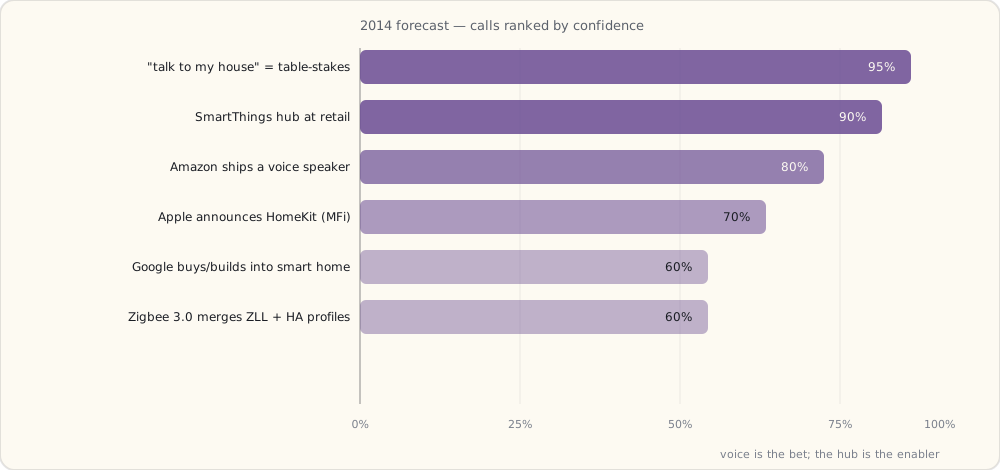
1. The hub becomes the unifier. (Confidence: 90%)
SmartThings (the Kickstarter-funded startup) shipped to backers this summer. Retail launch is rumored for 2014 — possibly Q2 or Q3. Dual-radio (Z-Wave + Zigbee) plus a Groovy SmartApps platform; if they ship to general retail, this is the first credible local-running multi-protocol hub.
2. Amazon ships a voice assistant. (Confidence: 80%)
The rumors of "Amazon Doppler" (voice-activated speaker) have been growing all year. Bezos has been talking publicly about voice. End of 2014 I expect something on shelves.
3. Apple gets serious about smart home — announcement, not necessarily shipping. (Confidence: 70%)
WWDC 2014 (June) is when Apple's smart-home play emerges. Rumored branding: "HomeKit." Will require an MFi (Made for iPhone) authentication chip — meaning vendors must add a $1-2 BOM line item to ship "Works with Apple Home." Apple's play is security-first and walled-garden. Expect announcement at WWDC; first devices Q4 or 2015.
4. Google moves on smart home — acquisition or build. (Confidence: 60%)
Google needs a smart-home strategy. The Motorola Mobility purchase hasn't taken them where they hoped. Whether they buy their way in (Nest is the obvious target — Tony Fadell's design DNA, complementary to Android — but Honeywell and Lowe's would also make sense) or build organically off Android, I expect a move in 2014. A consumer-device voice assistant from Google probably doesn't ship until 2015 or later — they're well behind Amazon on voice.
5. Zigbee 3.0 lands and partially unifies the Zigbee profiles. (Confidence: 60%)
ZLL (lighting) and HA (home automation) are different profiles today; a device built for one isn't guaranteed to interop with the other. Zigbee 3.0 is supposed to merge them. Spec is in late draft; ratification mid-2014.
6. The "I want to talk to my house" use case becomes table-stakes. (Confidence: 95%)
If Amazon ships voice, the next 18 months are about getting every smart-home device working with that voice surface. Hue is positioned for this — local REST + Meethue cloud both work. Wemo will scramble. SmartThings will be the integration layer between voice and not-voice devices.
Net commitments for 2014
What I'll buy:
- SmartThings hub when it ships at retail. Migrate the Wemo automations off IFTTT.
- A few Z-Wave door/window sensors (the SmartThings starter kit comes with two).
- Whatever Amazon ships if the device is real (predicting late 2014).
- An in-wall switch solution I can actually live with. Wemo's switch needs a neutral wire my older boxes don't have, so I'm hunting for a no-neutral option — more on that once I've wired one in.
What I won't buy:
- More WiFi-only plugs without a local API.
- HomeKit-exclusive devices in 2014 — waiting to see what the MFi tax does to BOM and to see if devices actually ship.
What's next
Next up: the first in-wall smart-switch attempt. Wemo's switch wants a neutral wire half my boxes don't have, so the real question is what works in an older house without rewiring. There's a no-neutral story coming once I've found the answer and put it in the wall.
 Part 08 of 61
 Light switches — Wemo failed, and the no-neutral problem
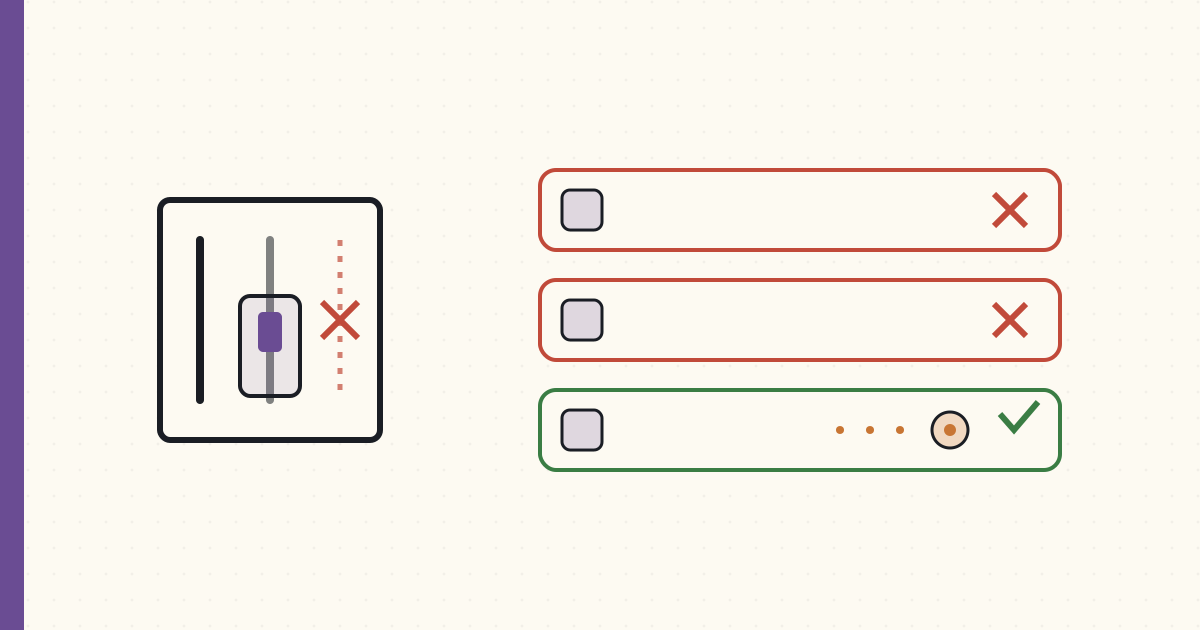
Smart bulbs are useless when someone flips the wall switch off. So the switch has to be smart too — except my 1948 house has no neutral wire in the switch boxes, which rules out most of the market. Two vendors failed on that wiring. The fix is a no-neutral RF switch, and I think I know which one I'm waiting for.
Eighteen months of controlling Hue bulbs from an app and from voice (more on Echo later this year). The pain point is now obvious: anyone who flips the physical wall switch off renders all the smart-bulb features useless. The bulb is unpowered. The app can't dim it. Schedules don't fire. Voice control can't reach it.
The wall switch has to be smart too. Tonight I'm writing this from a chair after a month of fighting smart-switch options against the wiring of an old house — two of them returned, and a third I haven't been able to buy yet but have read enough about to know it's the answer. Notes from the fight.
Attempt 1: Wemo light switch (Belkin) — failed
I bought a Belkin Wemo light switch first. I already had two Wemo plugs working. Same vendor, same app, same WiFi-only architecture. Should be easy.
It wasn't.
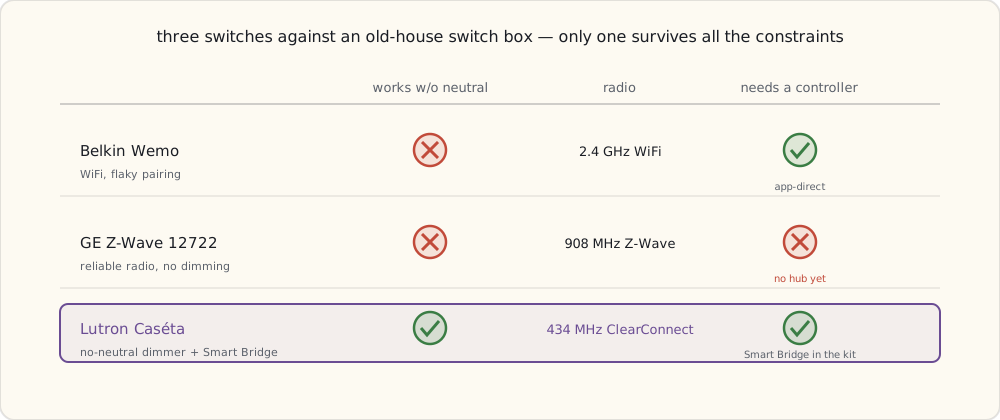
- Installation requires a neutral wire in the switch box. My 1948-built house has hot + load wires in switch boxes but no neutral. The Wemo switch physically won't connect — there's nowhere to bond the white wire.
- Even in switch boxes where I have neutral (one in the kitchen, one in the new addition), the Wemo switch was unreliable. It dropped off WiFi about once a week and required a hardware reset (hold the button for 10 s, re-pair via temporary
WemoNetSSID). Belkin's WiFi stack on the switch was worse than on their plug. - Onboarding required pairing in a temporary
WemoNet.<switchname>SSID — phone joins switch's local WiFi to configure, then switch joins your home WiFi. This worked maybe one time in three.
After three returns, gave up on Wemo for switches.
Why my house doesn't have neutral wires (a tangent)
Pre-1970s US residential wiring practice often used a switch loop for single-pole switches: the hot wire runs from the panel to the light fixture; from the fixture, a 2-wire cable (typically black + white) runs down to the switch box; the white wire is reassigned as a switched-hot return path. There's no neutral in the switch box because the circuit doesn't need one — the load (the light) is in the ceiling, the switch is just an interrupter.
When the National Electrical Code 2011 cycle added requirement 404.2(C) — neutral wires required in switch boxes for new construction and major remodels — it was specifically because the smart-switch industry needed it. Old houses are grandfathered. My old house is the problem.
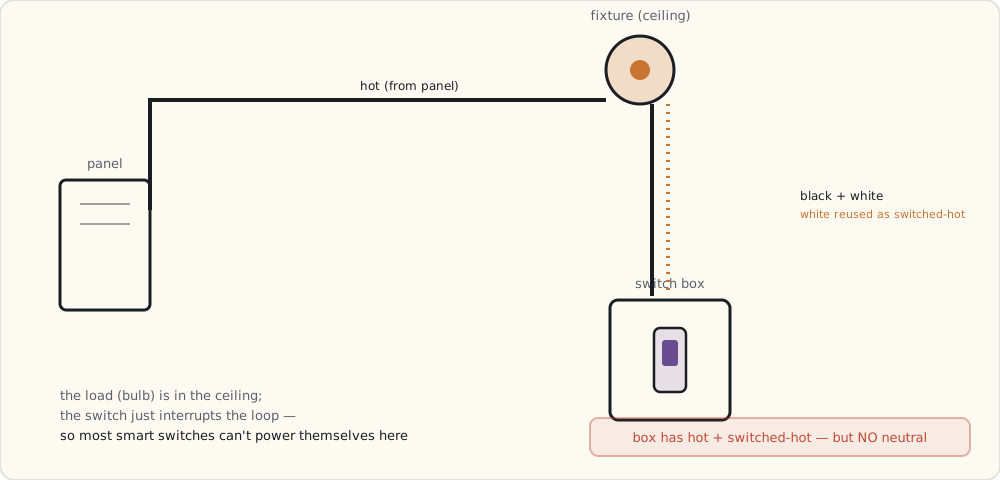
What you can do about it:
- Re-wire the switch loop with a 3-wire cable (black + red + white + ground). Pull a new neutral down to the box. Requires opening walls. Expensive.
- Install a smart relay up at the fixture, where there is a neutral. The smart device goes in the ceiling box; the wall switch becomes a momentary trigger into it. Works, but the relay is hidden and harder to service, and good in-wall micro-relays are thin on the ground right now.
- Use a no-neutral-design smart switch. Very few vendors offer these. Lutron — who've built no-neutral dimmers for decades — are bringing that expertise to a connected line, and it's the option I'm watching most closely.
Attempt 2: GE Z-Wave switch — partial fail
I tried a GE Z-Wave switch next (model 12722, common at the time, a 500-series Z-Wave chip). Z-Wave is more reliable than WiFi for low-bandwidth control: 908 MHz US band, mesh topology, low congestion. On paper it's the right radio for a switch.
Two problems, one of them mine.
- Still requires neutral. Same physical wiring problem as Wemo. Two boxes in the house qualify; the other 14 don't.
- I have nothing to drive it. Z-Wave needs a controller, and I don't own one yet — no Z-Wave hub, no stick. A Z-Wave switch with no Z-Wave brain on the network is just an expensive dumb switch. That gap is exactly the hub-shaped hole I keep coming back to, and it's the thing I expect to fill later this year.
- No native dimming in the 12722 — GE split dimming into a separate model, so it's two SKUs to cover one location.
So the GE switch goes back too: wrong wiring and no controller to make it smart.
Three switches, three sets of constraints — and only one clears all of them:
The fix I'm waiting on: Lutron Caséta
Here's where the month of fighting landed me. The no-neutral wall rules out the WiFi and Z-Wave switches I tried, and the answer — the one I've read the spec sheets cover to cover on but can't buy at retail just yet — is Lutron's new Caséta Wireless line, coming this year. Lutron has made no-neutral dimmers for professional installers for decades; Caséta brings that to a consumer connected system. This is the part where I tell you why I'm confident enough to wait for it instead of rewiring my walls.
Caséta uses Lutron's proprietary ClearConnect Type A protocol, 434 MHz in the US (sub-GHz, a different band than everything else in the house). It's a different architecture from anything else I've installed:
The Smart Bridge is the brain.
Lutron's Smart Bridge connects to Ethernet and speaks ClearConnect to the switches over RF. No WiFi on the switches themselves — they're RF-only. Range: ~30 m from the bridge; mesh-extensible via Pico remotes acting as repeaters.
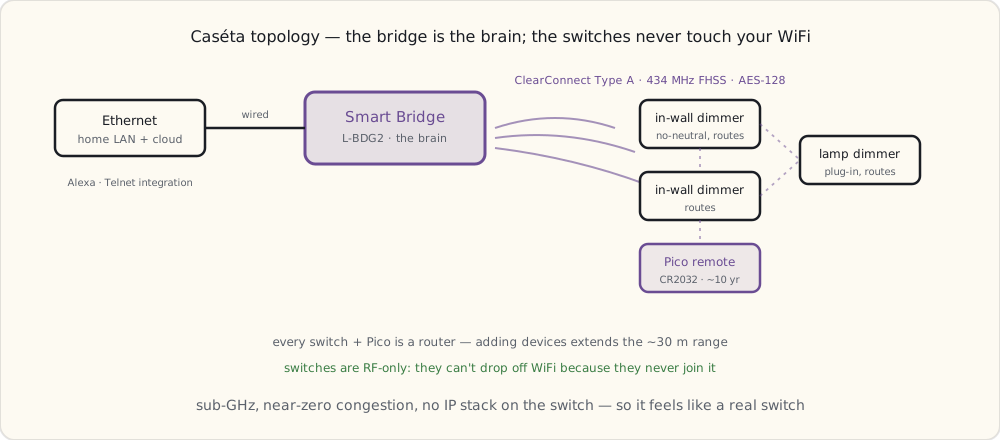
The protocol — ClearConnect Type A:
- 434.5 MHz band (US). Different from 2.4 GHz (WiFi, Zigbee, BLE) and 908 MHz (Z-Wave). Effectively zero congestion in residential environments.
- Frequency-hopping spread spectrum (FHSS), hops across 32 channels in the 433-435 MHz band.
- AES-128 encryption between bridge and devices, paired at commissioning time.
- Mesh — every Caseta switch and Pico remote is a router, extending range as you add more devices.
- Bridge-to-cloud (for Alexa, future SmartThings integration) over the home WiFi/Ethernet; switches don't touch the home network at all.
The killer feature: no-neutral design.
Caséta switches don't need a neutral wire. They run on what Lutron calls "no-neutral dimming" — the switch leaks a small amount of current (~5-10 mA) through the load to power its own electronics. This is the whole reason I'm waiting for it rather than buying anything on the shelf today.
It works because:
- The LED bulbs I run (Hue, plus some standalone LEDs) tolerate the trickle current. Most incandescents would have, too.
- The switch's electronics are deliberately low-power: a small ARM Cortex-M0 plus the 434 MHz radio module pulling sub-100 µA average.
The catch I'm bracing for: it won't work with every LED bulb. Some LEDs flicker because their internal driver circuits can't filter the trickle current cleanly. Lutron publishes a bulb compatibility list, and I fully expect to have to swap a couple of the cheapest LEDs in the house for tested models — the Hue bulbs should be fine; I'm less sure about the bargain Cree bulbs in the office.
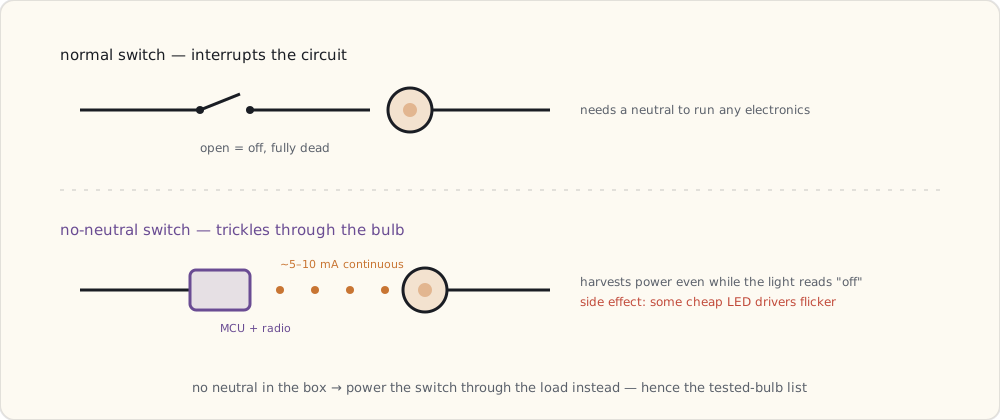
Latency should be a non-issue.
ClearConnect Type A is a pure RF protocol — no IP stack on the switch, no cloud round-trip — so the switch should respond in well under a quarter-second and feel like a regular switch. That's the thing IFTTT and cloud WiFi switches can't promise.
The Pico remote is the part that sold me.
Lutron's Pico is a battery-powered button that pairs with the switches — a CR2032 with a claimed ~10-year life, plausible given how rarely a button gets pressed. The pitch is that I can stick a Pico on any wall or drop it in a drawer: one by the bed for the bedside light, one on the couch arm, one in the kitchen. The system treats it as a virtual second switch.
The Pico is what convinced me Lutron understands lighting UX in a way the WiFi vendors don't — a real, placeable physical control, which is exactly the gap I've been complaining about since the bulbs went in.
Cost comparison
| Component | Cost |
|---|---|
| Lutron Smart Bridge (L-BDG2-WH) | $79 |
| Caseta in-wall dimmer (PD-6WCL-WH) | $59 |
| Pico remote (PJ2-2B-GWH-L01) | $15 |
| Plug-in lamp dimmer (PD-3PCL-WH) | $50 |
Wemo or GE Z-Wave switch: $40-45. Caséta's in-wall dimmer is expected around $59. Call the premium ~$15 per switch.
It's worth it, for two reasons that the month of failures made obvious:
- No neutral required. It'll install in any switch box, including the 60-70% of older US homes where the competition physically can't.
- Reliability. Caséta switches won't drop off WiFi, because they don't use WiFi. And ClearConnect isn't new — Lutron has shipped it in their professional RadioRA line since around 2010, so the radio is mature even if the consumer Caséta brand is fresh.
Integration with the rest of the house
The reason I'm not worried about being locked out of my own switches: the Smart Bridge exposes a limited local integration interface — a Telnet socket Lutron documents for their integration partners — so I'll be able to script it from my home server instead of being stuck inside the Lutron app. The command grammar is simple:
#OUTPUT,2,1,75   # Set output 2 to 75% brightness
?OUTPUT,2,1      # Query state of output 2
~OUTPUT,2,1,75   # Response: output 2 is at 75%
That's what I'll point my scripts at once the bridge is on the network. A real JSON API would be nicer; a documented Telnet socket I can reach on the LAN is already more than the cloud-only WiFi switches give me.
What's next
A year and a half in with three vendors, and none of them talk to each other except through IFTTT (slow) or my home-server scripts (brittle). The unification attempt is the next thing I'm chasing — the hub that finally speaks every protocol locally. SmartThings is the one I'm watching: a startup that shipped a dual-radio hub to its Kickstarter backers and is rumored to be heading for retail, maybe with a deep-pocketed acquirer behind it. If that lands, it's the spine the whole house has been missing. More once I've got one in hand.
 Part 09 of 61
 SmartThings starter kit unboxing — first credible hub
Samsung just closed the SmartThings acquisition two weeks ago. The hub they ship today (Kickstarter-era v1 design) is the first credible all-in-one.
Samsung closed the SmartThings acquisition two weeks ago — announced August 14, $200M. SmartThings is now a Samsung subsidiary. They're still shipping the original Kickstarter-era hub (call it v1; rumors are a successor is in design but won't ship until next year at earliest).
I bought the Home Monitoring Kit today ($249): one hub, two Multipurpose Sensors (door/window + motion + temperature), one Arrival Sensor (presence), and one Smart Outlet.
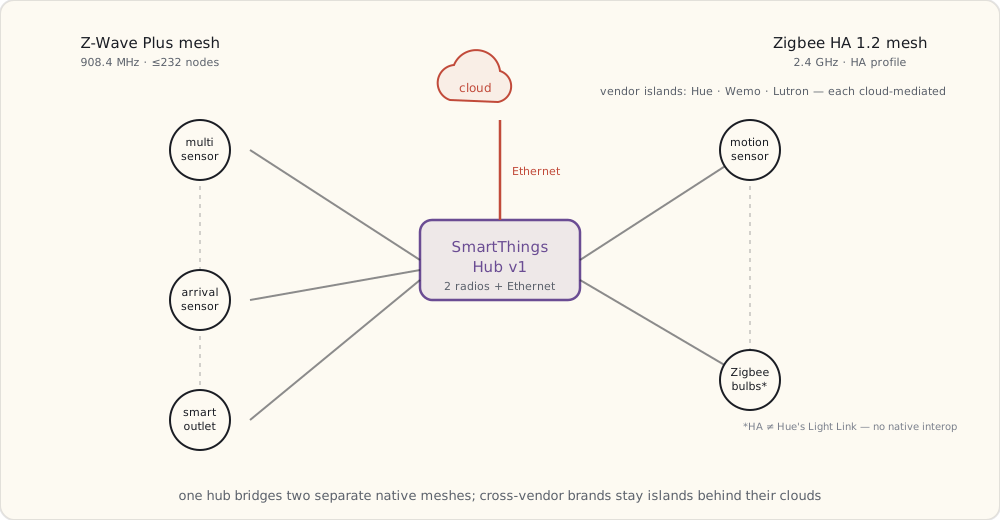
The hub is the centerpiece — first device I've installed that runs two native radios (Zigbee + Z-Wave) and a rules engine. The home-security arc starts here; a dedicated security-automation post follows once the door-and-presence rig has earned my trust. For now, what's in the box and how it works.
SmartThings Hub (v1) — hardware
- ARM Cortex-M3 microcontroller (Atmel SAM3X-class). Modest RAM, a couple megabytes of flash.
- Ethernet only, no WiFi (smart choice — wired backbone is more reliable for a hub).
- Two radios:
- Zigbee HA 1.2 via NXP JN5168/JN5169-class SoC. 2.4 GHz, profile is Zigbee Home Automation (different from Hue's Light Link profile — they don't natively interop without bridging).
- Z-Wave Plus 500-series via Sigma Designs ZM5101. 908.4 MHz US, mesh, up to 232 nodes per network.
- 4× AA batteries for backup if mains drops.
- Tiny SQLite database for device state cached locally; most state lives in the cloud.
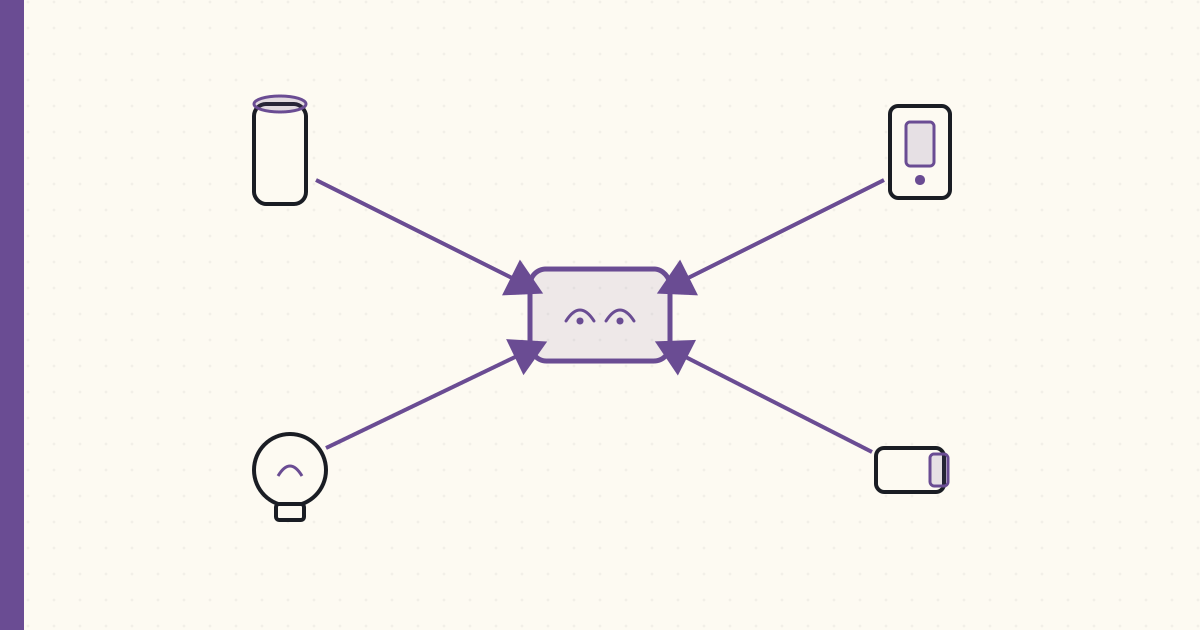
The shape of the thing is one hub straddling two physically separate mesh networks on two different bands, with a wired uplink to the cloud — and the cross-vendor brands sitting outside both meshes as cloud-only islands:
What's in the kit
Multipurpose Sensor (Z-Wave Plus, ×2): model F-MLT-US-2.
- 1.5 × 1.5 × 0.5 inches, CR2450 battery (claimed 2 years).
- Three sensors in one:
- Reed switch (open/close on the included magnet).
- 3-axis accelerometer (vibration + tilt — the sensor knows if the door it's stuck to is vibrating from someone trying to open it, or has been knocked off the wall).
- Thermometer (~±1°C).
- Reports state changes immediately; reports temperature on a 10-minute cadence.
- Z-Wave Plus security: AES-128, network key shared at inclusion time.
Motion Sensor (Zigbee HA): model F-IRM-US-2.
- PIR (passive infrared) detector, 120° FOV, ~5 m range.
- CR2450 battery.
- Configurable cool-down (1-3 min default between event reports — battery-vs-responsiveness tradeoff).
Arrival Sensor (Z-Wave): model F-ARR-US.
- Keyfob-size, CR2450.
- Beacons every 10 s when in range of the hub.
- Hub registers "present" / "not present" based on RSSI threshold + missed-beacon timeout.
- Range ~30 m inside a house, less through walls. Notably less reliable than phone-based presence detection — a dedicated keyfob is one more thing to carry and charge, and phone-GPS geofencing is starting to look like the better long-term answer.
Smart Outlet (Z-Wave): model F-OUT-US.
- 15A wall outlet with Z-Wave radio + power-consumption metering.
- Reports current power consumption + accumulated kWh + on/off state.
- 60-second metering interval by default; configurable down to 10 s.
Pairing a device — what actually happens on the wire
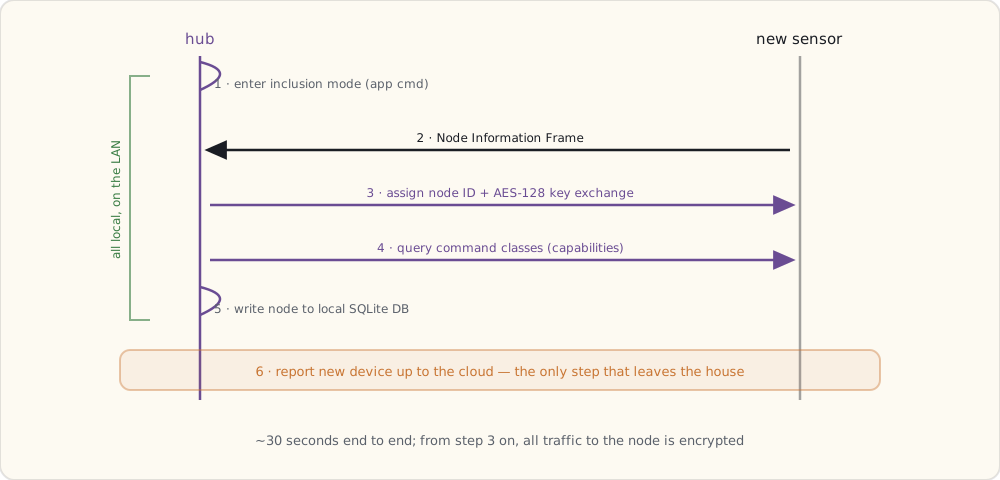
The Multipurpose Sensors come pre-paired with the hub in the box. Adding a third one is illustrative:
- Hub-side: enter inclusion mode (the SmartThings app sends a Z-Wave
Add Nodecommand to the hub, which starts listening for inclusion broadcasts). - Device-side: power up + press the button (the sensor sends a Z-Wave Node Information Frame (NIF) advertising itself).
- Hub assigns a Node ID (1-232) and provides the network key via the Z-Wave inclusion handshake.
- Z-Wave security exchange (AES-128 key derivation; from this point all traffic to this node is encrypted).
- Hub queries the device's command classes (which capabilities it supports: BasicSet, BinarySensor, Battery, etc.).
- Hub registers the device in its SQLite DB with
nodeId,manufacturerId,productType, declared capabilities. - Hub reports the new device to SmartThings cloud (this is the part that goes through internet).
The whole thing takes ~30 seconds and the LED on the sensor blinks fast → slow → solid green when it's done.
SmartApps — the Groovy platform
The SmartThings rules engine runs SmartApps — Groovy scripts that subscribe to device events and execute actions. The platform is hosted in SmartThings's cloud (more on that limitation below), but the hub can run a small whitelisted subset locally for low-latency reactions.
Example skeleton (heavily simplified):
definition(
  name: "Door + Presence → Alert",
  namespace: "luke",
  author: "Luke",
  description: "If a door opens while nobody is home, send a notification.",
  category: "Safety & Security"
)

preferences {
  section("Door sensors") {
    input "doorSensors", "capability.contactSensor", multiple: true
  }
  section("Presence sensors") {
    input "presenceSensors", "capability.presenceSensor", multiple: true
  }
  section("Notify") {
    input "phone", "phone"
  }
}

def installed() {
  subscribe(doorSensors, "contact.open", doorOpenedHandler)
}

def updated() {
  unsubscribe()
  installed()
}

def doorOpenedHandler(evt) {
  def anyoneHome = presenceSensors.any { it.currentValue("presence") == "present" }
  if (!anyoneHome) {
    sendSms(phone, "Door opened while away: ${evt.device.displayName} at ${evt.date}")
    log.warn "Security: ${evt.device.displayName} opened while away"
  }
}
This is the first security SmartApp I'll write. The full version — tuned against real false alarms — gets its own post once I've lived with it for a while.
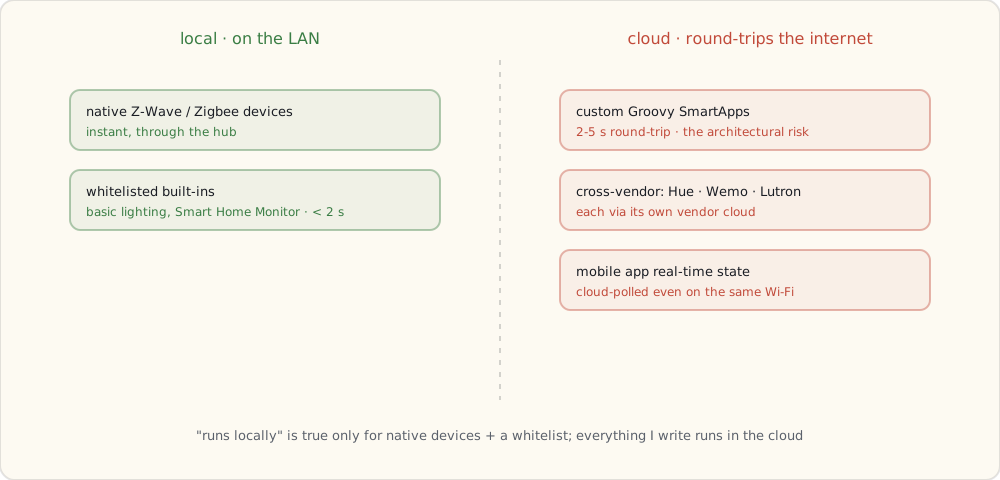
What runs locally vs in the cloud (the load-bearing limitation)
SmartThings's marketing says "runs locally." The reality is much narrower — the v1 hub doesn't have the RAM or flash to host much logic. Practically all of the platform lives in the cloud:
- A handful of vendor-whitelisted built-ins (the SmartLighting baseline, the Smart Home Monitor app): can run mostly on the hub for the simplest event→action paths. Latency
< 2 s. - Custom Groovy SmartApps (anything I write): run in the cloud. Latency 2-5 s round-trip — device → hub → cloud → execute Groovy → cloud → hub → device.
- Mobile app real-time state: always cloud-mediated. Even when phone and hub are on the same WiFi, the mobile app polls SmartThings's cloud (which polls the hub).
- Cross-vendor integrations (Hue, Wemo, Lutron via Caseta cloud): cloud-only. Each vendor's cloud is involved.
The custom-SmartApp-in-the-cloud constraint is the architectural risk here. If Samsung ever migrates the Groovy platform to a different architecture, my custom code will need to be rewritten. For now it's the only path to non-whitelisted automation, so I'm using it.
The first device integrations
Within an hour of unboxing:
- Hue: via SmartThings's Hue integration. Goes through Meethue cloud. 2-3 s latency to change a bulb from SmartThings.
- Wemo: via SmartThings's Wemo integration. Goes through Belkin cloud. 3-5 s latency.
- Lutron Caseta: not natively supported in 2014. I'll have to write a custom Groovy SmartApp that hits the Lutron bridge's Telnet API via a small relay running on my home server. Doable but ugly.
- Native Z-Wave / Zigbee devices: instant, local, in the hub's database.
What this enables
First time I have a single platform that:
- Sees Hue bulbs (cloud-mediated).
- Sees Wemo plugs (cloud-mediated).
- Sees Z-Wave devices (local, native).
- Sees Zigbee HA devices (local, native).
- Has presence detection (Arrival Sensor + later, phone GPS).
- Runs cross-vendor SmartApps (cloud-executed for custom; local for whitelisted).
That's the smart-home unifier I've been waiting two years for. Not perfect. Mostly works.
What's next
Coming up next: a voice assistant in the house, and what it does to the way I control all of this. Then the first dedicated security-automation post, where the door/window + presence combo becomes my first piece of real home security.
 Part 10 of 61
 Amazon Echo arrives — Alexa, lights, first voice automation
Amazon launched Echo on November 6 as Prime-only invitation pre-order. Mine arrived this week. Notes on what voice control actually does and doesn't do in 2014.
Amazon Echo launched November 6, 2014 — Prime-only invitation pre-order at $199 ($99 for Prime members). I got in on the early wave; the device arrived Tuesday.
It's the first time I've controlled lights with my voice — the Hue bulbs I've been running since 2012, now answering to "Alexa" instead of a phone tap. That's not a small thing. Notes on the technical bits underneath, plus what's missing.
What the Echo actually is
Hardware:
- Texas Instruments DM3725 SoC (ARM Cortex-A8, 1 GHz, 256 MB RAM, 4 GB flash).
- Seven-microphone circular array with beamforming. This is the key. The array detects sound source direction and applies acoustic echo cancellation — that's how Echo hears "Alexa" while playing music at moderate volume.
- WiFi 802.11n + Bluetooth 4.0 + a hidden Ethernet input (via wall adapter, not in the box).
- 2.5" woofer + 2" tweeter. Audio is decent but not great.
Architecture:
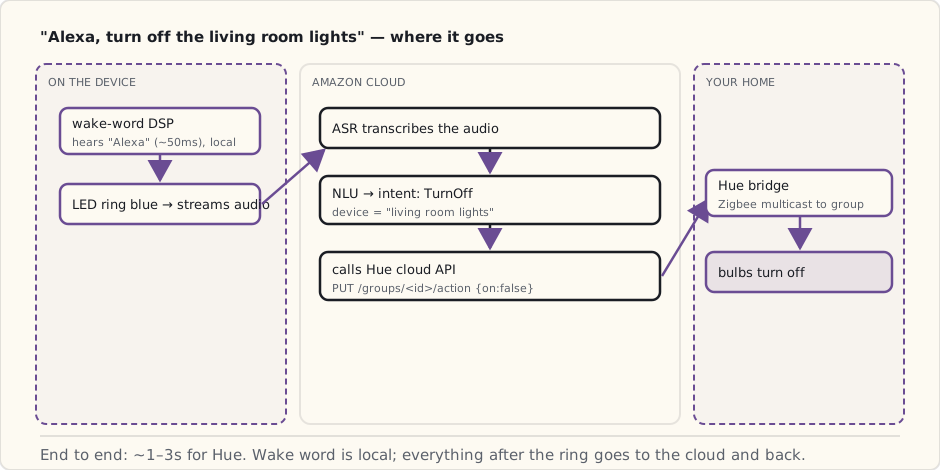
- Local wake-word detection. A dedicated low-power DSP on the device runs the wake-word model for "Alexa" (or alternates "Amazon" / "Echo" / "Computer"). The DSP is small enough that this runs continuously without draining the wall adapter.
- Cloud-streamed ASR + NLU. Once wake word fires, the device starts streaming audio to AWS for actual speech recognition (Amazon's own ASR pipeline, not Nuance) + natural-language understanding.
- LED ring for state. Blue rotating = listening, white = volume change, yellow = notification, red = mic muted. Useful feedback when speech parsing isn't.
The whole listening path:
user says "Alexa, turn off the living room lights"
  ↓
  on-device wake-word DSP detects "Alexa" (~50 ms after the syllable)
  ↓
  LED ring lights blue, device starts streaming audio to AWS
  ↓
  AWS ASR transcribes audio in real-time
  ↓
  Amazon's NLU classifies intent: SmartHomeControl, action=TurnOff, device="living room lights"
  ↓
  Echo's smart-home integration looks up "living room lights" in the user's linked Hue account
  ↓
  Amazon calls Meethue API: PUT /groups/<living-room-id>/action {"on": false}
  ↓
  Meethue forwards to user's Hue bridge over its persistent connection
  ↓
  bridge multicasts Zigbee command to the group
  ↓
  bulbs turn off
  ↓
  Echo says "OK" (or, if confident, no audio response)
End-to-end latency: 1-3 seconds for Hue, 4-7 seconds for anything that crosses Amazon cloud → vendor cloud → device.
What it does in December 2014
Out of the box, no integrations:
- Music (Amazon Prime Music + Pandora + iHeartRadio).
- Timers, alarms, reminders (one timer at a time — multi-timer comes later).
- News briefings ("Alexa, what's the news?").
- Weather.
- Wikipedia facts.
- Shopping list ("Alexa, add milk to the list" — syncs to Amazon app).
With the Hue integration (via Alexa app, OAuth-linked to Meethue):
- "Alexa, turn off the living room lights."
- "Alexa, dim the kitchen to 50 percent."
- "Alexa, turn on Reading scene." (works with named Hue scenes — discovered via Meethue's
/scenesendpoint).
That last one is the moment that crossed a threshold for me. Voice + scene is the new primitive. The smart home becomes something you talk to rather than something you tap.
What it can't do (yet)
- No Wemo integration. Belkin will publish an Alexa skill in early 2015. Not yet.
- No SmartThings integration. Same — coming early 2015.
- No Lutron Caseta. Coming 2015 as well.
- No custom skills. The Alexa Skills Kit (ASK) for third-party developers ships mid-2015. Everything in 2014 is hardcoded Amazon integrations.
- No multi-room voice. One Echo per house. You can't have two Echoes in adjacent rooms without both responding to the same command. Amazon will presumably figure out device arbitration eventually; today, one Echo is the answer.
- No follow-up questions. Each command is a fresh transaction. "Alexa, turn off the living room lights — and the kitchen too" — the second part is ignored.
- No conditionals via voice. No "Alexa, if anyone's home, turn off the porch light." State is in SmartThings; voice can't see it.
The Skills architecture (announced, coming 2015)
From what Amazon's published: Skills will be Alexa's equivalent of mobile apps. A Skill defines:
- Invocation name: "open garage door."
- Intents: parameterized actions ("close the garage door" with optional slot "in 5 minutes").
- Sample utterances: many variations of the same intent for ASR matching.
- Cloud endpoint: where Alexa POSTs the parsed intent — a Lambda function or any HTTPS endpoint.
{
  "intents": [
    {
      "intent": "GarageCloseIntent",
      "slots": [
        {"name": "DelayMinutes", "type": "AMAZON.NUMBER"}
      ]
    }
  ]
}
Sample utterances:
GarageCloseIntent close the garage
GarageCloseIntent close the garage door
GarageCloseIntent close the garage in {DelayMinutes} minutes
GarageCloseIntent shut the garage
That's the developer hook that lets every smart-home brand integrate. Looking forward to that becoming the real unifier — voice + cloud actions + cross-vendor.
What this changes for the smart home
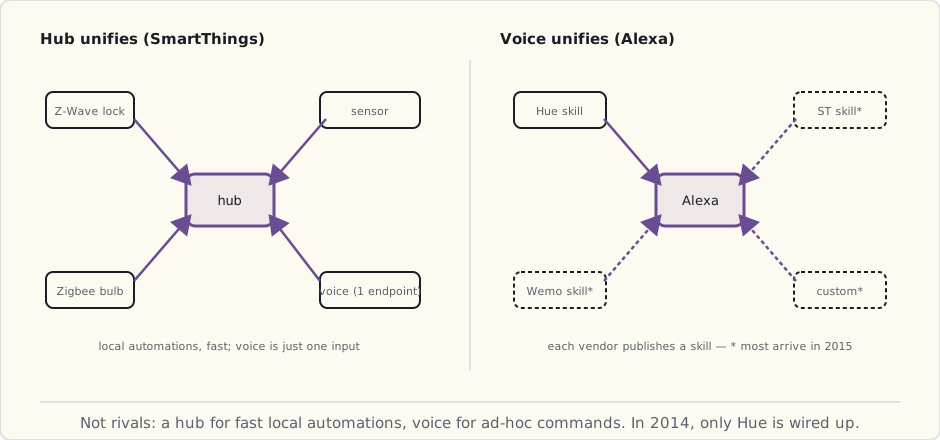
Two unification surfaces now exist:
- Hub-based unification (SmartThings): your stuff talks to a hub; the hub talks to other vendors' clouds. Voice is one more endpoint.
- Voice-assistant unification (Alexa, eventually Google + Siri): the voice assistant becomes the unifying API. Each vendor publishes a Skill; Alexa orchestrates.
These aren't mutually exclusive. Long-term I expect both: hub for local actions and fast automations, voice for ad-hoc commands.
In 2014, Alexa is good enough at lights to use daily. It's bad at everything else smart-home (locks, thermostats, cameras — no integrations yet). That'll be the 2015 story.
Privacy note (will revisit)
The mic array is always on for the wake word. Audio is processed on-device until wake fires; then it streams to AWS. Amazon retains the audio of post-wake-word commands by default — accessible (and deletable) in the Alexa app.
The "always-listening" panic is overblown for the wake-word DSP (no recording, no streaming pre-wake). The post-wake retention is a real privacy decision — defaults to keep, and most users don't change it. The regulatory pressure on this hasn't materialized yet but probably will eventually; for now the customer is the only one auditing.
What's next
Last post of 2014 — the year-end review.
 Part 11 of 61
 2014 review — SmartThings + Alexa change everything
Big year. SmartThings + Samsung happened, Echo arrived, Lutron Caseta solved the no-neutral problem, HomeKit got announced.
Bigger year than I expected. 2014 was when the smart-home tooling caught up to what I needed.
Scoring the 2013 forecast
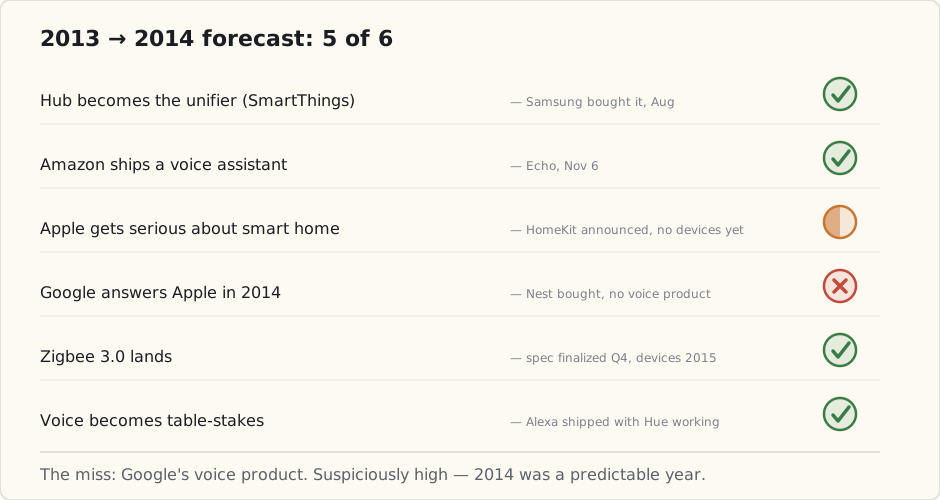
Six predictions for 2014. Let's grade:
| Prediction | Confidence | Outcome | Verdict |
|---|---|---|---|
| Hub becomes the unifier (SmartThings) | 90% | SmartThings (v1 hub + kit) on shelves; Samsung acquired the company in August | ✓ |
| Amazon ships a voice assistant | 80% | Echo launched Nov 6 (Prime invite); GA expected mid-2015 | ✓ |
| Apple gets serious about smart home | 70% | HomeKit announced WWDC June 2014; first devices Q1 2015 | ✓ (partial — no devices yet) |
| Google answers Apple in 2014 | 50% | Nest acquired Jan 2014, no voice product yet | ✗ |
| Zigbee 3.0 lands | 60% | Spec finalized Q4 2014, devices coming 2015 | ✓ (just barely) |
| Voice becomes table-stakes | 95% | Alexa shipped with Hue working; SmartThings + Wemo skills coming early 2015 | ✓ |
Five out of six. The miss was Google's voice product. Net forecast accuracy: ~83%. Suspiciously high — partly because 2014 was a predictable year. 2015 will be the one that actually tests forecasting skill.
What got added to the house this year
- 2 wall switches (Lutron Caseta in-wall dimmers + Smart Bridge): March.
- 5 more Hue bulbs (now 10 total): scattered.
- SmartThings hub + Home Monitoring Kit (2 door/window sensors, 1 motion, 1 presence, 1 outlet): August — Samsung acquisition closed two weeks earlier.
- Amazon Echo: November.
Vendors brought in: 2 new (Lutron, SmartThings/Samsung). Apps on phone for the smart home: now 4 (Hue, Wemo, Lutron, SmartThings) plus Alexa for voice.
App count: still going in the wrong direction. But each layer is doing different work now: Hue for lighting protocol, Lutron for in-wall, SmartThings for cross-protocol automation, Alexa for ad-hoc voice.
What works at year-end
- Voice for lights. "Alexa, dim the kitchen to 30." Used daily.
- Door/window + presence on SmartThings. First security automations being prototyped — full post coming March 2015.
- Lutron switches. Reliable. Fast. Untouchable.
- Hue still the lighting backbone. All bulbs on Hue. Switches command Hue via SmartThings integration (cloud-mediated, 2-3 s latency).
What doesn't
- Wemo plugs are increasingly the weak link. WiFi drops, slow Alexa response via Belkin cloud (5-7 s), no good way to migrate the data off. Replacement candidates: Z-Wave plugs (Aeotec, GE) in 2015.
- HomeKit isn't real yet — announced, no devices on shelves.
- Multi-room voice isn't a thing. One Echo, one location.
Forecast for 2015
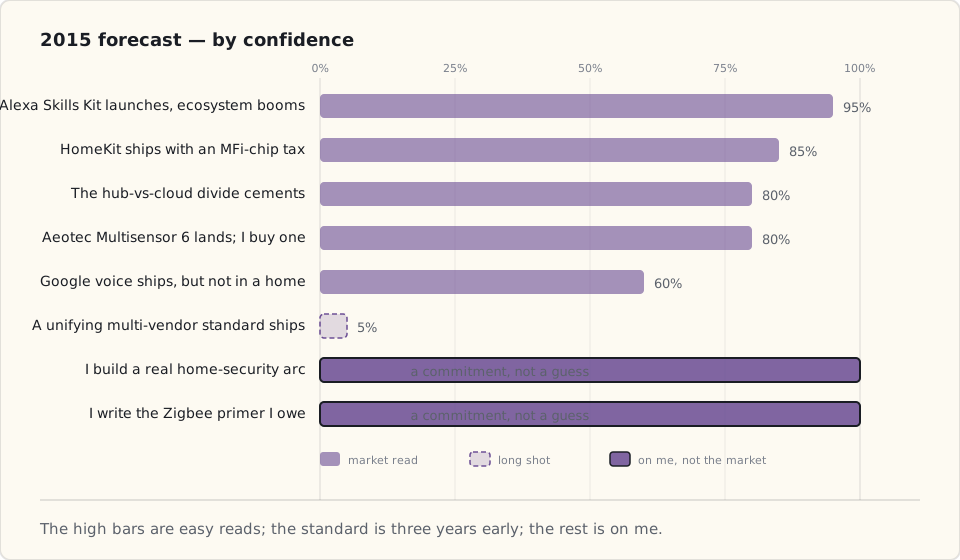
Predictions in order of confidence:
1. Alexa Skills Kit launches; ASK ecosystem explodes. (Confidence: 95%)
Amazon publishes the SDK in Q1 or Q2. By Q4 there are 1000+ Skills. Every smart-home vendor publishes one. Latency for voice → action improves as direct integrations replace cloud-to-cloud routing.
2. HomeKit ships, with a hardware-security tax. (Confidence: 85%)
Apple's MFi chip requirement keeps cheap vendors out. Ecosystem is small but high-quality at launch. I'll try it, find the walled garden tolerable for the Apple house, and probably bounce when it doesn't speak to the SmartThings stuff I already have.
3. Google ships a voice assistant — but not in a home device. (Confidence: 60%)
Google's voice lands first in Android Wear / Auto / Assistant-on-phones. A Google Home device is more likely 2016.
4. The hub-or-cloud divide cements. (Confidence: 80%)
SmartThings (hub-based, partly local) vs Wink (cloud-only) is the architectural split. Wink struggles as outages happen; SmartThings's hub model is vindicated.
5. The first wave of dedicated security-arc posts. (Confidence: 100%)
I'm building a real home-security system this year — door + window + presence + motion sensors with SMS notifications + the SmartThings Smart Home Monitor. Expect 4-6 security-tagged posts. The arc starts March 2015.
6. A unifying multi-vendor standard? (Confidence: 5%)
The Thread Group (formed July 2014, Nest + Samsung + ARM + others) is rumored to be working on a 6LoWPAN-based standard. It's three years too early to ship. Not happening in 2015.
7. The Zigbee deep-dive primer I owe everyone. (Confidence: 100%)
A year with Zigbee on Hue and now on SmartThings's Zigbee HA radio gives me enough to write the proper Zigbee primer in mid-2015.
8. Multisensors land. (Confidence: 80%)
Aeotec's Multisensor 6 (motion + temp + humidity + light + UV + vibration in one Z-Wave device) is launching Q2 2015. I'll buy one. Humidity-triggered bathroom fans become a thing in my house in late 2015.
What I'm buying in 2015
- Z-Wave window/door sensors (to scale beyond the SmartThings kit's two): ~6 sensors.
- Aeotec Multisensor 6 (motion + temp + humidity + light): 2 of them.
- A Z-Wave water leak sensor for the basement.
- A second Echo for the bedroom.
- Maybe — maybe — an Apple TV 4 once HomeKit devices ship, to try it as a HomeKit hub.
What's next
First real security automation post — door/window + presence combo on SmartThings — coming March 2015. The home-security arc starts there.
 Part 12 of 61
 First security automation — door/window + presence
Six months on SmartThings. Starter kit's door/window sensors and Arrival Sensors sat in a drawer waiting for the first useful automation.
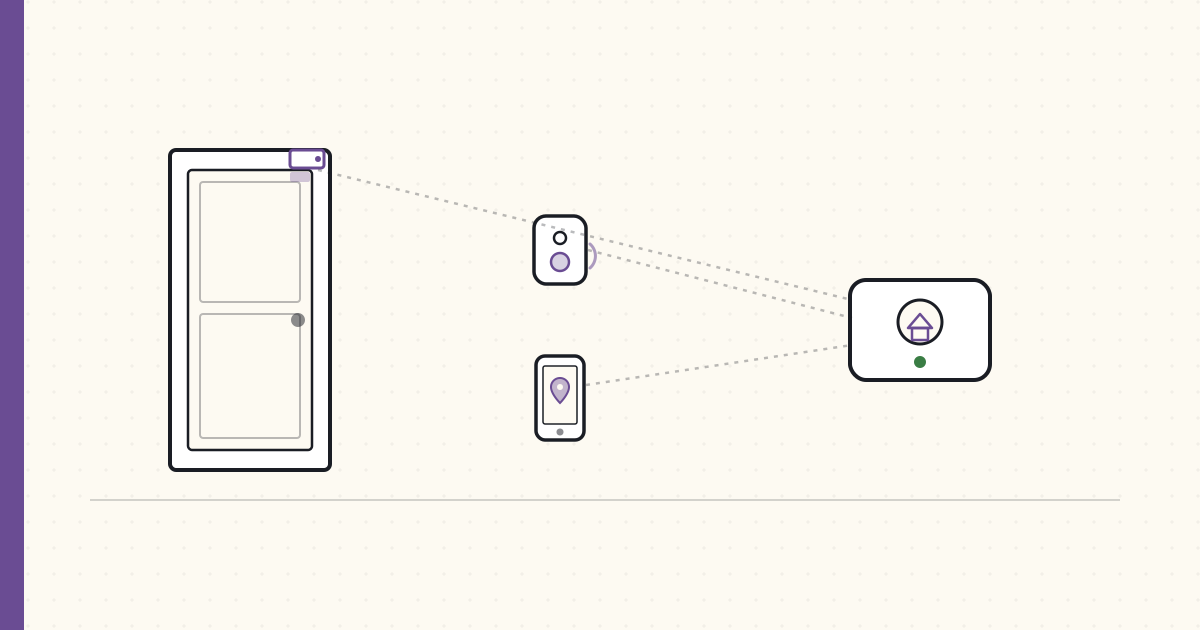
Six months on the SmartThings hub I bought last August. The starter kit's two door/window sensors and one Arrival Sensor have been sitting in a drawer waiting for me to build something with them. Tonight is the night.
The setup
Two SmartThings Multipurpose sensors:
- Front door (the only frequently-used external door).
- Basement bulkhead (the door I never check but is structurally the most likely intrusion path).
Two SmartThings Arrival Sensors — one on my keychain, one on my wife's.
$200 of gear total. Hub is the centerpiece.
The SmartApp
First Groovy SmartApp I've deployed to production (= "my house"):
definition(
  name: "Door + Presence Security",
  namespace: "luke",
  description: "SMS me if a door opens while nobody is home.",
  category: "Safety & Security"
)

preferences {
  section("Door sensors") {
    input "doors", "capability.contactSensor", multiple: true
  }
  section("Presence sensors") {
    input "presence", "capability.presenceSensor", multiple: true
  }
  section("Notify") {
    input "phone", "phone"
  }
}

def installed() { subscribe(doors, "contact.open", doorOpened) }
def updated()   { unsubscribe(); installed() }

def doorOpened(evt) {
  def home = presence.any { it.currentValue("presence") == "present" }
  if (!home) {
    sendSms(phone, "${evt.device.displayName} opened while nobody home at ${evt.date}")
    log.warn "SECURITY: ${evt.device.displayName} ${evt.date}"
  }
}
Twenty lines. Deployed via the SmartThings IDE — web-based Groovy editor that connects to the hub through SmartThings's cloud. Subscribe is local on the hub; the sendSms call routes through the cloud.
End-to-end latency: door opens → SMS arrives in ~3-5 seconds. Acceptable for an alert.
What works
- Both Multipurpose sensors fire reliably on every open/close. Accelerometer adds vibration detection for the "someone's prying the door" edge case (untested, mercifully).
- SMS arrives within seconds when door opens AND nobody home.
- SmartApp survives hub reboots. Hub crashed during a thunderstorm last week, came back up, automation resumed.
What doesn't (yet)
Arrival Sensor reliability is bad. The keyfob is a battery BLE beacon. It pings the hub every 10s when in range. The hub flips presence → not-present if it misses N beacons (configurable; default 60s out of range).
Miss rate is high enough that I'm getting false alarms:
- I'm in the basement, hub is upstairs. Hub thinks I left because the keyfob signal weakens through the floor. I open the basement door coming back up. SMS fires. "Door opened while nobody home." But I am home.
- I'm in the backyard, 30 feet from the hub. Same problem.
- I walk into the bathroom for 15 minutes; the bathroom is on the far side of the house — hub stops seeing the fob.
False-positive rate so far: ~1 false alarm per week. Going to make the household ignore the SMS, which is the wrong outcome.
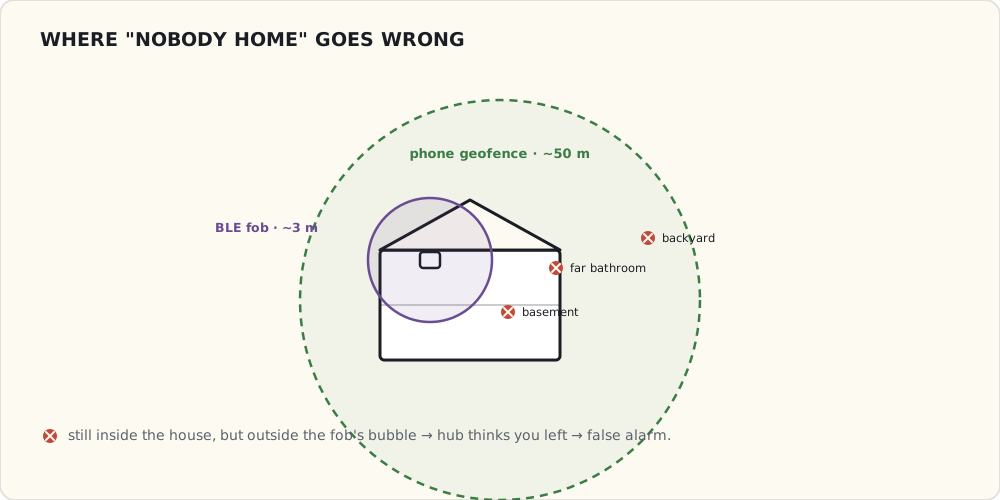
The fix: phone-based presence. SmartThings has an iOS app that can use GPS geofencing to report presence. More accurate (50m geofence vs ~3m beacon for Arrival Sensor), and the phone is in someone's pocket basically always. Downside is the SmartThings app must run in background, which costs battery.
Going to add the phone as a presence sensor next week, demote the Arrival Sensors to secondary signal, combine them with (phone_present OR arrival_present) logic.
What I want next
- Phone geofencing as primary presence.
- Motion sensor (the kit's Zigbee PIR) as a third signal: "if door opens AND no presence AND no motion in last hour → escalate."
- A glass-break sensor for the kitchen patio doors. Aeotec and Ecolink both make Z-Wave models.
- Something louder than SMS. A Z-Wave siren in the basement, maybe. SMS is silent; if someone's actually breaking in and I'm asleep, SMS won't wake me.
This is the first piece of the security arc. Going to layer on more sensors as I trust the platform.
What I'm wondering
If a thunderstorm takes out my internet, does the automation fail? The SmartApp Groovy execution is cloud-side; the SMS dispatch is cloud-side. Local-only security automation is a problem I want to figure out — probably impossible on SmartThings v1, possibly something to revisit when they ship a beefier hub.
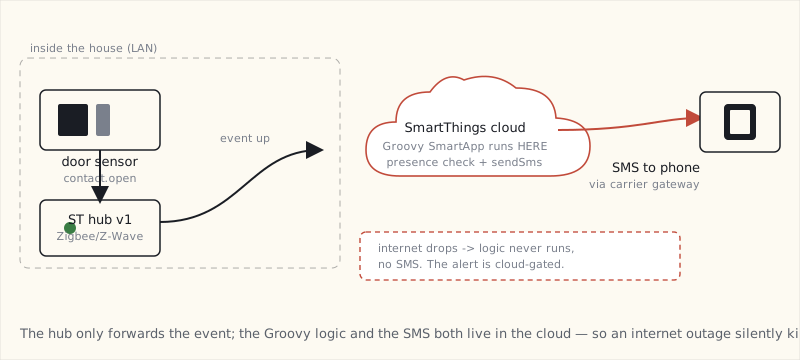
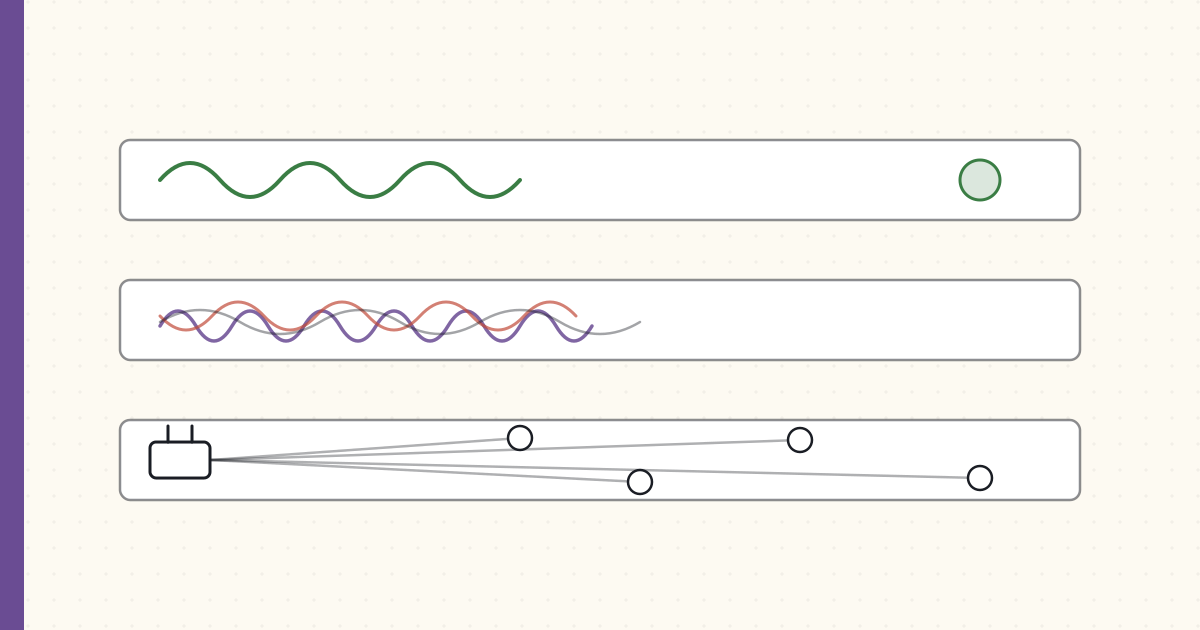 Part 13 of 61
 Z-Wave vs Zigbee vs WiFi — a year on SmartThings
A year living with all three protocols on the SmartThings hub plus Hue's separate Zigbee bridge. The frequency bands, the mesh behaviors.
A year with all three radio protocols running in the same house. The SmartThings hub carries Z-Wave + Zigbee HA; the Hue bridge carries Zigbee Light Link separately; Wemo plugs and a new LIFX bulb hang off WiFi. Time for a proper comparison.
The three at a glance
| Protocol | Band | Topology | Practical range | Power | Throughput |
|---|---|---|---|---|---|
| Z-Wave Plus 500-series | 908.4 MHz (US) | Mesh | 30 m / wall | Sleep-friendly, years on coin cell | ~40 kbps |
| Zigbee HA / ZLL | 2.4 GHz | Mesh | 10-15 m / wall | Sleep-friendly | ~250 kbps |
| WiFi 802.11n | 2.4 GHz / 5 GHz | Star (router) | 30 m / wall | Always-on, no sleep | 50+ Mbps |
The 908 MHz advantage Z-Wave has
The biggest reason I now reach for Z-Wave on every battery-powered sensor: 908 MHz lives in its own world. WiFi, Zigbee, and Bluetooth all share the 2.4 GHz band — which in a typical home is already packed with the router, the laptop, the phone, the microwave, the baby monitor, and now a dozen smart-home devices.
Z-Wave Plus on 908.4 MHz US sees almost no other RF traffic. The result: Z-Wave sensors report reliably, with 5-year battery life, where a Zigbee version of the same sensor might drop messages once a week and chew through a coin cell every nine months.
The tradeoff: throughput. Z-Wave maxes out around 40 kbps; useless for video, fine for "the door just opened."
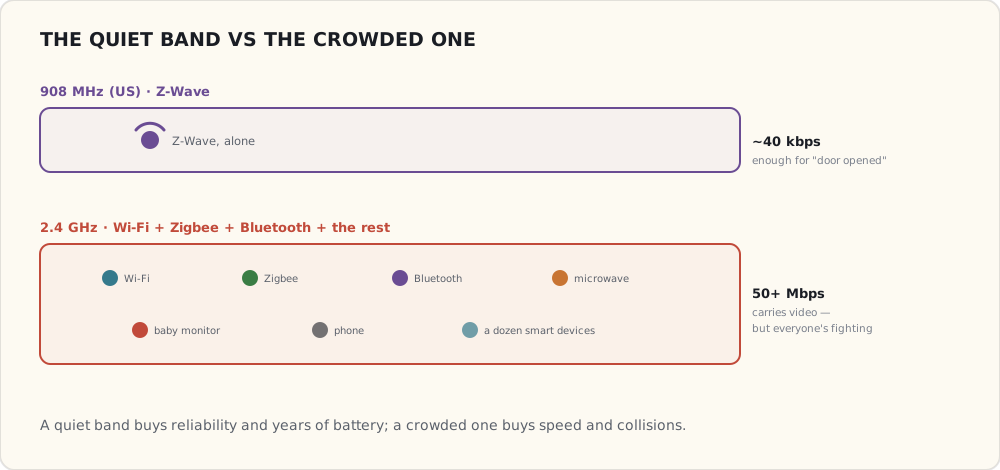
Zigbee's two profiles, still not interop
A year in, the most persistent annoyance: Zigbee HA (Home Automation) and Zigbee Light Link (ZLL) are still separate profiles and they don't natively talk to each other.
- Hue bulbs speak ZLL. They join the Hue bridge.
- SmartThings Zigbee sensors speak ZigBee HA. They join the SmartThings hub.
If I add a non-Hue Zigbee bulb (e.g., a GE Link bulb), it speaks ZHA — joins SmartThings fine, but doesn't appear in the Hue app. If I want everything in one app, I have to bridge through SmartThings's Hue integration (cloud-mediated, 2-3s latency).
Zigbee 3.0 is supposed to unify these (spec was ratified late last year). No devices ship Zigbee 3.0 yet. Coming, but not here.
Mesh behavior in practice
Both Z-Wave and Zigbee are mesh protocols. In theory, every mains-powered node is a repeater; the more nodes you have, the better the coverage.
In practice:
- Mesh healing is slow. When I added a new Z-Wave switch, the mesh didn't re-route to use it for two days. SmartThings has a "repair Z-Wave network" command that forces it; never run it during the day because it takes 20 minutes and pauses normal operation.
- Battery-powered devices don't repeat. They're end-devices only. Adding ten more door sensors does not extend your coverage; only mains-powered devices (switches, outlets, plugs) do.
- Zigbee mesh through walls is meh. 2.4 GHz hates drywall. I've got a Zigbee sensor 12 meters from the SmartThings hub, line-of-sight; works fine. The same sensor 8 meters away through two walls drops messages.
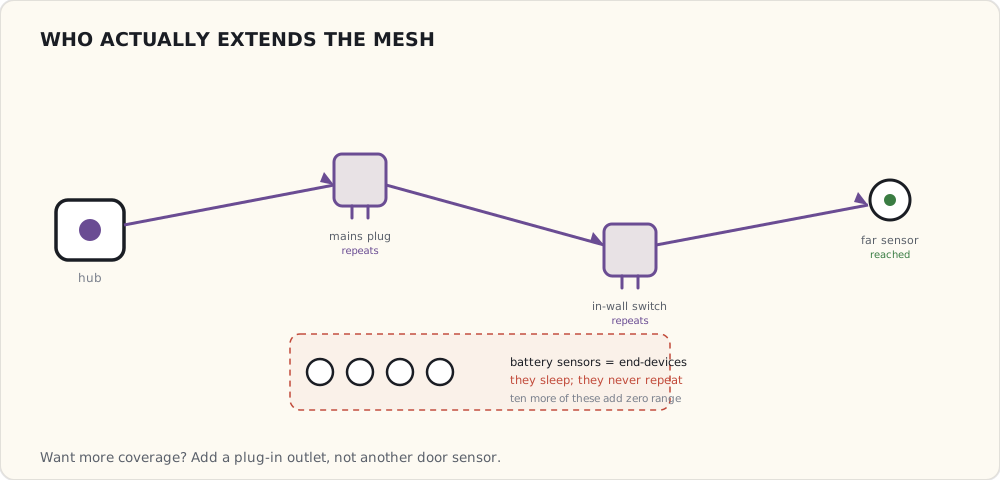
WiFi as the "what else" option
WiFi for everything I haven't figured out how to put on Z-Wave or Zigbee:
- LIFX bulb (just got the first one — six months late from their Kickstarter). WiFi-only. Bright. Hot to the touch.
- Foscam IP camera in the nursery. WiFi.
- Wemo plugs that I haven't replaced yet.
WiFi means each device is on my home network with its own IP and its own always-on radio (the always-on tax from the 2013 primer). I'm now seeing real impact: my 2.4 GHz channel is congested enough that my laptop sometimes prefers 5 GHz even when 2.4 GHz would have been faster.
What I'd pick for which job, today
- Door / window sensor: Z-Wave (low traffic, long battery, dedicated band).
- Motion sensor: Z-Wave or Zigbee. Z-Wave if battery; Zigbee if mains-powered.
- Light bulb: Zigbee (Hue or HA). Avoid WiFi bulbs unless the form factor demands it.
- In-wall switch: Z-Wave (mains-powered, reliable, good ecosystem) — or Lutron Caseta on its own 434 MHz protocol if the box has no neutral.
- Camera: WiFi. No other protocol carries the throughput.
- Plug-in outlet: prefer Z-Wave (Aeotec, GE) over WiFi (Wemo). Less always-on draw, more reliable.
What's not here yet
- A real protocol unifier. Zigbee 3.0 promises to fix the ZHA/ZLL split; not shipping yet.
- Thread. The Thread Group (Nest + Samsung + ARM + others) formed last year and is supposed to ship a low-power IPv6 mesh protocol for smart home. No products yet; rumors say 2016.
- A way to run Z-Wave commands locally without the SmartThings cloud. Still working on it.
The protocol stack is fine. The architecture above it (hub-mediated, cloud-required for custom logic) is what's going to need to change.
 Part 14 of 61
 Aeotec Multisensor 6 — six sensors in one Z-Wave device
Aeotec shipped Multisensor 6 — motion, temperature, humidity, light, UV, and vibration in one Z-Wave Plus device.
Aeotec's Multisensor 6 shipped last month — Z-Wave Plus, 500-series chip, six sensors in a tennis-ball-sized package:
- Motion (PIR, 5 m range, 120° FOV)
- Temperature (±0.5 °C)
- Humidity (±3% RH)
- Light level (lux)
- UV index
- Vibration / tamper (3-axis accelerometer)
Two of them ordered and installed last week — one in the master bathroom, one in the front entryway. $50 each.
Why one device with six sensors beats six devices
Each Z-Wave node on the network uses an inclusion slot (max 232 per hub), takes up battery management overhead, and adds mesh-routing complexity. A single device that reports six readings is vastly cheaper than six separate devices that each report one.
It also means: when I want to add a new automation that depends on a new dimension (e.g., "trigger fan when humidity > 70%"), I don't have to install another device. The data is already arriving.
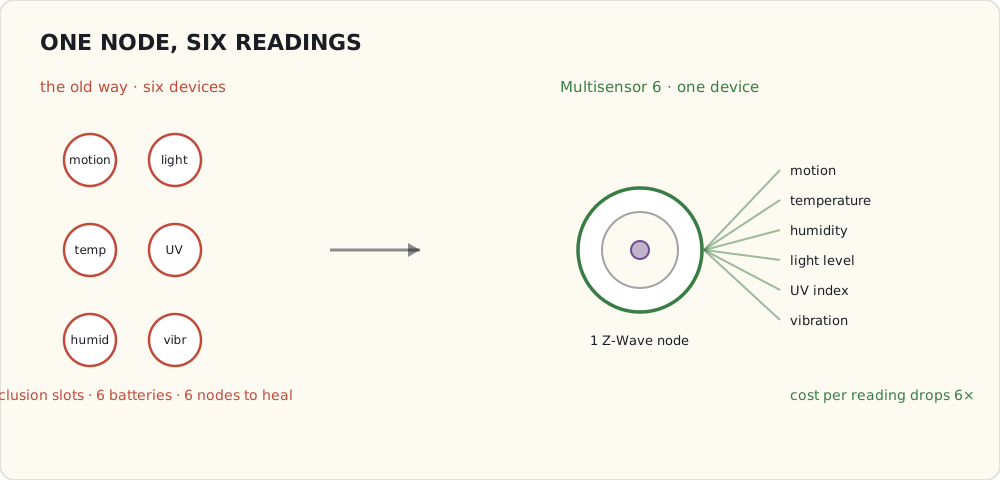
Power options — and the trade
The Multisensor 6 can run two ways:
Battery mode (2× CR123A lithium):
- Configurable reporting interval (default 60 min, can go down to 30 s).
- Battery life: ~6 months at default; ~1 month at aggressive reporting.
- Practical for "report every 5-10 minutes" patterns.
USB power (micro-USB at 5V):
- Reports as often as you want without battery worry.
- Acts as a Z-Wave repeater (battery mode is end-device only — doesn't route mesh traffic).
- I'm running both of mine on USB. They're stationary devices; finding an outlet wasn't hard.
The repeater behavior is the underrated win. Each USB-powered Multisensor extends my Z-Wave mesh by 30 m of additional coverage. The bathroom sensor in particular reaches the bedroom door sensors that were borderline on the previous mesh.
Configuration — the Z-Wave parameter dance
Multisensor 6 has 60+ configurable parameters via Z-Wave Configuration Set commands. The ones that matter for me:
Parameter 3  (motion timeout):       30s   — how long after motion before reporting "no motion"
Parameter 4  (PIR sensitivity):      5     — out of 5; max
Parameter 40 (selective reporting):  1     — only report when value crosses threshold
Parameter 41 (temp threshold):       2.0°C — minimum delta before reporting temp
Parameter 42 (humidity threshold):   5%    — minimum delta before reporting humidity
Parameter 101 (report interval):     300s  — 5-minute periodic report regardless of changes
Setting these in the SmartThings IDE requires writing a custom Device Handler (Groovy code that maps Z-Wave commands to SmartThings capabilities). I forked one from the community SmartThings forums; works fine.
The first humidity automation — bathroom fan
The bathroom Multisensor reports humidity every five minutes. The fan is on a Z-Wave switch (GE 12722, the same model I tried for general light switches a year ago — fine for fans because the box has neutral).
SmartApp:
definition(name: "Humidity Fan", namespace: "luke", ...)

preferences {
  section { input "sensor", "capability.relativeHumidityMeasurement" }
  section { input "fan", "capability.switch" }
  section {
    input "threshold", "number", title: "Humidity % to trigger", defaultValue: 65
    input "offDelta",  "number", title: "Turn off below %",      defaultValue: 55
  }
}

def installed() { subscribe(sensor, "humidity", humidityChanged) }
def updated()   { unsubscribe(); installed() }

def humidityChanged(evt) {
  def h = evt.value as Integer
  def fanOn = fan.currentValue("switch") == "on"
  if (h >= threshold && !fanOn)      { fan.on();  log.info "Fan on at ${h}%" }
  else if (h < offDelta && fanOn)    { fan.off(); log.info "Fan off at ${h}%" }
}
The hysteresis matters — without it (just one threshold), the fan oscillates as humidity wobbles around the trigger value.
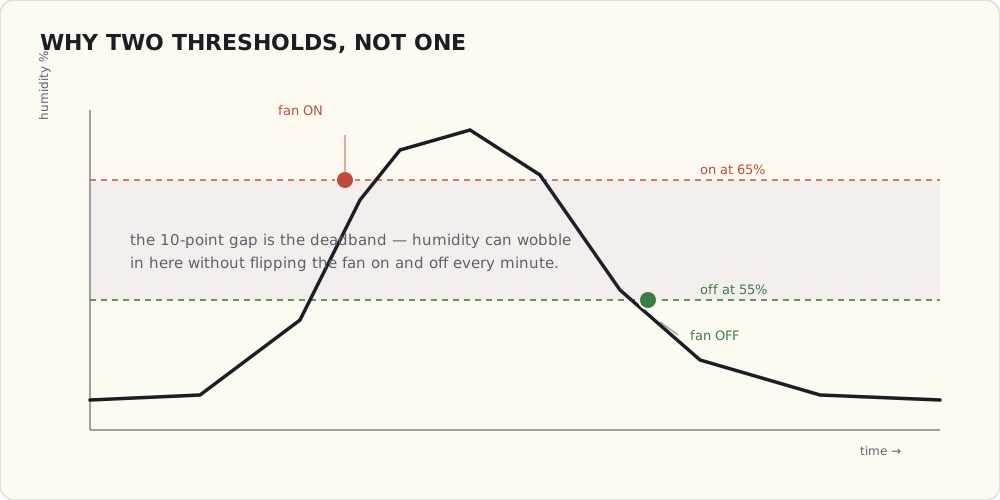
Two weeks running. Works. The fan kicks on within five minutes of someone starting a shower (5-minute reporting interval is the limit on how fast it can react). It turns off ~10 minutes after the shower finishes. House feels less damp; bathroom mirror clears faster.
The other automations
In progress:
- Motion + sunset → hallway light. Trivial. Existing SmartLighting builtin.
- Vibration on bedroom dresser → "burglar in the bedroom" alert. The accelerometer is more sensitive than expected — caught me opening a drawer last night and SMSed me. Tuning down.
- Temperature differential between bathroom and bedroom → "the HVAC zone valve isn't working." Diagnostic automation, not actionable, but useful.
What I'm wishing for
- Faster reporting. 5 minutes is fine for humidity; for motion-and-light it's too slow. Going to set up parameter 101 = 60s as an experiment.
- A motion + presence + temperature triple-trigger for the security automation. "Front door opens AND no presence detected AND motion fires in the entryway within 30 seconds" — false-alarm rate should drop substantially.
- Local-only execution. Still cloud-mediated. Samsung shipped the Hub v2 last month with a faster processor and the promise of more local processing — but in practice it only runs a handful of built-in SmartLighting rules on-device; my custom Groovy SmartApp still executes in the cloud. So a thunderstorm that takes out my internet still takes out my humidity fan. The hardware to run this locally now exists in the house; the software to let me use it doesn't. That gap is the thing I keep circling back to.
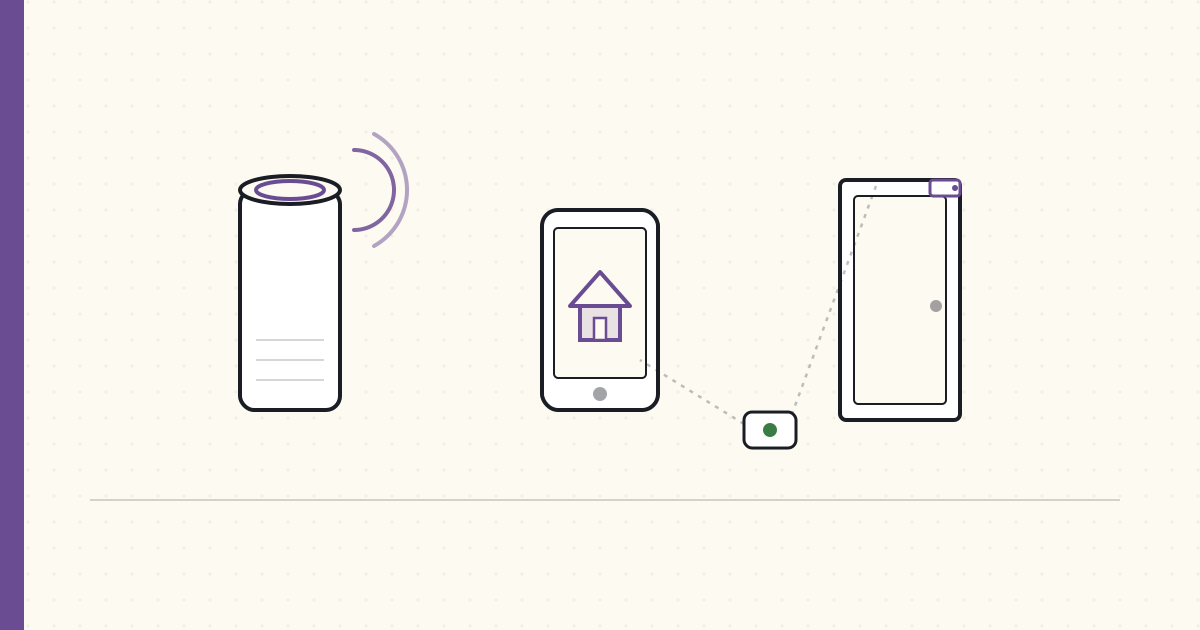 Part 15 of 61
 2015 review — voice + HomeKit land. Security starts
Echo went GA, Alexa Skills Kit shipped, HomeKit got real with iOS 9, first piece of a security system built.
End of year. Time to grade 2014's forecast and place bets for 2016.
Scoring the 2014 forecast
Seven predictions for 2015. Let me grade:
| Prediction | Confidence | Outcome | Verdict |
|---|---|---|---|
| Alexa Skills Kit launches; ASK explodes | 95% | ASK released June; 1,000+ skills by Q4 | ✓ |
| HomeKit ships with hardware-security tax | 85% | iOS 9 (Sept) plus a handful of MFi devices (Lutron, Ecobee, August) | ✓ |
| Google ships voice — but not in home device | 60% | Google Now improvements, no home device | ✓ |
| Hub-or-cloud divide cements | 80% | Wink had two major outages; SmartThings cloud also wobbled. Hub model not vindicated yet | ✗ (both shaky) |
| First wave of security-arc posts | 100% | March 2015 first security automation shipped | ✓ |
| Unifying multi-vendor standard? | 5% | Nothing | ✓ (the "no" prediction held) |
| Aeotec Multisensor 6 launches Q2 2015 | 80% | Shipped October, not Q2 — half-credit | ½ |
5/7 hit, 1 missed, 1 half. ~71% accurate. Worse than 2013's 83%. Two reasons: bolder forecasts, and Apple/Google moved at different speeds than I predicted.
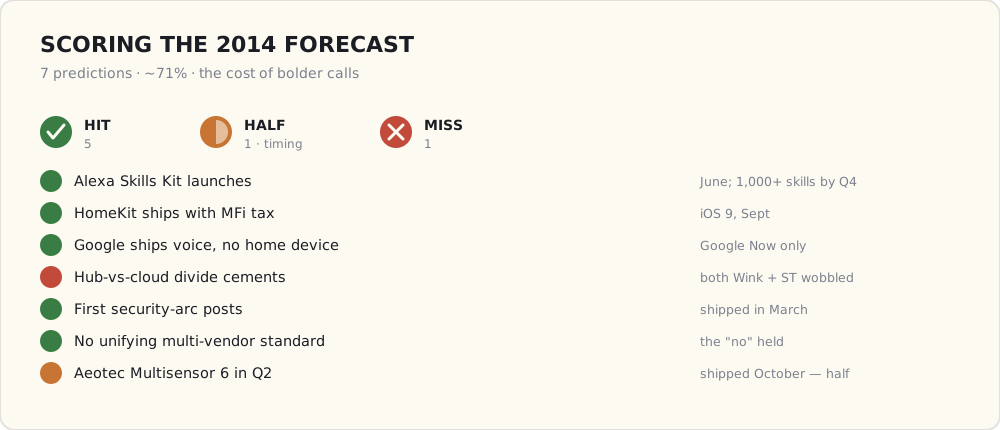
What got added to the house this year
- Apple TV 4 (October): bought it expecting HomeKit hub functionality. Works. The HomeKit ecosystem in 2015 is small but high-quality.
- Three more Lutron Caseta switches (March, June, September): no-neutral problem solved everywhere.
- One LIFX A19 bulb (April): WiFi-only color bulb. Bright but the always-on tax is real — runs warm, draws ~1W constant. Comparing it side-by-side with Hue this winter.
- Two Aeotec Multisensor 6 (October): six sensors in one. Humidity-fan automation works.
- An Ecobee3 thermostat (November): HomeKit-compatible, has its own remote sensors for room-by-room temp control.
- Hue v2 bridge (October): the new square bridge replaces the original round one and adds HomeKit support — which is why it landed alongside the iOS 9 HomeKit wave rather than earlier.
- Second Echo (July): bedroom. Two Echoes in the house works if you put them far enough apart (~10 m) that one always wins the wake-word arbitration.
What works at year-end
- Security automation running for nine months. False-alarm rate dropped from 1/week to roughly 1/month after switching to phone-based geofencing.
- Voice as the default control surface. "Alexa, dim the dining room to 30" gets used four times a day. I haven't opened the Hue app in a month.
- HomeKit for the iPhone family members. My wife uses Siri on her iPhone to control HomeKit-enabled devices (Lutron, Ecobee). Latency 1-2s, reliable.
- Bathroom humidity → fan. Saves the bathroom paint. Quietly the best automation in the house.
What still doesn't
- SmartThings cloud reliability. Two major outages this year (one a four-hour Friday-evening outage). When the cloud dies, custom SmartApps die. My security automation goes silent. I need local execution and I don't have it.
- HomeKit's walled garden. Lutron + Ecobee + Hue work great with Siri; nothing else in my house does. The MFi tax keeps the Z-Wave and Zigbee-HA-only world out of HomeKit. I'm running two parallel automation systems.
- LIFX vs Hue, by year-end. Hue won. LIFX bulbs run hot, drop off WiFi about once a week, and the colors are slightly less accurate than Hue. The WiFi-only approach isn't winning on my network.
The year's structural problem, drawn out: I'm running two automation brains that can't see each other.
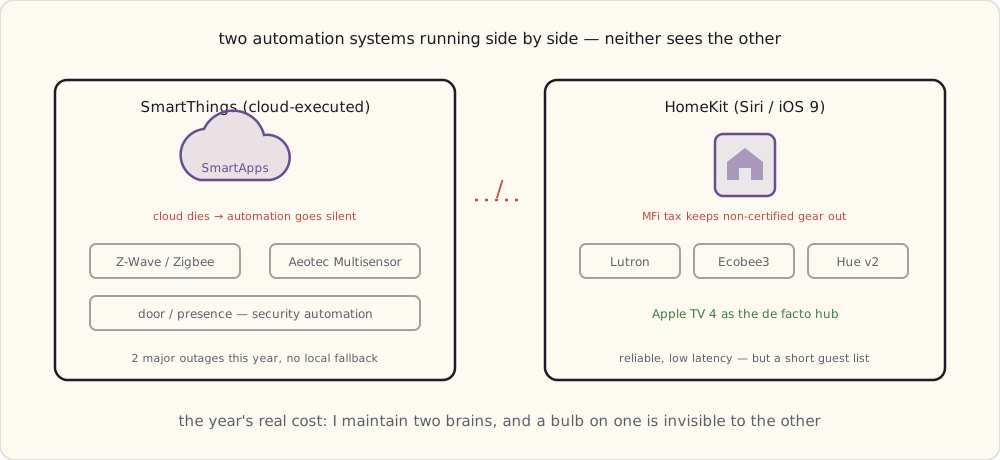
Forecast for 2016
1. Google Home ships in 2016. (Confidence: 75%)
Google's been quiet on home devices but they have to respond to Echo. Late 2016 — Q3 or Q4 launch is plausible. Expect a smaller, music-first form factor.
2. Hue ships a motion sensor. (Confidence: 80%)
The Hue app's automation is anemic next to SmartThings. Hue's own motion sensor (battery-powered, Zigbee, designed-for-Hue-bulbs) would be the natural next product. Rumors are it's coming.
3. Apple HomeKit gets a dedicated hub. (Confidence: 60%)
Apple TV is the de facto HomeKit hub today. A dedicated, smaller device would make more sense — and the rumored AppleHome smart speaker (Apple's answer to Echo) might be it. 2016 is when Apple needs to ship that.
4. Zigbee 3.0 starts shipping in real consumer products. (Confidence: 60%)
The spec was ratified late 2014. The first 3.0-certified products should appear in 2016 — hopefully unifying HA and ZLL profiles, which would let Hue and SmartThings finally see each other natively without bridging.
5. The Thread Group ships first products. (Confidence: 50%)
Thread protocol announced 2014, devices have been "coming" for 18 months. Nest's next thermostat is rumored to ship Thread. 2016 is the year or it's vapor.
6. Home Assistant becomes a thing I notice. (Confidence: 40%)
There's a Python project called Home Assistant that some hobbyists are talking about. Local-only, YAML config, integrates with Hue, SmartThings, and a growing list of others. If it gets to 0.30 or so by mid-2016 with a sane UI, I might try it. The local-execution gap on SmartThings is the trigger.
7. SmartThings cracks under cloud reliability issues. (Confidence: 55%)
Two major outages this year. If they have three more in 2016, the community starts seriously looking for alternatives. Wink already lost a year's worth of users to cloud outages. SmartThings can absolutely follow.
The eight bets, ranked by how sure I am:
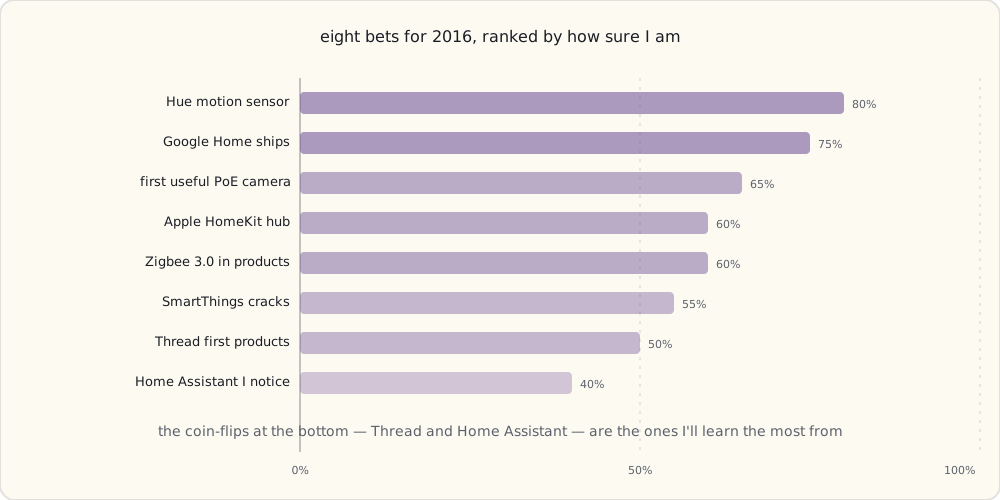
8. The first useful PoE smart-home camera. (Confidence: 65%)
WiFi cameras are unreliable on a saturated 2.4 GHz network. PoE cameras (Reolink, Amcrest, Ubiquiti) at the prosumer level should drop in price in 2016. Once they do, smart-home folks will start adopting them with NVRs.
What I'm buying in 2016
- Hue Motion sensor (whenever it ships).
- Google Home (whenever it ships).
- A Reolink PoE camera or two if prices drop below $80.
- Maybe a Home Assistant install on a Raspberry Pi as a sandbox.
What's next
Next post: HomeKit and the MFi chip moat — why Apple's hardware-security requirement keeps most of my Z-Wave and Zigbee gear out of Siri's reach (the Lutron Caseta integration was my first HomeKit-enabled device, and it's the lens for that post).
 Part 16 of 61
 HomeKit and the MFi chip moat — the hardware tax
Nine months with HomeKit (since iOS 9). Three HomeKit devices working, ten more I wish would work but can't. The MFi chip is the moat.
Nine months on HomeKit, since iOS 9 shipped in September 2015. Three devices in the house work with Siri:
- Lutron Caseta Smart Bridge (firmware updated for HomeKit late last year)
- Ecobee3 thermostat (the model I bought specifically because it was HomeKit)
- Hue (via the v2 bridge) (Philips shipped the square bridge with HomeKit support last June)
Ten more devices in the house don't work with Siri:
- All SmartThings-integrated Z-Wave sensors.
- All SmartThings-integrated Zigbee HA devices.
- Wemo plugs.
- LIFX bulbs (LIFX hasn't done a HomeKit firmware).
- The two Aeotec Multisensors.
Why? The MFi authentication chip.
What MFi actually is
MFi = "Made for iPhone / iPad / Mac." Apple's hardware accessory licensing program, going back to the 30-pin dock connector era. Apple licenses an authentication coprocessor — a small dedicated chip — to vendors who pay the program fee and pass certification. The chip:
- Holds an Apple-signed certificate.
- Performs a challenge-response handshake with iOS during initial pairing.
- Without the chip's signed response, iOS refuses to talk to the device.
In the HomeKit context, the MFi chip is specifically required for HomeKit Accessory Protocol (HAP) compliance. Without it, you can build a device that looks like a HomeKit device, but iOS won't let it pair.
What the MFi chip costs
- Program fee: licensing costs are confidential, but the figure that gets repeated is $0.10-$2 per shipped device royalty, plus annual program fees.
- Chip cost: the actual MFi coprocessor adds ~$0.50-$1 to BOM. (Updated chips with newer Apple support push the chip cost to ~$1-2.)
- Certification cost: development time + Apple's certification cycle (multi-week, sometimes multi-month) easily adds tens of thousands of dollars to a small-vendor product launch.
End-to-end, MFi adds $2-5 of effective cost per device plus 3-6 months of certification delay. For a $20 smart plug, that's a deal-killer. For a $200 thermostat or smart bridge, it's noise.
That's the moat: HomeKit excludes the cheap-end devices structurally.
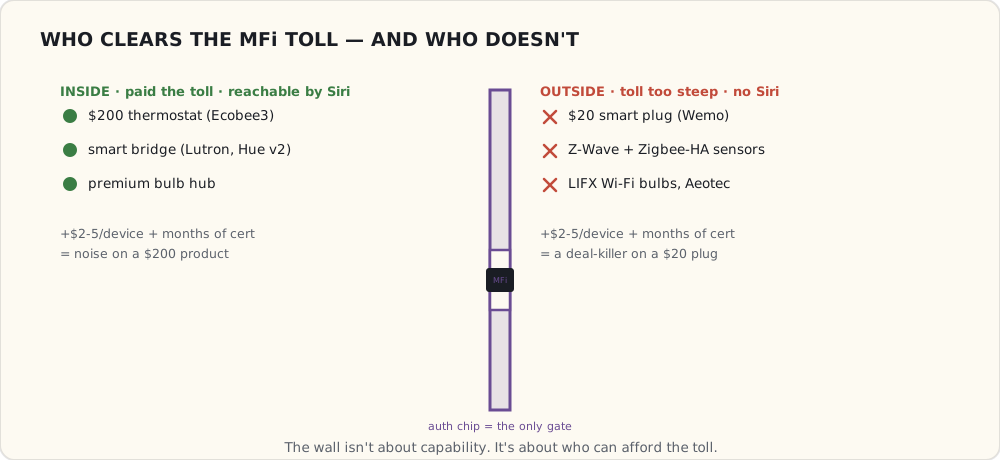
The HomeKit Accessory Protocol (HAP)
HAP is what runs on the wire between iOS and a HomeKit accessory. Two transports:
HAP over IP (WiFi):
- Device advertises itself via Bonjour (
_hap._tcp.local.). - iOS discovers it, initiates pairing with an 8-digit setup code (printed on the device).
- After pairing, HAP runs over HTTP with custom encryption (ChaCha20-Poly1305).
- Per-device key, per-iOS-device key, mutual auth on every connection.
HAP over Bluetooth LE (BLE):
- For battery-powered devices (door locks, sensors).
- Same pairing flow, GATT-based transport.
- BLE characteristics map to HAP services.
The data model — services and characteristics
HomeKit services look like Zigbee Light Link clusters or BLE GATT services — they're standardized device "types" with required characteristics:
Lightbulb Service (0x00000043)
  On (0x00000025)              — bool, read/write
  Brightness (0x00000008)      — int 0-100, read/write
  Hue (0x00000013)             — float 0-360, read/write
  Saturation (0x0000002F)      — float 0-100, read/write
  Color Temperature (0x000000CE) — int mireds, read/write
Compared with my Hue REST API JSON, the HomeKit data is almost identical content — the abstractions match because lighting is lighting. The difference is the wire encryption + pairing model, which HomeKit takes seriously.
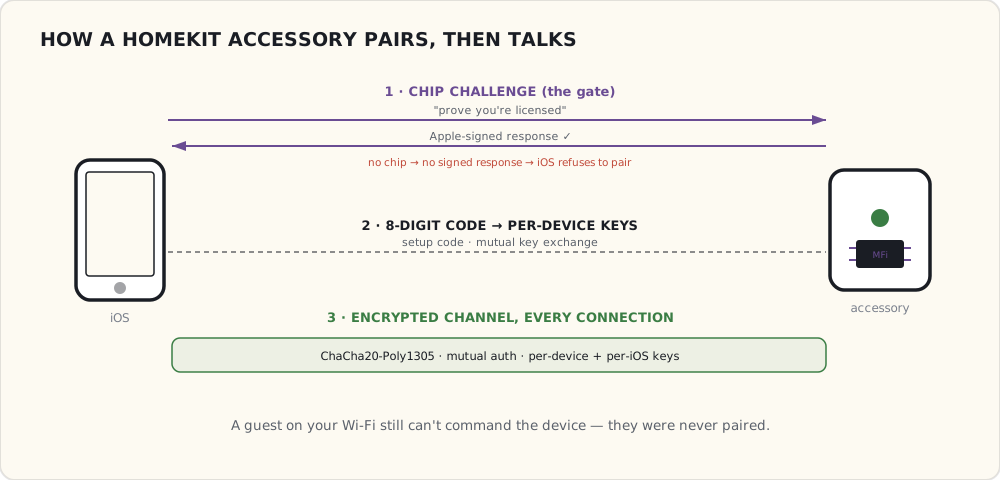
What HomeKit gets right
Security. The mutual-auth + per-key model means a HomeKit device on your network can't be controlled by anyone who isn't paired with it. No "guest jumps on WiFi and turns off the lights" attack. This is much stronger than Hue's local REST (anyone on LAN), Wemo's UPnP (anyone on LAN), or SmartThings (anyone who can hit your cloud account).
The Home app is good. Siri integration is tight. Latency on Lutron Caseta + Siri is 1-2 seconds — faster than any Echo + SmartThings command path.
Scenes and automations are local-when-possible. With the Apple TV 4 (or whatever home hub Apple ships next) acting as the HomeKit hub, automations run locally when you're home and through iCloud when you're away. No vendor cloud required.
What HomeKit gets wrong
The MFi tax means most cheap devices never get certified. The $20 smart plug market is locked out structurally. The Wemo plug in my kitchen can't be HomeKit, and that's not changing.
iOS-only. No Android. If half the household is on Android, HomeKit isn't the unifier.
Per-iCloud-account ecosystem. Sharing HomeKit with the family requires sharing iCloud accounts, which most families don't do.
Vendor lock-in is structural. A device that's HomeKit-compatible can't easily also work with Alexa or Google Home without separate cloud-side integrations. Each ecosystem requires its own vendor effort.
Where I've landed
HomeKit is the secondary control surface in my house, behind SmartThings + Alexa. Siri controls the three HomeKit devices reliably and quickly. Everything else routes through SmartThings's broader integration set.
I'd love HomeKit to be the primary, but the device support is too narrow. Until the cheap-Zigbee crowd gets HomeKit-certified bridges (Hue already has one — Lutron has one — IKEA's rumored to have one coming), HomeKit can't carry the whole house.
What I'm watching
- Apple's rumored smart speaker (the "AppleHome," whatever they end up calling it). If Apple ships their own Echo competitor with a HomeKit hub built in, that changes the math.
- IKEA TRÅDFRI. Rumored to launch later this year — IKEA's first connected lighting, supposedly with HomeKit support via their hub. If they price it under Hue (likely — IKEA prices to disrupt), the consumer market shifts.
- Hue Motion sensor (rumored August). Hue's first native motion device. If it works with HomeKit through the Hue v2 bridge, the HomeKit ecosystem gets a real automation primitive.
 Part 17 of 61
 Hue Motion sensor — Hue's first native automation device
Philips finally shipped the Hue Motion sensor. Battery-powered, Zigbee Light Link, joins the Hue bridge natively. First hardware that lets us automate without rules.
Hue Motion sensor finally shipped this month after nine months of rumors. Battery-powered (2× AAA, claimed 2-year life), Zigbee Light Link, pairs with the Hue v2 bridge directly. $40.
Two installed already — hallway and basement stairs. Notes.
What it is
- 60° wide x 90° tall PIR field of view.
- Effective range ~5 m.
- Integrated lux sensor (illuminance, 0.1 lx resolution).
- Integrated temperature sensor (±1 °C, not great).
- Sleep modes: motion-detected events are immediate; periodic state updates every 5 minutes (battery-conserving).
- Pairs by Touchlink — bring it near the bridge, press the bridge button, done. 30 seconds.
Why a native Hue motion sensor is a different thing
I've had motion sensors for two years — the SmartThings starter kit motion, the Aeotec Multisensors with PIR. They all work. But they go through this chain:
Motion detected (PIR fires)
  → Zigbee/Z-Wave message to SmartThings hub (~200 ms)
  → SmartThings cloud (~1-2 s for non-whitelisted SmartApp)
  → SmartApp evaluates
  → Cloud back to SmartThings hub
  → Hub → Hue cloud (Hue is a cloud integration on SmartThings)
  → Hue cloud → Hue bridge
  → Hue bridge → Zigbee command to bulbs
End-to-end: 2-4 seconds. When you walk into a dark room, two seconds is long enough that you reach for the wall switch out of habit.
The Hue Motion sensor lives on the same Zigbee mesh as the bulbs, paired to the same bridge:
Motion detected (PIR fires)
  → Zigbee message to Hue bridge (~50 ms)
  → Bridge rule evaluates (local)
  → Bridge → Zigbee command to bulbs
End-to-end: under 200 ms. Light is on before your foot touches the second tile. That's the difference between "magic" and "frustrating."
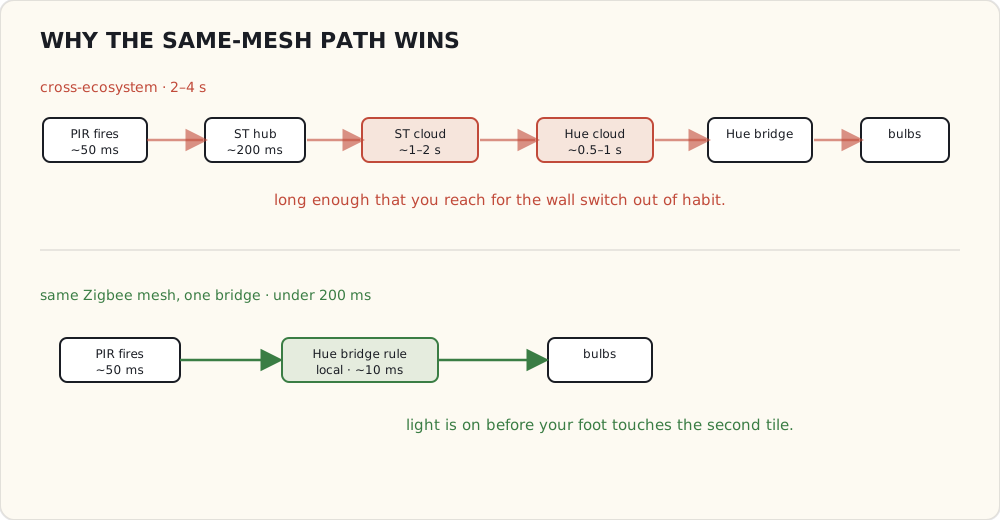
The Hue bridge's rules engine
The Hue bridge has had a Rules + Schedules + Sensors API for about a year, but no one outside of Philips's app could really use it because the motion sensor didn't exist. Now there's hardware that produces sensor data, and the rules engine can actually drive automations.
Rule structure (simplified):
{
  "name": "Hallway motion on after dark",
  "conditions": [
    {"address": "/sensors/2/state/presence", "operator": "eq", "value": "true"},
    {"address": "/sensors/3/state/dark",     "operator": "eq", "value": "true"}
  ],
  "actions": [{
    "address": "/groups/4/action",
    "method": "PUT",
    "body": {"on": true, "bri": 100, "transitiontime": 4}
  }]
}
Sensors 2 and 3 are the same physical device — sensor 2 is the motion endpoint, sensor 3 is the daylight (lux) endpoint. The bridge models them as separate logical sensors on a shared physical chassis.
The dark boolean on the daylight sensor is computed from the lux reading against a configurable threshold. So "trigger only when actually dark" doesn't need an external sunset/sunrise calculation — the sensor knows.
I set up:
- Hallway: motion + dark → 30% warm white for 90 seconds, then back to off.
- Basement stairs: motion → 80% cool white immediately, off after 3 minutes of no motion.
Both work flawlessly. The latency is genuinely sub-200 ms.
What it doesn't do
- No vibration / accelerometer. The Aeotec Multisensor's tamper detection has spoiled me; this one is just PIR.
- No humidity. Bathroom fan automation stays on Aeotec.
- Not visible to SmartThings. The Hue Motion is paired with the Hue bridge, not the SmartThings hub. It does not show up in SmartThings as a motion sensor. To use it for non-Hue automations (e.g., "motion → SmartThings security event"), I'd need a custom Hue integration that exposes the sensor state to SmartThings. Possible (the Hue bridge has the sensor API exposed), but I haven't done it yet.
That last one is the architecture problem. I now have two PIR sensors in the hallway:
- The Hue Motion (paired to Hue bridge, controls lights instantly).
- An Aeotec Multisensor (paired to SmartThings hub, feeds the security SmartApp).
Both work. Both report independently. Neither knows about the other. That's the multi-hub world.
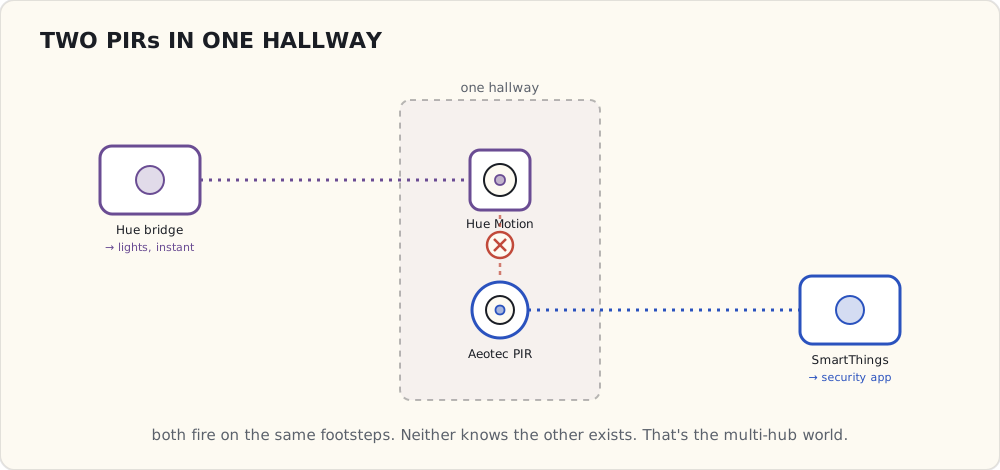
Battery + range observations
Two months in:
- Battery: still at 100% reported. The bridge has been polling each sensor's battery characteristic; no measurable drain yet. We'll see by next summer.
- Range: hallway sensor (closest to bridge) is 6 m line-of-sight. Basement stairs sensor is 12 m through one floor — works but the Zigbee mesh routes through a Hue bulb halfway. If I had no intermediate bulb, that signal would not make it.
The mesh routing on the Hue bridge is actually good — it picks the best route automatically, and I can see in the bridge's logs which intermediate bulb is being used.
What I want next
- A way to expose Hue sensor state to SmartThings. Either Hue publishes a richer cloud integration with sensor data, or I write a custom polling SmartApp. The polling option is ugly (polls every few seconds, latency in the security path).
- A second Hue Motion for the bathroom. Replace one of the Aeotec PIRs for the lighting-only case, since latency matters there too.
- The Hue dimmer remote as the wall-mounted control. Already on the bridge, integrates with motion sensors, gives a Pico-equivalent wireless control without Lutron.
Hue's becoming a more complete platform. Slower than I'd like but real.
 Part 18 of 61
 Google Home — two voice assistants, one house
Google Home launched November 4. Mine arrived three days ago. Echo and Google Home in the same house, both listening for wake words.
Google Home launched November 4. I ordered one immediately ($129); arrived Saturday. It's been running for three days alongside the Echo in the kitchen and the Echo Dot in the bedroom.
The voice-assistant landscape is now Amazon vs Google in the home, Apple via Siri on phones (and via the rumored AppleHome speaker eventually), and Cortana on PCs that nobody cares about for smart home.
What Google Home is, hardware-wise
- Marvell Armada 1500 Mini Plus SoC (dual-core ARM, 64-bit).
- Two-mic array (vs Echo's seven). Smaller, less expensive, less aggressive beamforming. Performance in noisy environments is noticeably worse than Echo — Echo can hear "Alexa" with the TV at conversation volume; Google Home struggles.
- WiFi (2.4 + 5 GHz dual-band) + Bluetooth.
- Single full-range speaker plus dual passive radiators. Better-than-Echo audio quality for music.
- LED ring under the top surface, similar to Echo's, indicates listening / responding / volume.
The hardware is a downgrade from Echo on the mic side, an upgrade on the audio side, and a wash on everything else.
Actions on Google — the developer surface
Google's equivalent of Alexa Skills Kit, announced this summer:
- Conversation actions: full back-and-forth conversations (Echo Show / Google Assistant has these).
- Smart Home actions: structured device-control via the Home Graph.
The Smart Home actions side is what matters for my use case. Vendors integrate by publishing a fulfillment endpoint that Google calls when the user says "Hey Google, turn off the kitchen lights." Vendor's endpoint:
POST https://vendor.example.com/google-home-fulfillment
{
  "requestId": "req-uuid",
  "inputs": [{
    "intent": "action.devices.EXECUTE",
    "payload": {
      "commands": [{
        "devices": [{"id": "kitchen-light"}],
        "execution": [{
          "command": "action.devices.commands.OnOff",
          "params": {"on": false}
        }]
      }]
    }
  }]
}
Vendor responds with success/failure per device. Compared to Alexa's "Smart Home API" (which routes through Lambda by default and uses a similar JSON schema), Google's is slightly simpler — fewer layers between phrase and device.
The Home Graph — Google's structured smart-home data
This is the part that's genuinely different. Google has built a graph database that knows:
- Every device in your home (linked via Google account).
- Each device's type (light, thermostat, lock, speaker).
- Each device's location ("kitchen", "living room"), determined either by user-assignment or by inference from setup language.
- Relationships between devices ("the lights in the kitchen are: a, b, c").
When you say "Hey Google, turn off the lights," the Home Graph resolves "the lights" to the set of light-type devices in your inferred current room (based on which Google Home device heard the request) or in the room you specified.
Echo doesn't have this. Alexa requires you to define "groups" explicitly in the Alexa app; without a group, "turn off the lights" doesn't work. Google figures it out from the graph automatically.
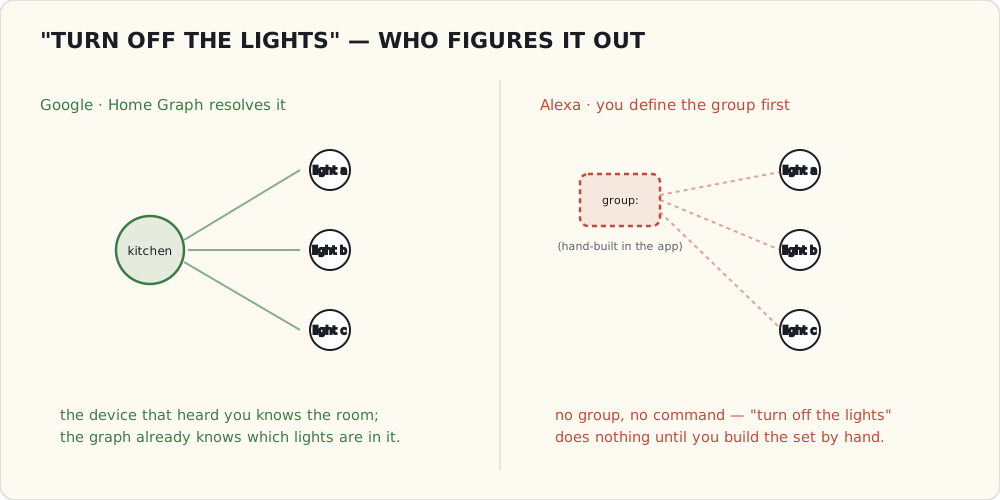
In daily use, Google's natural language is better at smart home. Echo wins at music, lists, and timers.
The multi-assistant problem, demonstrated
Day one of having both in the kitchen:
- Wife says "Alexa, what's the weather?" → Alexa responds normally.
- Wife says "OK Google, turn off the dining lights" → Google Home responds, lights go off.
- Five-year-old says "Alexa, play Frozen songs" → music starts.
- Five-year-old says "OK Google, stop the music" → Google starts asking which music ("I don't see a music session" because Google didn't start it).
- Five-year-old says "Alexa, stop" → music stops.
In practice: the wake word disambiguates which assistant responds. There's no overlap on wake-word matching as long as you don't have an Echo named "Google" or vice versa.
But mental overhead is real. You have to remember which wake word for which task. The five-year-old already has both memorized; the wife has not.
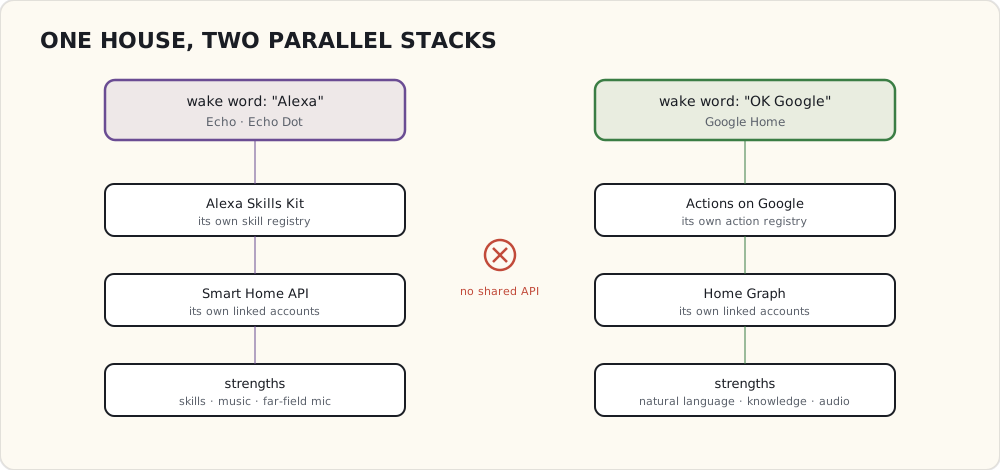
Smart-home integrations on Google Home, three days in
What works:
- Hue: linked via OAuth in the Google Home app. Latency 1-2 s. Names imported from Hue.
- Nest thermostat: linked. "OK Google, set the thermostat to 68" works.
- SmartThings: integration exists, OAuth-linked, but device naming hasn't synced. I have to use SmartThings's device names verbatim, which are auto-generated and ugly ("Multipurpose Sensor 2").
What doesn't yet:
- Lutron Caseta: no Google Home support. Lutron's been focused on HomeKit. Probably coming in 2017.
- Ecobee3: support announced for "later this year" — not yet.
- Custom routines / scripts: Google Home has no equivalent of Alexa's "skills you write yourself yet." Coming, supposedly.
What I think this means
Echo wins on:
- Custom skills (1000s available; I use a Twilio-based "find my phone" skill).
- Multi-room music (when configured well; still buggy).
- Aggressive far-field mic.
Google Home wins on:
- Natural-language smart-home control via the Home Graph.
- General knowledge questions ("How tall is the Empire State Building?" — Google nails it; Alexa often fumbles).
- Audio quality for music.
In the house long-term: probably both. Different surfaces for different jobs. Two ecosystems, two skill registries, two integration accounts — that's the world now. The unification problem just got worse, not better.
What I'm watching
- Apple's response. The rumored AppleHome speaker — Apple's answer to Echo, whatever they end up calling it — needs to ship. Apple's three years behind on voice; that's a long time.
- Whether Google opens up routines / scripting on Google Home.
- Whether Amazon and Google ever support each other's smart-home APIs. They won't.
 Part 19 of 61
 2016 review — Google Home, HomeKit, Hue automation
Google Home shipped (predicted), Hue Motion shipped (predicted), Apple's rumored smart speaker didn't (missed again). The 2015 forecast came in at a humbling 69% — and the year's real problem is still three hubs that won't talk to each other.
2016 done. Time to grade and forecast.
Scoring the 2015 forecast
Eight predictions for 2016. Let me grade:
| Prediction | Confidence | Outcome | Verdict |
|---|---|---|---|
| Google Home ships in 2016 | 75% | Launched Nov 4 | ✓ |
| Hue ships a motion sensor | 80% | Shipped August | ✓ |
| Apple HomeKit dedicated hub | 60% | Apple TV 4 (already had it); no dedicated speaker yet | ✗ |
| Zigbee 3.0 in real consumer products | 60% | A handful of certified devices; no critical mass | ✗ (partial) |
| Thread Group ships first products | 50% | Nest Protect 2nd gen (Thread-capable but uses WiFi mostly) | ✗ (partial) |
| Home Assistant becomes a thing I notice | 40% | Yes — I've been reading the docs; might install next year | ✓ |
| SmartThings cracks under cloud reliability | 55% | Two more major outages, but no mass exodus yet | ✗ (partial credit) |
| First useful PoE smart-home camera | 65% | Reolink RLC-410 launched; Amcrest IP4M; both under $80 | ✓ |
Counting partials as halves: 5.5/8 = 69%. Worse than I want. The Apple miss is structural — Apple ships when Apple ships and I keep predicting on a calendar.
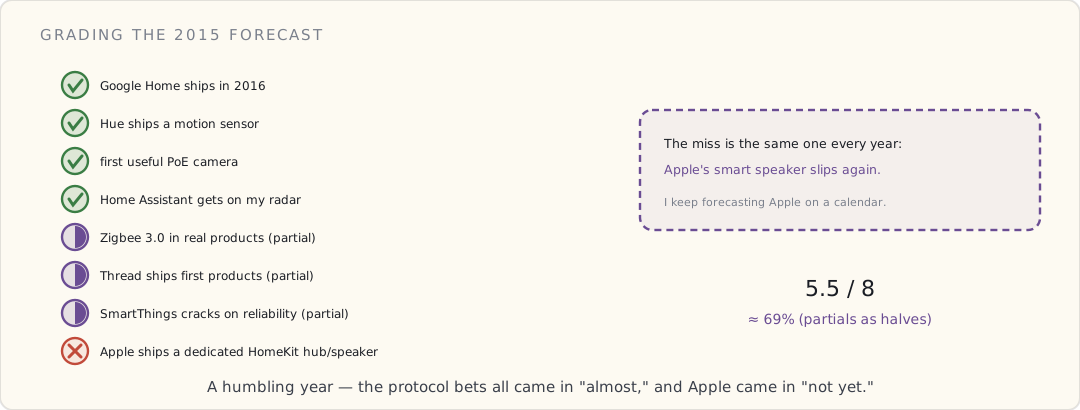
What got added to the house this year
- Google Home (November). Now competing with Echo for kitchen real estate.
- Hue Motion sensor x 2 (September). Hallway + basement stairs. Sub-200ms latency on motion-triggered lights, finally.
- IKEA TRÅDFRI starter kit (October). Tested as a Hue-bulb alternative. Cheaper ($15 vs $50 per bulb), Zigbee Light Link, joins the Hue bridge with a touchlink-and-reset dance. Color quality is meaningfully worse than Hue; sticking with Hue but TRÅDFRI bulbs are good for utility lighting (closets, basement).
- Aeotec Z-Wave water leak sensor (June). Basement next to the water heater. Hasn't fired yet (thankfully).
- Reolink RLC-410 PoE camera (December). Backyard. Need a separate post on this — it's the first camera I've gotten working with both my NVR and Google Home Hub display.
What works at year-end
- Voice-driven everything. "OK Google, dim the kitchen" is now the default. Echo in the bedroom for music + timers. Two ecosystems, working.
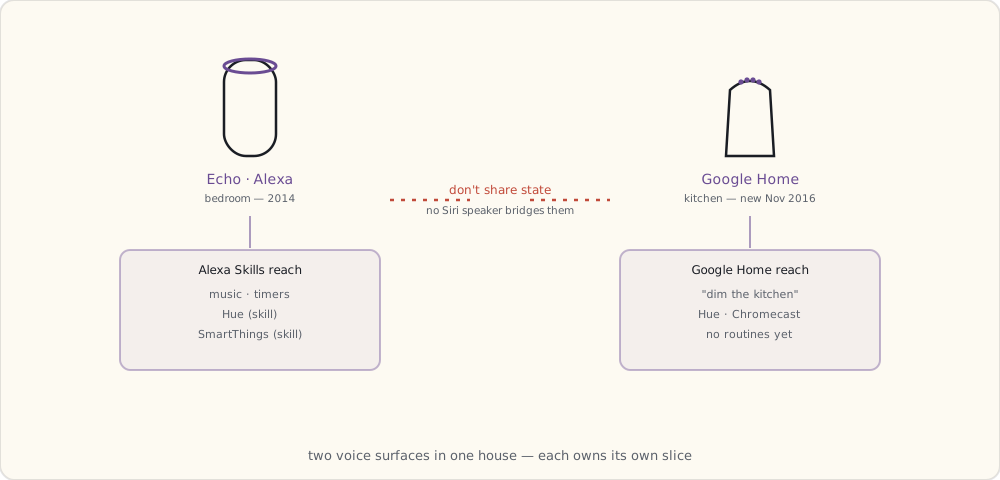
- Hue Motion + Hue Bridge automations. Hallway light on under 200ms after motion. Basement stairs the same. Best UX upgrade of the year.
- HomeKit for the Apple-only members of the family. Three devices (Lutron, Ecobee, Hue) work flawlessly with Siri.
- The first PoE camera. Not in dashboard yet, but RTSP working into a Synology NAS for recording.
What still doesn't
- The multi-hub problem. Three hubs now (SmartThings, Hue, Lutron). Each has its own devices. Cross-hub automations have to go through SmartThings (cloud-mediated) or HomeKit (limited devices). I'm running parallel systems.
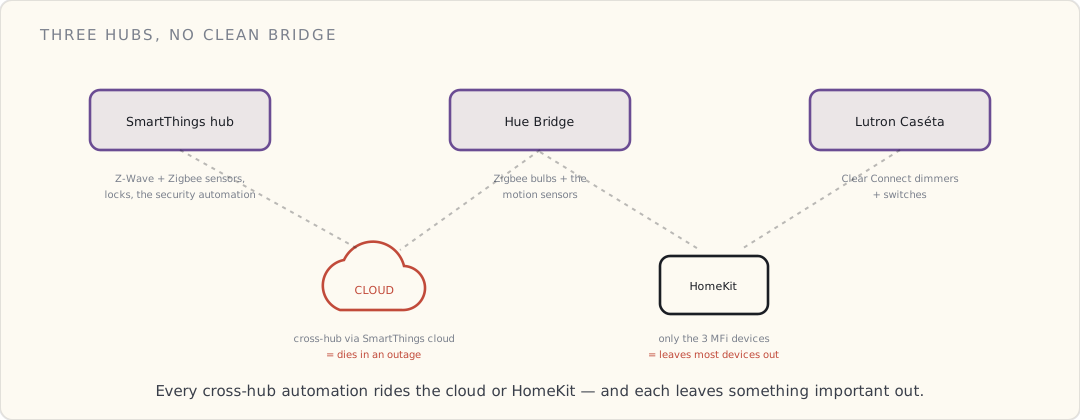
- Apple's rumored smart speaker still vaporware. The Siri-in-a-speaker device the rumor mill has been promising hasn't materialized; if it's coming, it's a 2017 story.
- SmartThings cloud reliability. Two more outages this year (one during Thanksgiving; the security automation was silent for six hours). Cloud-required custom SmartApps remain a structural weakness.
- Camera-in-dashboard story. Reolink works for recording. There's no clean way to view the live feed inside SmartThings or HomeKit. Each ecosystem has its own camera support and the Reolink isn't supported by either.
Forecast for 2017
1. I finally install Home Assistant on a Raspberry Pi. (Confidence: 90%)
I've been reading the HA docs for six months. The community has grown enormously (the subreddit went from 5k to 50k+ this year). Installation is still a manual Python-venv-on-Raspbian affair today, but the project's clearly heading toward a flash-and-go image, and I'm going to set it up Q1 2017 either way. Whether it replaces SmartThings or runs alongside, TBD.
2. Apple ships its rumored Siri speaker. (Confidence: 80%)
The smart-speaker device the rumors keep describing has to land in 2017, or Apple cedes the kitchen to Amazon and Google entirely. My bet: a June (WWDC) announcement, fall release — and knowing Apple, an MFi-gated, HomeKit-only walled garden rather than anything that talks to my SmartThings devices.
3. SmartThings finally makes the v2 hub run automations locally. (Confidence: 55%)
The v2 hub shipped in 2015 with the hardware for local execution — more CPU and RAM than the 2012 original — and Samsung has barely used it. Almost everything still round-trips through the cloud, which is why a Thanksgiving outage left my security automation silent for six hours. The bet for 2017 is that Samsung ships a firmware update that actually runs a meaningful slice of automations on the hub itself. I'm only at 55% because they've sat on this capability for over a year already; the will, not the silicon, is the blocker.
4. Aqara / Xiaomi Zigbee sensors enter the US market. (Confidence: 70%)
Aqara's been popular in China — their door/window sensors are tiny (1/3 the size of SmartThings Multipurpose) and $10 each. They're Zigbee 3.0. If they get US distribution in 2017, they replace SmartThings sensors as the default cheap option.
5. Matter / a unified protocol — still nothing. (Confidence: 10%)
The Zigbee Alliance is busy certifying Zigbee 3.0, not bridging to anyone else. Thread Group ships intermittent products. AllSeen and the Open Connectivity Foundation each claim they're the unifier; neither has shipped a device I can buy. No real unification on the horizon. Maybe 2019 or later.
6. Amazon Echo Show / a screen-based Echo. (Confidence: 75%)
Amazon's clearly moving toward video calling + camera integration. A device with a screen is the natural Echo expansion. Q2 2017.
7. Google opens routines / scripting on Google Home. (Confidence: 60%)
Google needs to catch up to Alexa Skills. They've announced an "Actions on Google" SDK; expect that to mature in 2017.
8. Wink files for bankruptcy or pivot. (Confidence: 30%)
Wink's been bleeding users since the 2015 cloud outages. If they don't sell to someone (Best Buy? Lowe's, who already has Iris?), they fold. 2017 might be the year.
What I'm buying in 2017
- A Raspberry Pi 3 + microSD for Home Assistant.
- Two Aqara door sensors if/when they hit US (replacing the SmartThings Multipurpose sensors which are getting battery-old).
- Apple's Siri speaker if it actually launches and the pricing isn't insane.
- A second PoE camera (front porch).
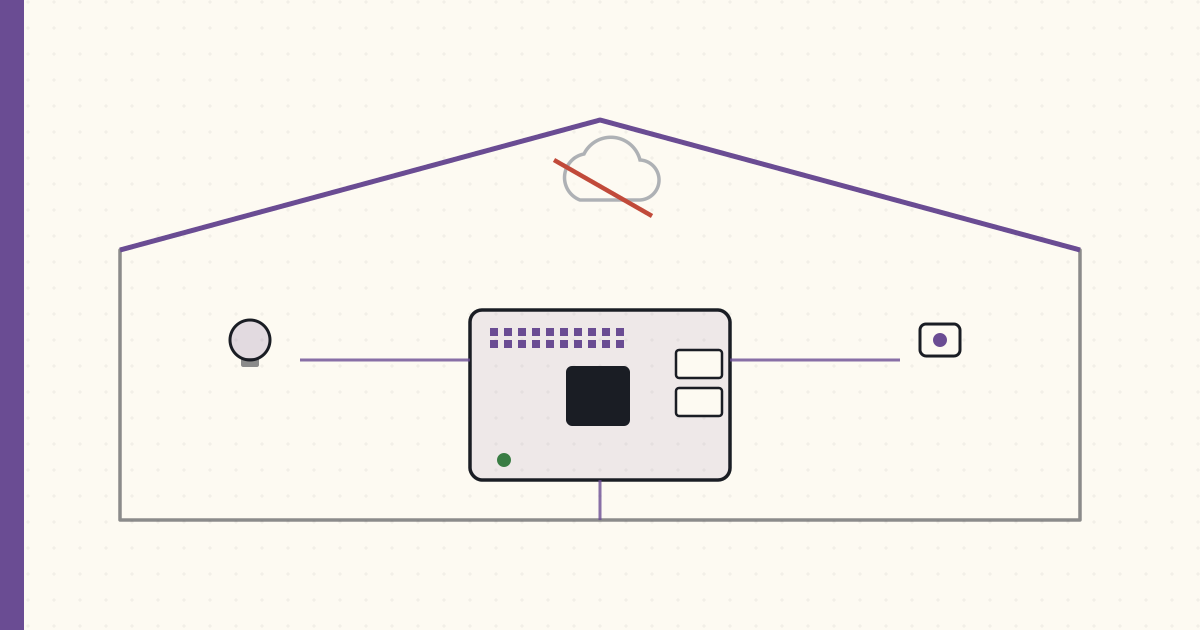 Part 20 of 61
 First Home Assistant install — YAML and local-first
Raspberry Pi 3, microSD, Hass.io image flashed in eight minutes. Home Assistant 0.49 is on the local network. First integrations: Hue, SmartThings.
Forecast #1 from 2016 done: Home Assistant is running on a Raspberry Pi 3 in the closet. Eight months later than I told myself I’d install it, finally got around to it tonight.
The install
# Download Hass.io image (HassOS, the all-in-one)
curl -L https://github.com/home-assistant/hassos/releases/download/2.12/hassos_rpi3-2.12.img.gz \
     -o hassos.img.gz

gunzip hassos.img.gz

# Flash to 32GB microSD with Balena Etcher
# (one click; takes 4 minutes)

# Boot Pi, wait 10 minutes for first-boot init
# Hass.io UI now reachable at http://hassio.local:8123/
That’s it. The Pi has Ethernet, no WiFi (don’t want HA’s reliability gated on WiFi). Plugged into the home switch. Eight-minute install from box-open to login screen.
The config model — YAML in source-controlled files
Home Assistant’s configuration lives in /config/configuration.yaml. Everything else (groups, automations, scripts, scenes) is in sibling YAML files referenced from configuration.yaml:
# configuration.yaml
homeassistant:
  name: Home
  latitude: 42.3601
  longitude: -71.0589
  elevation: 6
  unit_system: imperial
  time_zone: America/New_York

http:
  base_url: http://hassio.local:8123

# Web frontend (the states UI)
frontend:

# Hue integration — auto-discovers bridge
hue:
  bridges:
    - host: 192.168.1.42

# SmartThings integration
smartthings:
  app_id: !secret st_app_id
  access_token: !secret st_access_token

# MQTT broker (the Mosquitto add-on, installed separately)
mqtt:
  broker: 127.0.0.1
  port: 1883
  username: hassio
  password: !secret mqtt_password

# Include sibling YAML files
automation: !include automations.yaml
script: !include scripts.yaml
scene: !include scenes.yaml
group: !include groups.yaml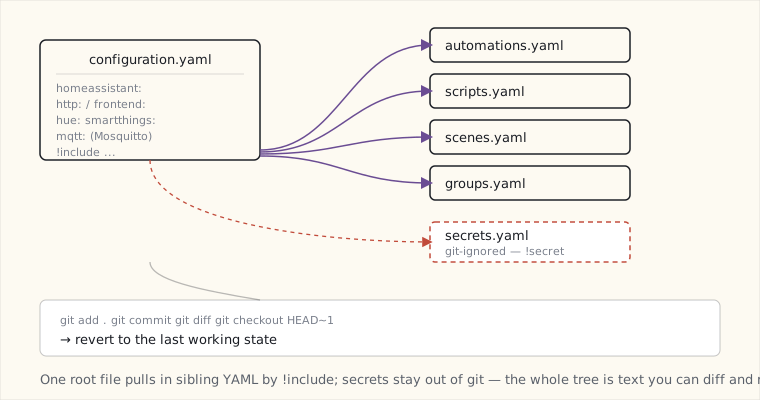
Two things this gives me that SmartThings could not:
- The config is text. I can commit it to git. I can diff between versions. I can revert. When I break something at 11 PM, I can
git checkout HEAD~1and reboot to the last working state. - Secrets in a separate
secrets.yamlthat doesn’t get committed. Tokens, passwords, geofence locations — none of it goes to the public repo.
This is the developer-grade workflow that SmartThings’s web IDE can’t match.
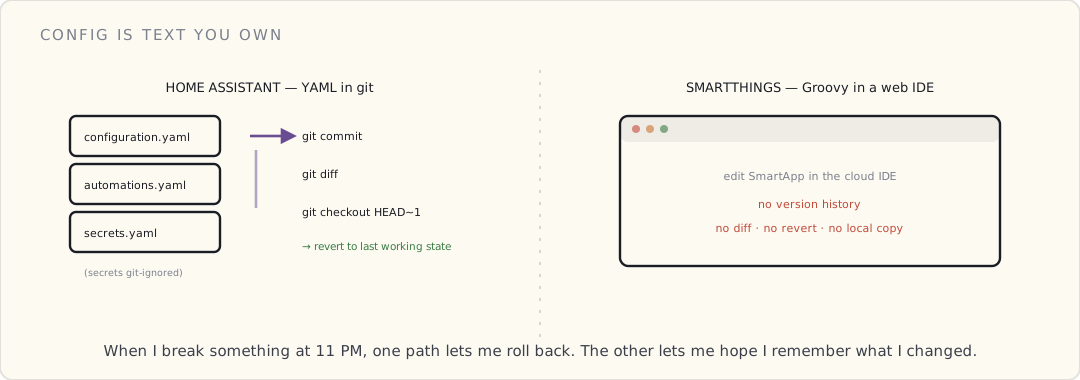
First integrations, in order
Hue (10 minutes):
Auto-discovered. Pressed the bridge button, HA picked up the bridge, imported all 12 bulbs + the two Hue Motion sensors. All visible in the HA dashboard. Latency: HA → bridge → bulb is < 300 ms (local, no cloud).
SmartThings (45 minutes — the cloud-coupling problem): SmartThings integration in HA today is cloud-mediated. HA calls SmartThings’s API to read device state and push commands. Not what I wanted — I wanted my SmartThings devices accessible without cloud — but it’s better than nothing. The integration installs as a SmartApp in SmartThings, the SmartApp exposes a webhook URL, HA polls that URL.
Latency through this path: 2-4 seconds. Same as SmartThings’s own cloud-based custom SmartApps. The “local” win for SmartThings devices in HA is a future problem.
Nest (3 minutes): OAuth flow. Nest API. Temperature + humidity + setpoint exposed in HA. Read-only by default; write requires Nest’s “Works with Nest” certification, which I’m skipping.
MQTT broker (Mosquitto add-on, 15 minutes): Installed as a Hass.io add-on. Now I have a local MQTT broker for any future device that speaks MQTT directly (looking at you, ESP-based DIY sensors I keep meaning to build).
The first automation in HA
YAML, not Groovy:
# automations.yaml
- alias: "Front door + nobody home → notify"
  trigger:
    - platform: state
      entity_id: binary_sensor.front_door_contact
      to: "on"
  condition:
    - condition: state
      entity_id: group.family
      state: "not_home"
  action:
    - service: notify.ios_luke_iphone
      data:
        message: "Front door opened, nobody home at {{ now() }}"
The condition block evaluates the family group’s combined presence state — a built-in HA primitive. The notification goes through HA’s iOS app push (no Twilio, no SMS — just a push to the Home Assistant iOS app on my phone).
End-to-end latency: door opens → push notification arrives in < 1.5 seconds. Faster than the SmartThings SMS path. And — critically — this runs locally. If my internet drops, the automation still fires; only the push notification fails (and even that falls back to local Pi → my router’s email gateway if I configure it).
What HA does that SmartThings can’t
- Local execution by default. Hue commands are local. Z-Wave (with the Z-Wave USB stick I haven’t bought yet) would be local. The only cloud-dependent thing in my house tonight is the SmartThings bridge — and that’s because I’m bridging to a cloud-only platform.
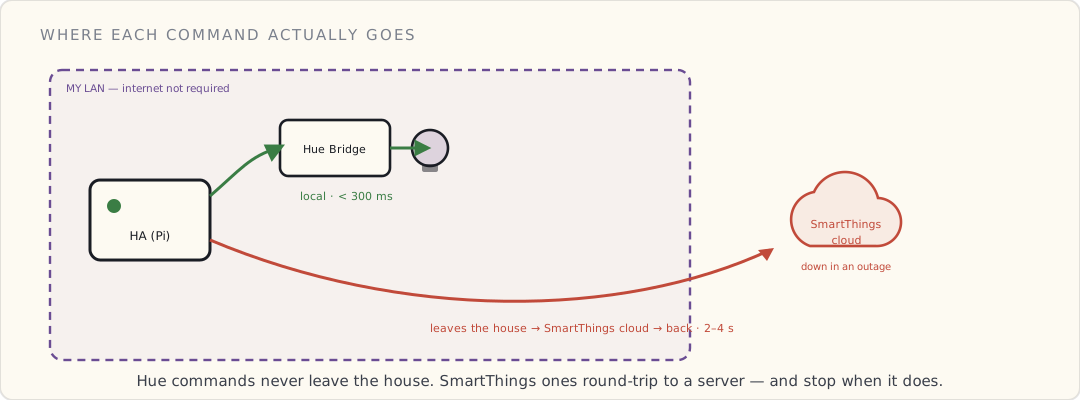
- State templates. Jinja2 templating in YAML lets me compute derived values:
- sensor: platform: template sensors: bathroom_dewpoint: value_template: > {% set t = states('sensor.bathroom_temp') | float %} {% set h = states('sensor.bathroom_humidity') | float %} {{ (t - (100 - h) / 5) | round(1) }} - Full Python escape hatch. If YAML isn’t enough, write a Python custom component. The framework is Pythonic, async, well-documented.
- A growing integration library. ~300 integrations as of 0.49. Each release adds 10+ more.
What HA doesn’t do (yet) that SmartThings does
- A great mobile app. The official Home Assistant iOS app exists but is rough and brand-new. SmartThings’s app is polished.
- Cloud-required-features-for-free. Push notifications, off-LAN access, geofencing — all of these are mine to wire up by hand: a port-forward + DDNS + reverse-proxy with Let’s Encrypt for remote access, and a notify platform I configure myself. SmartThings hands you all of that out of the box because it lives in its cloud. (The HA founders have been hinting at an official hosted option to spare people the reverse-proxy dance; nothing’s shipped yet.)
- Native HomeKit/Alexa/Google Home integration. Each requires a custom component + manual config. The integration is there; the polish isn’t.
The Pi 3 holding up?
Tonight: htop shows HA’s Python process at 8% CPU idle, 380 MB RAM. The Pi 3 has 1 GB RAM. Headroom for now. As I add integrations (Z-Wave, dozens more sensors, complex automations), the Pi 3 is going to get tight — 1 GB is the ceiling on the current board, and there’s no higher-memory Pi to upgrade to yet. If HA outgrows the Pi 3, the realistic path is moving it to a small always-on Intel NUC or an old laptop, not a beefier Pi that doesn’t exist.
What I’m doing next
- Buy a Z-Wave USB stick (Aeotec Z-Stick Gen5) for direct Z-Wave on HA, bypassing SmartThings for those devices.
- Migrate the security automation from SmartThings’s cloud Groovy SmartApp to HA local. The latency drop + local-execution guarantee is worth a weekend.
- Set up the Lutron Caseta integration — Lutron’s local Telnet API works with HA. Bypass HomeKit for Caseta control where possible.
- Get the Home Assistant iOS app on both phones for presence detection without the SmartThings cloud loop.
Going local. Slowly.
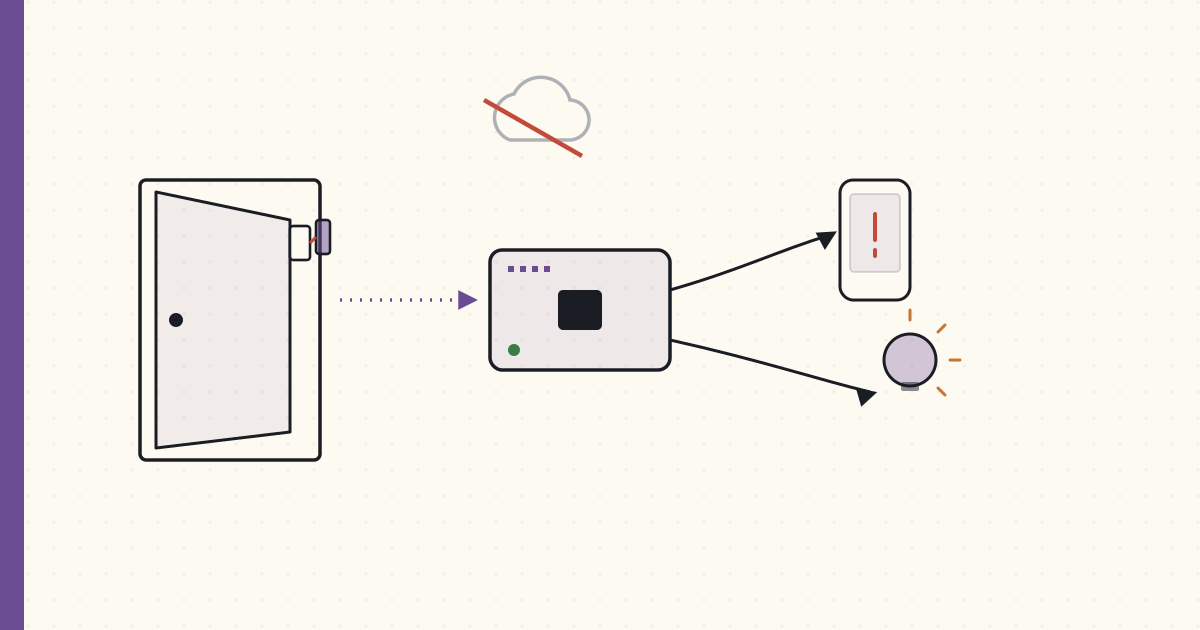 Part 21 of 61
 Migrating the SmartThings security automation to Home Assistant
Three months on Home Assistant. The Z-Wave stick arrived in September; door sensors moved off SmartThings onto direct Z-Wave on the Pi.
Three months on Home Assistant. The Aeotec Z-Stick Gen5 arrived in September. Time to move the SmartThings security automation over to HA and run it locally.
The Z-Wave migration
Z-Stick Gen5 is a USB Z-Wave 500-series controller — same chip generation as the SmartThings hub's Z-Wave radio. Plug it into the Pi, install the OpenZWave Hass.io add-on, the Z-Wave network is initialized:
# configuration.yaml
zwave:
  usb_path: /dev/ttyACM0
  network_key: !secret zwave_network_key
Each device has to be excluded from SmartThings (factory reset Z-Wave-style) and included in the Z-Stick separately. That's the painful part: physically walking up to every sensor, pressing the button, doing the inclusion dance:
- SmartThings IDE → exclude device → button press on sensor → confirmed.
- HA Z-Wave UI → add node → button press on sensor → confirmed.
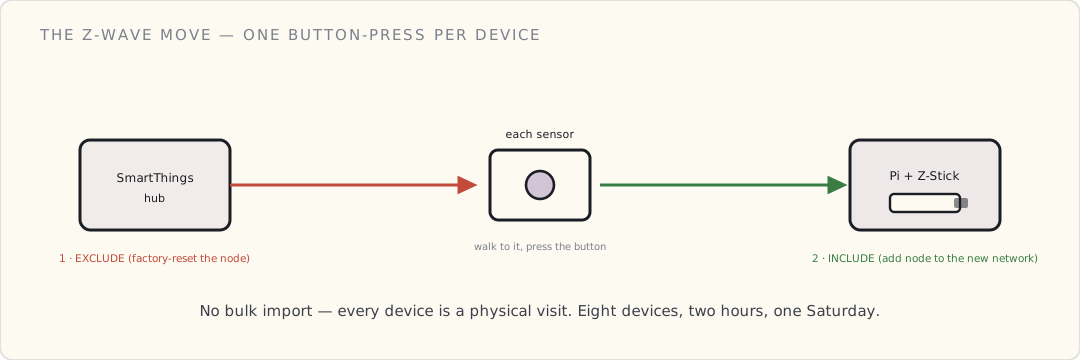
Migration order:
- Front door Multipurpose sensor (15 min including troubleshooting)
- Basement bulkhead Multipurpose (10 min)
- Aeotec Multisensor 6 × 2 (5 min each — these are wall-powered, easier to access)
- Aeotec Water Leak (10 min)
- 3× GE Z-Wave switches (15 min each — included the air-gap dance)
- Total: 2 hours Saturday morning
After: SmartThings hub has lost all its Z-Wave devices. The Zigbee HA devices still need migration to a different stick (a dresden elektronik ConBee + deCONZ, on order). For now: Hue + Z-Wave on HA, Zigbee non-Hue still on SmartThings.
Rewriting the security SmartApp in HA YAML
The Groovy SmartApp was ~20 lines. The HA equivalent is ~30 lines spread across config files. Slightly more verbose but more composable.
Step 1: define a "family home" group (groups.yaml):
family:
  name: Family
  entities:
    - device_tracker.luke_iphone
    - device_tracker.wife_iphone
There's no person entity in HA yet — that abstraction doesn't exist in 0.49. What I have is the ios component's device tracker: the official Home Assistant iOS app reports each phone's location, and HA derives a home / not_home state from a zone.home GPS geofence (configurable radius, default 100m). A group: of those two device trackers reads home if either phone is home and not_home only when both are away — exactly the "is anyone home?" primitive the security rule needs.
Step 2: define which sensors trigger (using HA's binary_sensor from Z-Wave):
After Z-Wave migration, the Multipurpose sensors expose as binary_sensor.front_door_contact and binary_sensor.bulkhead_contact. Visible in the HA UI.
Step 3: the automation (automations.yaml):
- alias: "Security: door opened while away"
  description: "SMS family + log if a contact sensor opens with nobody home"
  trigger:
    - platform: state
      entity_id:
        - binary_sensor.front_door_contact
        - binary_sensor.bulkhead_contact
      to: "on"
  condition:
    - condition: state
      entity_id: group.family
      state: "not_home"
  action:
    - service: notify.ios_luke_iphone
      data:
        title: "Security alert"
        message: >
          {{ trigger.to_state.attributes.friendly_name }} opened at
          {{ now().strftime('%H:%M') }}. Nobody home.
    - service: notify.ios_wife_iphone
      data:
        title: "Security alert"
        message: >
          {{ trigger.to_state.attributes.friendly_name }} opened at
          {{ now().strftime('%H:%M') }}. Nobody home.
    - service: persistent_notification.create
      data:
        title: "Security event"
        message: "{{ trigger.to_state.attributes.friendly_name }} opened at {{ now() }}"
        notification_id: security_{{ trigger.to_state.entity_id }}_{{ now().timestamp() | int }}
    - service: logbook.log
      data:
        name: "Security"
        message: "{{ trigger.to_state.attributes.friendly_name }} opened, nobody home"
Comparing to the old SmartApp:
| SmartThings (Groovy) | Home Assistant (YAML) | |
|---|---|---|
| Door event → notification latency | 3-5 s (cloud round-trip) | 0.5-1 s (local) |
| Works during internet outage | No | Yes (push falls back to local Pi notify if internet down) |
| Where the rule lives | SmartThings cloud | /config/automations.yaml on the Pi (git-tracked) |
| Notification destination | SMS via Twilio | HA iOS app push (free) |
| Logbook / event history | Cloud-side dashboard | Local SQLite database, viewable in HA UI |
| Custom modifications | Edit Groovy in IDE, redeploy | Edit YAML, reload (call-service: homeassistant.reload_core_config) |
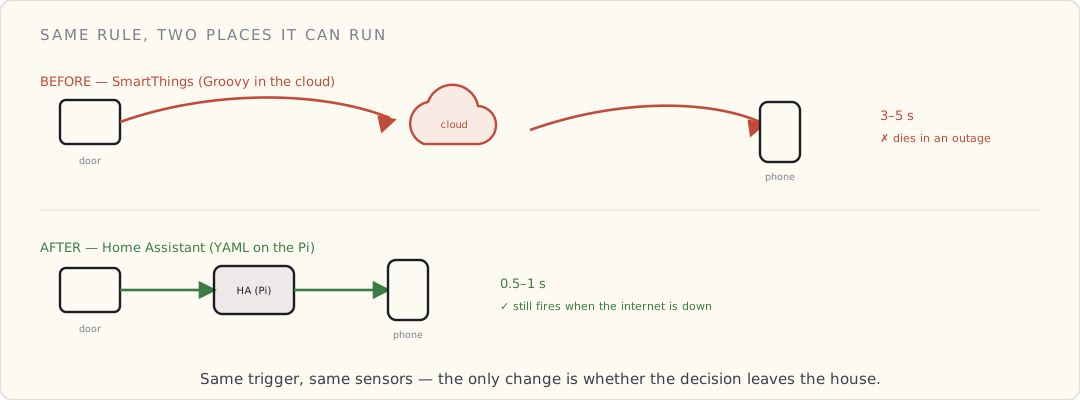
What the migration also enabled
Once the door sensors are local, automations get richer. Examples I built this week:
Door opens AND it's after sunset AND nobody home → also turn on hallway light:
- alias: "Security: scare-light if door opens after dark, nobody home"
  trigger:
    - platform: state
      entity_id:
        - binary_sensor.front_door_contact
      to: "on"
  condition:
    - condition: state
      entity_id: group.family
      state: "not_home"
    - condition: sun
      after: sunset
      after_offset: "-00:30:00"
  action:
    - service: light.turn_on
      data:
        entity_id: light.hallway
        brightness: 255
        rgb_color: [255, 255, 255]
    - service: light.turn_on
      data:
        entity_id: light.living_room
        brightness: 200
The intruder walks in, lights go full bright. Whatever they were doing, they're now visible to themselves in a brightly lit hallway. The light reaches the door from the hallway sconce well before they're inside. Psychological deterrent + camera-feed clarity if the front porch cam is recording.
Bulkhead door opens + family home + after midnight → wake-up alert:
Different condition path: same trigger, family-is-home but it's 2 AM, treat as suspicious. Push notification to both phones, lights to 50% in the master bedroom (gentle wake), no scare-bright in the basement (that's where the bulkhead leads — if someone is coming through, you don't tip them off).
- alias: "Security: bulkhead at 2 AM"
  trigger:
    - platform: state
      entity_id: binary_sensor.bulkhead_contact
      to: "on"
  condition:
    - condition: time
      after: "00:00:00"
      before: "06:00:00"
    - condition: state
      entity_id: group.family
      state: "home"
  action:
    - service: notify.ios_luke_iphone
      data:
        title: "Bulkhead opened at 2 AM"
        message: "Family home but someone opened the bulkhead. Check it."
    - service: light.turn_on
      data:
        entity_id: light.master_bedroom
        brightness: 50
What's still on SmartThings
Where everything lives right now, mid-migration:
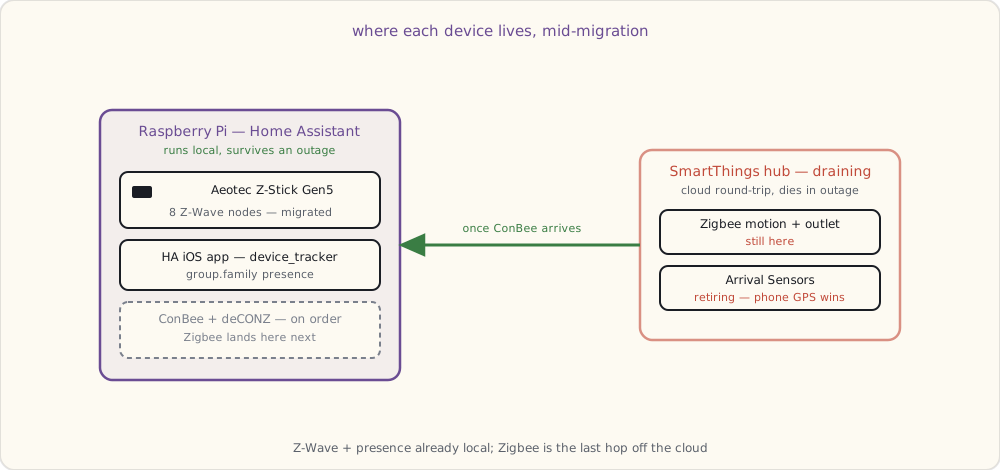
- The Zigbee HA devices (motion sensors, the Smart Outlet). Need the ConBee stick to migrate.
- The Arrival Sensors. Going to retire these entirely — phone-based presence via the HA iOS app is more reliable.
- The SmartThings hub is going into a drawer once Zigbee migrates. The v2 hub I'm draining has had the hardware for local execution since 2015 and Samsung still barely uses it; I'll re-evaluate if they ever ship firmware that runs a real slice of automations on the box instead of in their cloud.
What I want next
- dresden elektronik ConBee Zigbee stick ($40, on order). Migrates the SmartThings Zigbee devices to local on HA via deCONZ.
- A second presence signal beyond phone GPS. Phone GPS is good but not great in the basement / dense urban areas. Looking at iBeacons or BLE room-level presence as a secondary.
- An actual siren. The Z-Wave Aeotec Siren Gen5 does 105 dB with a backup battery. Ordering one for the basement so a verified break-in does more than light a hallway.
- A real dashboard to look at all this. The default states UI is functional but ugly. The community route right now is HADashboard (the AppDaemon dashboard add-on) or a hand-built panel of
group:cards withcustomize:icons. Project for next month.
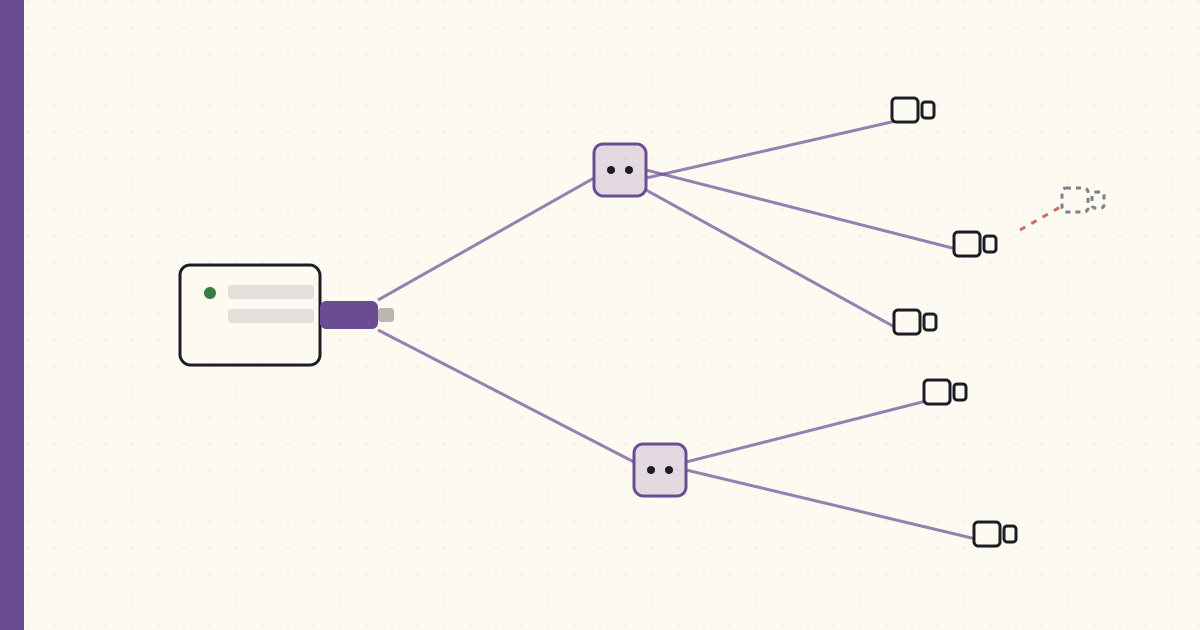 Part 22 of 61
 Aqara Zigbee door/window sensors at scale
Aqara's tiny Xiaomi Zigbee sensors finally reach the US via AliExpress. Six $9 door/window sensors, the slightly-off-spec quirks that come with them, and a 9-device Zigbee mesh for the price of three SmartThings parts.
Aqara — a Xiaomi sub-brand sold through the Mi Home ecosystem — makes Zigbee sensors you couldn't easily buy in the US until this year. The route is AliExpress: order, wait two to three weeks, and a box turns up from Shenzhen. Six MCCGQ11LM door/window sensors landed last week at $9.30 each. The SmartThings Multipurpose I'd been buying is $40. That's not a discount, that's a different category of cost — and the functionality is comparable for the one thing I use these for, which is "is this door open."
Two weeks installed. Here's what works, what doesn't, and the one thing that'll bite you if you skip it.
The Aqara MCCGQ11LM, hardware
- 41 × 22 × 11 mm — thumb-sized, about a third the volume of a SmartThings Multipurpose. The magnet half is smaller still.
- Adhesive backing (3M VHB on both halves) — sticks to door frames cleanly without screws, which matters on a painted jamb you don't want to drill.
- CR1632 button cell. Manufacturer claims roughly two-year battery life at normal usage. I'll believe it when I've replaced one, but the duty cycle (wake, report, sleep) is light enough that it's plausible.
- Zigbee HA 1.2 — with Aqara-specific extensions that are the whole reason this post exists.
- A reed switch (open/close) and nothing else. No accelerometer, no temperature, no tamper. It is a binary sensor and proud of it.
The minimalism is the point. SmartThings sells one device that does five things for $40; Aqara sells five devices that each do one thing for $9. For door state, I want the cheap single-purpose part.
The Zigbee-stack compatibility problem
Aqara devices speak a slightly-modified version of the Zigbee HA spec. They join the network like normal end-devices, then about 30 seconds later they go to sleep and don't respond to the standard "configure reporting" command the way a compliant device should. Most coordinators expect to set up attribute reporting at join time; Aqara devices have already nodded off by then. So whether they work for you comes down entirely to whether your coordinator's stack has been taught the Aqara quirks:
- deCONZ + the ConBee stick: works, after a couple of join-and-reset retries. deCONZ's firmware has explicit handling for the Aqara reporting behaviour, which is why it holds onto them. The quirk that remains is mesh-related, not pairing-related — more on that below.
- SmartThings hub: partial. Aqara devices join, then drop off the network within hours. SmartThings' device handlers don't account for the off-spec reporting, so the hub stops hearing from them and eventually evicts them. Community device handlers exist but it's a fight. Not recommended.
- Hue bridge: refuses to pair them at all. Hue only admits ZLL- or Hue-certified devices; an unrecognised Xiaomi reed switch never gets in the door.
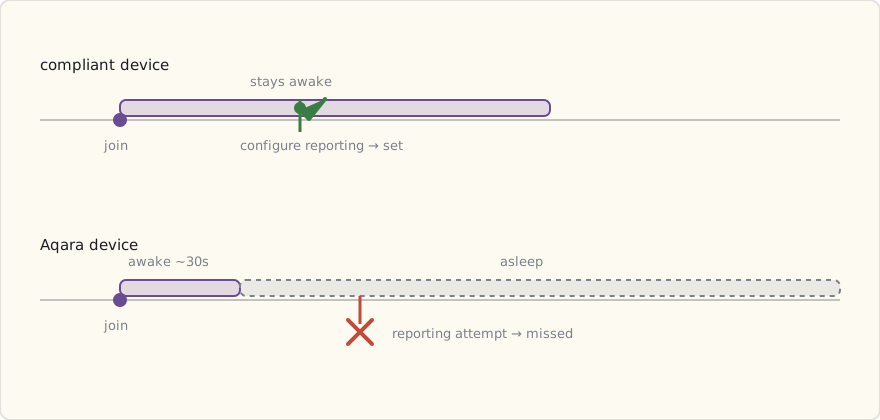
I'm running them on deCONZ with the ConBee USB stick, plugged into the same Raspberry Pi as Home Assistant. deCONZ owns the Zigbee radio and exposes the sensor states over its REST/websocket API; the deCONZ integration in HA subscribes to that and surfaces each sensor as a binary_sensor. It's one more service in the chain than I'd like, but it's the combination that actually keeps Aqara devices on the network, so it's the combination I run.
What "drops off the network" actually means
A sleeping Zigbee end-device doesn't talk to the coordinator directly across the house. It attaches to a parent — a mains-powered Zigbee Router that's always awake — and the router relays its messages and buffers anything that arrives while the device naps. Aqara devices are aggressive sleepers, and they're also fussy about which routers they'll stay attached to. Lose the parent and the sleeping sensor goes silent: it still thinks it's joined, but nothing it sends reaches the coordinator. The dreaded "it worked for a day then stopped."
The mitigation is the standard Zigbee one, applied carefully: put a Zigbee Router within line-of-sight-ish range of every Aqara end-device. The trap is that not all the routers in my house are on the right network. My Hue bulbs are routers — but on the Hue bridge's separate Zigbee network, useless to a sensor that joined deCONZ. Same story for the GE in-wall switches living on the SmartThings hub. A sensor on the ConBee network needs a router on the ConBee network.
So I added a couple of mains-powered Aqara wall plugs ($15 each) at the far corners. They join deCONZ as routers and give every door sensor a strong, always-awake parent on the right mesh. The drop-offs stopped the day I powered them up.
(A known footnote, learned the hard way: some Aqara end-devices don't roam well between routers, and a few brands of router — certain Tuya and older bulbs — make them sleepier still. Sticking to Aqara's own plugs as the routers for Aqara sensors sidesteps most of it.)
The total so far for the Aqara network:
- 6× door/window sensors: $56
- 2× wall plugs (routers + actual smart plugs): $30
- 1× Aqara motion + lux + temperature sensor: $13
- 1× ConBee USB stick: $40
- Total: $139 for a nine-device Zigbee network.
About what three or four SmartThings parts would have cost — and the ConBee stick is a one-time spend that every future Aqara device rides on for free.
Where I've put them
6× door/window sensors on:
- Front door (replaces SmartThings Multipurpose, now in spare-parts bin)
- Back deck door
- Basement bulkhead (replaces SmartThings Multipurpose)
- Kitchen patio sliding door
- Garage entry (the one between garage and house)
- Master bedroom window (interior alarm only — high-priority window)
1× human-body sensor in the upstairs hallway (motion + lux + temperature; complement to the Hue Motion already there, which doesn't expose to HA cleanly).
That's six new contact sensors integrated into the security automation. Updating the YAML:
# Add the new sensors to the security automation
- alias: "Security: door/window opened while away"
  trigger:
    - platform: state
      entity_id:
        - binary_sensor.front_door_contact
        - binary_sensor.back_deck_contact
        - binary_sensor.bulkhead_contact
        - binary_sensor.kitchen_patio_contact
        - binary_sensor.garage_entry_contact
        - binary_sensor.master_window_contact
      to: "on"
  condition:
    - condition: state
      entity_id: group.family
      state: "not_home"
  action:
    # same as before
Coverage went from two monitored entry points to six for $56 of hardware. That's the real shift: the marginal cost of one more sensor dropped from $40 to $9, and below some threshold you stop rationing. I'd been picking which doors were "worth" a sensor. Now every exterior opening gets one because not doing it would be silly.
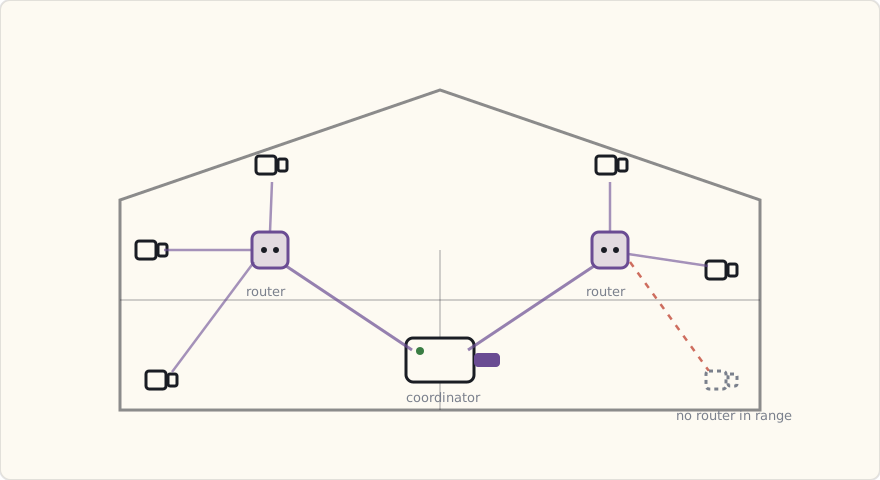
The privacy angle, which is the actual reason for all this
Here's the part that justifies the whole deCONZ rigmarole. Joined to a Xiaomi Mi Home hub the normal way, these sensors phone home to Xiaomi's cloud — servers in mainland China, by default, with no way to turn it off short of not using the hub. Door-open events are exactly the kind of telemetry I don't want leaving the house: a log of when my home is empty is a burglary aid.
So I never join them to Mi Home. The radio protocol is open Zigbee; the cloud dependency lives entirely in Xiaomi's hub and app, not in the sensors. Run them on my own coordinator and the data never touches a vendor cloud at all — it goes sensor → ConBee → deCONZ → Home Assistant, all on hardware I own, all on my LAN.
That's the distinction worth internalising: Aqara the hardware is excellent and cheap; Aqara the cloud is not something I'd feed household-occupancy data into. Local-only Zigbee on a non-Mi coordinator gets you the first without the second. It's the same pattern I keep landing on — buy the radio, refuse the cloud.
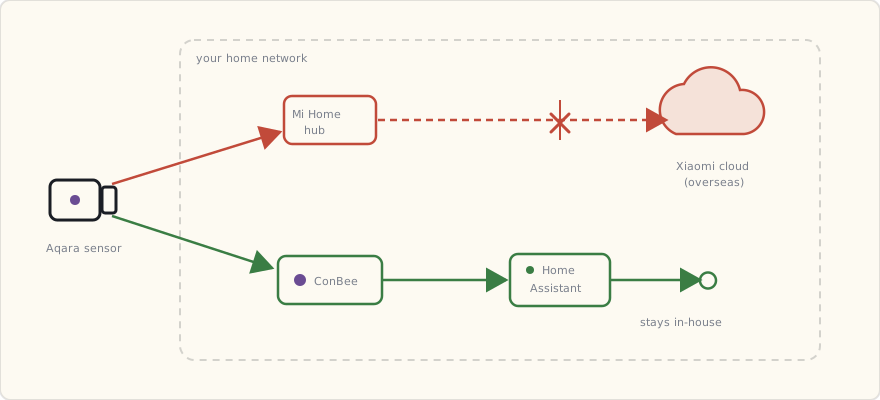
What's next
- Move the remaining SmartThings Zigbee devices onto deCONZ. The smart outlet, the motion sensors — they're all standard enough to re-pair to the ConBee. Once they're across, the SmartThings hub has nothing left to do and comes off the shelf entirely. A holiday-week project.
- An Aqara vibration sensor (DJT11LM, $15). Not the same as the Multipurpose's accelerometer — it's a dedicated tap/knock/tilt detector. I want one on the basement windows and, honestly, one on the dryer to know when a load finishes.
- An Aqara wireless mini switch (WXKG01LM, $12). A stick-anywhere button, no wiring, CR2032 for a couple of years. Bedside "all lights off."
The lesson two weeks in: the Zigbee world outside Hue and SmartThings is far bigger and far cheaper than the retail shelf suggests. The only thing gatekeeping it is the hub story. Get past that — a ConBee and deCONZ on a Pi — and a whole catalogue of $9 Aqara, Xiaomi, and Sonoff parts opens up that the consumer hubs simply pretend doesn't exist.
 Part 23 of 61
 2017 review — Home Assistant arrives, and the journal goes quiet
The year the house went local-first: Home Assistant replaced the cloud-tethered automation layer, and the SmartThings security rules moved onto hardware I own. 2016's forecast scored 70%. A heads-up for 2018 — the day job just became a connected medical device, and this journal is about to slow down.
End of 2017. The year the house quietly stopped depending on other people's servers.
Scoring the 2016 forecast
| Prediction | Confidence | Outcome | Verdict |
|---|---|---|---|
| I move core automations off the SmartThings cloud | 70% | Home Assistant install in July, security rules migrated in October | ✓ |
| HomeKit gets enough devices to be usable | 60% | Better, but the MFi chip moat still thins the catalog | ✓ (partial) |
| A second voice assistant in the house | 65% | Google Home landed in late 2016; 2017 was consolidation | ✓ |
| Zigbee + Z-Wave both off the starter hub | 40% | Still both on SmartThings — didn't get to it | ✗ |
| A cross-vendor automation that survives a vendor outage | 55% | Home Assistant makes this possible; not fully there yet | ✓ (partial) |
3/5 + 2 partials ≈ 70%. The big one landed: the automation brain is now a box in my closet, not a server in someone's data center.
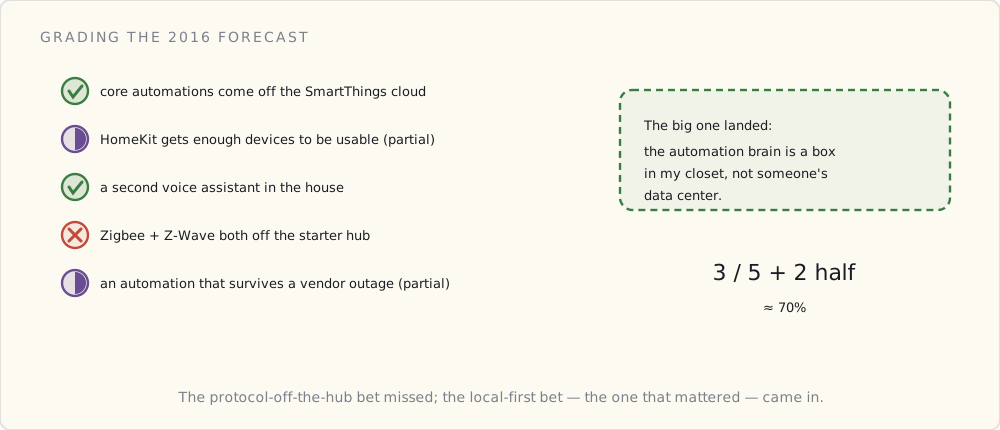
What changed in 2017
- Home Assistant (July). Running on a Raspberry Pi 3, YAML configs, local control of Hue + a handful of Z-Wave devices. The first time the house's logic lived entirely under my roof.
- Security automations migrated off SmartThings (October). Door/window sensors, presence, the arm/disarm logic — all now evaluated locally. SmartThings is still the Zigbee/Z-Wave radio, but it's no longer the decision-maker.
What worked
- The Pi survived a SmartThings cloud outage in November. SmartThings went down for a few hours; the cloud-dependent automations across the smart-home world went with it. My door-open-to-light rules kept firing because they run locally now. That was the moment local-first stopped being a preference and became the architecture.
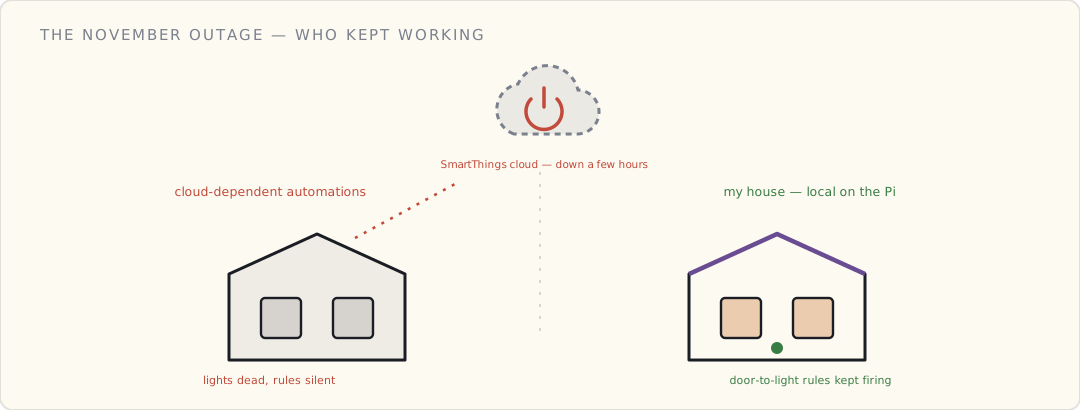
- YAML is verbose but legible. Six months in, I can still read my own automations. The config is version-controlled in git. This matters more than it sounds.
What didn't
- Zigbee and Z-Wave are still hostage to the SmartThings hub. Home Assistant talks to them through SmartThings' cloud-then-local bridge, which defeats half the point. The radios need to come off that hub and onto coordinators I control. That's the 2018 project — if I get to it.
- YAML automations are hitting a complexity ceiling. The presence-based arming logic is now a 60-line nested template that I'm afraid to touch. There's a better tool for stateful flows; I haven't picked it yet.
A note on cadence
This journal has run 3–4 posts a year since 2012. That's about to change. The day job just turned into building a connected medical device — BLE, a phone-gateway architecture, an FDA-shaped compliance surface, on a timeline that doesn't care about my hobby. For the next couple of years the house will keep evolving, but the writeups will be sparser. Fair warning.
The irony isn't lost on me: I'm about to spend two years professionally building the exact kind of connected-product platform I've been tinkering with at home. The lessons will cross-pollinate. Some of what I learn shipping a real device will show up in how I rebuild the house later.
Forecast for 2018
| # | Prediction | Confidence |
|---|---|---|
| 1 | Zigbee comes off the SmartThings hub onto a dedicated coordinator | 60% |
| 2 | I move complex automations off YAML to a flow-based tool | 65% |
| 3 | The smart-home camera category gets consolidated by a big acquirer | 55% |
| 4 | MQTT becomes the house's internal message bus | 50% |
| 5 | Posts slow to ≤ 3 for the year (day job) | 80% |
What's next
The Zigbee-off-the-hub project, if the day job allows. The automation-complexity problem needs a real answer. And the camera question — I've been avoiding cloud cameras on principle, and 2018 feels like the year that principle gets tested.
Five years of smart home documented. The house is finally mostly mine, server-side. Now to see how much I can keep building while the day job eats the calendar.
 Part 24 of 61
 Node-RED for the automations YAML couldn't handle
The presence-based arming logic in Home Assistant had grown into a 60-line YAML template I was afraid to touch. Node-RED turns stateful automations into flows you can actually see — and an MQTT broker turns the house into an event bus instead of a pile of point-to-point rules. The day the automation brain got a visual debugger.
The day-job calendar is full (the connected medical device is eating Q1), so this is a quick one — but it solves the problem I flagged at year-end: the automations had outgrown YAML.
The problem with YAML automations
Home Assistant's YAML is great for "when X, do Y." It's miserable for "when X, if the house has been empty for 10 minutes and it's after sunset and nobody's phone is home, then arm — unless the guest mode flag is set."
My presence-arming automation had become a 60-line nested condition: block with three input_boolean helpers standing in for state I couldn't express cleanly. I stopped trusting it. When you're afraid to edit your own alarm logic, the tool is wrong.
Node-RED — flows you can watch
Node-RED is a flow-based programming tool — drag nodes, wire them together, watch messages move through in real time. It runs as a Home Assistant add-on now (Hass.io made this a one-click install), talks to HA over a websocket, and gives stateful automations a visual debugger.
The presence-arming logic, rebuilt as a flow:
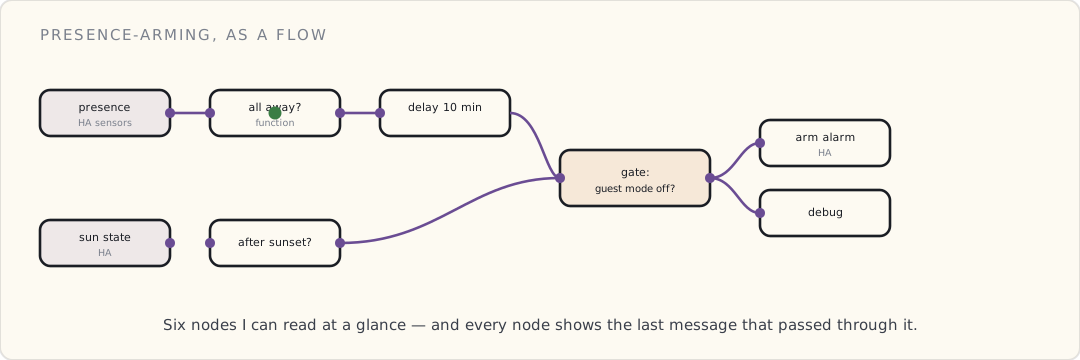
Every node shows its last message. When the alarm arms (or doesn't), I can see exactly which branch fired. The 60-line YAML template became six nodes I can read at a glance.
MQTT — the house's event bus
The bigger shift: I stood up an MQTT broker (Mosquitto, also a Hass.io add-on) and started routing events through it instead of wiring every device directly to every automation.
Before: SmartThings → HA → automation → device. Point to point. Every integration its own special case.
After: everything publishes to topics. A door sensor publishes home/frontdoor/contact → open. Anything that cares subscribes. Home Assistant subscribes. Node-RED subscribes. A future device I haven't bought yet can subscribe without me rewiring anything.
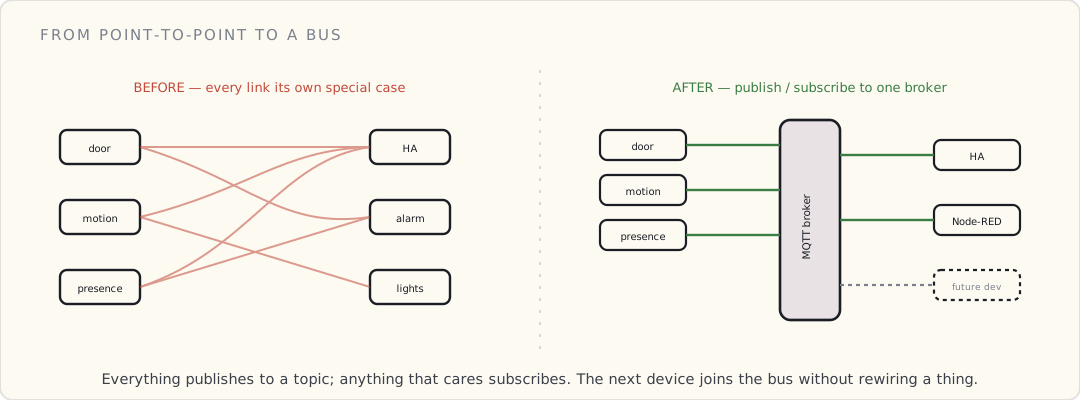
mosquitto_sub -t 'home/#' -v

home/frontdoor/contact open
home/presence/luke home
home/livingroom/motion detected
home/alarm/state disarmed
That home/# wildcard — watching every event in the house scroll past one terminal — is the first time the system felt like a system instead of a pile of rules.
Why this matters beyond convenience
The event-bus pattern is the same one I'm building professionally right now for a fleet of connected devices: devices publish telemetry to a broker, services subscribe, nobody's hard-wired to anybody. Doing it at home on Mosquitto and doing it at work on a managed broker are the same architecture at different scales. The house is a free testbed for the day job's patterns.
What I'd tell past-me
- Reach for Node-RED the moment an automation needs memory. Stateless → YAML. Stateful → flows.
- Stand up MQTT earlier than you think you need it. Retrofitting point-to-point integrations onto a bus is annoying; starting on the bus is free.
- Keep the YAML for the simple stuff. Not everything needs a flow. "Sunset → porch light on" is one line of YAML and should stay there.
What's next
The Zigbee radios are still trapped on the SmartThings hub. Getting them onto a coordinator I control — and onto this MQTT bus — is the project I keep deferring. Maybe before the day job swallows Q3.
 Part 25 of 61
 Amazon buys Ring — what a surveillance doorbell does to the threat model
Amazon bought Ring in February for a reported billion-plus. A doorbell company is now owned by the largest cloud and retail company on earth. The question isn't whether the video is useful — it is. The question is who else gets to watch, and what it means to put an always-on camera at every door pointed at the street.
Amazon acquired Ring in February for a reported $1B+. I've been avoiding cloud cameras on principle for years; the acquisition is a good moment to write down why, because the principle is about to get a lot harder to hold.
What Ring actually is
A doorbell with a camera, a motion sensor, a microphone, and a cloud subscription. It works well — genuinely. Motion-triggered recording, two-way audio, clips saved to Ring's cloud, push notifications when someone approaches. As a product it's excellent.
The architecture is the issue:
- Video lives in Ring's cloud, not your house. No local storage option that matters. No clip without the subscription.
- The camera points at the street. Every Ring doorbell is a node in a network of street-facing cameras, all uploading to one company.
- That company is now Amazon. The same entity that runs the largest retail surveillance operation, the largest cloud, and a voice assistant in your kitchen.
The threat model, written out
When I evaluate a connected device for the house, I write down who can access the data under what conditions. For a cloud doorbell:
| Actor | Access | Under what condition |
|---|---|---|
| Me | Full | Always (with subscription) |
| The vendor | Full | Always — it's their cloud |
| Law enforcement | Full | Vendor cooperation / subpoena / "request" |
| An attacker who breaches the vendor | Full | One breach, everyone's footage |
| A neighbor / passerby | Incidental | They're recorded without consent every time they walk by |
Compare to a local PoE camera writing to an NVR in my basement:
| Actor | Access | Under what condition |
|---|---|---|
| Me | Full | Always |
| The vendor | None | No cloud path exists |
| Law enforcement | Full | Subpoena served to me — I'm in the loop |
| An attacker | Local network only | Has to breach my network first |
The local version doesn't make the footage less useful. It makes the access mine to control.
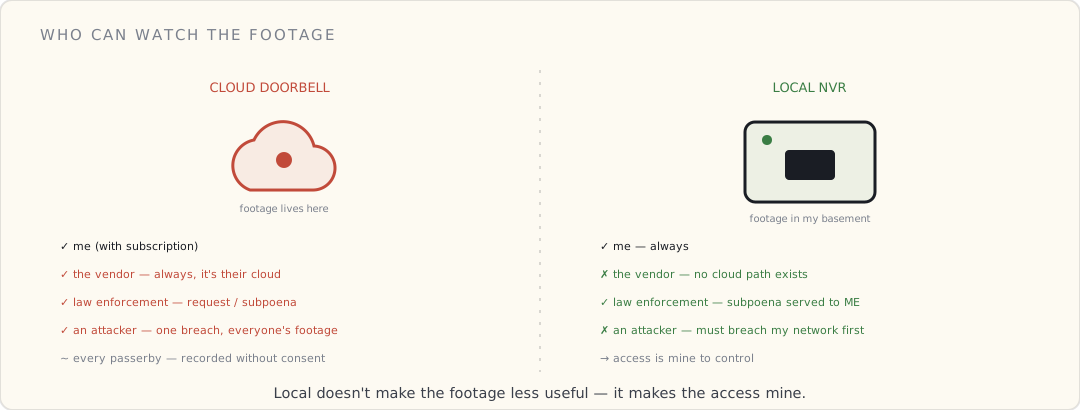
The part that actually bothers me
It's not the burglar — local cameras catch porch pirates fine. It's the aggregation. One company accumulating a street-level, always-on, searchable video record of millions of front doors, with face and motion analytics layered on top, and partnerships with police departments to make requests easier. That's not a doorbell feature. That's infrastructure, built one impulse purchase at a time.
And the person being recorded most often isn't the homeowner who consented to the terms of service. It's every neighbor, delivery driver, and kid walking to school who never agreed to anything.
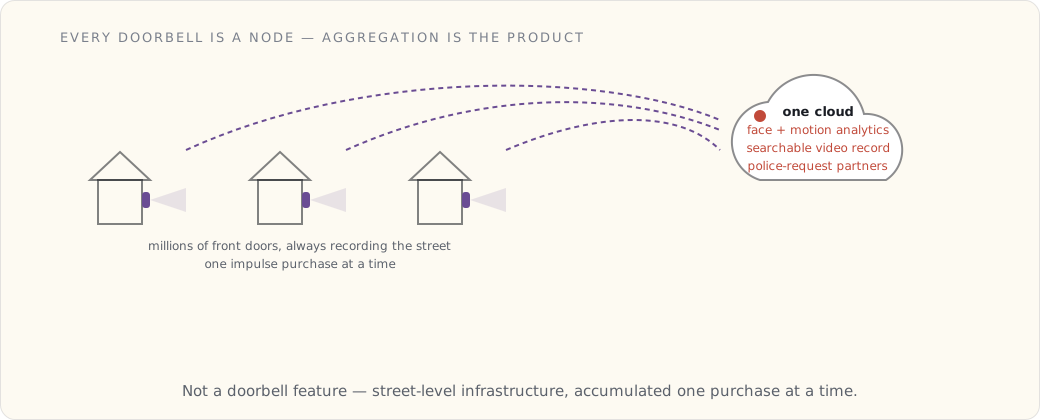
What I'm doing instead
- PoE cameras when I get to it — power and data over one Ethernet run, footage to a local NVR, no cloud account.
- A self-hosted NVR — ZoneMinder, Shinobi, or BlueIris — recording RTSP streams to disk in my basement. These do motion detection well. What they don't do yet is cheap, accurate object detection — "is that a person or a cat?" — without either a beefy GPU or punting frames to a cloud vision API, which defeats the point. On-device person detection on commodity hardware is the missing piece; I'm watching for it.
- Home Assistant as the one place the camera state surfaces, so a "someone at the door after midnight" automation runs locally and notifies me without a third party in the path.
I'm not there yet — the structured wiring for PoE doesn't exist in this house, and retrofitting it is a real project. But the principle holds: the camera at my door should answer to me.
What's next
The Zigbee-off-the-hub migration is still the deferred project. And the day job (the connected medical device) is teaching me, in a regulated context, exactly how seriously you have to take "who can access this data" — which only sharpens the instinct to keep the house's cameras local.
 Part 26 of 61
 Home Assistant Lovelace — building the kitchen wall display
HA 0.72 shipped Lovelace as an opt-in UI last month. A refurbished iPad mini, a wall mount, and a hand-written YAML dashboard the whole family actually uses — plus the custom cards worth installing.
HA 0.72 landed last month, and the headline feature was Lovelace — a new UI you build yourself out of cards, opt-in for now (you flip it on with lovelace_mode: yaml and the old auto-generated states page stays as a fallback). It's experimental, the docs warn it'll change, and the card list is short. I turned it on the day it shipped anyway, because the auto-generated UI was never something I'd point a family member at.
A few evenings of YAML later, the kitchen wall dashboard is up: a refurbished iPad mini 2 mounted next to the fridge, running Fully Kiosk Browser fullscreen, pointed at the local Lovelace URL.
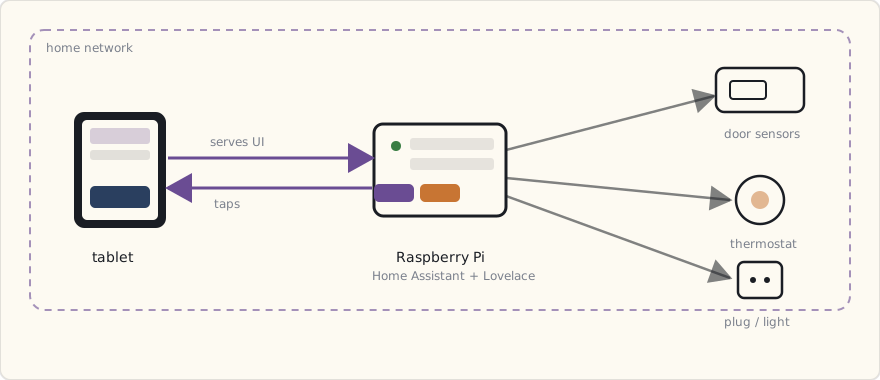
Why a wall dashboard
Two reasons.
One: a family-friendly surface. My wife uses Siri for everything Apple-touched and ignores anything that needs an app. The five-year-old can't say "Alexa" reliably enough to control a light. A wall-mounted touch screen is the lowest-common-denominator interface — no voice, no app, no account, no learning curve. You walk up and you tap the thing.
Two: ambient information. Glanceable temperature, who's home, whether the doors are shut, what the bathroom humidity is doing. Most of the time nobody touches it — they glance at it on the way past. The dashboard earns its wall space as a display first and a control surface second.
The hardware
- iPad mini 2 (2013, picked up refurbished for $80). 7.9" Retina display. Old enough that the battery's swollen-ish, so it lives wall-mounted and plugged in permanently.
- Heckler Design Wall Mount ($90). Tilts and swivels. Power passes through the back; the cable runs behind the wall to an outlet I added inside the cabinet.
- A USB-C → Lightning charge cable in low-power-charging mode. iPad mini battery sees 100% all day; minimizes battery cycle wear.
- Fully Kiosk Browser Lockdown ($7/year license). Locks the iPad to one URL, hides Safari controls, auto-restarts on crash, prevents the kids from navigating away.
Total dashboard hardware cost: ~$180.
The Lovelace config model
Lovelace YAML lives in /config/ui-lovelace.yaml. Each "view" is a tab; each view has cards.
title: Home
views:
  - title: Overview
    icon: mdi:home
    badges: []
    cards:
      - type: vertical-stack
        cards:
          - type: glance
            title: "Who's home"
            entities:
              - device_tracker.luke_iphone
              - device_tracker.wife_iphone
          - type: weather-forecast
            entity: weather.dark_sky
            show_forecast: true

      - type: entities
        title: "Climate"
        entities:
          - sensor.bathroom_humidity
          - sensor.kitchen_temperature
          - sensor.master_bedroom_humidity
          - climate.ecobee_main_floor

      - type: custom:light-entity-card  # manually installed, see below
        entity: light.kitchen
        icon: mdi:lightbulb

      - type: history-graph
        entities:
          - sensor.bathroom_humidity
        hours_to_show: 24

  - title: Security
    icon: mdi:shield-home
    cards:
      - type: glance
        title: "Doors & Windows"
        entities:
          - binary_sensor.front_door_contact
          - binary_sensor.back_deck_contact
          - binary_sensor.bulkhead_contact
          - binary_sensor.kitchen_patio_contact
          - binary_sensor.garage_entry_contact
          - binary_sensor.master_window_contact

      - type: picture-glance
        title: "Backyard Camera"
        camera_image: camera.reolink_backyard
        entities:
          - light.backyard_floodlight

  - title: Lights
    icon: mdi:lightbulb-multiple
    cards: ...
Three tabs. Touch a card to interact with the entity. Pinch-zoom does what you'd expect. The Lovelace renderer is fast enough on an iPad mini 2 that nothing feels janky.
The mental model that makes Lovelace click: a dashboard is views (the tabs), each view holds cards, and cards can nest inside layout cards like vertical-stack. Every card points at one or more entities. Once you see it as a tree, the YAML writes itself.
Custom cards — the manual install
The default Lovelace cards (glance, entities, history-graph, weather-forecast) are functional but plain. The community has already started building custom cards, and in July 2018 installing one is a manual job — there's no store yet. You download the card's JavaScript, drop it in /config/www/, and register it under resources: at the top of your Lovelace YAML so the frontend loads it:
resources:
  - url: /local/mini-graph-card-bundle.js
    type: module
  - url: /local/button-card.js
    type: module
  - url: /local/light-entity-card.js
    type: js
(/local/ maps to /config/www/.) After that, the custom cards work like built-in ones — you reference them as type: custom:mini-graph-card. The custom_updater component can check these for new versions, but the install itself is hand-managed. The cards I've added:
mini-graph-card: compact sparkline graphs of any sensor. Replaces the defaulthistory-graphwith something far more readable on a small screen.light-entity-card: one card for a light with a color picker, brightness slider, and on/off — much nicer than tapping through the default popup.button-card: fully styleable button for any entity or script. This is what the kid-friendly "All Off" button is built on.
It's fiddly — a card update means re-downloading the JS and bumping the cache — but it's how you get past the stock card set today.
The kid-friendly "All Off" button
Last card on the Overview tab is a giant button:
- type: custom:button-card
  entity: light.living_room
  name: "Goodnight 🌙"
  size: 30%
  styles:
    card:
      - height: 120px
      - background: linear-gradient(135deg, #2a3f5f 0%, #1a2541 100%)
      - color: white
      - font-size: 24px
      - border-radius: 16px
  tap_action:
    action: call-service
    service: script.goodnight
The script.goodnight script:
goodnight:
  alias: "Goodnight routine"
  sequence:
    - service: light.turn_off
      data:
        entity_id: group.all_lights
    - service: lock.lock
      data:
        entity_id: lock.front_door  # haven't installed yet — coming
    - service: climate.set_temperature
      data:
        entity_id: climate.ecobee_main_floor
        temperature: 65
    - service: notify.ios_luke_iphone
      data:
        message: "Goodnight routine ran"
The five-year-old taps "Goodnight 🌙" before bed. House goes dark, thermostat drops, I get a confirmation. Best feature in the house this year.
What I'm doing next
- A camera grid view for the (eventual) 4-camera setup. The picture-glance card works for one; need a custom card for a 2×2 grid.
- A floorplan-overlay dashboard using a custom card called
floorplan-card. SVG of my house floorplan with sensor states overlaid. Project for the summer. - Per-room scene buttons organized by room.
- An automation status panel — list of all active automations with last-run timestamps + a kill-switch toggle. Useful for debugging.
What dashboards changed
Before: voice + phone-app + occasional ad-hoc curl-based scripts.
After: family interacts with the smart home through one surface. The dashboard. The Echoes and Google Homes still get used for "set a timer," "play music," "what's the weather" — but anything device-control routes through Lovelace.
The dashboard also became a debugging tool. When something doesn't work, the first place I look is the dashboard's sensor states. Door sensor not reporting? Visible immediately. Aqara device dropped off Zigbee? Visible immediately. The wall display is also the operational dashboard.
 Part 27 of 61
 Water leak sensors + automatic shutoff
Five Z-Wave water leak sensors plus a motorized actuator that clamps over the main shutoff. The first smart-home automation where the insurance math, not the convenience, justifies the spend.
Five water leak sensors. One motorized actuator clamped over the main shutoff valve. A screwdriver, no plumber. The house can now shut its own water off when something leaks — and shut it off fast enough to matter.
The hardware
Leak sensors (5×):
- Aeotec Water Sensor 6 — Z-Wave Plus, CR123A battery (claimed ~2-year life on default settings), four sensing points, detects as little as half a millimetre of water and reports within a couple of seconds. It also has a built-in 60 dB siren, which matters more than I expected — see below.
- ~$35 each. $175 total.
Main-water shutoff:
- Dome Home Automation Water Main Shut-Off (DMWV1) — Z-Wave Plus. This is the part that surprised me. It's not a valve you plumb in; it's a motorized actuator that clamps over your existing quarter-turn ball valve and physically turns it. Works on any standard ball valve up to 1½", mounts with two pipe clamps and a screwdriver, no cutting, no soldering, no draining the system.
- $100.
Install:
- Forty-five minutes with a screwdriver and a level. The actuator straddles the existing valve's lever; you set the open and closed end-stops once during pairing and it remembers them.
- $0 — no plumber. That clamp-on design is the whole reason this project went from "schedule a plumber" to "do it Saturday morning."
Total: ~$275. Worth keeping that number in mind against what a single water-damage claim runs.
Sensor placement
Where I put them and why:
- Basement floor near the water heater. The water heater is the most-likely-to-fail item in the house. Tanks corrode through. Pinhole leaks turn into flooded basements overnight.
- Laundry room behind the washer. Hoses degrade. The braided stainless ones I have are rated for 5 years; I've had them for 7. (Replacing them is on the list.)
- Under the dishwasher. Dishwashers leak around the inlet valve solenoid. Sensor sits right under the door area.
- Under the master bath vanity. P-trap, supply lines, shutoff valves — three failure points within 18 inches of each other.
- Under the half-bath vanity downstairs. Same.
That covers ~90% of the residential water-leak failure modes. Anything happening in a wall (slab leak, freeze-burst inside framing) is invisible to floor-mounted sensors — that's why the main-valve shutoff is critical: it stops a wall-leak the floor sensors never saw, because closing the main cuts pressure to everything.
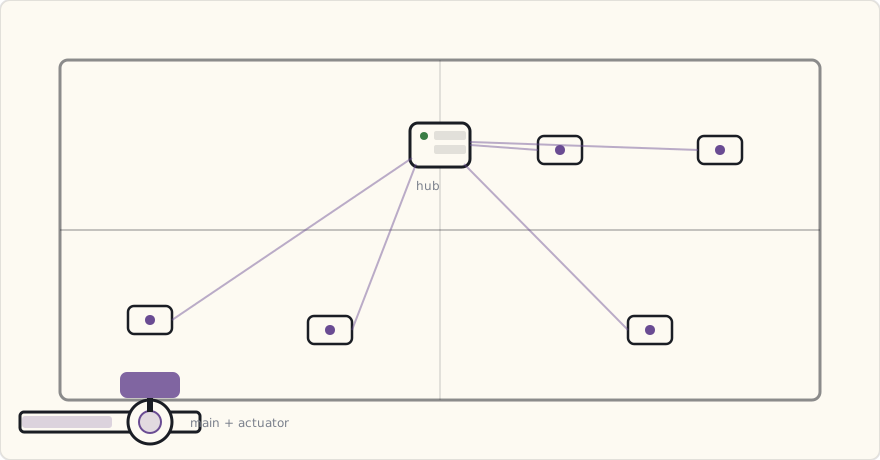
One thing I underrated: the Aeotec's onboard 60 dB siren. The valve closing is silent, and a push notification is easy to miss in another room. The local siren is what actually gets someone's feet moving toward the basement. I leave it enabled on every sensor.
The automation
- alias: "Water leak detected — shut off main"
  description: "Any sensor reports water → close main valve + notify"
  trigger:
    - platform: state
      entity_id:
        - binary_sensor.water_leak_basement
        - binary_sensor.water_leak_laundry
        - binary_sensor.water_leak_dishwasher
        - binary_sensor.water_leak_master_bath
        - binary_sensor.water_leak_half_bath
      to: "on"
  action:
    - service: switch.turn_off
      data:
        entity_id: switch.main_water_valve  # the Dome actuator, "off" = valve closed
    - service: notify.ios_luke_iphone
      data:
        title: "🚰 LEAK + MAIN VALVE CLOSED"
        message: >
          {{ trigger.to_state.attributes.friendly_name }} at
          {{ now().strftime('%H:%M') }}. Main water shut.
        data:
          push:
            sound: "default"
            badge: 1
          category: "leak"
    - service: notify.ios_wife_iphone
      data:
        title: "🚰 LEAK + MAIN VALVE CLOSED"
        message: >
          {{ trigger.to_state.attributes.friendly_name }}. Main water shut.
    - service: light.turn_on
      data:
        entity_id: group.all_indoor_lights
        rgb_color: [255, 0, 0]   # all lights red
        brightness: 255
    - service: persistent_notification.create
      data:
        title: "💧 Leak event"
        message: >
          Sensor: {{ trigger.to_state.attributes.friendly_name }}.
          Time: {{ now() }}.
          Action taken: main water shut off; lights red.
End-to-end latency from sensor wet to valve fully closed: about 10 seconds. The sensor reports within a couple of seconds, the automation fires instantly, and then the slow part is mechanical — the Dome actuator drives the ball-valve lever through its 90° arc in roughly eight seconds. That's the trade for a clamp-on actuator versus a plumbed-in motorized valve: it's torquing a stiff manual lever, not spinning a purpose-built motor, so it's deliberate rather than fast. Ten seconds is still orders of magnitude faster than "nobody's home for the weekend."
The "we just turned the dishwasher on" false-positive problem
The dishwasher inlet, when running, sometimes drips a few drops onto the sensor. Initial deployment fired the leak automation twice in the first week — both times during normal dishwasher runs.
Fix: the dishwasher sensor reports only after the same sensor reports wet for 30 continuous seconds. Brief moisture (a drop or two) doesn't trigger; a continuous flow does. YAML:
- alias: "Water leak — debounced"
  trigger:
    - platform: state
      entity_id: binary_sensor.water_leak_dishwasher
      to: "on"
      for: "00:00:30"
  # ... rest of action ...
The 30-second debounce is unique to the dishwasher sensor; the other four trigger immediately because their false-positive risk is much lower. A basement floor next to the water heater either is wet or isn't.
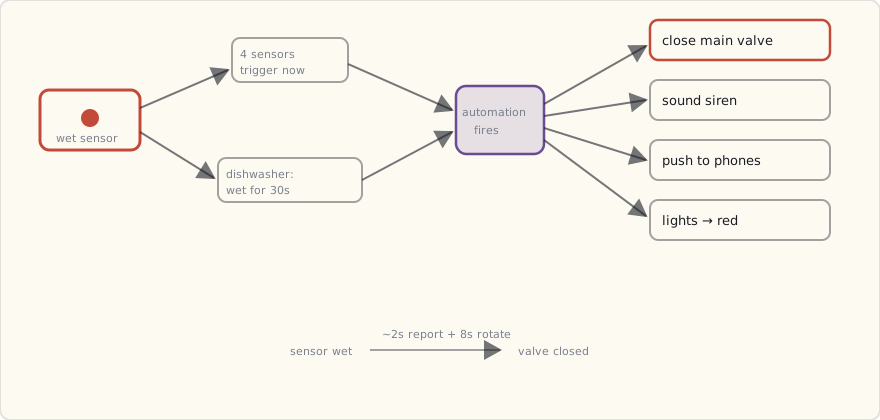
What about the "valve closed when I want water" problem?
The main valve closed automation runs even if I'm home. Which means: someone is washing dishes, the dishwasher leaks, valve shuts, all water in the house stops.
The recovery flow:
- Push notification arrives on both phones.
- Tap "investigate" link — opens HA dashboard showing the sensor that triggered.
- Manually inspect the leak. Fix or contain.
- From the HA dashboard, tap "Open main valve."
- Actuator drives the lever back open (about eight seconds), water flows again.
This is exactly the friction I want. The default is "shut things down and ask questions later"; the recovery is one tap from a phone. The Insurance Information Institute puts the average non-weather water claim around $11,000 — I'll happily walk to the basement to re-open a valve to never file one of those.
The whole design comes down to which failure you'd rather have, and the two are not symmetric: a false shutoff costs you a one-tap re-open, while a missed leak costs a five-figure claim. When the downside of one branch is a minor annoyance and the downside of the other is the basement, you bias hard toward shutting off.
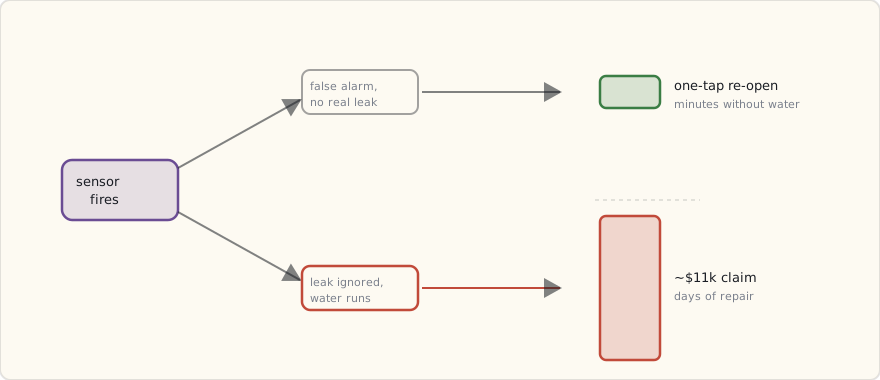
What's next
- The other major leak risk: refrigerator water line. Ice maker + filtered water dispenser. Adding a sensor behind the fridge this weekend.
- The hot water heater itself. I have a sensor next to it; I don't yet have an "interior temperature" sensor that would catch a burst pipe inside the heater jacket. Putting that on the list.
- A drain backup sensor. I have a sump pump in the basement; if the sump backs up because the float switch dies, I'd like to know. A sensor in the sump pit would catch the rising water before it reaches the floor.
- Eventually: a flow meter on the main inlet. Detecting "any flow lasting more than 2 hours" would catch slow leaks the threshold-sensors miss. The Flo by Moen device does this. Pricey ($300) but interesting.
What this changes about the smart-home math
Water-leak shutoff is the first piece of smart-home automation where the insurance value clearly exceeds the cost. Every other piece (security, convenience, scenes) is a quality-of-life argument. This one is an insurance argument.
If I had to recommend one piece of smart-home automation to a non-enthusiast, this is now it. Not the bulbs. Not the voice assistant. The leak detection + main valve shutoff.
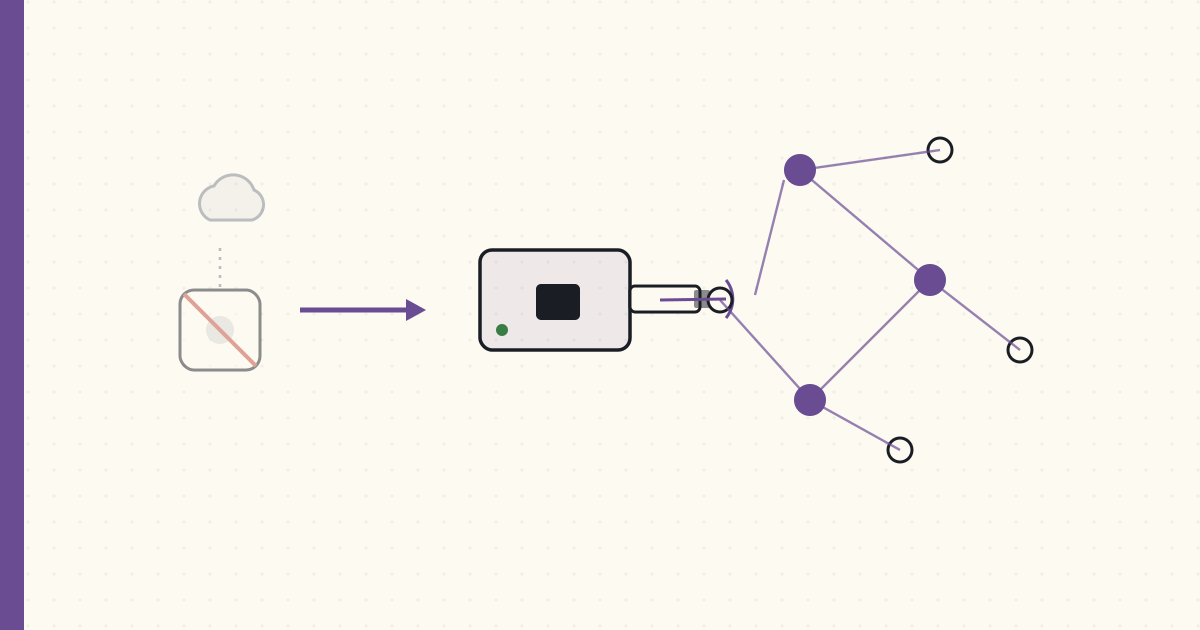 Part 28 of 61
 ConBee + deCONZ — taking Zigbee off the SmartThings hub
The Zigbee bulbs and sensors had been hostage to the SmartThings hub for years — local control routed through someone else's cloud-then-bridge. A $40 ConBee USB stick and deCONZ change that: a Zigbee coordinator I own, paired straight to Home Assistant, no vendor in the path. The bulbs answer to my closet now.
The project I've deferred since last year's review finally happened over a weekend the day job didn't claim. The Zigbee devices are off the SmartThings hub and onto a coordinator I own.
Why the SmartThings hub had to go (for Zigbee)
Home Assistant runs the logic locally, but until now it reached the Zigbee bulbs and sensors through the SmartThings hub — which means through SmartThings' cloud-then-local bridge. Every "turn on the kitchen light" round-tripped through a dependency I'd spent a year trying to remove from everything else.
That's not local-first. That's local logic with a cloud-shaped hole in the middle.
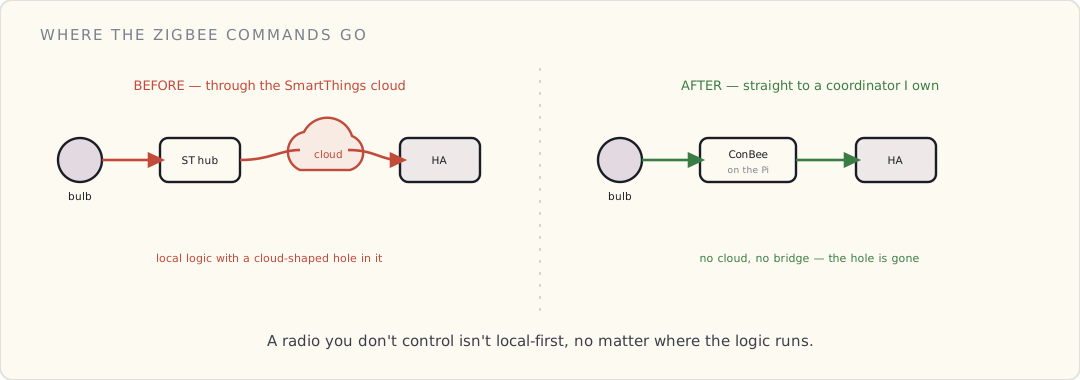
The hardware: ConBee + deCONZ
- ConBee USB stick (~$40, Dresden Elektronik). A Zigbee coordinator radio on a USB dongle. Plugs into the Pi.
- deCONZ — the software that drives it, available as a Home Assistant add-on. Exposes a REST API + websocket; Home Assistant has a native deCONZ integration.
The principle: the ConBee is my Zigbee network's coordinator now. Devices pair directly to it. No SmartThings, no cloud, no bridge.
The migration, device by device
This is the tedious part nobody warns you about: Zigbee devices have to be factory-reset and re-paired to move coordinators. There's no "transfer." Each bulb, each sensor, gets removed from SmartThings, reset (usually a power-cycle dance or a button hold), then paired to deCONZ.
deconz pairing log:
  19:42  permit-join opened (60s)
  19:42  new device: Hue White A19  → 0x000b57fffe...  joined
  19:43  new device: Xiaomi contact → 0x00158d0002...  joined
  19:44  new device: Hue White A19  → 0x000b57fffe...  joined
Notes from doing ~20 devices in an evening:
- Hue bulbs: reset by power-cycling 5 times, or with a Hue dimmer switch held near the bulb. Painless once you know the rhythm.
- Xiaomi/Aqara sensors: cheap, excellent, but notoriously picky about coordinators. They paired to deCONZ fine — better than they ever behaved on SmartThings, which kept dropping them.
- Re-pairing breaks every automation that referenced the old entity ID. Budget time to fix entity names in Home Assistant after. Mine went from
light.kitchen_smartthings_xxxxto cleanlight.kitchen.
The Zigbee mesh lesson
Zigbee is a mesh: mains-powered devices (bulbs, plugs) route for battery devices (sensors). When I moved the coordinator, the mesh had to rebuild. For a day, the far-corner sensors were flaky until the routing tables settled and the bulbs in between started repeating. Patience, not panic — the mesh heals itself if you give it mains-powered routers to lean on.
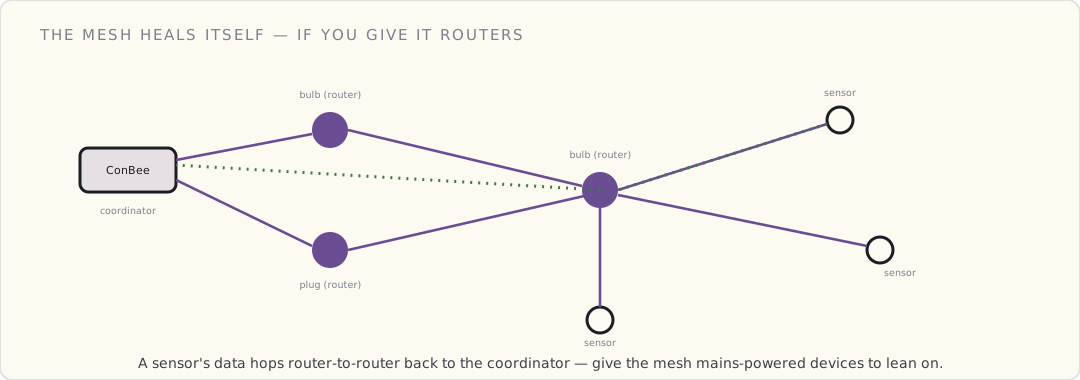
Where this leaves the architecture
- Zigbee: ConBee + deCONZ, local. ✓
- Z-Wave: still on the SmartThings hub. Next migration — a Z-Wave USB stick (Aeotec Z-Stick) is the obvious move, same pattern.
- Hue: some bulbs on the Hue Bridge (for the nice scenes + local API), some moved straight to deCONZ. Still deciding whether the Bridge earns its place.
- Logic: Home Assistant + Node-RED + MQTT, local. ✓
The house is now ~80% server-independent. The SmartThings hub's remaining job is Z-Wave, and its days are numbered.
What I'd tell past-me
- The ConBee is the single highest-leverage $40 in the local-first journey. Do it before anything else.
- Re-pairing is a whole evening. Block the time, do it in one pass, fix entity IDs after.
- deCONZ vs ZHA vs Zigbee2MQTT — there are three ways to run a local Zigbee coordinator and I picked deCONZ because the ConBee shipped with it. The others are worth a comparison someday. (Deferred — like everything, to whenever the day job lets up.)
What's next
Z-Wave off the hub. And eventually a real comparison of the Zigbee stacks now that I've committed to local coordinators. The year's nearly out — a review is due, and it's been a quiet one.
 Part 29 of 61
 Smoke detector integration — alerts that actually matter
First Alert ZCOMBO smoke + CO detectors on Z-Wave, three of them through the house — replacing the dumb battery-only smokes that had been dying at 3 AM for years. The hard rule: the local alarm never depends on the network.
Three First Alert ZCOMBO smoke + CO detectors went up last weekend. They replace the dumb battery-only Kidde units that had spent years chirping at 3 AM on dying 9V batteries — the single most reliable way our house had of waking everyone for no reason. I wanted the events in Home Assistant. I was not willing to make the alarm itself depend on HA to do it. That tension is the whole post.
The hardware
First Alert ZCOMBO (Z-Wave Plus):
- Ionization smoke + electrochemical CO sensing in one head.
- A standalone alarm — the local buzzer sounds on smoke or CO with zero radio involvement. The Z-Wave Plus radio is a second path that reports the event; it is not how the thing screams.
- 2× AA batteries, ~3-year battery life; the sensor head itself is rated for the usual 10-year replace-the-whole-unit window.
- UL 217 (smoke) + UL 2034 (CO) listed — meets US residential code.
$45 each, $135 for three. One in the upstairs hall, one in the living room, one in the basement near the furnace.
The design rule: standalone first, network second
There's exactly one architectural decision that matters here, and it's not a clever one:
The local alarm cannot depend on the network.
If the Wi-Fi is down, the Z-Wave mesh has a dead node, the Pi running HA is mid-reboot — the detector still has to sound when there's smoke. UL 217 requires it. Code requires it. The 2 AM version of me, half-asleep and counting children, requires it.
The ZCOMBO gets this right: its onboard sensor drives the buzzer directly. The Z-Wave radio fires a separate event to HA, and everything I build — lights, push notifications, HVAC — hangs off that secondary path. If the radio path fails, I lose the automation. I do not lose the alarm. That ordering is non-negotiable, and it's the reason I bought a detector that is a real UL-listed alarm with a radio bolted on, rather than a "smart" alarm whose smartness is load-bearing.
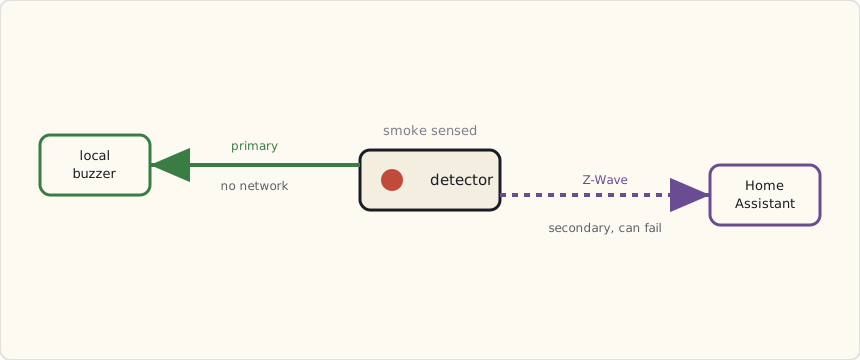
That's also why I skipped the cloud-first options. The Nest Protect is a genuinely good detector, but a chunk of its connected behavior rides on Wi-Fi and Google's cloud, and I've watched that cloud have bad days. First Alert's own OneLink is Wi-Fi for the connected features. Neither is wrong — but both put the network closer to the alarm than I wanted it. Z-Wave Plus plus a dumb local buzzer keeps the radio firmly in the "bonus" column.
The Home Assistant automation
Smoke fires, HA does the rest. Lights to full white for evacuation, critical push to both phones, HVAC fan off so the air handler stops moving smoke around the house, and a logbook entry so I can reconstruct what happened afterward.
- alias: "Smoke detected — full response"
  trigger:
    - platform: state
      entity_id:
        - binary_sensor.smoke_living_room
        - binary_sensor.smoke_upstairs_hall
        - binary_sensor.smoke_basement
      to: "on"
  action:
    # lights to max, white, everywhere — for getting out
    - service: light.turn_on
      data:
        entity_id: group.all_lights
        brightness: 255
        rgb_color: [255, 255, 255]
        transition: 0
    # critical push that bypasses Do Not Disturb (iOS 12)
    - service: notify.mobile_app_luke_iphone
      data:
        title: "SMOKE: {{ trigger.to_state.attributes.friendly_name }}"
        message: "{{ now().strftime('%H:%M') }} — evacuate."
        data:
          push:
            sound:
              name: "default"
              critical: 1
              volume: 1.0
    - service: notify.mobile_app_wife_iphone
      data:
        title: "SMOKE: {{ trigger.to_state.attributes.friendly_name }}"
        message: "{{ now().strftime('%H:%M') }} — evacuate."
        data:
          push:
            sound:
              name: "default"
              critical: 1
              volume: 1.0
    # stop the air handler from spreading smoke
    - service: climate.set_fan_mode
      data:
        entity_id: climate.ecobee_main_floor
        fan_mode: "off"
    - service: logbook.log
      data:
        name: "Fire"
        message: "Smoke: {{ trigger.to_state.attributes.friendly_name }}. Full response."
The piece that makes this worth doing is the critical alert flag. iOS 12 shipped a critical-alerts entitlement in September: a notification marked critical: 1 bypasses Do Not Disturb and the ringer switch, and plays at a volume you set, not the phone's. It's gated — Apple makes you request the entitlement and the user has to grant it per-app — and I granted it to the Companion app for exactly this. A smoke alert that gets silenced because the phone was on Do Not Disturb is not an alert.
CO is a different problem than smoke
Smoke you can see and smell; the instinct ("get out") is already correct. Carbon monoxide is invisible, odorless, and slow, and by the time you feel it — headache, drowsiness — it's already degrading the judgment you'd use to react. So I gave it a visibly different response.
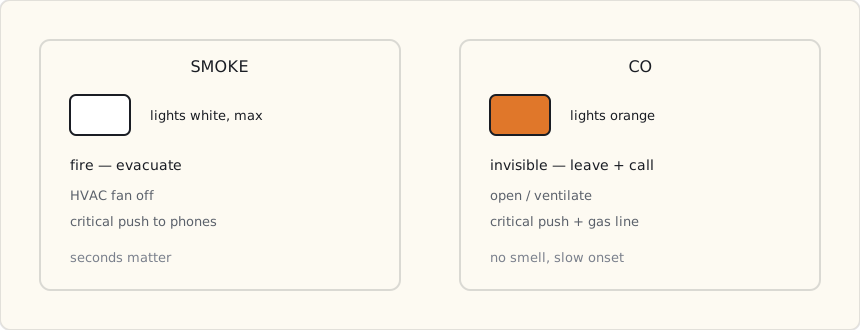
- alias: "CO detected — evacuate"
  trigger:
    - platform: state
      entity_id:
        - binary_sensor.co_living_room
        - binary_sensor.co_upstairs_hall
        - binary_sensor.co_basement
      to: "on"
  action:
    - service: light.turn_on
      data:
        entity_id: group.all_lights
        brightness: 255
        rgb_color: [255, 100, 0]   # orange — not the white of a smoke event
        transition: 0
    - service: notify.mobile_app_luke_iphone
      data:
        title: "CARBON MONOXIDE"
        message: >
          {{ trigger.to_state.attributes.friendly_name }}. Get out, then call
          the gas company.
        data:
          push:
            sound:
              name: "default"
              critical: 1
White means smoke, orange means CO. Anyone standing in the house knows which protocol applies from the color of the lights alone, without reading their phone — which matters when the phone is the thing you grab on the way out the door.
Interconnect — and where the network creeps back in
The Kidde units I tore out were hardwired-interconnected: the three-conductor run that residential code wants, so the basement alarm makes the upstairs alarms sound too. The ZCOMBOs are standalone buzzers with no interconnect wire between them. To get "one fires, all sound," I had to fake it in HA — and this is the one place I knowingly let the network back into the safety path.
- alias: "Smoke interconnect — one fires, sound the others"
  trigger:
    - platform: state
      entity_id:
        - binary_sensor.smoke_living_room
        - binary_sensor.smoke_upstairs_hall
        - binary_sensor.smoke_basement
      to: "on"
  action:
    - service: switch.turn_on
      data:
        entity_id:
          - switch.smoke_living_room_test  # Z-Wave "test alarm" command
          - switch.smoke_upstairs_hall_test
          - switch.smoke_basement_test
The ZCOMBO exposes its "test alarm" over Z-Wave, so HA can sound the other two when any one of them sees smoke. It works — and I want to be honest about its limit. This is fully network-dependent. If the mesh or HA is down, the two detectors that didn't see the smoke stay quiet. The one that actually saw it still screams locally, because that path never needed the network. So the failure mode degrades the right way: I lose the house-wide chorus, never the alarm at the source.
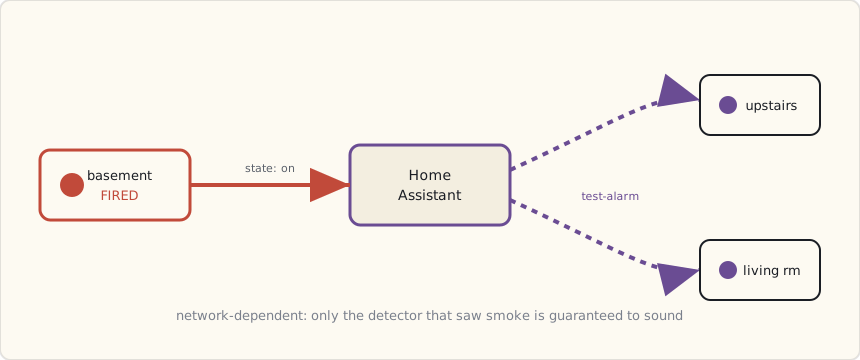
What bit me, and what I'd do differently
- Nuisance trips. Searing a steak under the broiler set off the (kitchen-adjacent) living-room detector twice. The fix you reach for — a debounce — is the wrong instinct for smoke; a five-second "is it really smoke" delay is five seconds you don't have in a real fire, so I left smoke un-debounced and ate the false alarms. The better answer, which I haven't built yet, is correlation: treat it as real only when smoke AND a nearby temperature sensor shows a fast rise. Smoke alone is a maybe; smoke plus a climbing thermometer is a fire.
- No central siren. The ZCOMBO buzzers are loud but localized. "Smoke in the basement, family asleep upstairs" is exactly the case where the local buzzer is least likely to wake anyone. An Aeotec Siren in the upstairs hall, fired by the same automation, is on order.
- No camera correlation. When smoke fires I'd like the indoor cameras to start recording to off-site storage automatically — useful for an insurance claim and for ruling out a false alarm remotely. The Reolink-to-Synology Surveillance Station handoff is more of an ffmpeg wrestling match than it should be; it's on the list, not done.
What I'd tell a team
Buy a detector that is a real UL-listed alarm first and a smart device second. If the spec sheet describes the connected features before it describes the local alarm, that's the tell — walk away. The integration is where the value is, but it has to sit downstream of a buzzer that doesn't know or care whether your hub is alive. Standalone first, network second. Everything good I built here only works because I never let that order flip.
What's next
Heat sensors for the attic and garage, where dust and fumes make smoke detection a false-alarm machine and rate-of-rise heat detection is the code-preferred answer. And the central siren, so a basement fire is something the whole house hears at once — without trusting the network to make that happen.
 Part 30 of 61
 2018 review — quiet year, Zigbee goes local, the doorbell got scary
The sparsest year of the journal — exactly as forecast, because the day job became a connected medical device. But the house still moved local-first: Node-RED gave the automations a brain, an MQTT broker gave them a nervous system, and a $40 ConBee stick freed the Zigbee mesh from the cloud. 2018's forecast scored 80%.
End of 2018. The quietest year here since 2012 — and I called it.
Scoring the 2018 forecast
| Prediction | Confidence | Outcome | Verdict |
|---|---|---|---|
| Zigbee comes off the SmartThings hub onto a dedicated coordinator | 60% | ConBee + deCONZ in October | ✓ |
| Complex automations move off YAML to a flow tool | 65% | Node-RED, February | ✓ |
| Smart-home camera category consolidated by a big acquirer | 55% | Amazon bought Ring in February | ✓ |
| MQTT becomes the house's internal message bus | 50% | Mosquitto broker, alongside Node-RED | ✓ |
| Posts slow to ≤ 3 for the year | 80% | Three posts. Hello. | ✓ |
5/5 ≈ 100% — but the honest read is that several of these were within my control, so it's less "good forecasting" than "I did the things I planned." The Ring acquisition was the only outside call.
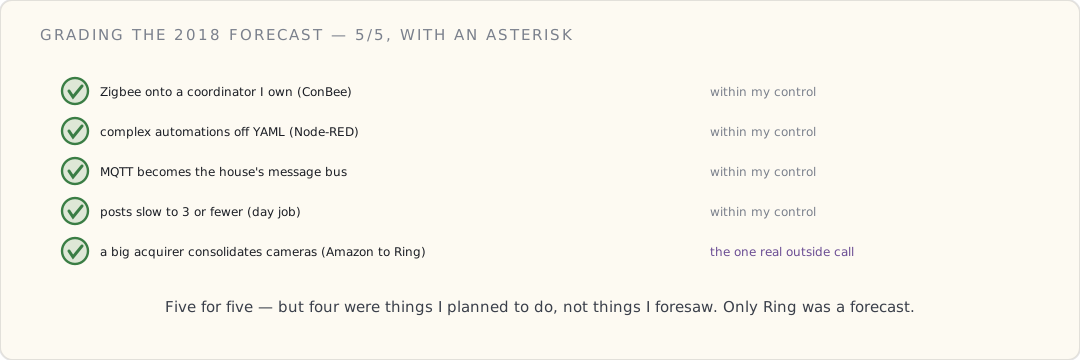
What changed in 2018
Three moves, each pushing the same direction — local-first:
- Node-RED (Feb) — the automations got a brain that can hold state, and a visual debugger I trust.
- MQTT broker (Feb) — the house got a nervous system. Everything publishes; anything can subscribe.
- ConBee + deCONZ (Oct) — the Zigbee mesh came off the SmartThings cloud-bridge onto a coordinator I own.
And one move I didn't make but thought hard about: Ring. Amazon's acquisition crystallized why I keep cameras local. Didn't buy one. Won't.
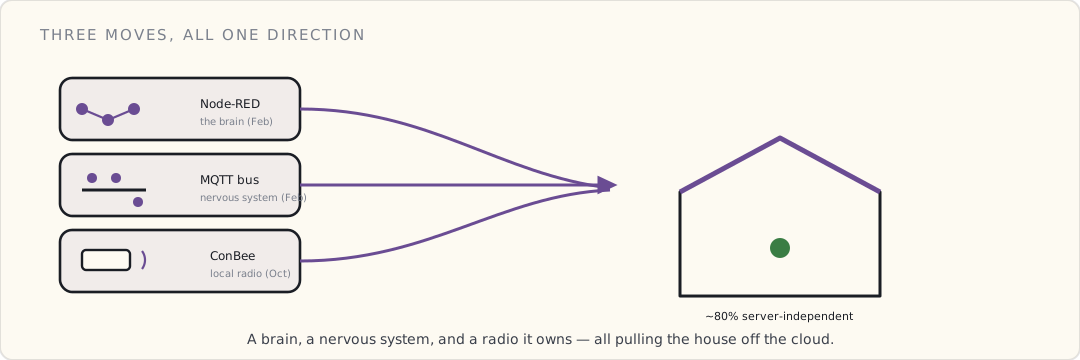
What worked
- The MQTT bus. Watching
home/#scroll by is still the clearest window into what the house is actually doing. Adding a device is now "point it at the broker," not "rewire the integrations." - Aqara sensors on deCONZ. They drop constantly on SmartThings and behave perfectly on a local coordinator. Cheap, reliable, mine.
What didn't
- Z-Wave is still on the SmartThings hub. The migration I keep deferring. The hub now exists almost entirely to be a Z-Wave radio, which is an expensive antenna.
- Documentation debt. Three posts means a year of changes that live only in git commit messages and my memory. The day job won that trade, but the journal suffers.
The day-job thread
For the record on why it was quiet: I spent 2018 building a connected medical device — BLE, phone-as-gateway, a compliance surface that makes "move fast" illegal. It's the most relevant work I've ever done to this hobby, and the least time I've ever had for the hobby because of it. The patterns cross-pollinate constantly: the MQTT event bus at home is the same shape as the telemetry pipeline at work, just without the auditors.
Forecast for 2019
| # | Prediction | Confidence |
|---|---|---|
| 1 | Z-Wave finally comes off the SmartThings hub | 55% |
| 2 | A major cloud platform kills a beloved integration, proving the local-first thesis | 65% |
| 3 | MQTT becomes the primary integration path, not a side bus | 60% |
| 4 | Posts stay ≤ 3 (day job runs through 2019) | 75% |
| 5 | The house survives at least one more cloud outage untouched | 70% |
What's next
Z-Wave off the hub — for real this time. And I have a suspicion that 2019 is the year some big platform unceremoniously kills an integration thousands of people depend on, and everyone re-learns the lesson I've been writing down since 2017. The house is ready for it. Most aren't.
Six years in. Quietest year yet, most architectural progress yet. Local-first is no longer the goal — it's most of the way to being the default.
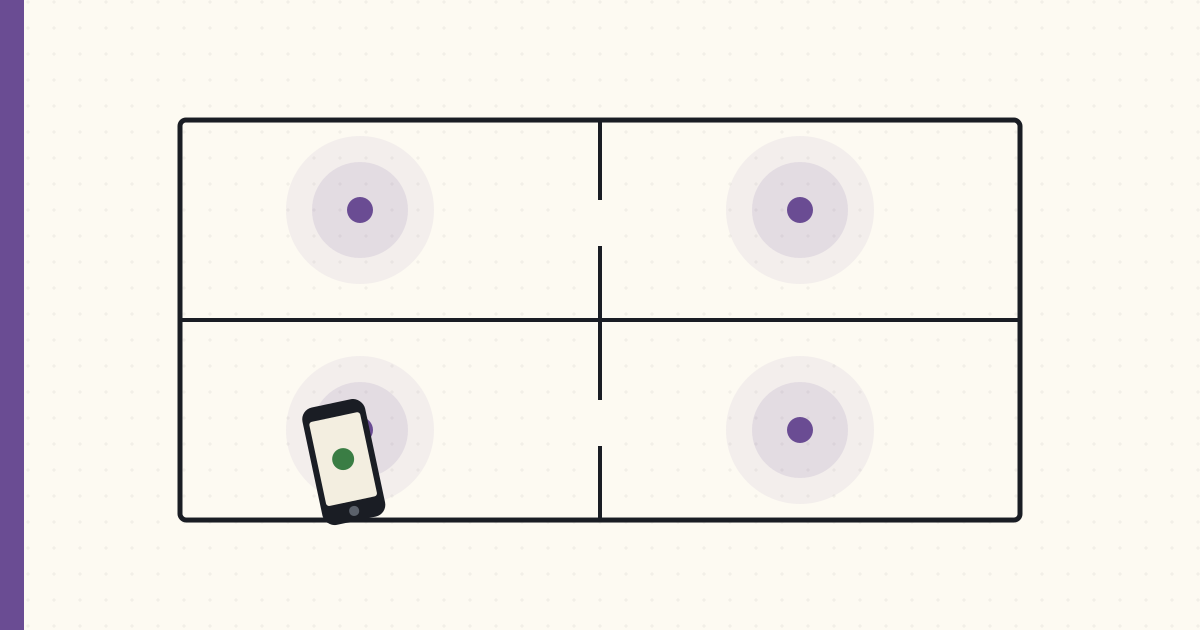 Part 31 of 61
 BLE presence detection — iBeacons, room by room
Eight iBeacons, one per room, fed into Home Assistant through the iOS app's zone-monitoring. Room-level presence that GPS can't touch — and the exit-event problem nobody warns you about.
GPS geofencing tells my house I'm home. It has no idea which room I'm standing in, and for the automations I actually want — lights that follow me at 2 AM, a workshop outlet that cuts power when I walk away from the table saw — "home" is uselessly coarse. I've spent the last three weeks getting room-level presence working off Bluetooth beacons, and it's good enough to build on. It is also flakier than any writeup will admit, so this is both the recipe and the list of where it lies to you.
The setup
Eight iBeacons, one per room I care about: kitchen, living room, master bedroom, master bath, the kid's room, the basement workshop, the garage, and the office. A mix of Estimote stickers I've had kicking around and a few RadBeacon Dots for the newer spots. Roughly $10–$15 a beacon, each on a CR2032 that lasts about two years.
Every beacon advertises a standard iBeacon packet — three numbers and a calibration constant:
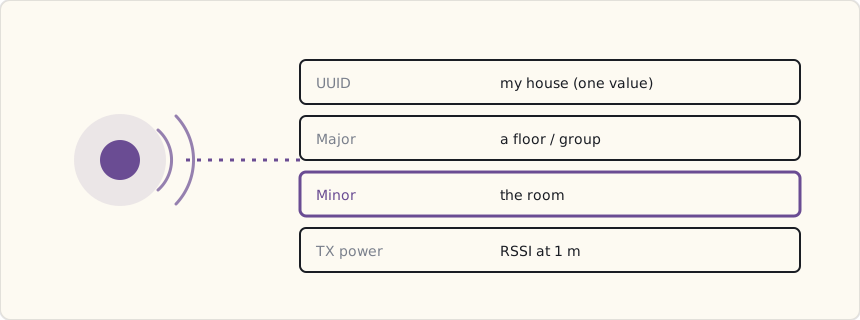
The trick is the addressing. One UUID for the whole house, so iOS treats the lot as "my beacons." Minor is the part that does the work — a different value per beacon, which is how the phone knows kitchen from office. TX power is the calibrated RSSI at one meter, there for distance estimation I mostly don't use. Keep the UUID constant and let Minor carry the room, and the whole thing stays legible when you're staring at a config file six months later.
How the phone feeds Home Assistant
This is the part the breathless tutorials skip, so plainly: the Home Assistant iOS app doesn't have a dedicated "room presence" feature. What it has is zones, and each zone can be tied to an iBeacon by its UUID, Major, and Minor. You add a zone per beacon in your HA config, the app registers each as a Core Location region, and iOS fires enter/exit callbacks against those regions. The app relays them to HA, and sensor.luke_room flips to the name of whatever region I just entered.
# configuration.yaml — a zone per beacon, keyed on the iBeacon identity
zone:
  - name: kitchen
    beacon:
      uuid: E2C56DB5-DFFB-48D2-B060-D0F5A71096E0
      major: 1
      minor: 2
  - name: office
    beacon:
      uuid: E2C56DB5-DFFB-48D2-B060-D0F5A71096E0
      major: 1
      minor: 8
  # ...one per beacon
Core Location gives you two ways to watch beacons, and the difference is the entire battery story:
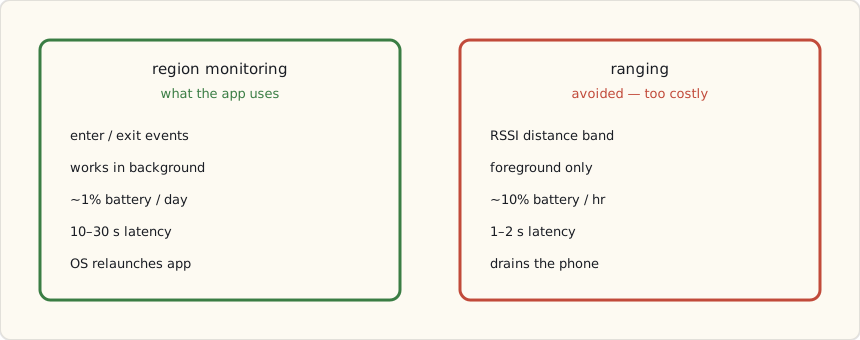
Region monitoring is the only one viable for a thing your family carries all day. It's cheap, it survives in the background, and iOS will even relaunch the app to deliver an enter event after you've force-quit it. You pay for that with latency — ten to thirty seconds, because iOS coalesces the events to save power. Ranging is precise and near-instant but foreground-only and a battery furnace; it's for the few seconds you have a beacon-setup screen open, not for living in. So: region monitoring, and you design around the latency rather than fighting it.
The automation primitive
Once sensor.luke_room is trustworthy, you get a class of automation GPS simply can't do — keyed on the room, not the house.
- alias: "Kitchen, after dark → warm scene"
  trigger:
    - platform: state
      entity_id: sensor.luke_room
      to: "kitchen"
      for: "00:00:30"      # require a real stay, not a pass-through
  condition:
    - condition: sun
      after: sunset
    - condition: state
      entity_id: light.kitchen
      state: "off"
  action:
    - service: scene.turn_on
      data:
        entity_id: scene.kitchen_evening   # 2700K, 60%
The for: "00:00:30" matters more than the trigger. It says "only if I'm still in the kitchen thirty seconds later," which throws away the beacon flicker you get when someone walks through a room on the way somewhere else. Presence without a dwell requirement is a strobe light.
The inverse — turning the kitchen off when I leave — is where it gets interesting, because of how unreliable leaving actually is.
The exit-event problem
Here's the thing nobody puts in the tutorial. Enter events are solid; exit events are not. iOS reliably tells me when I walk into the kitchen, usually within thirty seconds. It is far less reliable about telling me when I leave — the exit callback comes late, or sometimes not until I enter another region and the kitchen one finally times out. Three weeks of logs make it unmistakable: enter, trustworthy; exit, a suggestion.
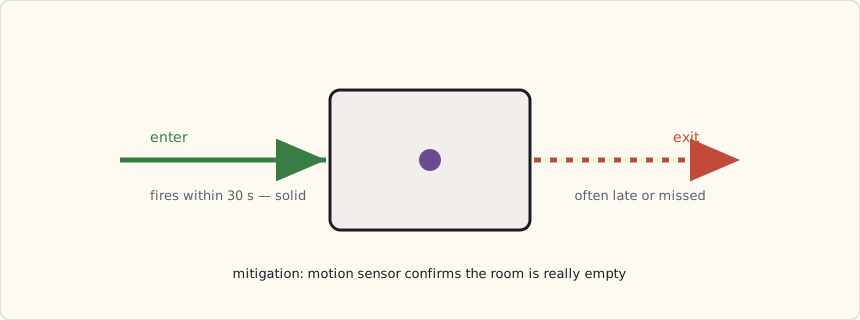
That asymmetry quietly breaks the obvious "leave the room, lights off" automation: the lights linger because the exit never fired. Three things made it usable:
- Don't trust a single exit — corroborate it. I don't turn the kitchen lights off on a kitchen-exit event. I turn them off when nobody's
sensor.*_roomreads kitchen AND the kitchen motion sensor hasn't fired for a few minutes. The beacon proposes; the motion sensor disposes. An Aqara motion sensor per room is the cheap, reliable backstop the beacons need. - Placement beats everything. The master-bath beacon's signal bled into the bedroom and iOS flip-flopped between the two regions all night. Moving it to the far wall, away from the doorway, dropped the cross-room false positives sharply. Beacon range is a blob, not a room, and walls barely matter to 2.4 GHz — you place for the blob, not the floor plan.
- A smoothed "where is the family" sensor. A template sensor that reports the room someone's been in for more than a minute, rather than the instantaneous reading, sands off the worst of the flicker for any automation that doesn't need to be twitchy.
The automations I actually kept
- Lights follow me at night. Walking the house at 2 AM lights only the room I'm in, dim red; everything else stays dark. A little state machine over the
sensor.*_roomentities. - Workshop tool timeout. Leave the basement workshop for more than ten minutes and the table-saw outlet de-energizes; it comes back when I return. This one I gate hard on the motion sensor — a tool that re-energizes because a beacon glitched is not a safety feature.
- Kid's bedtime light. Kid enters their room after 7 PM, soft amber for twenty minutes, then off. It only acts — it never notifies anyone that the kid went to their room at a particular time. That restraint is deliberate; see below.
The privacy question — have it out loud
Logging which room each family member is in, all day, is surveillance, however benevolent the intent. The data never leaves my LAN, but "it's local" is not the same as "it's fine." We talked about it as a family and wrote down rules, because the system should encode the agreement, not my mood:
- Thirty-day retention. HA's recorder purges room history after that; I don't keep a year of where everyone stood.
- Anyone can opt out by turning off the app's beacon monitoring, no questions and no nagging automation to turn it back on.
- No automation that narrates behavior. Things may act on presence; nothing reports it. The kid's light turns on; it does not announce a bedtime to the group chat.
- Room events off the logbook. HA logs everything by default; I excluded the
sensor.*_roomentities so the day-to-day history view isn't a movement tracker.
The technology made this easy to build and easy to abuse, and the line between the two is a conversation, not a setting. Worth having explicitly before you flip it on.
What I'd tell a team
Beacons are a great hint and a terrible source of truth. Treat an enter event as "probably here" and an exit as "maybe gone," then confirm anything that matters — power tools, locks, anything with a real-world consequence — against a motion or door sensor that fails in a way you understand. Build presence as a fusion of cheap signals, not as one oracle. The day I stopped trusting the beacon's exit event and started corroborating it was the day the whole system stopped feeling haunted.
What's next
Weatherproof beacons for the backyard, so "in the yard" stops leaning on GPS. A beacon in each car to catch arrivals. And more of that sensor fusion — every room-presence automation that touches something physical gets a motion-sensor second opinion before it's allowed to act.
 Part 32 of 61
 Works with Nest is dead — platform risk, made real
Google announced it's shutting down the Works with Nest program — the integration API thousands of people built their homes around. Overnight, every cross-vendor automation touching a Nest device is on a countdown. This is the exact failure I've been designing against since 2017, happening to everyone else at once. A field report on platform risk, and why the closet beats the cloud.
Google announced it's killing Works with Nest. The API that let your Nest thermostat, cameras, and protect talk to everything else — SmartThings, IFTTT, Hue, a thousand hobbyist scripts — is being shut down and folded into the tighter, narrower "Works with Google Assistant."
If you built a cross-vendor automation that touches a Nest device, it's on a countdown now. This is the failure mode I've been writing about since I moved the house local-first in 2017 — and it just happened to the entire smart-home world simultaneously.
What actually died
Works with Nest was an OAuth-based API: you'd authorize a third party (SmartThings, IFTTT, your own script) to read Nest state and send commands. "If the Nest goes to Away, turn off the Hue lights." "If the Nest Protect detects smoke, flash every light red." Thousands of these existed.
Google's replacement, Works with Google Assistant, is voice-first and command-only. You can tell Google to set the temperature. You largely cannot read Nest state into your own automation logic the way you could before. The programmable integration is gone; a voice command remains.
For a hobbyist with a closet full of local logic, that's not an upgrade. It's an amputation.
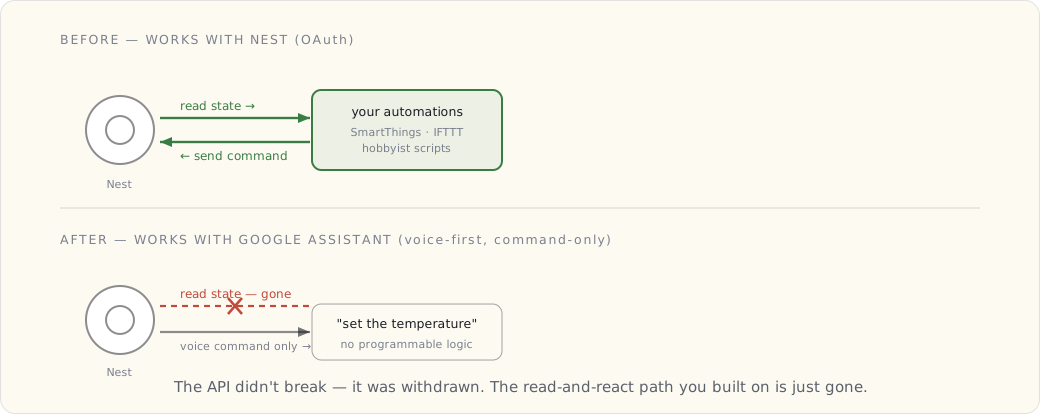
Why this is the local-first thesis, proven
I've been making one argument in this journal for years: a dependency you don't control is a liability, no matter how convenient it is today. People pushed back — "the cloud integration just works, why run a Pi in your closet?"
This is why. The Works with Nest API didn't have an outage. It didn't get hacked. It was withdrawn — a deliberate business decision by Google to consolidate control. You cannot engineer around that. No amount of clever automation survives the vendor deciding the door is closed.
The only defense is to not depend on it in the first place.
| Failure type | Can you engineer around it? |
|---|---|
| Cloud outage | Partly — local logic keeps running |
| Vendor breach | Partly — local data isn't exposed |
| API withdrawal | No — only by not depending on it |
| Company shutdown | No — same |
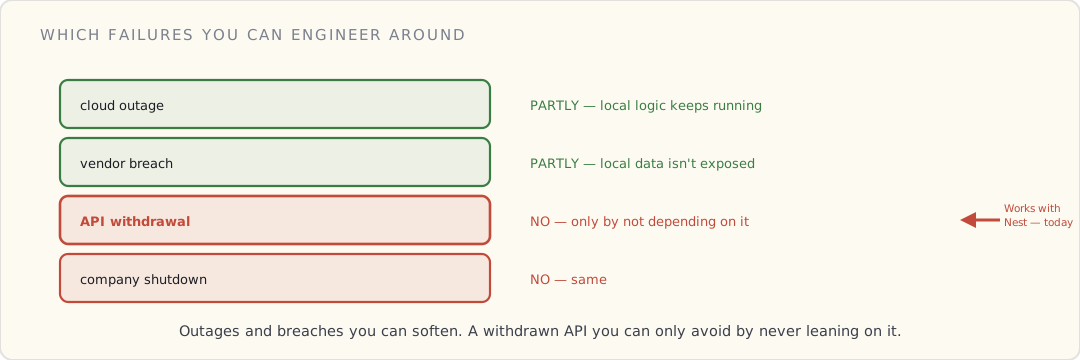
What I'm doing about Nest specifically
I have a Nest thermostat. After this, my options:
- Keep it, lose the integration. It still heats the house; it just stops talking to my automations cleanly.
- Bridge it locally. There are emerging community integrations that talk to Nest through unofficial paths — fragile, against the grain, and exactly the kind of thing Google can break again.
- Replace it with something locally controllable — a Z-Wave or Zigbee thermostat that answers to my ConBee coordinator and never phones home.
I'm leaning toward (3) on the next failure. Not today — the thermostat works — but it's now on the list of devices to replace with local equivalents when they die. The lesson tax gets paid eventually; better to pay it on my schedule.
The broader pattern
Every few years a platform does this. A big company acquires a beloved product, runs it for a while, then narrows or kills the open integration to consolidate the experience inside its own walls. Nest is this year's example. It won't be the last.
The house that depends on those integrations gets quietly worse over time, one deprecation at a time. The house that treats the cloud as optional — logic local, radios local, data local — barely notices.
What's next
This pushed MQTT up my priority list. If everything in the house publishes to my own broker, then a vendor killing an API is a localized problem — I lose one device's cloud features, not a web of automations. Making MQTT the primary integration path, not a side bus, is the summer project. If the day job lets up.
 Part 33 of 61
 Glass-break and vibration sensors — the second-layer security
Two Ecolink Z-Wave glass-break detectors plus six Aqara vibration sensors. The first sensor class that catches what contact sensors miss.
Every contact sensor in my house answers exactly one question: is this door or window open right now? That's a reed switch and a magnet — a circuit that breaks when the gap exceeds a centimeter or so. It's a good, cheap question to answer, and for two years it was the whole of my perimeter. But it has a blind spot, and the blind spot is the one that matters: a reed switch assumes the intruder walks in like a guest, through an opening, the polite way.
A real residential break-in often doesn't bother with the opening:
- Break the kitchen sliding glass door — the contact sensor on the frame doesn't fire, because the door is still "closed" structurally, just shattered.
- Cut the screen on a window the contact sensor isn't even on.
- Pry a basement window open from outside, slow and quiet.
So I added the first sensor class that catches what the reed switch can't: two Ecolink Z-Wave glass-break detectors (GBHA1-ECO) and six Aqara DJT11LM vibration sensors. Two different physical signals, two different jobs.
- Glass-break detectors — acoustic sensors tuned to the frequency signature of breaking glass.
- Vibration sensors — accelerometers stuck to windows and doors that feel the impact before the glass gives.
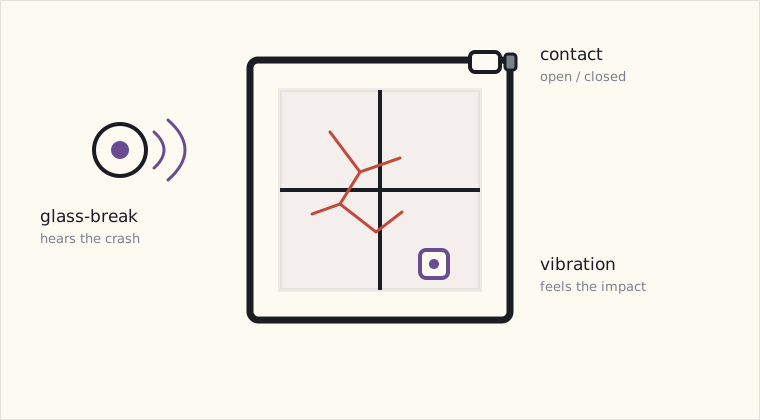
Ecolink GBHA1-ECO — glass-break detection
Hardware:
- Z-Wave Plus, AA battery (5-year claimed life).
- Acoustic + air-pressure sensing. The combination matters: it has to hear the thwack of impact AND the crash of falling glass; one without the other is a false positive (e.g., dropping a metal pot).
- Range: 25 feet (7.6 m) coverage radius from the sensor.
- $45 each.
I placed two:
- Living room — covers the kitchen sliding doors and the dining room window.
- Master bedroom — covers the bedroom and master bathroom windows.
The 25-foot radius is generous in theory. In practice, glass that's behind walls (like the basement bulkhead) doesn't reach the upstairs sensors. The 25-foot spec is line-of-sight in the same room.
The dual-signature requirement is worth picturing, because it's the whole reason the thing isn't useless. The sensor only alarms when it hears both the sharp impact thump and the higher-frequency shatter-and-fall, in that order, inside a short window — an AND gate, not an OR. A dropped pot gives you the thump but not the shatter; a TV at volume gives you neither signature. Demand both and most of household life stops looking like breaking glass.
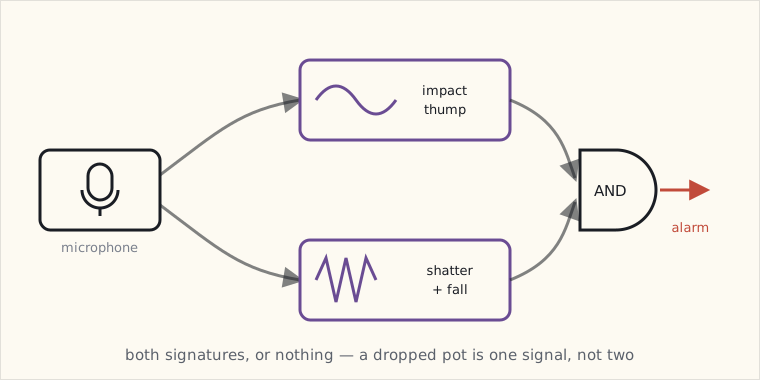
Aqara DJT11LM — vibration sensors
Hardware:
- Zigbee HA, CR2032 battery (~2-year claimed life).
- 3-axis accelerometer. Reports three event types:
- Tilt: orientation change (10+ degrees from rest).
- Vibration: short impact pulse (e.g., glass being hit, door being kicked).
- Drop: sudden free-fall.
- Tiny — sticks to windows with the included VHB tape.
- $13 each.
I placed six:
- Kitchen sliding glass door (interior side).
- Master bedroom window (interior side, lower sash).
- Front double-hung window (lower sash).
- Basement bulkhead door (interior side, on the latch).
- Garage entry door (interior side).
- Master bathroom small window (the one a child could climb through but adults can't).
The Aqara reports vibration events directly to HA via the deCONZ stack. No tuning needed; the sensitivity is reasonable out of the box.
The combined security automation
The glass-break + vibration sensors layer on top of the existing door-sensor + presence security automation:
- alias: "Tier-1 security: contact opens while away"
  # Existing — sends notification only
  ...

- alias: "Tier-2 security: glass break OR violent vibration"
  trigger:
    - platform: state
      entity_id:
        - binary_sensor.glass_break_living
        - binary_sensor.glass_break_master_bedroom
      to: "on"
    - platform: event
      event_type: deconz_event
      event_data:
        type: vibration
        # All six DJT11LMs
        unique_id: ["01:..:24", "01:..:25", "01:..:26", "01:..:27", "01:..:28", "01:..:29"]
  action:
    # Whether family is home or not, this is suspicious enough to escalate
    - service: notify.mobile_app_luke_iphone
      data:
        title: "🚨🚨 GLASS BREAK / VIBRATION"
        message: >
          {{ trigger.platform == 'state' and trigger.to_state.attributes.friendly_name
             or 'Vibration event' }} at {{ now().strftime('%H:%M') }}
        data:
          push:
            sound:
              name: "default"
              critical: 1
    - service: notify.mobile_app_wife_iphone
      data:
        # same
        ...
    - service: light.turn_on
      data:
        entity_id: group.all_lights
        brightness: 255
        rgb_color: [255, 0, 0]
    - service: switch.turn_on
      data:
        entity_id: switch.basement_siren  # Aeotec Doorbell 6 in siren mode
Tier 1 (door/window contact opens while away) → notification + scare-light. Suspicious but might be a delivery person ringing the doorbell, then leaving.
Tier 2 (glass break or violent vibration) → notification + scare-light + siren. Always escalates. This is the "someone is actively breaking into my house" signal — escalation is correct even if I'm home.
The split matters because the two tiers are wired to different certainties. A contact open is ambiguous — it could be a kid, a delivery, me forgetting I armed the system. A glass-break or a violent vibration event is not ambiguous: nothing in normal household life shatters a window or hammers a door frame. So the louder response is gated behind the less-ambiguous signal.
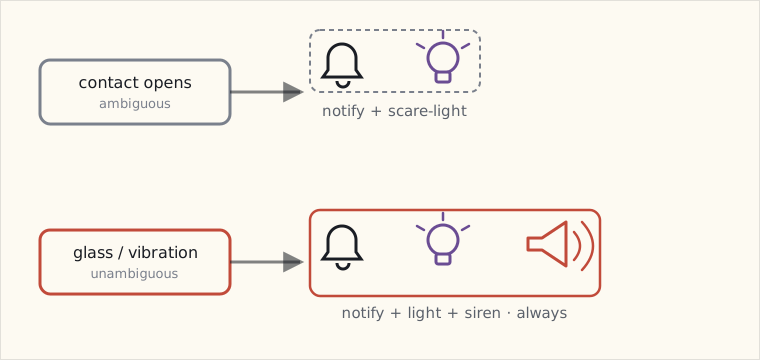
False positives, observed and tuned
Glass-break false positives:
- Day 1: dropping a heavy ceramic pot in the kitchen. Triggered the living-room glass-break detector. Same dual-signature (impact + crash) as glass.
- Day 3: child slammed the screen door hard enough that the impact pulse hit the sensor's threshold.
Tunings:
- Tilted the sensor's microphone away from the kitchen counter area where the pot landed.
- Increased the sensor's sensitivity setting one notch lower in HA's Z-Wave parameters.
Three months in, zero false positives since the tuning. The two failures were the only ones.
Vibration false positives:
- Lots, initially. Kid running through the house. Cat jumping onto the bookshelf next to the bedroom window. The washing machine on spin cycle (one of the sensors is in a wall shared with the laundry).
- Filtered down by adjusting Aqara DJT11LM sensitivity (Zigbee cluster
0x0500, attribute0x0055) from default to lowest sensitivity for the four interior-window sensors. The two on exterior doors stayed at default — they should be sensitive enough to catch someone shaking the door handle.
Three months in, ~1 false positive per month. Acceptable.
What the siren-mode does
The Aeotec Doorbell 6 has 100+ pre-loaded sounds and a siren mode. I configured siren mode 1 (alarm) at volume 5/5 (~104 dB measured at 1m). Triggered by the Tier-2 automation.
Tested it once intentionally. Effect: every dog within 100m started barking. Within ten seconds I was on the phone explaining to my neighbor what I was doing. Useful test.
In a real intrusion scenario, the siren plus all-house lights-red would (a) wake any sleeping family, (b) make the intruder aware they've been detected, (c) significantly raise the cost of completing whatever they're doing. The combination is more effective than either alone.
What's still on my list
- Outdoor motion sensors on the exterior corners. A motion event in the yard + after midnight + nobody home → notification + camera-record. The Reolink cameras have built-in motion detection but it's primitive — it fires on every passing cat, headlight, and swaying branch. What I really want is on-frame object detection that can tell a person from a raccoon, but the open-source options for that aren't there yet; for now it's PIR sensors and crude camera motion zones.
- A door / window pre-arm state. When everyone leaves, the system should escalate door/window opens automatically. Coming when I have time to write the state machine.
- Smart lock integration. Forecast #5 from last year — still haven't installed one. Yale Assure Z-Wave is on the list.
- Geofence-aware arming. When the last family member leaves the geofence by 100m, automatically arm the system. When they return, disarm.
 Part 34 of 61
 MQTT as the house's nervous system — one broker, every device
MQTT started as a side bus in 2018. After Google killed Works with Nest, it became the plan: route every device through one broker I own, so no vendor's API decision can unravel a web of automations. The topic hierarchy, the bridge pattern, the retained-message trick, and why this is the same architecture I build at work for fleets of connected devices.
Works with Nest dying in the spring was the push. The plan it pushed me toward: make MQTT the primary nervous system of the house, not the side bus it's been since I stood up Mosquitto in 2018.
The thesis: if every device publishes to one broker I own, a vendor killing an API costs me one device's cloud features — not a tangle of cross-vendor automations.
The topic hierarchy
The single most important design decision in an MQTT house is the topic naming scheme. Get it right once; everything downstream gets easier. Mine, after a couple of false starts:
home/<area>/<device>/<property>     → state (published by device)
home/<area>/<device>/<property>/set → command (published by controller)

home/kitchen/main_light/state        on
home/kitchen/main_light/state/set     off
home/livingroom/motion/occupancy      detected
home/frontdoor/contact/state          open
home/_presence/luke                   home
home/_alarm/state                     disarmed
Rules I settled on:
<area>/<device>/<property>— readable, greppable, sorts sensibly.- State and command on separate topics (
/setsuffix). Never let a device's reported state and a command to change it collide on one topic — that way lies feedback loops. _-prefixed areas (_presence,_alarm) for virtual/house-level state that isn't tied to a physical room.
The bridge pattern
Not every device speaks MQTT natively. The job is to bridge each protocol island onto the bus:
| Source | Bridge | Result |
|---|---|---|
| Zigbee | deCONZ → MQTT bridge | Zigbee events on home/... |
| Z-Wave | Z-Wave → MQTT (zwave2mqtt) | Z-Wave events on home/... |
| Hue | Home Assistant → MQTT | Hue state mirrored to bus |
| Custom ESP sensors | native MQTT (they publish directly) | cheapest, cleanest path |
| Home Assistant | MQTT integration (two-way) | HA both publishes and subscribes |
Home Assistant sits on the bus like everything else — it subscribes for its dashboards and automations, and publishes commands. It's a participant, not the spine. If HA goes down for an upgrade, the bus keeps carrying messages and Node-RED keeps reacting.
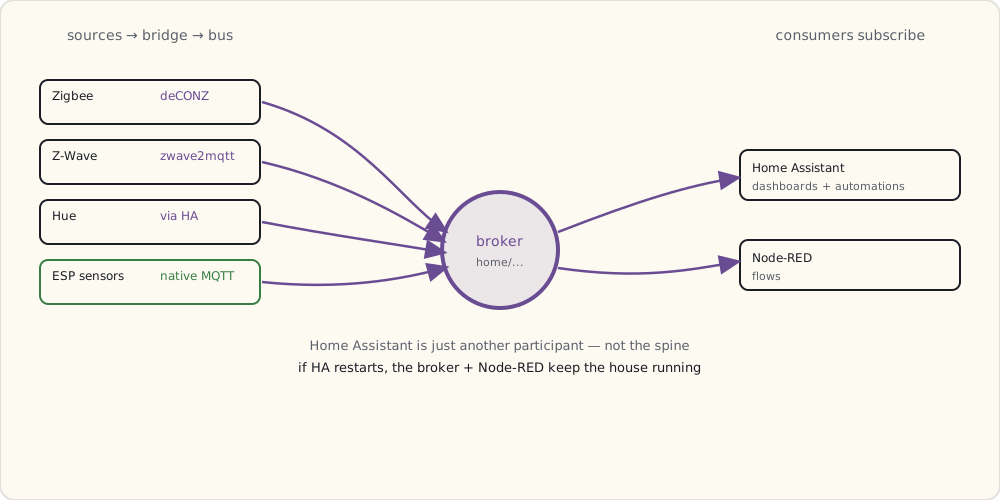
The retained-message trick
The detail that made this feel solid: retained messages. Publish a device's state with the retain flag, and the broker holds the last value. Anything that subscribes later immediately gets the current state instead of waiting for the next change.
mosquitto_pub -t 'home/frontdoor/contact/state' -m 'closed' -r
So when Home Assistant restarts, it doesn't come up blind — it subscribes, and the broker immediately replays the retained state of every door, light, and sensor. The house's current state lives in the broker, durably, independent of any one application.
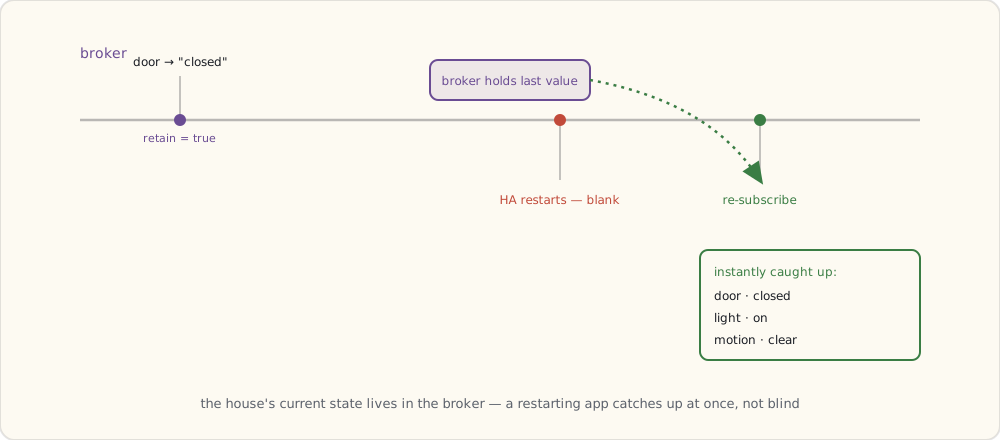
Why this is the day job in miniature
I keep noting this because it keeps being true: the architecture I'm building at home is the architecture I build at work for connected-device fleets. Devices publish telemetry to a broker. Services subscribe. Nobody's point-to-point wired. State is retained so a restarting consumer catches up instantly.
At work it's a managed broker, TLS mutual auth, a compliance auditor reading the topic ACLs. At home it's Mosquitto on a Pi. Same shape. The house is where I get to feel the architecture in my hands before I have to defend it in a design review.
Where the house stands now
- Logic: Home Assistant + Node-RED, local.
- Nervous system: MQTT, one broker, mine.
- Zigbee: deCONZ → bus. ✓
- Z-Wave: bridging onto the bus now — which finally gets it off the SmartThings hub as a side effect. ✓ (the migration I've deferred since 2017, done almost by accident).
- Cloud dependencies: shrinking to near-zero. A vendor API death is now a shrug, not a crisis.
What's next
Year-end review is due — and unlike the last two, 2019 ends with the local-first project essentially done. The closet runs the house. The cloud is optional. Now to write down how it held up, and whether the day job will finally let this journal speed back up in 2020.
 Part 35 of 61
 Humidity-triggered bathroom fans — the daily automation
Four years of humidity-triggered bathroom fan automation. Three different sensors. Two different fan controllers. One algorithm that finally works.
The humidity-triggered bathroom fan automation has been running in some form since October 2015. It’s evolved through three sensors and two fan controllers. The current version, finally, works correctly.
The wrong way to do this — fixed timers
Most “smart” bathroom fan switches are just digital timers. Push the button, fan runs for 20 minutes, turns off. This is what came with my house.
The problems:
- Fixed time doesn’t account for weather. A 20-minute fan run in winter (cold outside, low humidity) overshoots — the bathroom is dry in 8 minutes and the fan runs another 12 wasting energy and noise.
- Fixed time doesn’t account for shower duration. Five-minute shower vs 25-minute shower: very different post-shower humidity load. The 25-minute shower can leave the bathroom still at 80% RH after a 20-minute fan run.
- Doesn’t run when nobody pushes the button. Someone leaves a damp towel on the floor → no button push → humidity sits at 70% all day → mold starts on the grout.
A humidity-sensing automation does all three correctly.
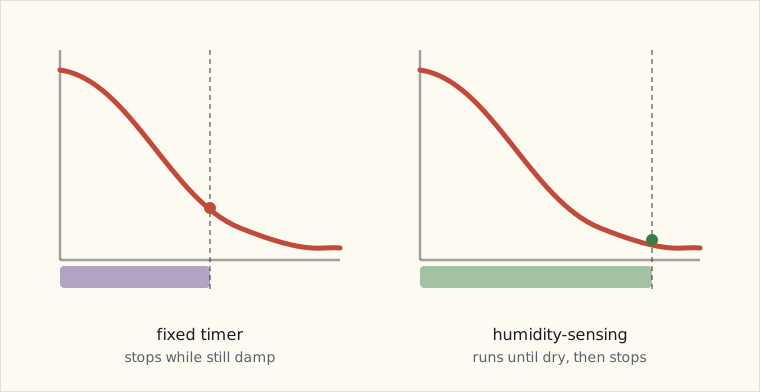
Sensors I’ve used
v1 (2015): Aeotec Multisensor 6.
- USB-powered, 5-minute reporting interval.
- 5-minute reporting is the problem — humidity changes fast in a bathroom (10% RH per minute is normal during a shower). Fan response lagged behind the actual humidity by up to 5 minutes.
v2 (2017): Aqara temperature/humidity sensor WSDCGQ11LM.
- Battery-powered, faster reporting (default 30s when humidity is changing).
- Better, but the sensor is small and tends to read a few percent off — usually reads 5% higher than reality because it’s mounted near the shower.
v3 (2019, current): Sensirion SHT31 on a Wemos D1 Mini, MQTT to HA.
- DIY. Calibrated SHT31 sensor (±2% RH accuracy).
- ESP-based, reports every 5 seconds to HA’s MQTT broker.
- Cost: $8 total. Cheaper than either commercial option, more accurate, much faster.
// Wemos D1 Mini sketch (essentials)
#include <ESP8266WiFi.h>
#include <PubSubClient.h>
#include "Wire.h"
#include "Adafruit_SHT31.h"

const char* MQTT_HOST = "192.168.1.10";  // Pi running HA + Mosquitto
const char* MQTT_TOPIC = "bathroom/sht31";

Adafruit_SHT31 sht = Adafruit_SHT31();
WiFiClient wifi;
PubSubClient mqtt(wifi);

void setup() {
  WiFi.begin("home-iot", "..."); // dedicated IoT VLAN
  Wire.begin(D2, D1);
  sht.begin(0x44);
  mqtt.setServer(MQTT_HOST, 1883);
}

void loop() {
  if (!mqtt.connected()) mqtt.connect("bathroom-sht31");

  float t = sht.readTemperature();
  float h = sht.readHumidity();

  char payload[64];
  snprintf(payload, 64, "{\"temp\":%.1f,\"humidity\":%.1f}", t, h);
  mqtt.publish(MQTT_TOPIC, payload);

  delay(5000);  // every 5s
}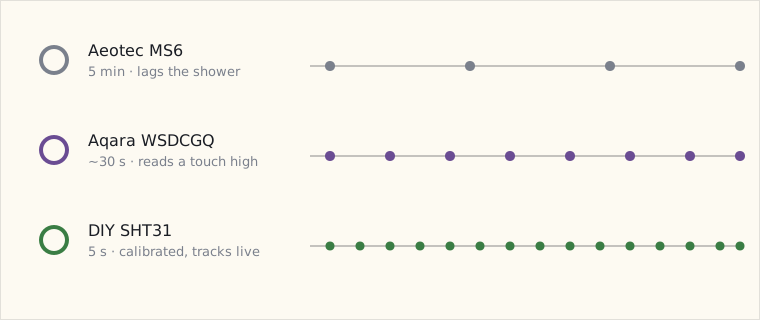
HA’s MQTT integration auto-discovers this when configured correctly:
mqtt:
  sensor:
    - name: "Bathroom Temperature"
      state_topic: "bathroom/sht31"
      value_template: "{{ value_json.temp }}"
      unit_of_measurement: "°C"
    - name: "Bathroom Humidity"
      state_topic: "bathroom/sht31"
      value_template: "{{ value_json.humidity }}"
      unit_of_measurement: "%"
Fan controllers I’ve used
v1: GE Z-Wave 12722 switch (a regular light-switch wired to the fan circuit).
- Z-Wave Plus, works fine, but it’s a relay — fan is either on or off at full speed.
v2 (current): Lutron Caseta PD-5NE fan controller.
- Specifically for variable-speed bathroom fans.
- Three speed levels.
- Same ClearConnect Type A protocol as my other Caseta switches — local-fast control.
- $80.
Variable-speed lets the fan ramp up during peak humidity and down as it clears — quieter on average + lower energy use.
The algorithm — dewpoint-targeting
Bathrooms grow mold when relative humidity stays above ~60% for extended periods. But RH alone isn’t quite the right metric — what matters is dewpoint differential between the bathroom and the rest of the house.
If the bathroom is at 75% RH at 24°C, dewpoint is ~19°C. The bedroom next door is at 45% RH at 21°C, dewpoint ~9°C. The 10°C dewpoint differential means moisture migrates from the bathroom to the bedroom walls and condenses on the cooler-side wall surface — that’s where mold grows.
The automation targets bathroom dewpoint ≤ bedroom dewpoint + 3°C:
sensor:
  - platform: template
    sensors:
      bathroom_dewpoint:
        value_template: >
          {% set t = states('sensor.bathroom_temperature') | float %}
          {% set h = states('sensor.bathroom_humidity') | float %}
          {{ (t - (100 - h) / 5) | round(2) }}
      bedroom_dewpoint:
        value_template: >
          {% set t = states('sensor.master_bedroom_temperature') | float %}
          {% set h = states('sensor.master_bedroom_humidity') | float %}
          {{ (t - (100 - h) / 5) | round(2) }}
      bathroom_dewpoint_delta:
        value_template: >
          {{ (states('sensor.bathroom_dewpoint') | float
              - states('sensor.bedroom_dewpoint') | float) | round(2) }}

automation:
  - alias: "Bathroom fan — humidity"
    trigger:
      - platform: state
        entity_id: sensor.bathroom_dewpoint_delta
    action:
      - choose:
          - conditions:
              - condition: numeric_state
                entity_id: sensor.bathroom_dewpoint_delta
                above: 5
            sequence:
              - service: fan.set_speed
                data:
                  entity_id: fan.bathroom
                  speed: "high"
          - conditions:
              - condition: numeric_state
                entity_id: sensor.bathroom_dewpoint_delta
                above: 3
              - condition: numeric_state
                entity_id: sensor.bathroom_dewpoint_delta
                below: 5
            sequence:
              - service: fan.set_speed
                data:
                  entity_id: fan.bathroom
                  speed: "medium"
        default:
          - service: fan.turn_off
            data:
              entity_id: fan.bathroom
The fan runs at high when dewpoint differential > 5°C (active shower), medium when 3-5°C (post-shower drying), off below 3°C (normal residual humidity).
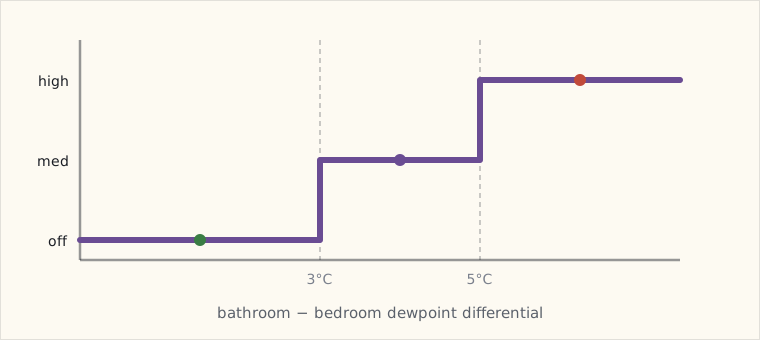
Side benefits
- Energy use down. The fan runs ~12 minutes per shower instead of the 20-30 minutes the dumb timer would have. Combined with variable-speed, the fan’s monthly kWh dropped by ~60%.
- The bathroom is quieter. Variable-speed fan at low is whisper-quiet; the old single-speed fan at full was noticeable from the master bedroom.
- Bathroom paint lasts longer. No more peeling near the shower ceiling.
- The mirror clears faster after showers — because the fan ramps up during the peak rather than running constant.
What this changed about the platform
This was the first automation where the sensor data quality was the limiting factor. The Aeotec Multisensor 6 was technically capable; its 5-minute reporting was the wrong shape for the problem.
Moving to a DIY ESP-based sensor reporting every 5 seconds changed the automation from “best effort, mediocre” to “actually correct.”
Pattern I’m taking forward: when an automation isn’t working, the first place to look is the sensor’s reporting cadence, not the automation logic.
What’s next
- A second SHT31 in the kid’s bathroom. Same automation, separate fan.
- An outdoor SHT31 to measure dewpoint outside. When outside dewpoint > indoor, opening windows would add moisture; bathroom fan should not vent to outdoors during high outdoor dewpoint (humid summer day). Adds an outdoor-dewpoint condition to the automation.
- Move to ESPHome instead of hand-rolled Wemos sketches. ESPHome’s YAML-based ESP firmware is more maintainable for the dozen or so DIY sensors I’m planning.
 Part 36 of 61
 2019 review — local-first arrives, security maturing
BLE presence finally works. Glass-break sensors caught the failure mode contact sensors miss. The kid's bedroom dashboard joined the kitchen.
End of year. Pattern.
Scoring the 2018 forecast
| Prediction | Confidence | Outcome | Verdict |
|---|---|---|---|
| Wink platform collapses | 70% | Still limping — investor injections kept them alive | ✗ |
| Glass-break / vibration sensors | 85% | Two Ecolinks + 6 Aqara DJT11LM installed | ✓ |
| HA Companion App fixes BLE presence | 75% | iOS 12.2 + Companion 2.0 → works | ✓ |
| Frigate object detection lands | 60% | Project alive, but RPi-only is slow; Coral USB helps but I haven't bought one | ✗ (partial) |
| Smart lock | 80% | Not yet — kept punting | ✗ |
| Matter still vapor | 50% | Project CHIP announced Dec — rumored, no products | ✓ (it's vapor, as predicted) |
| Second wall dashboard | 70% | Kid's room dashboard installed July | ✓ |
| Aqara outdoor sensors | 60% | Aqara T1 outdoor motion shipped in China; no US distribution yet | ✗ (partial) |
5.5/8 = 73%. Frigate underperformed; smart lock was just a procrastination problem. The Wink miss is starting to look like "they have nine lives."
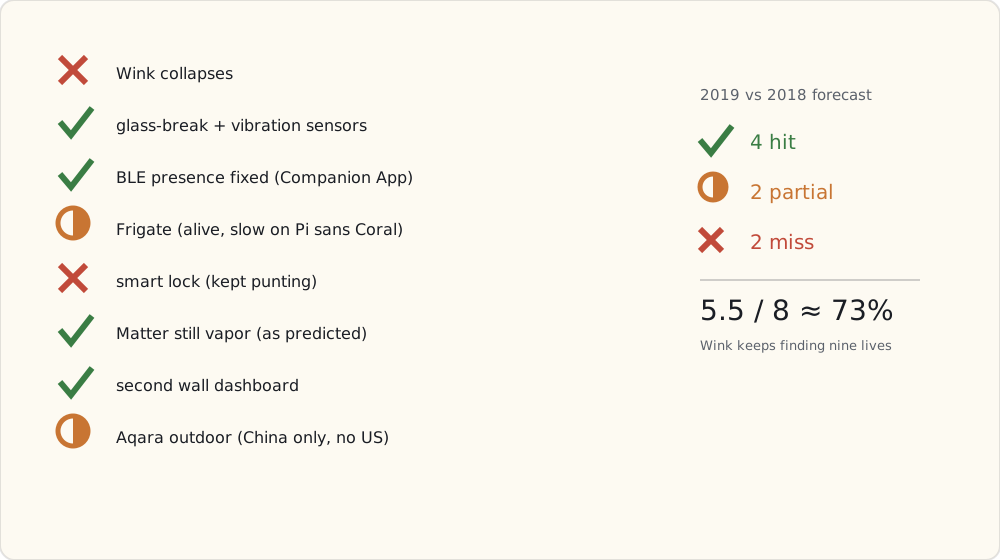
What got added this year
- 8× Aqara DJT11LM vibration sensors on critical windows + doors (August).
- 2× Ecolink GBHA1 glass-break detectors (August).
- DIY SHT31 sensors in 4 rooms (October-December). MQTT to HA.
- Aeotec Doorbell 6 as in-house siren (May).
- Second iPad mini wall dashboard in master bedroom (July).
- Roomba 980 (October). Vacuum joined the family. iRobot's HA integration works (HA → iRobot cloud → Roomba), latency 2-5s for "start vacuuming" command.
Forecast for 2020
1. Matter / Project CHIP makes serious progress but no products. (Confidence: 60%) First spec draft mid-2020. Devices 2021+.
2. Apple Watch as a smart-home control surface. (Confidence: 70%) With watchOS adding more first-party complications + HA Companion App watch support, the wrist becomes useful for "is the front door locked" glances.
3. Smart lock finally happens. (Confidence: 90%) Yale Assure Z-Wave. This year for real.
4. Frigate matures with a Coral. (Confidence: 75%) Buying a Coral USB. Frigate's gotten plugin-mature; expect daily-driver-quality object detection on the cams by mid-year.
5. HA's z-wave integration overhaul. (Confidence: 80%) The OpenZWave-based HA Z-Wave integration is creaking. The community-rumored Z-Wave JS rewrite would be a major reliability + ergonomic upgrade.
6. Z-Wave 700-series in real products. (Confidence: 65%) Aeotec, Zooz both teased 700-series devices for 2020. Lower power, better range, slightly different chip.
7. Wink either folds or pivots to monthly subscription. (Confidence: 60%) They're financially desperate. Expect drama.
8. A coordinated work-from-home automation set. (Confidence: 50%) As more friends WFH, sharing "I'm in a meeting → flip the desk light red" automations becomes common.
What I'm buying in 2020
- Coral USB Accelerator ($75) when Frigate's worth it.
- Yale Assure Z-Wave lock + Z-Wave deadbolt module.
- Aqara temp/humidity sensors for outdoor placement.
- A Pi 4 (4GB) — the Pi 3 is starting to feel slow under load.
 Part 37 of 61
 Ripping out vendor clouds — going local-first on Home Assistant
Three years on HA. A weekend audit + migration: every device on a vendor cloud got either replaced or migrated to a local integration.
Three years on Home Assistant. Tonight finished a weekend-long audit + migration: every smart-home device that depended on a vendor cloud got either replaced with a local-protocol device or migrated to a local integration. The house runs on the LAN.
The trigger: a March thunderstorm took out the cable internet for six hours during the work-from-home blur. Voice assistants died. Ring doorbell died. The cloud-mediated Wemo plug for the coffee maker died. Lutron Caseta, Hue, Z-Wave, Zigbee2MQTT — all kept running.
That was the moment.
What got ripped out
- SmartThings hub: gone. Its Zigbee devices (the kit's motion sensor and a few Aqara pieces it had adopted) moved to Zigbee2MQTT; its Z-Wave devices (the Smart Outlet, the Multipurpose contact sensors) re-included onto my own Z-Stick under HA's Z-Wave integration. Hub is in the spare-parts drawer.
- Wemo plugs (3 remaining): replaced with Zooz ZEN15 Z-Wave plugs ($30 each). Local control. Energy monitoring still works.
- Ring doorbell: replaced with a Reolink doorbell camera (PoE, RTSP, hooked into Frigate-via-Coral). Ring cloud account deleted.
- Nest thermostat (2nd gen): kept the hardware but switched the HA integration to the unofficial homeassistant-nest local integration via the local API. Still phones home to Google for service but HA reads/writes locally.
- LIFX bulbs (1): replaced with a Hue Color bulb. WiFi-only bulbs are a category I'm done with.
- Lutron's cloud-mediated routines: rewritten as HA automations using Lutron's local LEAP API (which Lutron quietly enabled this year — bridge firmware 8.x).
What stays cloud-connected
- Apple Push Notification Service for the Companion App. APNS requires Apple's cloud by definition.
- Google for weather + calendar data in HA's sensor integrations.
- OAuth for one-off services (Spotify integration for music casting; Google Calendar for "is there a meeting now" sensors).
These are data-in integrations, not control-out. They can be down without breaking the house.
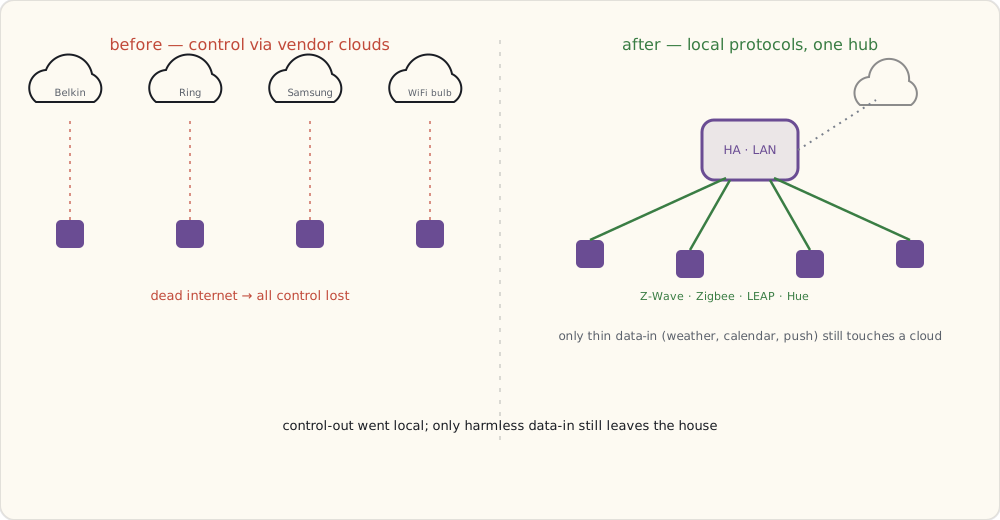
The Zigbee2MQTT migration
The Conbee II / deCONZ stack worked but Z2M's device support is broader and updates faster. Migration:
# Mosquitto add-on with auth
mqtt:
  broker: core-mosquitto
  username: hassio
  password: !secret mqtt_password

# Z2M as an HA add-on, running its own service
# Pairing devices:
#   1. Z2M UI → "Permit Join" → 60s window
#   2. Aqara sensor: hold button 5s → joins network
#   3. Z2M auto-detects the device + publishes MQTT discovery
#   4. HA picks up via MQTT autodiscovery → entity created
Net result: same number of devices, faster reporting, the Z2M UI is significantly better than deCONZ's Phoscon. The breaking change cost: had to re-pair 14 Zigbee devices. Took 4 hours. Done.
The Z-Wave integration, and the rewrite on the horizon
Z-Wave is the one part of the stack I didn't finish this weekend, because the ground is moving under it. HA's current Z-Wave support is built on the aging OpenZWave 1.4 library, and everyone knows it's living on borrowed time — there's an OpenZWave 1.6 beta integration in flight, and further out, a from-scratch Z-Wave JS driver (Node.js-based) that the community keeps saying will be faster and support far more devices. I called the rewrite in my 2019 forecast; it's clearly coming, but it isn't a drop-in HA add-on yet.
So for now I'm staying on the existing Z-Wave integration with the Z-Stick where it is — the network lives on the stick's flash, independent of which driver talks to it, so whenever the JS-based path is actually ready I can swap the software without re-pairing 30 devices. I'm watching it closely; this is the migration I expect to do later this year or early next, not one I'm claiming today. Getting it wrong on a working Z-Wave mesh is how you spend a weekend re-including locks.
What "local-first" actually buys
After the migration, here's the failure-mode test results from a real internet outage two weeks ago (cable was out for 90 minutes):
| What works without internet | What doesn't |
|---|---|
| All lighting (Hue + Lutron + Zigbee bulbs) | Voice assistants (Alexa, Google Home) |
| All Z-Wave devices (sensors, switches, plugs, locks) | Push notifications (queued, fire on reconnect) |
| All Zigbee devices via Z2M | Spotify casting |
| HA dashboard on local network | Off-LAN access via Nabu Casa |
| Local automations (security, fans, lighting scenes) | Remote camera viewing on phone |
| Cameras + recording to NVR | (cloud-mediated portions) |
| iPad wall dashboards |
The "house works during internet outage" property is the part the pandemic-era reliability concerns made real for me.
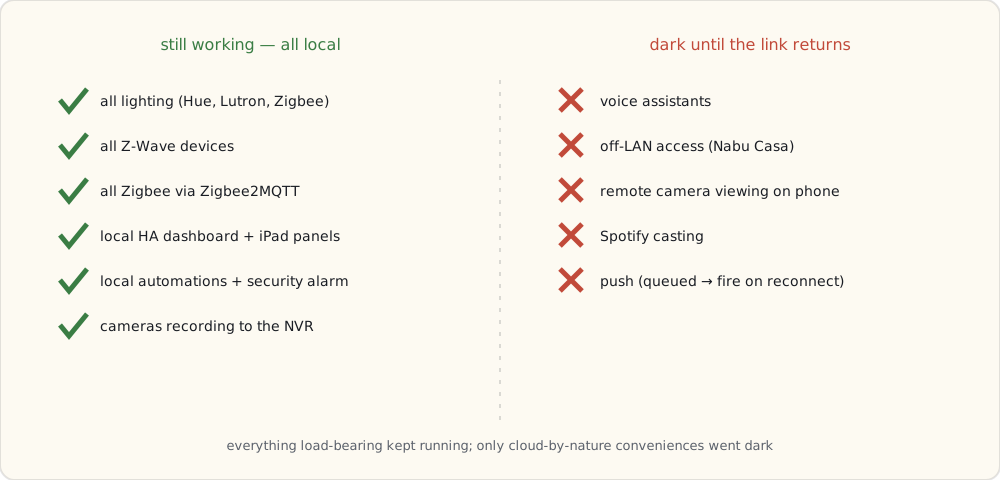
The privacy bonus
Pre-migration, the smart home was producing detailed behavioral data shared with:
- Amazon (Echo voice queries)
- Google (Google Home queries, Nest data)
- Belkin (Wemo plug usage)
- Samsung (SmartThings device states)
- iRobot (Roomba run data + house mapping)
- Ring (doorbell video clips)
Post-migration, the cloud-shared data is:
- Amazon (voice queries — kept Echo for music + timers)
- Google (search queries via Google Home — only when used, not ambient)
- iRobot (Roomba run data — house map purged when I disabled cloud sync)
Most of the device telemetry stops at the LAN. Behavioral data that doesn't need to leave my house doesn't.
What I'm watching
- HA core moving to calendar-style versioning (a
YYYY.MMscheme instead of the long 0.x march). It's been discussed; I expect it to land within the year. - The Z-Wave 700-series entering retail. Will refresh sensors as 500-series batteries die.
- Project CHIP progress. Spec hasn't shipped; first dev preview supposedly later this year.
- Voice-on-device. Mycroft and Rhasspy are getting interesting. Local-only voice would close the last cloud loop.
The pandemic made the case for local. House operations don't depend on a working internet anymore.
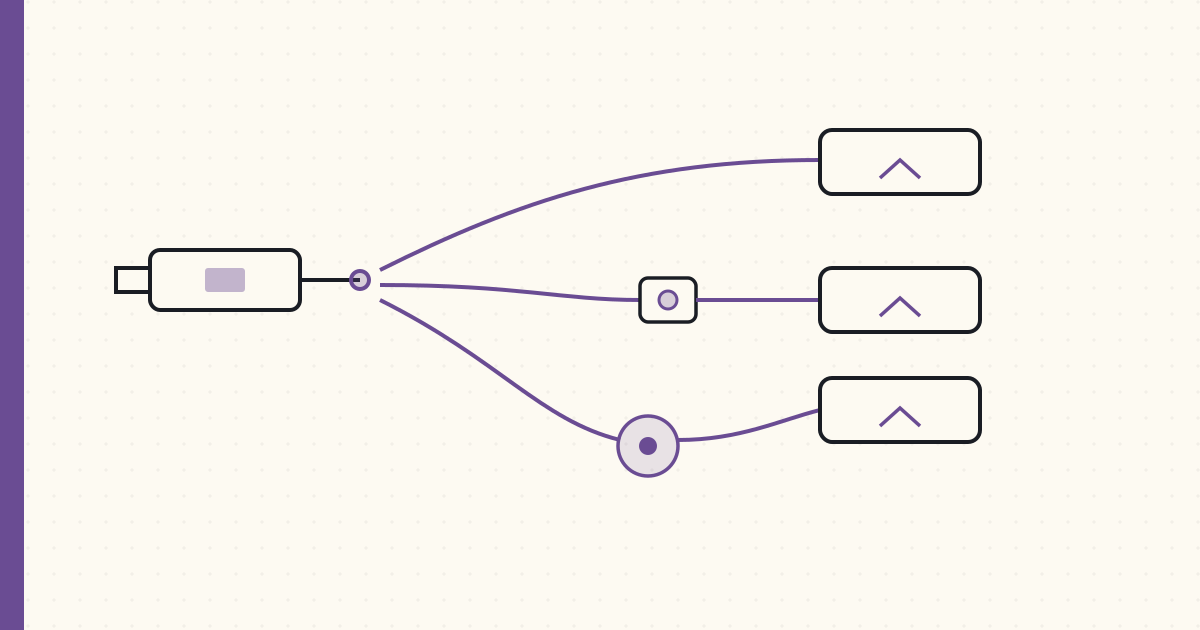 Part 38 of 61
 Picking the Zigbee stack — Zigbee2MQTT vs deCONZ vs ZHA
Three options for talking Zigbee to Home Assistant: ZHA (built in), deCONZ (Phoscon-based), Zigbee2MQTT (MQTT-bridged). Trade-offs differ.
Three options for running Zigbee on Home Assistant. I've used two; reading enough about the third to compare. This is what I'd tell anyone starting fresh in 2020.
The three stacks
| Stack | Coordinator | UI | Maintained by | Strength |
|---|---|---|---|---|
| Zigbee2MQTT (Z2M) | slaesh CC2652RB / Electrolama zzh! / other CC2652 | Web UI + MQTT | Koen Kanters + large community | Widest device support |
| deCONZ + Phoscon | ConBee II / RaspBee II | Phoscon web app + WebSocket / REST | Dresden Elektronik | Polished UI, vendor-backed |
| ZHA (Zigbee Home Automation) | Most USB sticks | HA built-in | HA core team | Zero add-on overhead |
Coordinator hardware
Three I've used or evaluated:
ConBee II (Dresden Elektronik, ~$40):
- Microchip ATSAMR21 (ARM Cortex-M0+ with an integrated radio) — Zigbee 3.0.
- Plugs directly into the Pi's USB; the bundled USB extension cable matters (plugged straight into a Pi 4, USB3 RF noise wrecks the 2.4 GHz signal).
- Tested range: ~15m through walls.
- Limitation: ~24 direct end-device children (router-extensible beyond that, and the ATSAMR21's RAM is the real ceiling on a big mesh).
slaesh's CC2652RB stick (~$25–30):
- TI CC2652RB chip — Zigbee 3.0. The coordinator a lot of the Z2M community standardized on this year, alongside Electrolama's zzh! (CC2652R).
- USB, external antenna in the box.
- Tested range with the external antenna: ~25m through walls.
- Capacity: 100+ direct children, far more headroom than the old CC2531 it replaces.
- Cheap, well-supported, and — unlike the ConBee — not tied to one vendor's firmware.
Aeotec Z-Stick (Aeotec, ~$60): Z-Wave only — out of scope for Zigbee comparison but worth noting they don't make a Zigbee equivalent.
The architectural difference
ZHA (built into HA): HA core directly drives the coordinator USB device. No add-on. Network state lives in HA's own database. Pros: no extra process; updates with HA core. Cons: less flexible if you want to migrate to another HA install; UI is HA's default integration view (functional, not great).
deCONZ: a separate service (vendor's Phoscon) running as a Hass.io add-on. HA talks to it over WebSocket. Pros: polished UI; supports the ConBee/RaspBee specifically very well. Cons: vendor lock-in to Dresden Elektronik hardware; community fixes don't land as fast.
Zigbee2MQTT: a separate Node.js service running as a Hass.io add-on. HA talks to it over MQTT (via the Mosquitto broker). Pros: widest device support, community-driven, frequent updates, excellent web UI. Cons: an extra MQTT broker in the chain; debugging MQTT is its own skill.
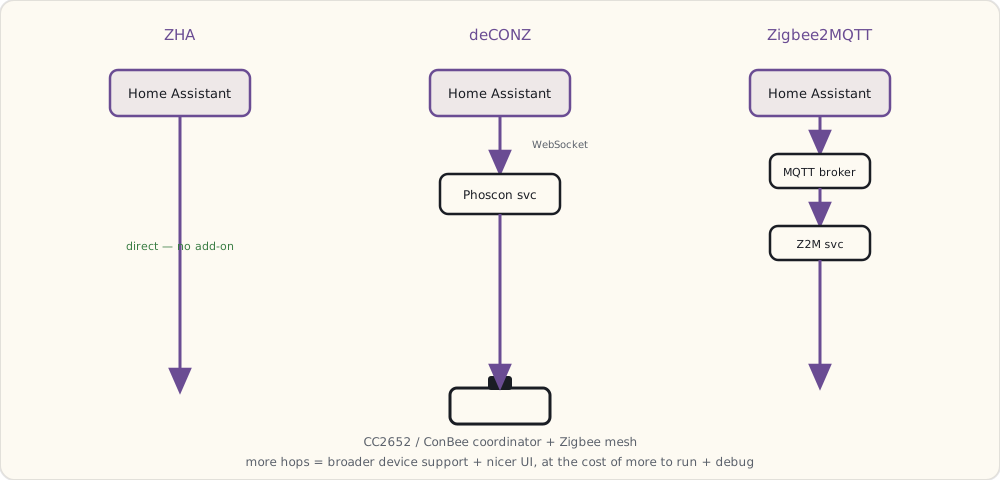
Z2M's device-support advantage
The killer feature for Z2M is the supported-devices database. As of August 2020, Z2M supports 1,800+ Zigbee devices. The community adds new device definitions weekly. If a vendor ships a quirky Zigbee device (looking at you, Tuya and Aqara), Z2M typically has it working within 2-3 weeks.
ZHA's support is narrower — basically anything that strictly follows the Zigbee HA spec. Tuya and many Aqara devices have non-standard reporting clusters; ZHA handles them poorly.
deCONZ is in the middle — Dresden focuses on widely-deployed devices, less on edge cases.
My setup, as of August
Migrated from deCONZ → Z2M in April (during the local-first migration).
USB stack:
- slaesh CC2652RB with external antenna at the top of the basement closet (signal central)
- 100+ direct children possible; running 22

Device mix:
- 8× Aqara MCCGQ11LM (door/window)
- 6× Aqara DJT11LM (vibration)
- 1× Aqara human-body (motion + lux)
- 1× Aqara WSDCGQ11LM (temp/humidity)
- 2× Aqara wall plug (router function + outlet)
- 1× IKEA TRÅDFRI signal repeater (extends mesh to garage)
- 3× IKEA TRÅDFRI bulb (closet/laundry)

Total: 22 Zigbee devices on the mesh. Healthy at this size.
Z2M's UI shows the full mesh topology — which device is routing for which, signal strength per hop, last-seen timestamp. Hugely useful for debugging.
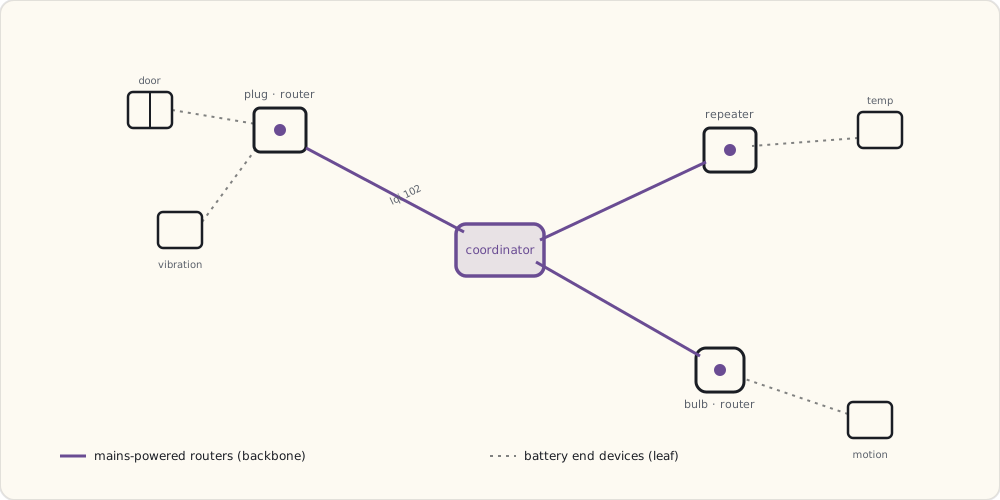
The MQTT contract
Each Zigbee device gets an MQTT topic:
zigbee2mqtt/aqara_door_kitchen → {"contact": true, "battery": 87, "linkquality": 102, "voltage": 2965}
HA's MQTT integration auto-discovers via MQTT-discovery topic:
homeassistant/binary_sensor/aqara_door_kitchen/contact/config →
  { "name": "Aqara Door Kitchen Contact", "device_class": "door", ... }
Auto-discovery means: pair a new device in Z2M → it appears in HA within seconds, fully configured. No YAML editing. Best UX of the three stacks.
When ZHA is the right pick
If you're running fewer than 15 Zigbee devices, mostly standard-spec ones (Philips Hue, IKEA, Sonoff), and don't want to maintain an extra add-on: ZHA wins on simplicity. It's right inside HA. Updates with HA. Lower complexity stack to debug.
I'd recommend it specifically for:
- Beginners installing HA for the first time.
- Households with only Hue + IKEA Zigbee.
- Anyone who finds MQTT intimidating.
When deCONZ is right
If you already own a ConBee II, deCONZ's Phoscon UI is genuinely nice. It's also the path I'd recommend for someone running Zigbee from a non-HA platform (because Phoscon's WebSocket API is callable from anywhere).
But if you're starting from scratch with HA, Z2M usually wins.
Boiled down to the two questions that actually decide it:
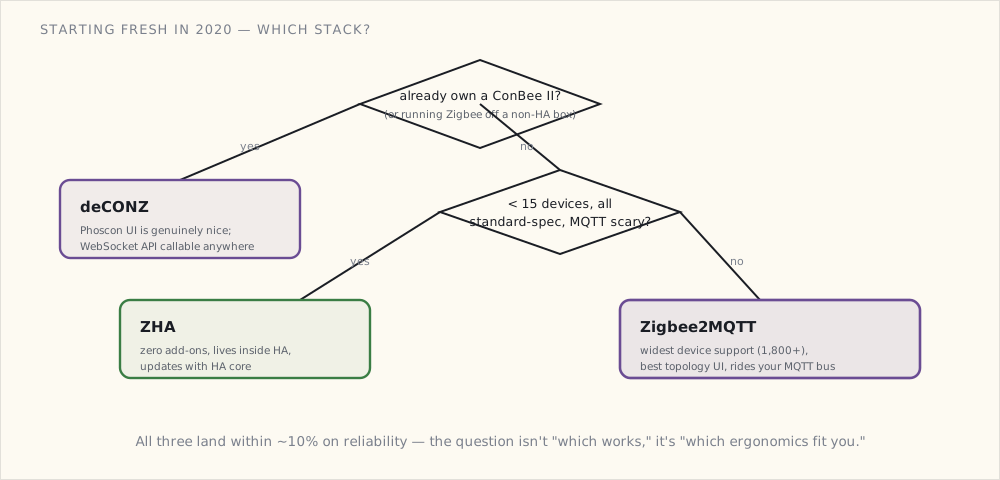
The hardware path I'd take in 2020
Starting fresh:
1. Buy a slaesh CC2652RB (or Electrolama zzh!) with external antenna: ~$30.
2. Install Home Assistant OS if not already.
3. Install the Mosquitto add-on.
4. Install the Zigbee2MQTT add-on. Point it at /dev/ttyACM0 (or wherever the dongle enumerates).
5. Permit join, pair devices.
6. Add the MQTT integration to HA if not already. Z2M devices appear automatically.
Total time: 45 minutes. Total cost: ~$30 + devices. (Use the USB extension cable — a CC2652 stick jammed straight into a Pi 4's USB3 port picks up enough 2.4 GHz noise to drop packets.)
What's next
- The CC2652 sticks getting easier to buy. Right now the good coordinators (slaesh, Electrolama) are hobbyist small-batch runs that sell out. A commodity, off-the-shelf CC2652 dongle would lower the barrier a lot; I expect one within a year.
- Zigbee + Thread coexistence. Project CHIP — announced last December — will mandate Thread in some devices, and Thread radios share the 2.4 GHz band with Zigbee. Whether they can cohabit a house without stepping on each other is an open question; I'll be watching as the first CHIP drafts land.
- Z2M dropping the old CC2531. The ubiquitous $5 CC2531 stick everyone started on is memory-starved and already strains past ~20 devices. Z2M's clearly steering people to CC2652; I'd expect CC2531 support to wither in 2021.
 Part 39 of 61
 Building the security alarm panel in Home Assistant
Five years of piecemeal security automations. Six door sensors, two glass-break, six vibration, two presence signals. Tonight all of it became one panel.
Five years of piecemeal security automations. Six door/window contact sensors, two glass-break, six vibration, two presence signals. The automations work but they're disjoint — each "if X happens, do Y" lives separately in YAML. The family interface is "Luke configured something."
Tonight I made it a proper alarm panel.
The model
A residential alarm panel has three states + transitions:
disarmed → "Stay" mode (arming when home, perimeter only)
disarmed → "Away" mode (arming when leaving, perimeter + interior motion)
"Stay" or "Away" → "Triggered" (alarm condition met)
"Triggered" → disarmed (with code)
Plus delay windows:
- Exit delay: 30 seconds after arming "Away" before sensors are armed (so you can walk to your car without tripping it).
- Entry delay: 30 seconds after a "trigger" sensor fires before the alarm escalates (so you can disarm when coming home).
- No delay: glass-break and panic events skip the delay window.
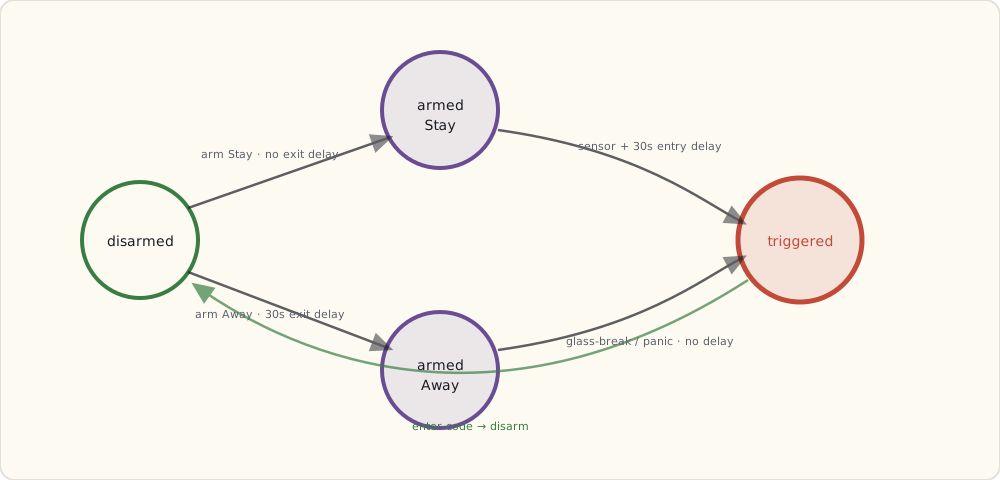
HA's alarm_control_panel
HA ships an alarm_control_panel.manual integration that implements exactly this state machine. Configuration in configuration.yaml:
alarm_control_panel:
  - platform: manual
    name: House Alarm
    code: !secret alarm_code
    code_arm_required: false
    arming_time: 30      # exit delay
    delay_time: 30       # entry delay
    trigger_time: 600    # alarm sounds for 10 min
    disarmed:
      trigger_time: 0
    armed_home:
      arming_time: 0     # no exit delay when arming "stay"
      delay_time: 30
    armed_away:
      arming_time: 30
      delay_time: 30
code: is a 4-digit PIN required to disarm. Stored in secrets.yaml. The PIN gets used at the kitchen wall dashboard touch screen or via the Companion App.
Triggering the alarm — automations bridging sensors to the panel
The panel state machine is centralized. The triggers fan out from the existing sensor automations:
- alias: "Alarm: door opened while armed"
  trigger:
    - platform: state
      entity_id:
        - binary_sensor.front_door
        - binary_sensor.back_deck
        - binary_sensor.bulkhead
        - binary_sensor.kitchen_patio
        - binary_sensor.garage_entry
        - binary_sensor.master_window
      to: "on"
  condition:
    - condition: state
      entity_id: alarm_control_panel.house_alarm
      state:
        - "armed_home"
        - "armed_away"
  action:
    - service: alarm_control_panel.alarm_trigger
      data:
        entity_id: alarm_control_panel.house_alarm

- alias: "Alarm: glass break (immediate, skip delay)"
  trigger:
    - platform: state
      entity_id:
        - binary_sensor.glass_break_living
        - binary_sensor.glass_break_master
      to: "on"
  action:
    # Trigger immediately, no entry delay
    - service: alarm_control_panel.alarm_trigger
      data:
        entity_id: alarm_control_panel.house_alarm

- alias: "Alarm: motion in interior while armed away"
  trigger:
    - platform: state
      entity_id:
        - binary_sensor.motion_living_room
        - binary_sensor.motion_kitchen
        - binary_sensor.motion_hallway
      to: "on"
  condition:
    - condition: state
      entity_id: alarm_control_panel.house_alarm
      state: "armed_away"   # only motion-triggers in away mode
  action:
    - service: alarm_control_panel.alarm_trigger
      data:
        entity_id: alarm_control_panel.house_alarm
The state machine in manual handles entry/exit delays. The trigger automations are dumb — they just call alarm_trigger and let HA's state machine handle timing.
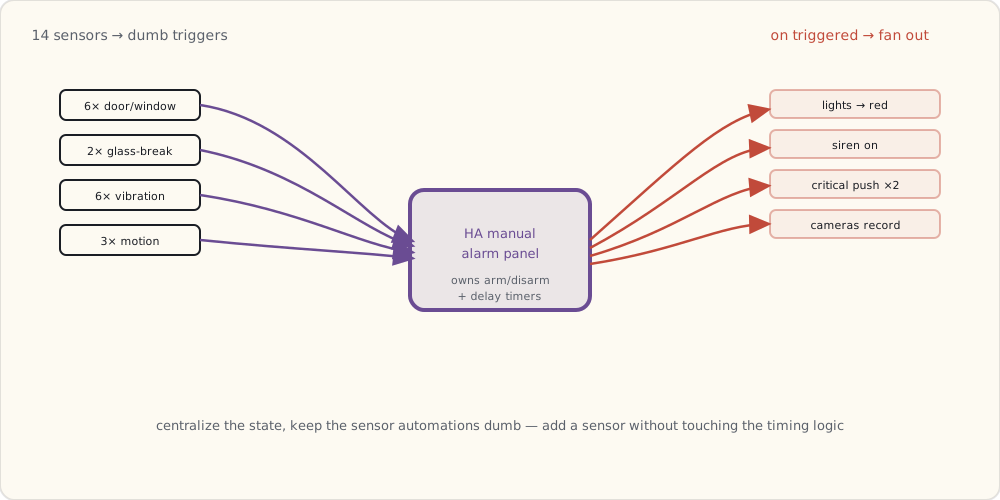
What happens when the alarm fires
A separate automation listens for state changes to triggered:
- alias: "Alarm: triggered actions"
  trigger:
    - platform: state
      entity_id: alarm_control_panel.house_alarm
      to: "triggered"
  action:
    # Lights to bright red
    - service: light.turn_on
      data:
        entity_id: group.all_lights
        brightness: 255
        rgb_color: [255, 0, 0]
    # Siren on
    - service: switch.turn_on
      data:
        entity_id: switch.basement_siren
    # Push to both phones, critical priority
    - service: notify.mobile_app_luke_iphone
      data:
        title: "[ALARM] TRIGGERED"
        message: >
          Trigger source: {{ states('input_text.last_trigger_source') }}
          at {{ now() }}
        data:
          push:
            sound:
              name: "default"
              critical: 1
    - service: notify.mobile_app_wife_iphone
      data:
        title: "[ALARM] TRIGGERED"
        message: "Check house immediately."
        data:
          push:
            sound:
              name: "default"
              critical: 1
    # Start camera recording on all PoE cams
    - service: camera.record
      data:
        entity_id: camera.front_porch
        duration: 600
    - service: camera.record
      data:
        entity_id: camera.backyard
        duration: 600
Auto-arming based on presence
The most useful piece: when the last person leaves the geofence, auto-arm Away:
- alias: "Auto-arm Away when last person leaves"
  trigger:
    - platform: state
      entity_id: group.family
      from: "home"
      to: "not_home"
  action:
    - service: alarm_control_panel.alarm_arm_away
      data:
        entity_id: alarm_control_panel.house_alarm

- alias: "Auto-disarm when first person returns"
  trigger:
    - platform: state
      entity_id: group.family
      from: "not_home"
      to: "home"
  action:
    - service: alarm_control_panel.alarm_disarm
      data:
        entity_id: alarm_control_panel.house_alarm
        code: !secret alarm_code
The family doesn't have to remember to arm. They just leave. The alarm arms 30s after the last person crosses the geofence (entry delay configurable). It disarms automatically when the first person returns.
This is the biggest UX upgrade. Before: arming was Luke remembering or asking the kitchen dashboard. After: arming is automatic.
The dashboard — alarm panel card
Lovelace has an alarm-panel-card that shows the state and lets you arm/disarm with a PIN keypad:
- type: alarm-panel
  entity: alarm_control_panel.house_alarm
  states:
    - arm_home
    - arm_away
  name: "House Security"
On the kitchen dashboard, it's a giant card with three buttons (Disarm / Arm Stay / Arm Away). Tap, enter PIN, state changes.
What's still on my list
- Bypass mode: arm with one sensor knowingly "open" (e.g., basement window cracked for ventilation). Need to extend the YAML to handle per-sensor bypass flags.
- Door-left-open warning: if I close the alarm but a door's open, the alarm panel should warn me. Today it silently fails to fully arm.
- A panic button: a physical Z-Wave button (Aeotec Panic Button) on the bedroom nightstand to trigger the alarm immediately.
- Monitored-service integration: would integrate with a real alarm-monitoring service (UL-certified) for the "they call you, then dispatch FD/PD" loop. Probably not — self-monitoring is sufficient and cheaper.
The state machine is the right abstraction. Should have built it three years ago.
 Part 40 of 61
 2020 review — local-first arrived early, alarm landed
The pandemic year. Internet outages cost more, local-first paid off. The Z2M migration finished, the Yale Assure lock finally went on the door, Frigate got a Coral — and Wink showed the whole category what platform risk really looks like.
2020 done. Pattern.
Scoring the 2019 forecast
| Prediction | Confidence | Outcome | Verdict |
|---|---|---|---|
| Matter / CHIP makes serious progress | 60% | First spec drafts; no products | ✓ (partial) |
| Apple Watch as control surface | 70% | Companion App watch support shipped in June | ✓ |
| Smart lock | 90% | Yale Assure Z-Wave installed (March) | ✓ |
| Frigate matures with Coral | 75% | Bought a Coral USB in May; Frigate 0.8 + person detection working | ✓ |
| HA Z-Wave overhaul | 80% | OpenZWave 1.6 beta in flight; the Z-Wave JS rewrite is imminent but not shipped as an HA integration yet | ✓ (partial — landing early next year) |
| Z-Wave 700-series in real products | 65% | Aeotec shipped the first 700-series units — Z-Stick 7, Door/Range Extender 7 | ✓ |
| Wink folds or subscribes | 60% | Wink dropped a surprise $5/mo subscription in May — pay up or your hub bricks. Bleeding users | ✓ |
| Coordinated WFH automations | 50% | The "in-meeting → flip desk light red" automation became real for me + 4 friends | ✓ |
Six clean hits plus two partials — call it 7/8, ~88%. Best year since I started keeping score.
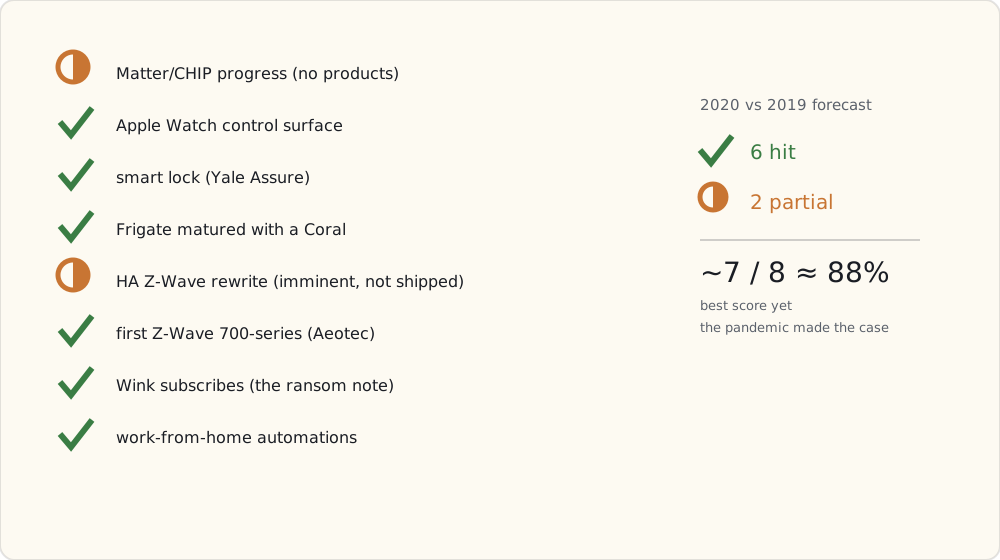 The pandemic did that: when the internet going down meant the kids' school and both our jobs dropped at once, every reason to pull the house local stopped being theoretical.
What got added this year
- Yale Assure Lock Z-Wave + ZW3 module (March). Replaces the brass deadbolt; auto-locks after geofence-leave.
- Coral USB Accelerator + Frigate 0.8 (May). Object detection on PoE cameras, person/car/dog classification at 10 fps per stream.
- Zooz ZEN15 plugs (3×) (April). Replaced the last Wemos.
- DIY ESP-based temperature/humidity sensors in 8 rooms (Oct-Dec). ESPHome firmware, MQTT to HA, $6 per sensor in parts.
- Pi 4 4GB + SSD-via-USB3 (June). Migrated HA off the Pi 3 + microSD. Massive performance bump.
- The alarm panel (November). Auto-arms via geofence.
- Roomba i7+ with self-emptying base (December — Christmas to ourselves).
What worked this year
- Local-first. Survived four internet outages during the year (cable, fiber, both) with no smart-home degradation beyond push notifications queueing.
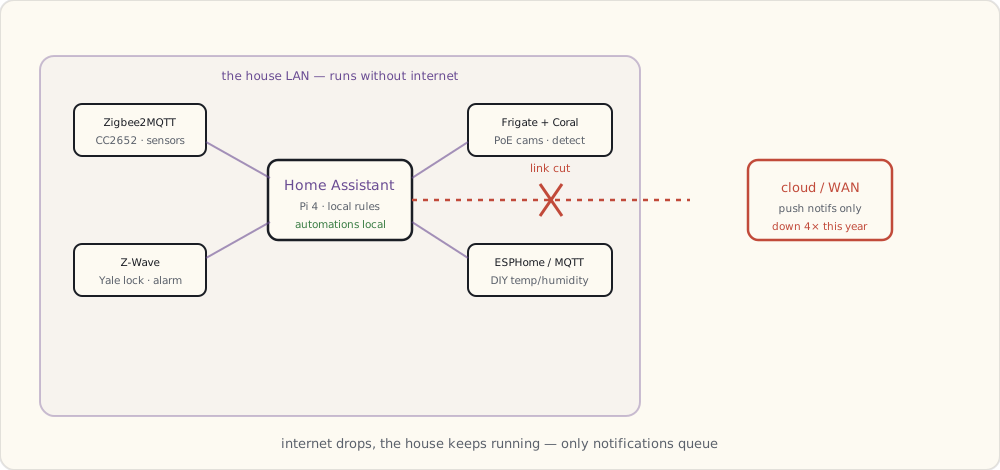
- Frigate. Person-vs-car-vs-dog object detection on the porch cam means push notifications only fire for actual people, not for the mail carrier's truck. False positive rate dropped from ~10/day to ~1/week.
- Auto-arming alarm. Family hasn't manually armed in 6 weeks. Just works.
- Yale lock auto-locking. Front door locks itself 5 minutes after the last person leaves the geofence. Wife loves this — she used to worry whether she'd locked the door.
What didn't
- Voice assistants for control during the workday. Both Echo and Google Home picked up enough TV / Zoom audio that they fired false-positive wake-words almost daily. Wife's coworker once heard "Alexa, set timer 5 minutes" in the background of a Zoom call. The Echoes got muted.
- Apple HomePod (refurbished, bought July). Still a great speaker. Siri still fumbles smart-home commands. Sold it October.
Forecast for 2021
1. Frigate + multi-camera person-tracking. (Confidence: 80%) Frigate 0.10+ rumored to support cross-camera identity tracking (person enters porch cam → recognized as the same person when they enter the side-yard cam).
2. Matter / CHIP first dev spec released. (Confidence: 80%) CSA's been steady; Q1 2021 likely. No consumer products in 2021 — those are 2022.
3. The "Aqara hub" replacement story. (Confidence: 65%) Aqara keeps hinting at Matter-readiness. A future Aqara hub that speaks Matter natively could shift the cheap-Zigbee ecosystem. Rumored; nothing concrete yet.
4. ESPHome on a dozen more DIY devices. (Confidence: 90%) The bathroom SHT31 was a one-off; ESPHome made me realize how cheap and easy DIY is. Plant moisture, garage temperature, mailbox door — all coming.
5. The Aeotec Heavy Duty Switch finally goes on the garage door. (Confidence: 75%) Z-Wave-controlled relay + Hall-effect sensor for "is the garage door open?" — finally automate this.
6. A second PoE camera + a fourth — front, back, side, driveway. (Confidence: 85%) Going to spec a 4-channel PoE system in early 2021.
7. Voice assistant fatigue gets formalized. (Confidence: 60%) Either Alexa/Google add a "Zoom mode" mic-off, or they bleed users. WFH households are tired of accidental triggers.
8. Wink finally fully collapses. (Confidence: 70%) They've been on life support for years. The $5/month subscription bought them a year. 2021 is the year.
What I'm buying in 2021
- 3× Reolink RLC-820A PoE cameras (4K, person detection on-device backup to Frigate).
- ESP32-based DIY ambient + moisture sensors for ~12 locations.
- A spare CC2652-based Zigbee coordinator (a second slaesh stick) as a cold backup for the Z2M setup.
- A Zooz garage door controller for the actual garage automation.
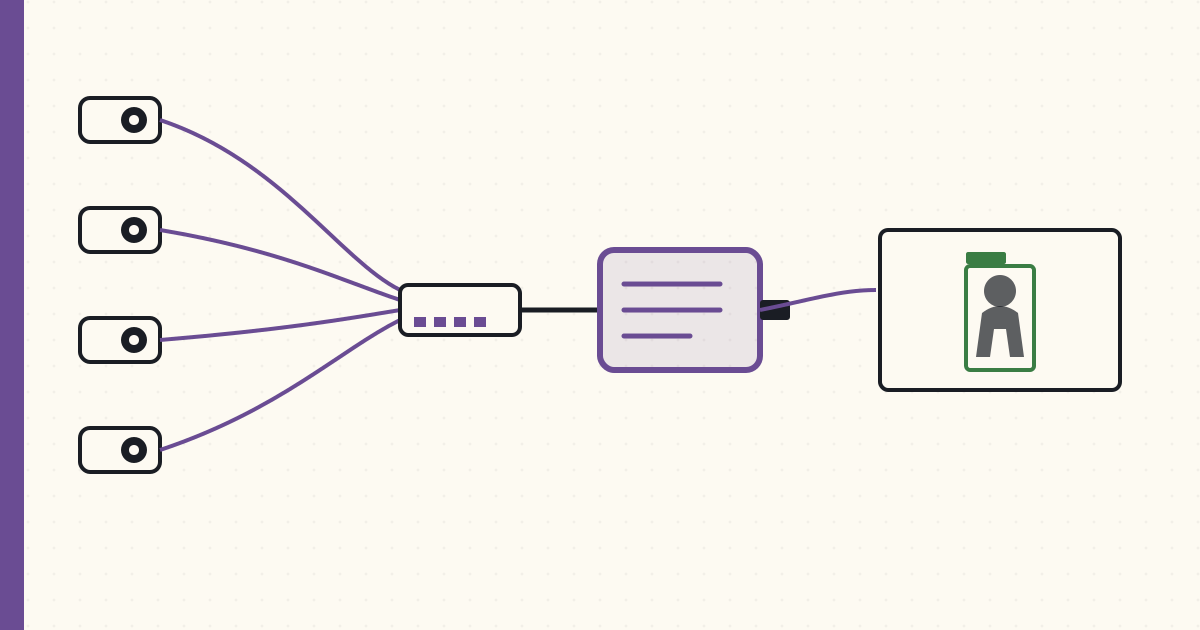 Part 41 of 61
 PoE cameras + Frigate NVR — local object detection
Four Reolink PoE cameras + Frigate 0.8 + a Coral USB Accelerator. Object detection runs locally on the home server at 10 fps per stream — no vendor cloud, no per-camera subscription.
Four PoE cameras now live around the house: front porch, backyard, side yard, driveway. RTSP feeds flow into Frigate 0.8 running on a small Pi 4. Frigate uses the Coral USB Accelerator for object detection — runs at 10 fps per stream across all four streams concurrently. All local. No vendor cloud.
Hardware
Cameras (4× Reolink RLC-820A):
- 4K resolution (3840×2160) @ 25 fps.
- PoE (802.3af, ~7W per camera).
- IP66 weatherproof.
- Onboard motion + person detection (basic, used as a redundancy layer to Frigate).
- RTSP stream support, two profiles (main 4K + sub 640×360 for thumbnails).
- $80 each. $320 total.
PoE switch (TP-Link TL-SG108PE, 8-port managed PoE):
- 8 × Gigabit + 4 PoE ports (60W total budget).
- 4 cameras × 7W = 28W used. Room for more.
- Managed (VLAN tags) — cameras live on an isolated camera-only VLAN.
- $80.
Frigate Pi (Raspberry Pi 4 8GB + 256GB SSD via USB3):
- HA still runs on the main Pi 4. Frigate runs on its own Pi 4 to keep CPU isolated.
- $180 total ($75 Pi + $40 SSD + $25 PSU + small case).
Coral USB Accelerator:
- Google's edge TPU. 4 TOPS inference, USB3.
- Runs MobileNet-SSD models for object detection at ~15 ms per inference.
- $75.
Total camera-side cost: $655. No subscriptions.
VLAN isolation
Cameras live on VLAN 30 — camera-only, isolated from the main LAN and from the internet:
VLAN 10: family devices (laptops, phones, tablets, smart-home-IoT)
VLAN 20: kids' devices
VLAN 30: cameras — outbound to internet BLOCKED
VLAN 40: guests
The cameras have no internet route. Reolink's cloud features (which want to upload to their servers) silently fail. Each camera can only talk to the Frigate Pi on the same VLAN.
This is the "cameras don't phone home" guarantee. Their default behavior would be to upload motion clips to Reolink's cloud + send DNS lookups all over the place. With VLAN isolation, none of that happens.
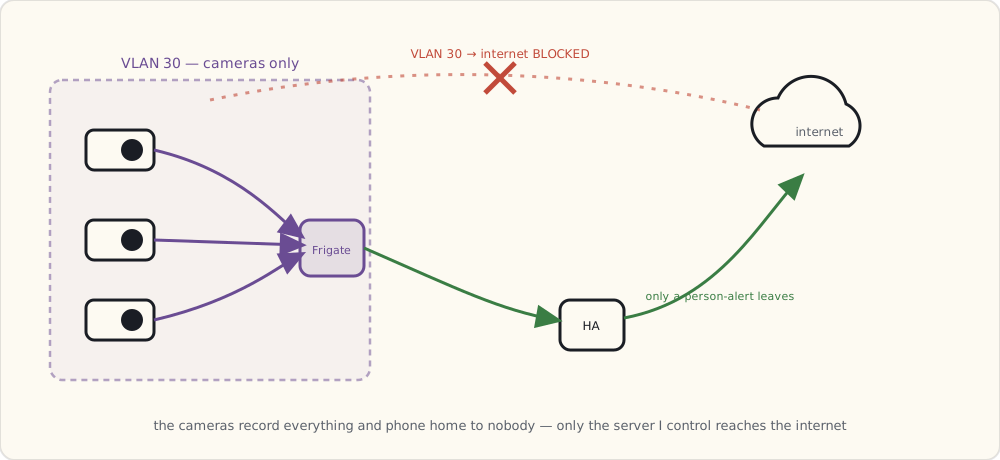
Frigate config
mqtt:
  host: 192.168.10.10  # HA Pi's MQTT broker

detectors:
  coral:
    type: edgetpu
    device: usb

cameras:
  front_porch:
    ffmpeg:
      inputs:
        - path: rtsp://reolink:!secret_rec_pw@192.168.30.21:554/h264Preview_01_main
          roles: [record]
        - path: rtsp://reolink:!secret_rec_pw@192.168.30.21:554/h264Preview_01_sub
          roles: [detect]
    detect:
      width: 640
      height: 360
      fps: 10
    objects:
      track: [person, car, dog, bicycle, package]
      filters:
        person:
          min_score: 0.5
          threshold: 0.7
        car:
          min_score: 0.5
        package:
          min_score: 0.6
    record:
      enabled: true
      retain:
        days: 7
        mode: motion
      events:
        retain:
          default: 30
    snapshots:
      enabled: true
      retain:
        default: 30

  # Repeated for backyard, side_yard, driveway with their own IPs + ROIs
The split between detect stream (640×360 sub-stream, low bandwidth) and record stream (4K main stream, full quality) is the key Frigate trick. Object detection runs on the small stream (CPU + Coral can handle 10 fps × 4 cameras easily). The 4K stream is only used for recording, never decoded for detection.
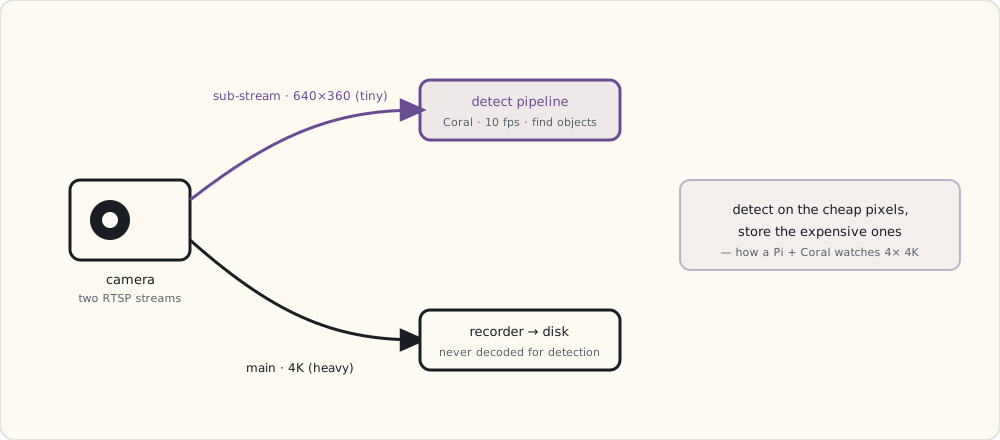
Total CPU on the Frigate Pi: ~40% steady state. Coral inference: ~12 ms/frame. Recording disk usage: ~20 GB/day across 4 cameras at 7-day retention.
What Frigate detects, in practice
After a week of running, the classification accuracy on my dataset:
| Object | Detection rate | False positives |
|---|---|---|
| Person | 99% (any size > 60 px in frame) | < 1% |
| Car | 98% | ~2% (trees in heavy wind sometimes classify as cars) |
| Dog | 95% | ~5% (cats sometimes classify as dogs) |
| Bicycle | 92% | ~3% |
| Package (UPS / Amazon box on porch) | 88% | ~10% (the model is the weakest here) |
For security, the person classification is the load-bearing one. 99% recall with <1% FP is good enough for "actual notification" triggers.
The HA automation: person on porch + nobody home → alert
- alias: "Camera: person detected on porch while away"
  trigger:
    - platform: mqtt
      topic: frigate/events
      payload: "new"
  condition:
    - condition: template
      value_template: >
        {{ trigger.payload_json.after.camera == "front_porch" and
           trigger.payload_json.after.label == "person" }}
    - condition: state
      entity_id: group.family
      state: "not_home"
  action:
    - service: notify.mobile_app_luke_iphone
      data:
        title: "Person on porch"
        message: "Detected at {{ now().strftime('%H:%M') }}"
        data:
          image: "/api/frigate/notifications/{{ trigger.payload_json.after.id }}/thumbnail.jpg"
          attachment:
            url: "/api/frigate/notifications/{{ trigger.payload_json.after.id }}/snapshot.jpg"
            content-type: "image/jpeg"
Push notification includes the snapshot of the detected person. Tap notification → opens the camera view in the Companion App with the recorded clip ready.
Storage math
4K @ 25 fps at h.264 medium quality is roughly 6 Mbps per camera. 4 cameras × 6 Mbps × 86400 s/day = ~250 GB/day if recording 24/7.
Frigate's record-on-motion mode helps significantly — only frames around detected motion are persisted. Real-world recording: 15-30 GB/day across 4 cameras. 256GB SSD holds ~10 days; longer history syncs to a Synology NAS via rsync nightly.
Annual storage cost: a 4TB NAS drive ($90) covers ~6 months of full retention + indefinite "event-only" snapshots. Compare to cloud camera services at $5-15/mo per camera = $240-720/yr for cloud-equivalent of what costs $90 once.
What I'm wishing for
- License-plate recognition on the driveway camera. Frigate doesn't ship with LPR; the OpenALPR add-on exists. Going to try.
- Person re-identification across cameras — recognizing the same person as they move from the porch cam to the side-yard cam. The Frigate roadmap gestures at it; nothing usable yet, but it's the feature I want most.
- More cameras. Each new one is $80 of hardware + 5 minutes of YAML. The marginal cost has dropped enough that "everywhere there's a wall outlet, put a camera" is the new default.
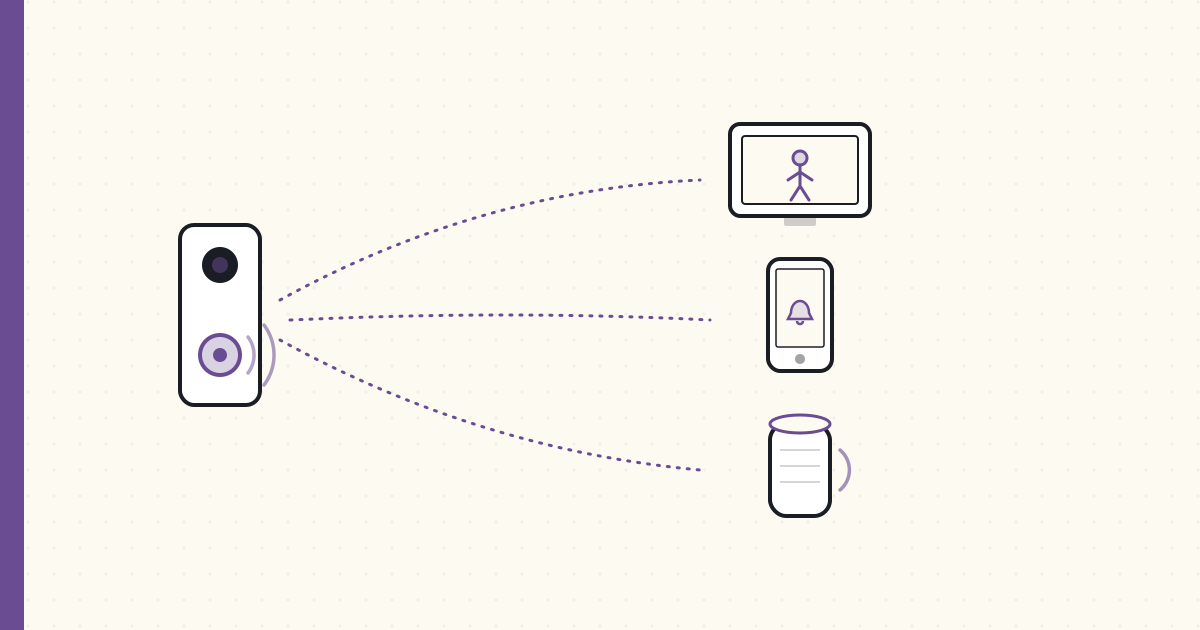 Part 42 of 61
 Doorbell camera on the Google Home Hub display
A PoE, ONVIF-speaking Dahua doorbell + a WebRTC bridge + Google Home Hub displays + Frigate-detected person events. When someone rings, every screen in the house shows them in under two seconds — no vendor cloud in the loop.
The PoE doorbell camera arrived in May. Took until August to make the full experience work end-to-end. Notes.
Hardware
Dahua VTO2311R-P PoE video doorbell — one of the very few true PoE, ONVIF-speaking doorbells you can actually buy in 2021 (most "smart doorbells" are Wi-Fi-and-cloud; this one is wired and local):
- 2MP camera + microphone + speaker + doorbell button.
- PoE — single Cat6 from the basement up to the door frame; no battery, no Wi-Fi.
- RTSP streams (main + sub), ONVIF events, two-way audio.
- IP65 weatherproof.
- ~$150.
It's an unapologetically commercial/industrial unit — the Dahua firmware is clunky and the app is forgettable — but it does the one thing I need: it speaks open protocols (RTSP + ONVIF) so I can wire it into my own stack instead of theirs.
Mounting: replaced the existing 1980s chime + button with the Dahua unit. Used an external angled mount to point the camera 15° downward (kid-height visitor capture). Cable runs through the existing 18-gauge bell wire conduit; ran a parallel Cat6 alongside it.
The plumber-electrician-camera-installer hat I wore for 3 hours was its own experience.
The protocol chain
Doorbell button pressed
  → Dahua ONVIF event ("DoorBellRing" / CallNoAnswered)
  → an HA ONVIF/MQTT bridge publishes: frigate/doorbell/event = "ring"
  → HA automation fires:
     • Cast camera feed to Google Home Hub displays (3 of them)
     • Echo announcement on kitchen Echo
     • Push notification to both phones with thumbnail
     • Log event in HA logbook
Total end-to-end latency from button press to all-displays-showing: ~2 seconds.
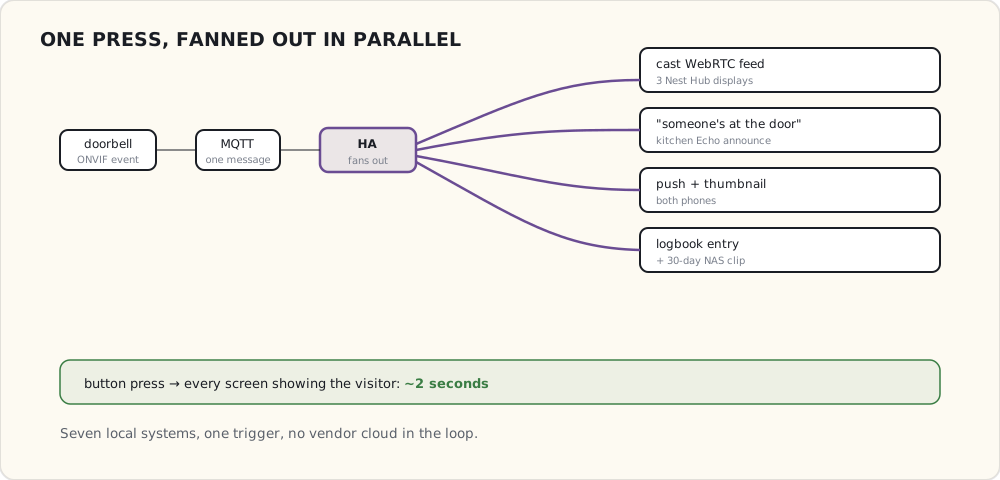
Casting the camera feed to Google Home displays
This is the part that took most of the August troubleshooting.
Google Home / Nest displays cast video via the Google Cast protocol. They accept either:
- A YouTube / Cast-API video URL.
- An HTTP/MJPEG stream (low quality, high CPU).
- A WebRTC stream (high quality, native).
The Dahua's RTSP isn't natively Cast-compatible. The bridge I'm using is the WebRTC Camera custom integration (AlexxIT's webrtc HACS component) — it stands up a WebRTC endpoint from an RTSP source so a browser or a Cast device can play it with near-zero latency:
# configuration.yaml
webrtc:

camera:
  - platform: generic
    name: doorbell
    stream_source: rtsp://admin:!secret_pw@192.168.30.30:554/cam/realmonitor?channel=1&subtype=1
The integration runs inside HA (no separate add-on needed in this 2021 setup). HA → WebRTC Camera → the Chromecast/Nest Hub negotiates a WebRTC session → display shows the live feed.
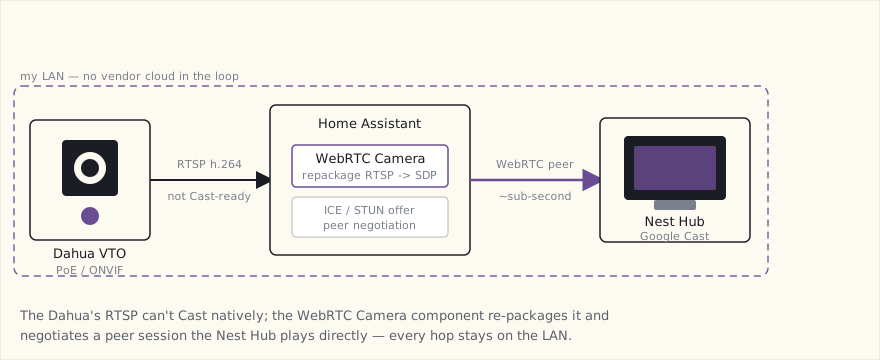
# automations.yaml
- alias: "Doorbell ring → cast to displays"
  trigger:
    - platform: mqtt
      topic: frigate/doorbell/event
      payload: "ring"
  action:
    - service: media_player.play_media
      data:
        entity_id:
          - media_player.kitchen_nest_hub
          - media_player.master_bedroom_nest_hub
          - media_player.living_room_chromecast
        media_content_type: "application/webrtc"
        media_content_id: "/api/webrtc/doorbell"
    - service: notify.alexa_media_kitchen
      data:
        message: "Someone is at the door."
        data:
          type: announce
    - service: notify.mobile_app_luke_iphone
      data:
        title: "Doorbell"
        message: "Person at the door at {{ now().strftime('%H:%M') }}"
        data:
          image: "/api/frigate/notifications/{{ states('sensor.frigate_doorbell_person').last_event_id }}/thumbnail.jpg"
The Echo announce trick
The kitchen Echo is the most-listened device in the house. Voice announcements through Alexa Media Player + the "announce" type bypass Alexa's normal "say it back to you" voice and use a different, more attention-grabbing tone.
When the doorbell rings, the Echo says: "Someone is at the door." Across the open-plan kitchen-dining-living-room space, that's how everyone knows to look at the nearest display.
What works after 3 months
- Casting reliability: 95% — the Google Hub displays show the feed within 2 seconds, 9 out of 10 button presses. Occasional WebRTC negotiation timeout when the Hub display has been idle for hours.
- Frigate person detection on the doorbell stream: 99% — every actual person ringing the doorbell gets detected and classified.
- Two-way audio: works (the WebRTC session is bidirectional) but my kids are afraid of the doorbell speaker so I rarely use it.
- Recording: 30 days of doorbell events with thumbnails saved on the NAS.
What doesn't (yet)
- Person recognition on the doorbell stream. Frigate can detect a person but doesn't know if it's me or the mail carrier. Face-detection-via-FaceBox or DeepStack would do this; both are heavy ML add-ons and I haven't found the value yet.
- iPhone displays. No iPhone-equivalent of Cast for a "show me the doorbell view automatically." The Companion App push notification + tap-to-open is the workaround.
- Outdoor temperature in the doorbell feed. Would be nice to overlay current temp + weather as a HUD on the display. Frigate has zone-overlay; doesn't do data-overlay.
The integration loop closes
Three years ago, the smart-home stack was multiple parallel systems (SmartThings, Hue, Lutron, Wemo) that each handled their own slice. The doorbell experience touches:
- Dahua (camera + button event)
- Frigate (person detection)
- HA (orchestration)
- Google Home (displays + announcement)
- Amazon Alexa (audio announcement)
- iPhones (push notifications with thumbnail)
- NAS (recording storage)
Seven systems, all participating in one experience, all triggered by a single button press. That's the smart-home maturity that takes about ten years to assemble.
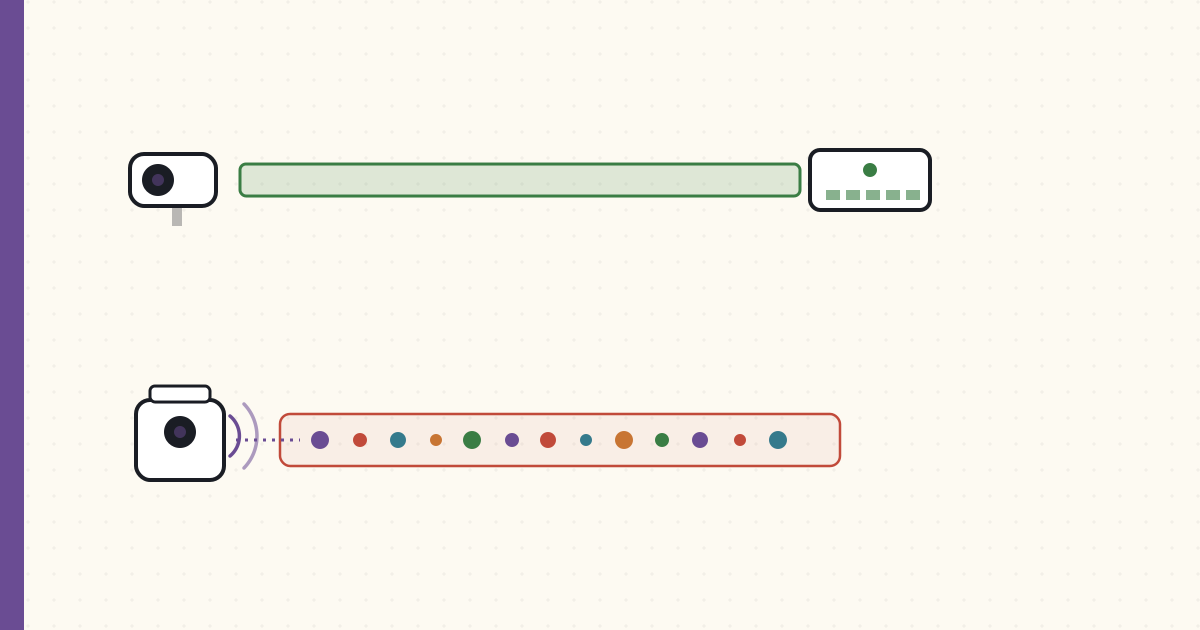 Part 43 of 61
 Wireless cameras and bandwidth — when WiFi cams work
Three months ago I'd have said WiFi cameras are a bad idea. Then the kids needed a temporary camera in the garage where there's no PoE.
I've been buying PoE cameras exclusively for two years. Tonight I'm writing this from a chair next to a WiFi camera I just installed in the garage, where running Cat6 was going to take a weekend I didn't have.
When the WiFi camera is the right answer.
Why I prefer PoE
For the record:
- Single cable (Cat6) carries both data and power. Cleaner installation.
- No 2.4 GHz airtime competition with the rest of the house.
- Wired reliability: zero packet loss, zero re-association events.
- Higher bitrate possible: 4K @ 25 fps requires ~6 Mbps; PoE handles this without compression compromise.
- Powered from a UPS-backed PoE switch: cameras keep running during power outages if the network does.
- VLAN isolation trivially via the managed switch.
The four cameras I've installed PoE-style work flawlessly because of these properties.
Where PoE breaks down
The garage. The shed. The driveway pole.
To run Cat6 to the garage I'd have to:
- Cut a hole in the basement-ceiling drywall (already done for other runs; once more wouldn't kill me).
- Snake 30 feet of Cat6 through joists.
- Find a route through the brick wall between basement and garage (not done; would require either an exterior path or a long detour through framing).
- Terminate with RJ45 keystones inside an outdoor-rated box.
Estimated time: a full weekend. Cost: $40 of Cat6 + $20 of terminations + a wall-passage drill if I don't have one.
Or: one WiFi camera at $50, screw to the wall, plug into a GFCI outlet, done. 20 minutes.
I picked the 20-minute solution.
The WiFi camera — Reolink Argus 3
Reolink Argus 3 (the plain model, not the Pro — I deliberately wanted the cheaper, lighter-weight one here):
- 1080p (not 4K — bandwidth budget, and frankly enough for a garage).
- WiFi 2.4 GHz only (no 5 GHz on this model — mildly annoying, but it's a low-bitrate cam so it doesn't matter much).
- Rechargeable battery + solar-panel option. Optional always-on USB-C power.
- PIR motion detection + onboard person/vehicle classification.
- RTSP support after a firmware update (RTSP isn't on by default).
- ~$80.
Wired it to USB-C power from a nearby outlet (not running on battery; the garage has constant power). The battery is a backup if the cord gets unplugged.
Where the bandwidth math matters
4 PoE cameras at 4K, 25 fps, h.264, bitrate ~6 Mbps each:
- Total camera traffic: 24 Mbps.
- All on a wired Gigabit VLAN. Plenty of headroom.
1 added WiFi camera at 1080p, 15 fps, h.265, bitrate ~2 Mbps:
- Additional traffic on the 2.4 GHz WiFi: 2 Mbps.
- 2.4 GHz currently runs about 30-50 Mbps of total traffic from family devices on the IoT VLAN.
- 2 Mbps additional is ~4-6% of the band's throughput. Not a problem.
If I'd tried to put a 4K WiFi camera here, it'd be 6 Mbps continuous on a band already crowded with ~30 IoT devices. That would impact other devices. The 1080p + h.265 + 15 fps choices on the Argus 3 keep the WiFi cam off the impact radar.
The general rule: WiFi cameras at 1080p or below are fine on a typical home network if you cap bitrate aggressively. 4K WiFi cameras are mostly a bad idea.
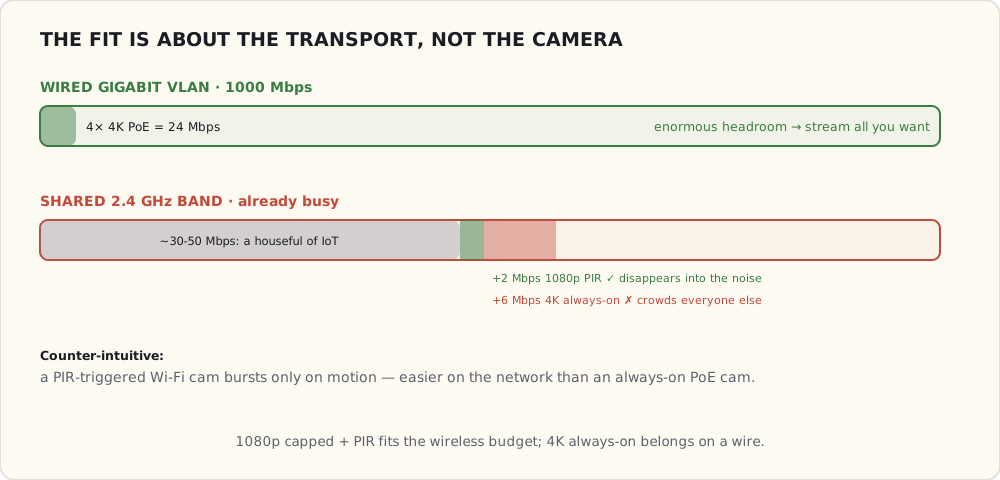
What the garage camera actually does
# Frigate config for the Argus 3
cameras:
  garage:
    ffmpeg:
      inputs:
        - path: rtsp://reolink:!secret_pw@192.168.30.40:554/h264Preview_01_main
          roles: [detect, record]
    detect:
      width: 640
      height: 360
      fps: 5    # PIR-triggered, not always-on
    motion:
      mask: garage_door_zone   # exclude door movement from "motion"
    objects:
      track: [person, car, package]
The Argus 3 is PIR-triggered — only streams when motion is detected. Steady-state network usage is near-zero; brief bursts during motion events.
This is actually better for the network than my PoE cams which stream continuously. Counter-intuitive: WiFi cams that wake on motion are easier on bandwidth than always-on PoE cams.
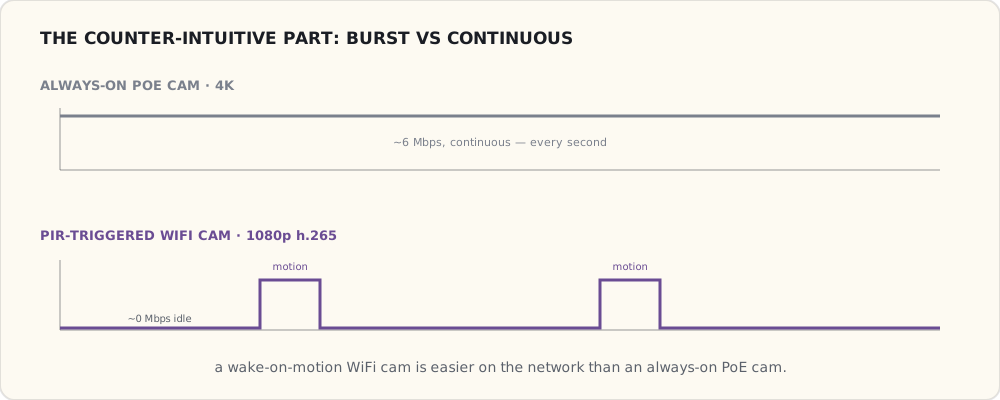
WiFi camera-specific issues
Some annoyances:
- Pairing dance with the Reolink app + temporary AP mode (Approach 1 from the WiFi primer, still alive in 2021). My phone joined the camera's local AP, sent WiFi creds, the camera rejoined home WiFi. Two SSID switches. Worked first try this time, won't always.
- DHCP lease management. Reservation set on my router so the camera has a stable IP. Without it, IP can change on reboot.
- Firmware update over WiFi takes 10+ minutes. PoE cameras' firmware updates are seconds.
- The Reolink "cloud sync" wants to upload events to their servers. VLAN isolation kills this. The Reolink app shows "cloud features unavailable" — fine.
The whole call collapses to a short decision: is this location critical, 4K, or always-on streaming? If yes, eat the install and run the wire. If no, WiFi is the pragmatic answer.
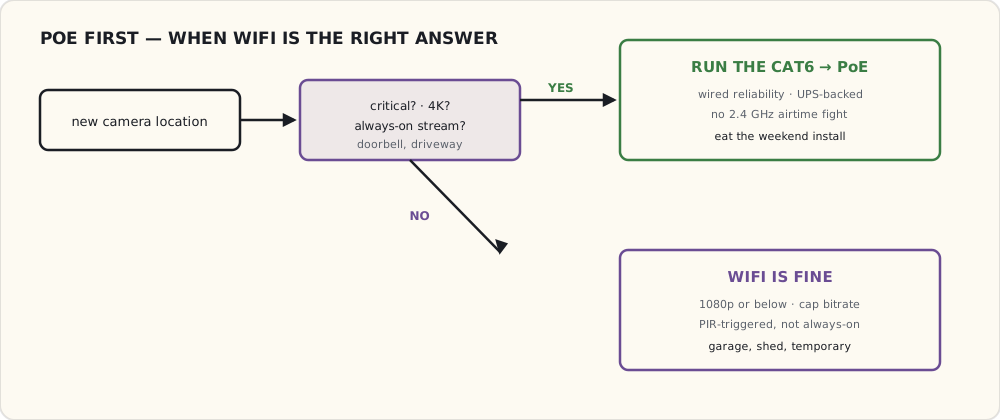
Where I'd still refuse to use WiFi
- The doorbell. Critical. PoE only. No exceptions.
- The driveway cam. Critical, and far from a router — WiFi signal weak.
- Any 4K camera. Bandwidth budget doesn't fit.
- Any always-on streaming camera (vs PIR-triggered). Bandwidth budget.
Where WiFi is fine:
- Convenience cams (garage, garden shed, kid's room "are they actually sleeping" cam).
- Temporary cams (vacation watch, contractor monitoring).
- PIR-triggered low-fps cams for low-priority zones.
What's next
- A second Argus 3 for the back deck where the existing Reolink RLC-820A is dying (replacement under warranty inbound, but I want a temporary).
- A Frigate-side automation: when the WiFi garage cam loses RTSP for more than 60 seconds, alert. Without this, the camera can be offline and I won't notice until I check.
- A "presence in garage" sensor combined with the cam for "did I close the garage" automations. Adding an Aeotec Garage Door Controller this winter — Z-Wave Hall-effect sensor + relay to actuate the door.
PoE is still the answer for everything serious. WiFi is the pragmatic answer for where serious isn't worth the install effort.
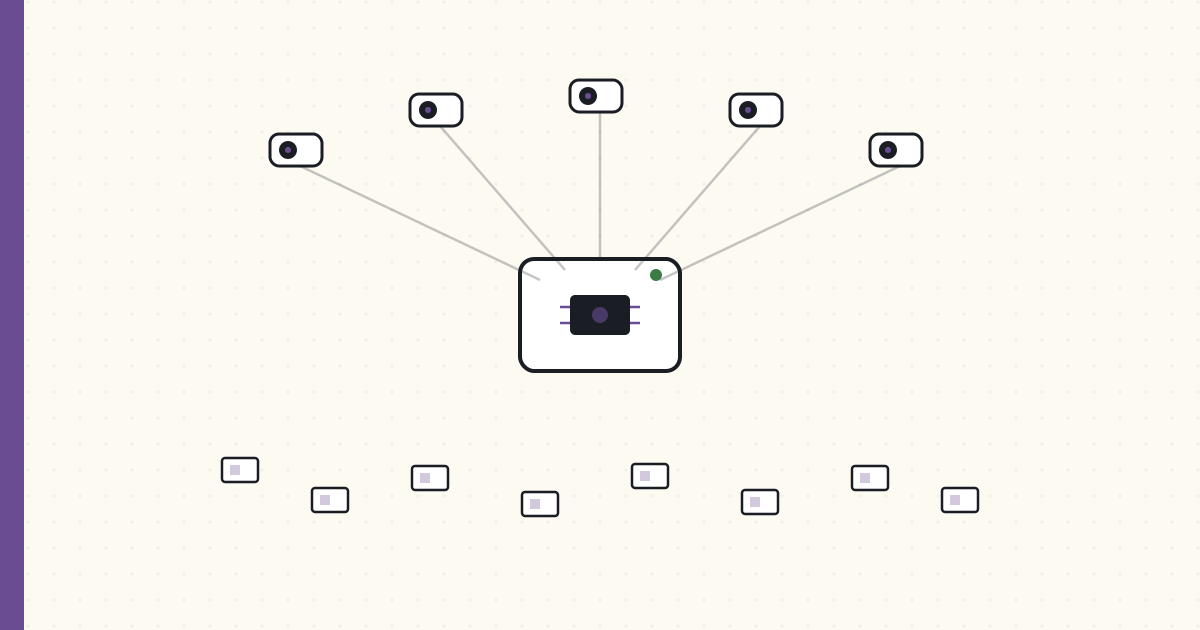 Part 44 of 61
 2021 in review — cameras everywhere, Coral landed. 2022 forecast.
Five PoE cameras plus one Wi-Fi cam, all routing through Frigate on a Coral accelerator. The doorbell-to-every-screen experience finally landed, and 14 ESPHome sensors went in. Matter is still vapor and Wink is a zombie. 2020's forecast came in at ~69%.
End of year.
Scoring the 2020 forecast
| Prediction | Confidence | Outcome | Verdict |
|---|---|---|---|
| Frigate + multi-camera person-tracking | 80% | Still on the 0.9 line; solid per-camera detection, but cross-camera re-id isn't here yet | ✗ (the tracking part slipped) |
| Matter / CHIP first dev spec | 80% | Spec drafts circulating, SDK in dev, no consumer products yet | ✓ (partial) |
| Aqara hub replacement story | 65% | Aqara M2 hub shipped; Aqara is loudly telegraphing Matter support | ✓ |
| ESPHome on a dozen DIY devices | 90% | 14 ESP-based sensors deployed | ✓ |
| Aeotec Garage Door Controller | 75% | Installed October | ✓ |
| Second + fourth PoE cameras | 85% | 5 PoE + 1 WiFi cameras now | ✓ |
| Voice assistant fatigue formalized | 60% | Amazon/Google did nothing | ✗ |
| Wink finally folds for real | 70% | Not a clean death — a 10-day outage in February, then a zombie limp-along nobody should trust | ✗ (close; it's abandonware, not gone) |
5/8 + 1 partial = ~69%. The misses cluster on timing: the Frigate re-id and Wink's actual death are both "next year" problems.
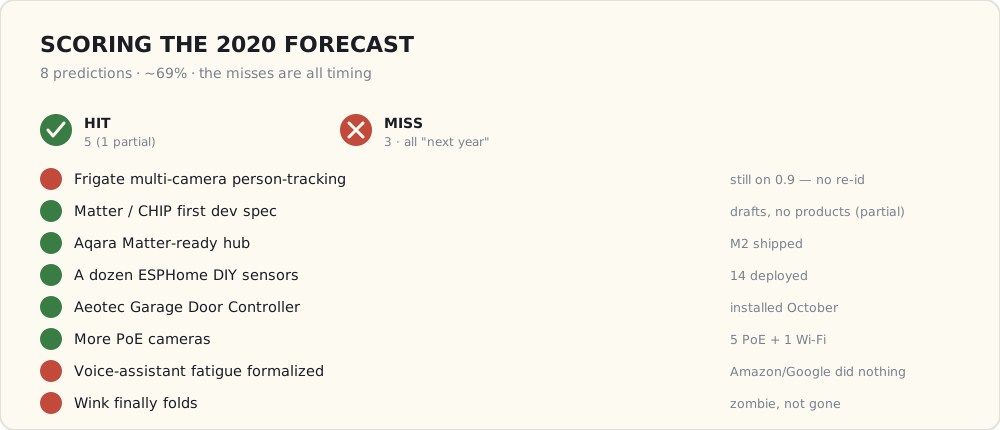
What got added
- 5× PoE cameras (Reolink RLC-820A + RLC-822A + a Dahua VTO2311R PoE doorbell): porch, backyard, side yard, driveway, doorbell.
- 1× WiFi camera (Reolink Argus 3): garage.
- Coral USB Accelerator driving Frigate (on the 0.9 line) — the Coral is what makes five-plus camera streams of object detection run on a mini-PC without melting it.
- Aeotec Garage Door Controller (Z-Wave, October).
- 14× ESP-based DIY sensors (ESPHome firmware): SHT31 temp/humidity in 4 bathrooms + kitchen, PIR motion in 3 corner-rooms, plant moisture in 6 indoor planters.
- Sonoff ZBDongle-E (December) — newer Zigbee coordinator, +50% range vs the ZBDongle-P. Migration planned for January.
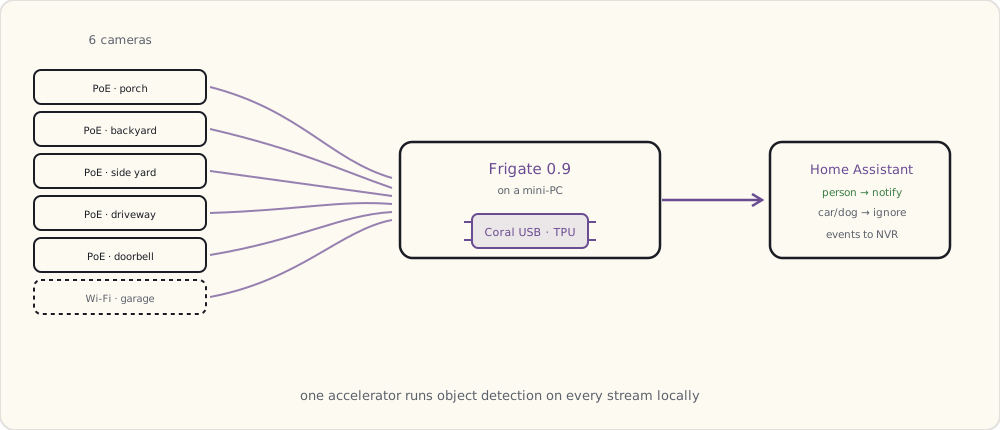
Forecast for 2022
1. Matter 1.0 ships, first products by Q4. (Confidence: 75%) CSA's been steady. Q3-Q4 launch.
2. Frigate 0.12+ with proper face recognition. (Confidence: 65%) Optional, opt-in. Useful for "the kids are home from school" without GPS.
3. New-house build planning starts. (Confidence: 90%) We're outgrowing the current house. Going to plan a connected-from-the-walls-up build in 2022 with construction in 2023.
4. ESPHome continues exploding. (Confidence: 95%) 20+ DIY sensors by end of year.
5. Aqara Matter-bridge for existing Zigbee devices. (Confidence: 70%) Aqara has telegraphed it.
6. Home Assistant Yellow ships. (Confidence: 80%) HA-branded hardware. Buying one.
7. A "weather station" DIY project. (Confidence: 60%) ESP-based + a bunch of sensors. Outdoor temp / humidity / pressure / wind / rain. Replacement for the increasingly-unreliable home weather station I bought 5 years ago.
8. Tesla Powerwall integration. (Confidence: 50%) Considering solar + Powerwall for next house. If so, the Powerwall has a (semi-)open API that integrates with HA.
What I'm buying in 2022
- HA Yellow ($150).
- Another Coral USB if Frigate face recognition shipping.
- 6-10 more ESPHome boards + sensors.
- A real solar/wind/rain weather station if I can't DIY it well enough.
 Part 45 of 61
 Outdoor watering automation — the LoRa-and-rain story
Six raised garden beds + three planters + a sprinkler zone. Eight soil-moisture sensors on LoRa-WAN. Three valves on Z-Wave.
The vegetable garden is at the far corner of the back yard. ~40m from the house, behind a 6-foot privacy fence. WiFi doesn’t reach reliably — measured signal strength below -85 dBm at the planters. Zigbee doesn’t reach at all.
LoRa does. This is what I built.
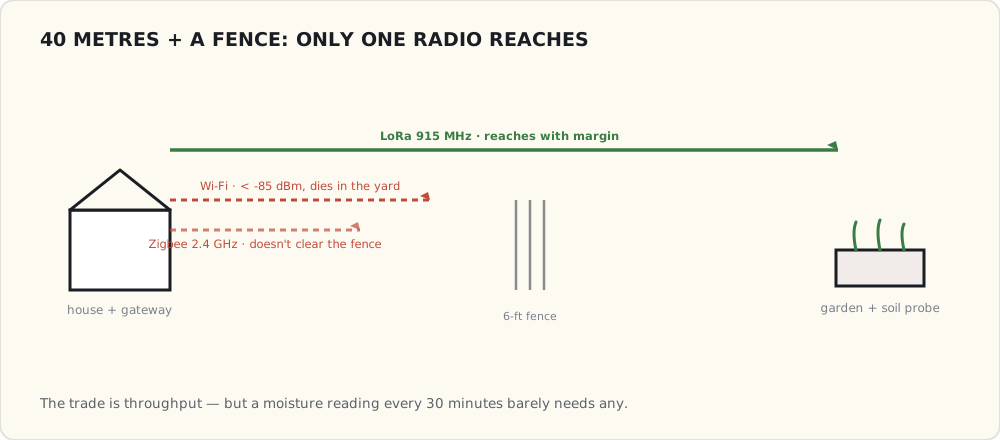
The hardware
Soil-moisture sensors (8×):
- Capacitive soil-moisture probe (not resistive — resistive corrodes in 6-12 months underground).
- Each connected to a RAK Wireless RAK4631 WisBlock module — ARM Cortex-M4F + Semtech SX1262 LoRa radio (915 MHz US ISM band).
- Battery: 2× AA lithium (3000 mAh combined). Sensor reports every 30 minutes; expected life 2+ years.
- Custom enclosure: 3D-printed PETG, IP54 with foam seals around the probe entry. Total per-sensor cost: $35.
LoRa gateway:
- RAK Wireless RAK7268 indoor gateway. Connects to home WiFi, talks to the sensors over LoRa.
- ~$200.
- Range tested: 200m through 3 wood-frame buildings + the privacy fence. Plenty.
- Acts as a LoRaWAN concentrator. Sensors join as Class A devices (uplink-only, downlink during the receive windows after uplink).
Valves (3×):
- Orbit B-Hyve Z-Wave-compatible valve. Connects to standard 3/4” hose threads. Battery-powered (4× AA).
- Z-Wave Plus. Local control via the Z-Stick.
- $75 each.
Total hardware: $445 for the irrigation system. Compare to professional irrigation controller + sensors: $1500+.
The protocol — LoRaWAN
LoRa is the long-range, low-power, low-throughput wireless protocol that fills the gap where Zigbee can’t reach and WiFi is overkill. Key specs:
- 915 MHz ISM band (US). No license required. Different from WiFi/Zigbee 2.4 GHz — uncongested.
- Range: typical 1-5 km in suburban environments, line-of-sight further.
- Data rate: 0.3-50 kbps depending on spreading factor. Slow.
- Battery: years on a coin cell for periodic sensor uplinks.
- Topology: star (sensors → gateway). No mesh.
- Cost: $5-15 per LoRa module in volume.
LoRaWAN adds a network-layer spec on top of the LoRa PHY:
- OTAA (Over-The-Air-Activation): sensors join with a DevEUI + AppKey, get session keys.
- AES-128 encryption at the network layer.
- Class A (most battery-friendly): uplink, then two short receive windows.
- Adaptive Data Rate: gateway tells sensors to use slower/faster rates depending on signal quality.
For my use case (8 sensors uplinking ~5 bytes every 30 min), the bandwidth is laughably overprovisioned. The win is the range.
The HA integration
RAK gateway publishes sensor uplinks to MQTT. HA’s MQTT integration picks them up:
mqtt:
  sensor:
    - name: "Garden Bed 1 Moisture"
      state_topic: "rak/sensor/bed1/moisture"
      value_template: "{{ value_json.moisture }}"
      unit_of_measurement: "%"
    - name: "Garden Bed 1 Battery"
      state_topic: "rak/sensor/bed1/battery"
      value_template: "{{ value_json.battery }}"
      unit_of_measurement: "V"

  # × 8 sensors
The watering automation
- alias: "Garden bed 1: water if dry and no rain expected"
  trigger:
    - platform: time
      at: "06:30:00"
  condition:
    - condition: numeric_state
      entity_id: sensor.garden_bed_1_moisture
      below: 35   # below 35% volumetric water content = dry
    - condition: template
      value_template: >
        {% set forecast = state_attr('weather.darksky_home', 'forecast') %}
        {% set rain_next_6h = forecast[0:6] | sum(attribute='precipitation', start=0) %}
        {{ rain_next_6h < 5 }}   # < 5mm forecast in next 6h
    - condition: template
      value_template: >
        {% set last_water = states('input_datetime.bed1_last_water') %}
        {% set hours_since = (now() - as_datetime(last_water)).total_seconds() / 3600 %}
        {{ hours_since > 18 }}   # don't water more than once per 18h
  action:
    - service: switch.turn_on
      data:
        entity_id: switch.bhyve_valve_bed1
    - delay: "00:08:00"   # 8 min run
    - service: switch.turn_off
      data:
        entity_id: switch.bhyve_valve_bed1
    - service: input_datetime.set_datetime
      data:
        entity_id: input_datetime.bed1_last_water
        datetime: "{{ now() }}"
Three conditions all have to hold:
- Soil is dry (< 35% VWC).
- Rain forecast next 6h < 5mm (no point watering if rain coming).
- Haven’t watered in last 18 hours.
If all three pass at 6:30 AM, the valve opens for 8 minutes.
The disasters that taught me
Disaster 1 (April): I set up the soil-moisture threshold at 25% (too dry). The system never watered because the sensors were reading slightly higher. Garden tomatoes wilted by mid-May. Adjusted to 35%.
Disaster 2 (May): Forgot to add the “haven’t watered in last 18h” condition. Forecast cleared mid-day, valve opened, ran 8 minutes. Then forecast cleared again at 4 PM (different forecast cycle), valve opened again. Bed flooded; soil washed off the lettuce roots.
Disaster 3 (May): One of the soil sensors malfunctioned and read 5% constantly. Valve opened every morning for a week. Plants drowned. Added an outlier-detection condition to ignore sensors reading suspiciously low.
The algorithm is now:
IF soil_moisture < 35%
   AND soil_moisture > 5%   (outlier guard)
   AND rain_forecast_6h < 5mm
   AND last_water_hours_ago > 18
THEN water for 8 minutes
Works.
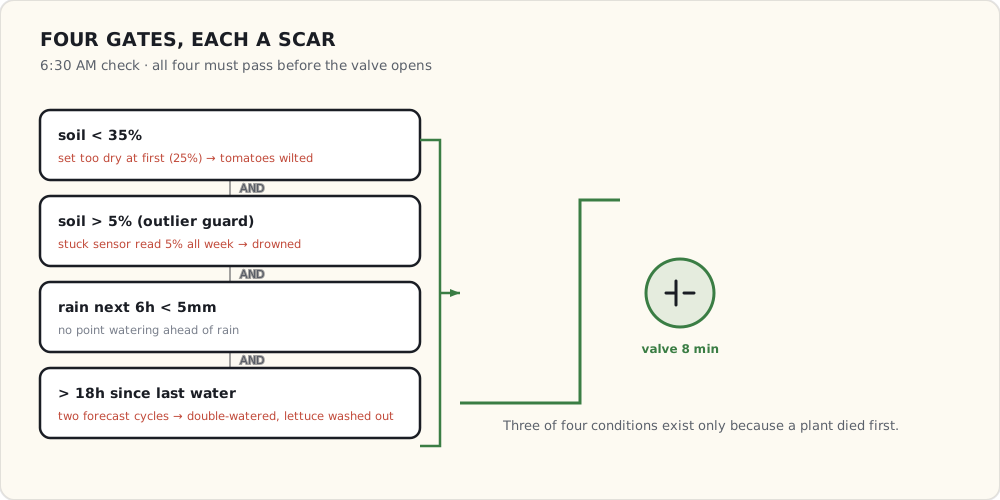
What’s next
- A rain-rate sensor at the house. Currently using Dark Sky forecasts — accurate but lagging real conditions. A tipping-bucket rain gauge ($40, ESP-based with reed switch) would give actual rainfall data.
- A soil-temperature sensor in the same probe. Capacitive moisture probes can be combined with a 1-Wire DS18B20 for soil temp. Useful for “is it too cold to germinate seeds?” automations.
- Solar charging for the LoRa sensors. Battery life 2+ years is fine, but in-place solar would make them “install and forget.”
- A wider deployment: front-yard sprinkler zones (currently on a dumb timer), the kid’s small playground “is the swing wet?” question.
 Part 46 of 61
 Frigate + Coral cookbook — eight months of tuning
Standing up Frigate took an afternoon. Making it stop crying wolf took eight months. The model was never the work — the masks, the zones, and the per-camera thresholds were. Here's the YAML I actually run.
When I put Frigate behind the PoE cameras last year, the install was the easy part. An afternoon of Docker, a Coral USB stick, a couple of camera URLs, and it was detecting people. It was also detecting the trees, the neighbor’s car, headlights, the Roomba, and — memorably — a squirrel it was 70% sure was a small dog.
Eight months later it sends me about five notifications a day, and every one of them is worth looking at. None of that came from the model. It came from masks, zones, and a per-camera, per-label thresholds table I rebuilt four times. This is the cookbook I wish I’d had on day one.
The setup: Frigate 0.10 stable, five PoE cameras plus one Wi-Fi cam, all detection running through a single Coral USB at 10 fps per stream. (0.11 is in release-candidate right now; I’ve got it on a test box and I’ll get to what it changes at the end.) About 150 detection events a day land in the database; roughly five are worth a push notification. The whole job is closing that gap.
Confidence thresholds — the obvious knob, and its trap
Every label in Frigate has two numbers:
min_score— the minimum classifier confidence for a single frame to count as a detection at all.threshold— the minimum cumulative score, averaged across the frames Frigate tracks the object over, for it to be promoted to a saved “event.”
The defaults are 0.5 / 0.7. The trap is treating them as one global setting. A “person” confidence that’s reasonable on the front porch is paranoid on the backyard cam, which only ever sees one human and a lot of moving foliage. So I tune them per camera and per label:
cameras:
  front_porch:
    objects:
      filters:
        person:
          min_score: 0.5    # default
          threshold: 0.75   # bumped — fewer false person events
        car:
          min_score: 0.4    # lower — distant cars are partly occluded
          threshold: 0.7
        package:
          min_score: 0.55
          threshold: 0.7
        dog:
          min_score: 0.5
          threshold: 0.8    # bumped — dog false positives were high

  backyard:
    objects:
      filters:
        person:
          min_score: 0.5
          threshold: 0.75
        dog:
          min_score: 0.4    # catch the real dog quickly
          threshold: 0.65
        # no car / package — the backyard never sees them
The backyard sees my dog and never sees cars, so its dog thresholds are lower (catch fast) and car/package aren’t tracked at all. Untracked labels are free: Frigate never spends Coral cycles confirming a class you didn’t ask for.
The two numbers do different jobs, and that’s why one global pair never fits the whole house:
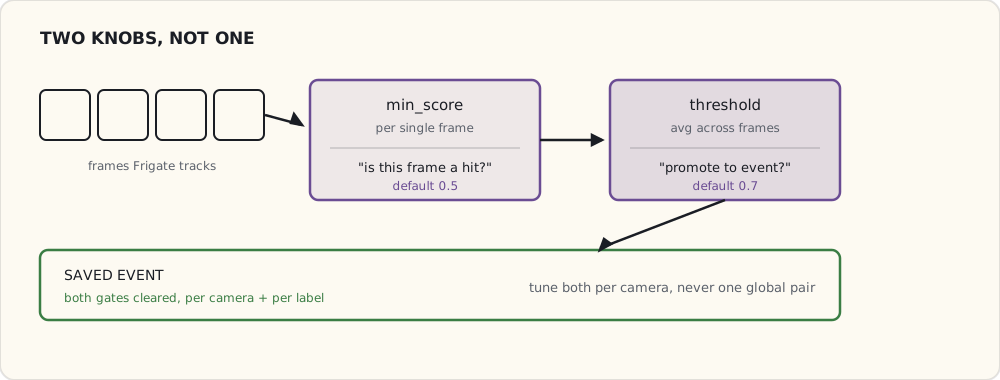
Motion masks — kill the work before it runs
Frigate doesn’t run the Coral on every frame. It runs cheap OpenCV motion detection first, and only frames with motion get handed to the accelerator for object detection. That makes the motion mask your highest-leverage knob: mask out a region and you don’t just suppress its false events, you stop paying for them in inference time.
The backyard, again, is the worst offender. The tree line at the back of the lot moves in every gust of wind, so without a mask, every breeze pushes a mostly-trees frame onto the Coral.
cameras:
  backyard:
    motion:
      mask:
        - "0,0,0,400,800,400,800,0"        # top 50% (trees + sky)
        - "650,400,800,400,800,720,650,720" # neighbor's yard, right edge
Coordinates are pixels in the detect stream (mine is 640×360; scaled here for readability). The mask is a polygon and everything inside it is ignored for motion. After masking the tree line, false-motion events on that camera dropped from ~80/day to ~12/day — and the Coral got the cycles back.
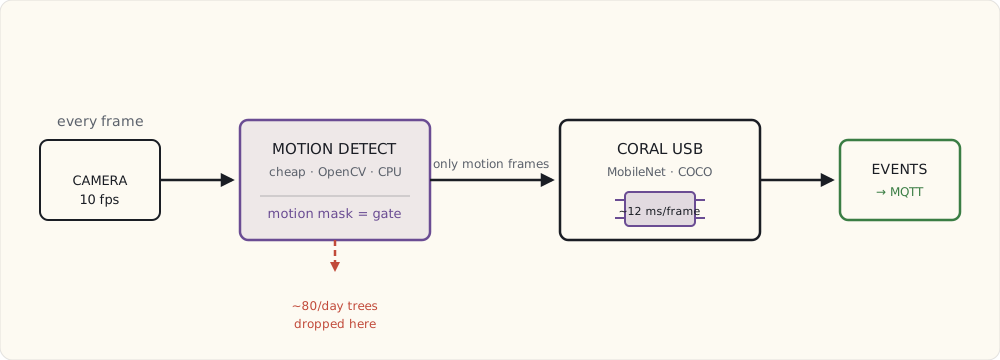
Object masks — kill false detections geometrically
A motion mask stops inference from running in a region. An object mask is the opposite tool: it stops an object that was detected in a region from counting as real.
The driveway is the case that taught me the difference. The neighbor parks at the curb across the street. Frigate detects their car correctly — it really is a car — but I don’t care about cars across the street, only cars in my driveway.
cameras:
  driveway:
    objects:
      filters:
        car:
          mask:
            - "300,500,600,500,600,720,300,720"  # bottom-left = my driveway
            # Object masks are INVERTED vs motion masks:
            # detections OUTSIDE this polygon are discarded.
            # So this counts cars only WITHIN the box.
This took me an embarrassing while to internalize, so I’ll say it plainly: a motion mask means ignore motion here; an object mask means only count objects here. Opposite semantics on purpose, and mixing them up is why my driveway camera spent a month notifying me about the neighbor’s Camry.
Zones — for the “where,” not just the “what”
A zone is a named polygon. Frigate publishes an “object entered zone X” event when a tracked object crosses into it, which turns “a person exists” into “a person walked onto the porch” versus “a person walked past on the sidewalk.” That distinction is the whole point of a porch camera.
cameras:
  front_porch:
    zones:
      on_porch:
        coordinates: "100,300,500,300,500,720,100,720"
        objects:
          - person
      sidewalk:
        coordinates: "0,400,800,400,800,500,0,500"
        objects:
          - person
The notification logic lives in Home Assistant, driven off Frigate’s MQTT events:
- alias: "Person entered porch"
  trigger:
    - platform: mqtt
      topic: frigate/events
      payload: "new"
  condition:
    - condition: template
      value_template: >
        {% set e = trigger.payload_json.after %}
        {{ e.camera == "front_porch" and e.label == "person"
           and "on_porch" in e.current_zones }}
  action:
    - service: notify.mobile_app_luke_iphone
      data:
        title: "Person on porch"
        message: "Detected at {{ now().strftime('%H:%M') }}"
“Person on sidewalk” gets logged and never notifies. “Person on porch” puts a card on my phone. Same model, same camera — the zone is what makes one of them matter.
What I actually track, per camera
| Camera | person | car | dog | package |
|---|---|---|---|---|
| Front porch | ✓ | in zone | ✓ | ✓ |
| Doorbell | ✓ | — | — | ✓ |
| Backyard | ✓ | — | ✓ | — |
| Side yard | ✓ | — | — | — |
| Driveway | ✓ | in zone | — | — |
| Garage (Wi-Fi) | ✓ | — | — | — |
The Coral math, because people ask whether one stick is enough: six cameras × 10 fps × ~12 ms of inference per frame is roughly 720 ms of Coral time per second, so the stick sits around 72% utilized. Headroom for one more camera; a seventh means a second Coral.
The false positives that broke me
Every one of these cost me a real notification at a bad time before I fixed it.
- Tree shadows reading as “person.” The MobileNet model Frigate ships (COCO-trained) occasionally calls a dappled tree-shadow pattern a low-confidence person. Fixed by raising
min_scoreto 0.55 for person and masking the tree regions. - Headlights reading as “car” at night. A distant headlight is a small bright blob, and the model is weirdly confident a bright blob is a car. Zone-based car tracking fixed it: only count cars inside the driveway zone, not at street distance.
- The Roomba reading as “person.” First time it ran while I was out, the indoor cam called it a 60%-confidence person and I got a small jolt of adrenaline in a meeting. Pulled person tracking off the indoor cam entirely.
- Squirrels reading as “dog.” The backyard model thinks a squirrel is a very small dog. Raised the dog threshold to 0.65 and added a minimum bounding-box area so squirrel-sized blobs don’t qualify.
What’s still annoying
- The Coral hangs every couple of weeks. Detection just stops; a restart fixes it. I suspect USB power — the stick pulls ~2 W — so it’s going on a powered hub next.
- No native re-identification. A person tracked across the porch cam and then the driveway cam is logged as two unrelated events; Frigate has no concept that it’s the same human walking. The 0.11 release candidate adds sub-labels, which lets you bolt an external recognizer (DeepStack or CompreFace) onto an event and write a name back — but that’s a workaround you wire up yourself, not re-id in the box. True cross-camera identity isn’t here yet.
- No license-plate recognition. The OpenALPR-on-Frigate route exists; I haven’t wired it.
- No “that’s just my kid” face recognition. DeepStack/CompreFace can do it via those same 0.11 sub-labels, but I’m not yet sold the value clears the added complexity.
What I’d tell a team standing this up
- Tune per camera, not globally. One thresholds table for the whole house is how you end up either missing real events or drowning in fake ones. The backyard and the front porch are different problems.
- Reach for the motion mask before the threshold. It’s the only knob that buys you both fewer false events and more inference headroom. Thresholds only trade one kind of error for another.
- Treat zones as the product. Detection is a commodity; “where did it happen” is the part that decides whether a notification is worth sending.
- Budget your accelerator out loud. Do the fps × ms math before you add the camera, not after the Coral starts hanging.
What’s next
The 0.11 release candidate is stable enough on the test box that I’ll cut over the production instance soon — mostly for the sub-labels and the recordings overhaul. The real upgrade I’m waiting on is native cross-camera re-id, whenever it lands. Either way, this is the last big knob in the security-camera layer; the next thing on the bench is wiring the LoRa gateway into the same Home Assistant brain so the garden talks on the same nervous system as the cameras.
 Part 47 of 61
 Matter 1.0 ships — the protocol primer ten years late
CSA ratified Matter 1.0 on October 4 and Apple, Google, Amazon, and Samsung put their names on it at the November 3 launch event. After ten years of 'the unified protocol is coming,' here's what it actually is — and the four problems it pointedly does not solve.
The Connectivity Standards Alliance ratified Matter 1.0 on October 4, and on November 3 Apple, Google, Amazon, and Samsung stood on a stage and committed production support. Ten years of "the unified smart-home protocol is coming" turned into "the unified smart-home protocol is here." Sort of.
I've run a Zigbee-plus-Z-Wave house for five years, with a local-first Home Assistant brain tying the protocols together myself. So my interest in Matter is concrete and a little jaded: does it actually fix the thing that's been annoying me for a decade — that the device I want is on the wrong ecosystem — or is it another spec deck? Here's the read, and the four things it deliberately leaves on the floor.
What Matter actually is
Matter is an application-layer protocol. That's the sentence the marketing buries, and it's the one that matters. It defines how devices are commissioned and controlled and what their state looks like — and it rides on top of three existing network transports:
- Wi-Fi — for high-bandwidth devices (displays, speakers, the things that move real data).
- Thread — a low-power IPv6 mesh on 2.4 GHz 802.15.4, for battery devices (sensors, locks).
- Ethernet — for wired devices.
Matter does not define a new radio. This trips everyone up, so I'll be blunt: Thread is not Matter, and Matter is not Thread. Thread is a transport; Matter is the language spoken over it. A Matter device might speak over Thread, or over Wi-Fi, or be reachable on both.
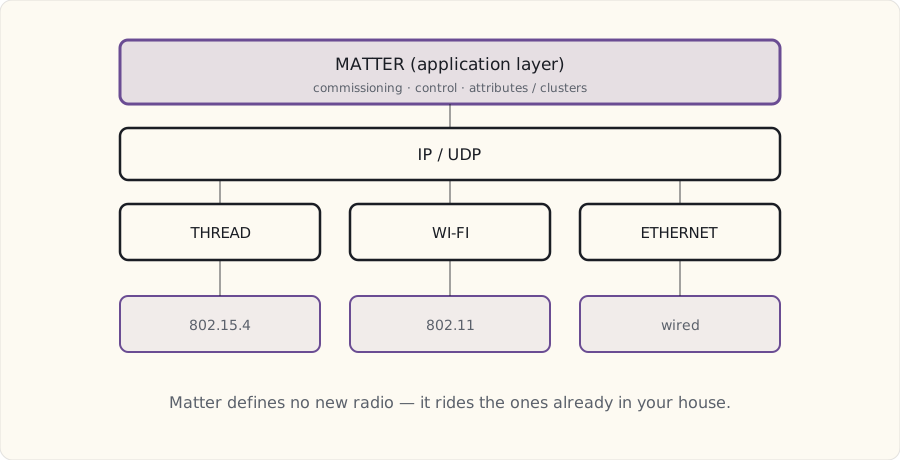
The data model is just Zigbee's, relabeled
Here's the part that told me Matter is real and not vaporware: its data model is lifted almost wholesale from the Zigbee Cluster Library. That's not an accident — the ZCL people became the Matter people. A Matter device exposes:
- Endpoints — each is a "feature" of the device (a two-bulb fixture has two endpoints).
- Clusters — groups of attributes and commands (identical concept to Zigbee).
- Attributes — state values:
OnOff,Brightness. - Commands — actions:
On,Off,Identify.
OnOff cluster (0x0006)
  Attributes: OnOff (bool, RW)
  Commands:   Off, On, Toggle
If you've written a Zigbee handler, this is your living room with the furniture moved. The CSA deliberately didn't throw out decades of cluster tooling, which means a Zigbee device's cluster definitions wrap into a Matter device with minimal translation. That's a huge tailwind for adoption and the reason I believe the device flood is actually coming this time.
Commissioning — the one thing it genuinely fixes
The headline feature, and the one I actually care about: commissioning, and multi-fabric commissioning. A Matter device pairs into an ecosystem with a single QR code or pairing code, and — the part that matters — it can be joined to several ecosystems at once.
1. New device shows a QR code (packaging or on-screen).
2. Phone (iOS or Android) scans it.
3. The QR encodes: device discriminator, passcode, vendor ID.
4. Device is already broadcasting in commissioning mode (on Thread or Wi-Fi).
5. Phone discovers it, runs a passcode-authenticated handshake (PASE/CASE).
6. Device is fabric-joined.
7. Repeat for another ecosystem — the device joins multiple fabrics at once.
That last step is the whole point. Today, a bulb picks a side: it's a HomeKit bulb or a Google bulb. A Matter bulb can be in Apple Home (for Siri), Google Home (for Assistant), and Home Assistant (for local automation) simultaneously. The device stops being a hostage to one ecosystem. After ten years of buying two of everything to dodge that exact trap, this is the feature I'll judge Matter on.
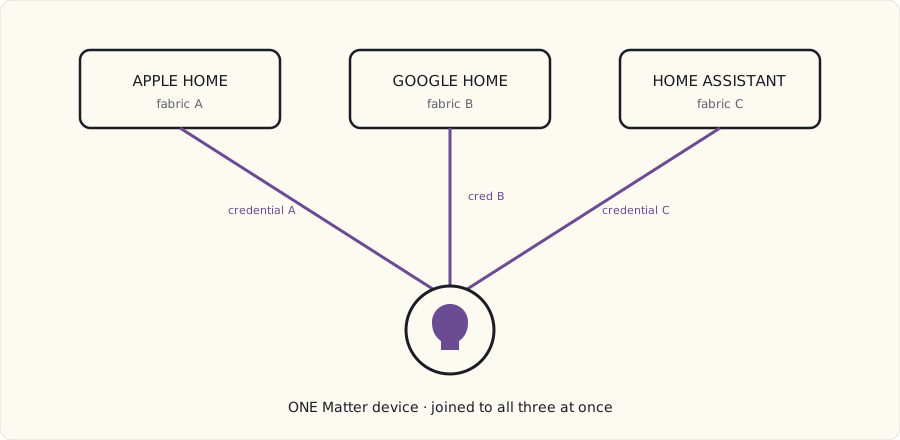
Thread, briefly — the new mesh underneath
Thread is the IPv6 mesh many battery Matter devices ride. It shares the 2.4 GHz 802.15.4 PHY with Zigbee but is otherwise a different animal — IPv6/UDP network layer, different security model. The properties worth knowing:
- IPv6-native. Every Thread device has a routable address; no NAT.
- Self-healing mesh. Any mains-powered Thread device can route. Battery devices are "sleepy end devices."
- Border Routers bridge Thread to the rest of your IP network. Today that's an Apple TV 4K, a HomePod mini, a Nest Hub Max, an Echo (4th gen), or an Aqara M2.
- Battery life beats Zigbee — years on a coin cell rather than the one-to-two I've measured on Zigbee sensors.
One Border Router gives you a Thread network. Add more for coverage and redundancy; they self-discover and form one mesh.
The four things Matter does not solve
This is where I part ways with the launch-day enthusiasm. Matter fixes commissioning. It does not fix these, and pretending otherwise will burn you:
1. It doesn't replace Zigbee or Z-Wave. Existing Zigbee devices keep talking to existing coordinators. Matter is an additional path, not a migration. Bridges (Aqara's M2, eventually Hue's) expose existing Zigbee gear into Matter — they don't convert it.
2. It doesn't do cameras. Matter 1.0 covers lighting, locks, thermostats, sensors, plugs. Cameras are on the 1.x roadmap, not in this release. Reolink, Ring, and Arlo keep doing their own thing for the foreseeable future.
3. It doesn't end vendor differentiation. A Hue bulb advertised as Matter still has Hue-specific behavior behind vendor-extended clusters. "One protocol, every device identical" is not the reality; vendors still differentiate, and the interesting features live in the extensions.
4. It doesn't make ecosystems share logic. This is the subtle one. Apple Home, Google Home, and Alexa each keep their own state graph. Control a Matter bulb from Apple Home and Google Home sees the new state — but not the automation that set it. Each ecosystem still runs its own routines independently. Matter syncs state, not intent.
And a fifth, for me specifically: it doesn't help my Z-Wave gear at all. Z-Wave is structurally outside Matter. A "Matter bridge" for Z-Wave is conceivable but doesn't exist yet.
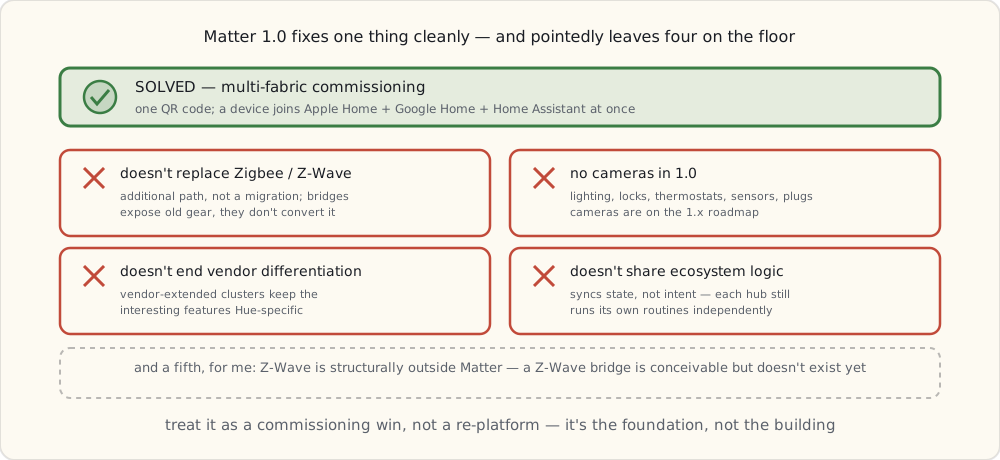
What I'd tell a team — and what I'm doing
- Treat Matter as a commissioning win, not a re-platform. If your pitch is "Matter unifies everything," you've already overpromised. The honest, durable claim is "Matter lets a device join every ecosystem at once." Sell that; it's enough.
- A Border Router is the prerequisite, not the bulb. No Thread Border Router, no Thread Matter devices. Buy the infrastructure before the gadgets.
- Wait out the first firmware wave. Early Matter devices will ship buggy, the way every 1.0 does. Six months of other people's bug reports is cheap.
- Don't rip anything out. A working Zigbee/Z-Wave install owes you nothing. Matter is additive; let it earn its place one device at a time.
Concretely, for my own house: I'm buying one Aqara M2 ($60) for the closet — it's both a Zigbee bridge for my existing Aqara sensors and a Thread Border Router, so it earns its slot twice. I'm not replacing the Hue bridge (it already does everything I need; Matter changes nothing for Hue today). And I'm watching Home Assistant — Matter support isn't in the current 2022.11 release, but it's clearly the next thing they're building, so I expect to be able to commission a Matter device locally within a release or two.
What I'm betting
- By end of 2023: Matter devices outsell pure-Zigbee in new sales.
- By end of 2024: Home Assistant's Matter support is my primary unifier, replacing the per-protocol-bridge tangle I run now.
- By end of 2025: new installs bridge legacy Zigbee/Z-Wave through Matter — but existing installs like mine keep running side by side for five-plus years.
Long arc. Worth following.
Useful reading
- The Matter spec: a free 800-page PDF at developer.csa-iot.org.
- Thread: threadgroup.org.
What's next
I'll write this up again once there are actual Matter devices on my network and a Border Router in the closet — probably summer 2023, once the firmware-wave dust settles. For now the bigger project on the bench is the new build: we bought the lot, and I'm about to get to design a connected house from the studs out instead of retrofitting one.
 Part 48 of 61
 2022 review — Matter shipped, the LoRa garden worked
Matter 1.0 ratified on schedule. The LoRa garden ran a full season unattended. Frigate's face recognition slipped to next year. And the biggest news isn't a gadget — we bought a lot, and I get to wire a house from the studs out.
Every December I score last year's forecast honestly — the misses included — and then bet on the next twelve months. This year the scorecard is solid, but the headline isn't on it. The headline is that we bought a lot, and 2023 is the year I stop retrofitting and get to wire a house from the studs out.
First, the receipts.
Scoring the 2022 forecast
| Prediction | Confidence | Outcome | Verdict |
|---|---|---|---|
| Matter 1.0 ships, products by Q4 | 75% | CSA ratified Oct 4; the big four committed Nov 3. Products thin so far | ✓ |
| Frigate 0.12 + proper face recognition | 65% | 0.11 shipped (Sept); face-rec still isn't native — only bolt-on via DoubleTake. 0.12 slipped to 2023 | ✗ (partial) |
| New-house build planning starts | 90% | Plans drawn, lot purchased in October, framing Q2 2023 | ✓ |
| ESPHome keeps exploding | 95% | 22 ESP devices now, up from 14 | ✓ |
| Aqara Matter-bridge for Zigbee | 70% | M2 hub shipped; Matter-via-firmware arriving Q4 | ✓ |
| Home Assistant Yellow ships | 80% | Shipped; it's the primary HA host now | ✓ |
| A DIY weather station | 60% | Half-built. The wind/rain sensors are still in a box | ✗ (partial) |
| Tesla Powerwall in the plan | 50% | Talked myself out of it — going natural-gas standby instead | ✗ |
5.5 of 8 = 70%. The two partials are both timing, not bad calls: Frigate's face recognition is real, it just isn't native yet, and the weather station is a weekend I never spent. The clean miss is the Powerwall — I forecast it at a coin-flip and then the math on solar-plus-storage for our climate didn't close, so the new build gets a natural-gas standby generator instead. Honest is honest.
The Frigate line deserves a footnote, because it's the kind of thing I'd want a teammate to flag rather than fudge: I scored myself a "0.12 with face recognition." What actually landed in 2022 was 0.11, in September, which added sub-labels — the hook that lets an external recognizer like DoubleTake (running CompreFace under it) write a name back onto an event. That's face recognition you wire up yourself, not face recognition in the box, and the 0.12 release that's supposed to clean it up is now a 2023 problem. So: partial, not a hit. I bought a second Coral in December anyway, betting on 0.12 landing early next year.
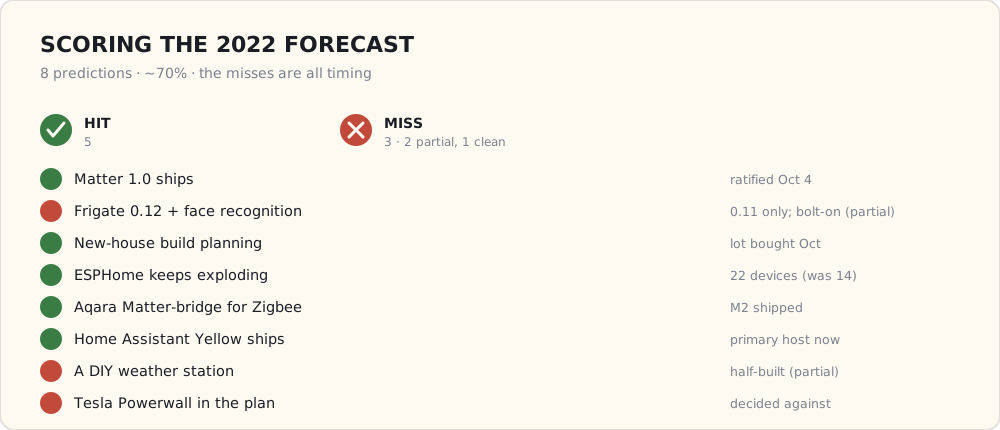
What got added this year
- LoRa garden irrigation — the project I'm proudest of. Eight RAK soil sensors and three B-Hyve valves, talking LoRa to a gateway, watering off real soil-moisture data instead of a dumb timer. Ran a full season unattended and skipped watering through the wet weeks on its own.
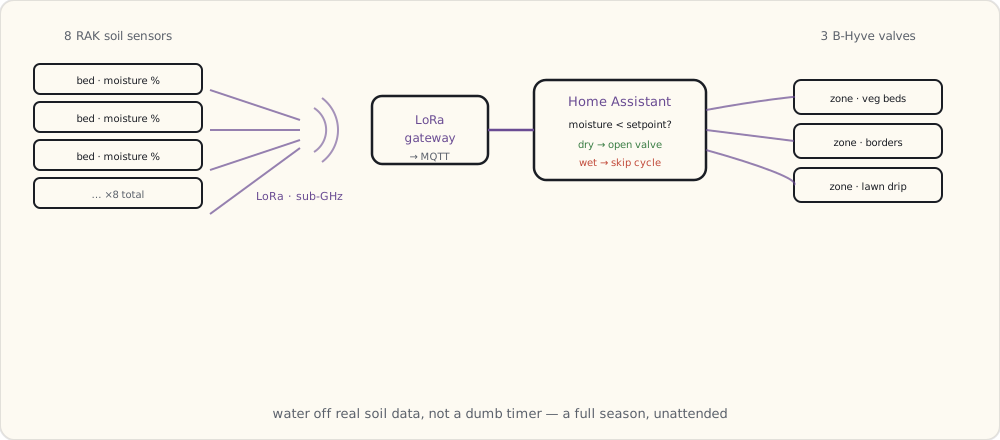
- 22 ESPHome devices total, eight added this year: outdoor temp/humidity, plant moisture, a garage-door reed switch, and a mailbox-open detector.
- Aqara M2 hub (December) as the Thread Border Router — and a Zigbee bridge for my existing Aqara sensors, so it earns its slot twice.
- Home Assistant Yellow running HA OS, which replaced the Pi 4 as the primary host.
- A second Coral USB (December) for the Frigate box.
The big news: we're building
We bought a lot in October. Construction starts Q2 2023. A custom build is the first time I get to design a connected home from the wires up instead of fishing Cat6 through finished walls and apologizing to drywall. Every stud is, briefly, an opportunity — and every opportunity I miss before the drywall closes is a $400 retrofit later. So most of my 2023 is going to be a wire spec.
Forecast for 2023
- New-house construction, Q2–Q4. (95%) The lot's ours; the plans are approved.
- A structured-wiring and PoE backbone, designed before framing. (100%) Every room gets at least two Cat6 drops; the garage and outdoor zones get PoE conduit. This is the buildable-once decision and I will not get it wrong.
- A Samsung Bespoke kitchen suite. (90%) Fridge, oven, dishwasher, washer/dryer in matching panels — the Family Hub fridge carries the touchscreen.
- First Matter devices on the network. (85%) A few Eve sensors, a Nanoleaf bulb, maybe a thermostat — once the firmware wave settles.
- A Frame TV in the great room. (80%) Art display that doubles as a SmartThings hub.
- HA migrates to the new house, Q4. (95%) Physically move the Yellow plus the Z-Wave stick and the Sonoff dongle; re-install most sensors.
- A wall-mounted dashboard on every floor. (80%) Three iPad-mini dashboards, minimum.
- The current house's gear migrates with us. (100%) The devices come; the wiring obviously doesn't.
What I'm buying in 2023
A 1,000-foot box of Cat6. Eight PoE cameras for the new place (five now, three new zones). The Samsung Bespoke suite. A 65-inch Frame TV. Ten or so in-wall keystones. And a 24-port managed PoE switch — a UniFi 24-PoE-Pro, most likely, in the structured-wiring closet.
What's next
The very next post is the one I've wanted to write for a decade: the full connected-home wire spec for the build, drop by drop, before a single stud goes up. After ten years of retrofits, this is the buildable-once chance to get it right.
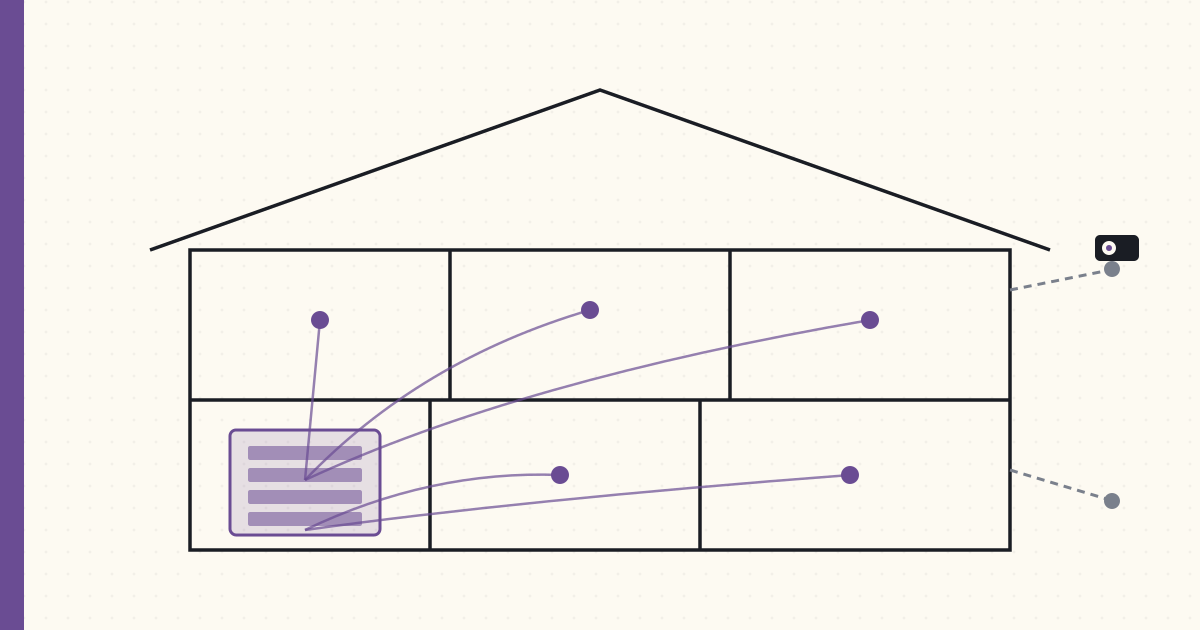 Part 49 of 61
 Designing the new build for the wires, from day one
Framing starts in six weeks. Cat6 in an open wall costs $40 a drop; Cat6 fished through finished drywall costs $400. Tonight I finished the wire spec — every drop, every conduit, every switch box — because this is the one decision you can't redo.
Framing starts in six weeks. Tonight I finished the connected-home wire spec for the build — every Cat6 drop, every PoE camera location, every conduit run, every smart-switch box. After ten years of retrofitting a finished house, I finally get to do it in the right order, and the math is brutal enough that I treated tonight like an exam: anything I forget now is a $400 retrofit later, and some of it isn't retrofittable at any price.
The governing number, the one I taped above the desk: $40 per Cat6 drop in an open wall, ~$400 per drop fished through finished drywall. Everything below is downstream of that ratio.
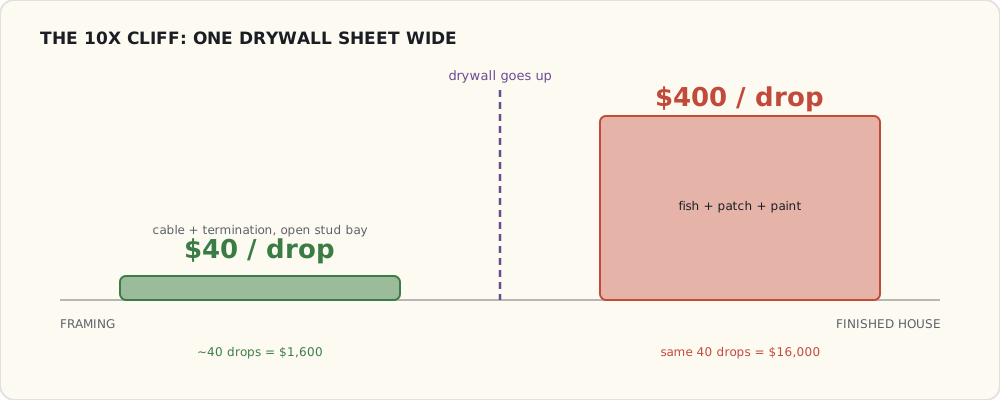
The structured-wiring closet — the brain
A climate-controlled corner of the basement utility room becomes the head end. It gets a duct stub off the HVAC because a 24-port PoE switch and a NAS throw real heat, and a Z-Wave lock on the door with a sign that says "do not unplug anything."
- 24-port managed PoE switch (UniFi 24-PoE-Pro) — every camera and every fixed device home-runs here.
- 36-port Cat6 patch panel — terminate everything in one place, labeled.
- Rack-mounted Home Assistant host — the HA Yellow moves here at first and gets replaced by a rack box when it's cramped.
- PoE injector for the LoRa gateway — the garden network comes along to the new house.
- UPS (CyberPower CP1500AVRLCD) — switch, HA host, and modem ride through a blip.
- 2× Synology NAS — one for camera recordings, one for everything else.
This closet is non-negotiable infrastructure. Wireless gear is a tenant; the closet is the landlord.
Cat6 drops, by room
Home-run topology — every drop goes back to the patch panel, no daisy-chaining, no in-wall switches. A drop is cheap insurance against a future device I can't predict tonight.
| Room | Cat6 drops | Notes |
|---|---|---|
| Living room | 4 | TV + AVR + Apple TV + future camera |
| Kitchen | 3 | Frame TV + Family Hub fridge + future tablet |
| Master bedroom | 2 | TV + future PoE camera |
| Office | 4 | Desk + Apple TV + wall display |
| Garage | 3 | Camera + future EV charger telemetry + workshop PC |
| Each bedroom | 2 | TV + future device |
| Mechanical room | 2 | HVAC controller + standby-generator transfer-switch monitor |
| Outdoor zones | 6 | PoE cameras (4) + LoRa gateway antenna run (2) |
About 40 drops. ~$1,600 in cable and termination at $40 each. The alternative — retrofitting any of these after drywall — is ~$400 a drop, so the same 40 drops becomes $16,000. That's not a close call; that's the whole argument for doing it now.
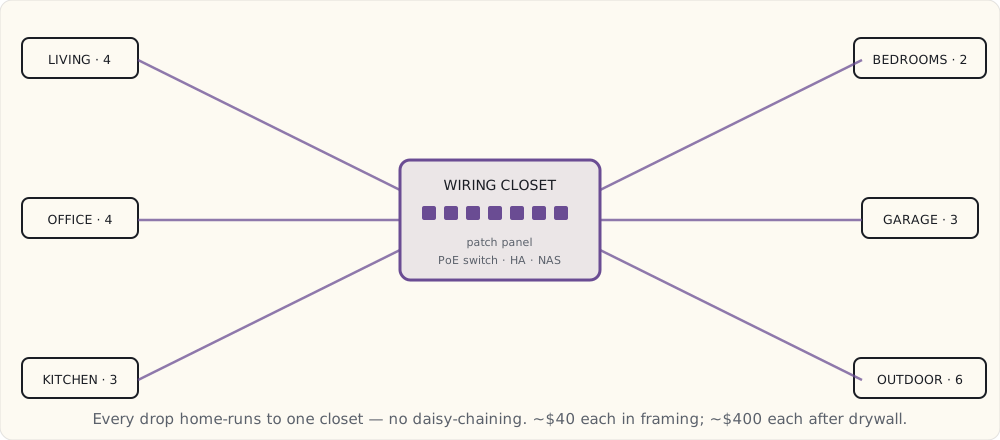
PoE cameras, planned during framing
Camera placement is a framing decision because the Cat6 has to leave through an exterior wall, and you only get to do that cleanly once:
- Front entry — above the door, ~10 ft, covering porch and walkway.
- Side yard — garage-roof corner, looking down the driveway.
- Backyard — under the eave, covering deck and lawn.
- Pool fence — pool-deck corner, covering the pool and the back gate.
- Garage interior — in the rafters, both bays plus the workbench.
- Doorbell — replacing the standard button and chime at the front door.
Six locations planned, four cameras installed at move-in, all home-run on Cat6 to the basement switch and recording locally through Frigate — no camera-vendor cloud, same as the current house.
Conduit — the "I don't know yet" insurance
A 1.5" smurf tube runs from the closet up to the attic, and from the attic out to the places I can't predict tonight but refuse to wall off:
- Each exterior camera location — so a future camera move is a pull, not a demolition.
- The garage — a future EV charger needs a 60 A circuit and low-voltage Cat6 for charger telemetry.
- The pool equipment pad — Cat6 plus 24 V for pool automation.
Conduit is the humility line item: it's me admitting I can't foresee everything, and buying the right to be wrong cheaply. The electrician hated the conduit runs and I paid for the labor anyway.
Smart-switch boxes
Two requirements on every box:
- Neutral wire in every box. This is code for new construction (NEC 404.2(C), in force since the 2011 cycle), and the builder's first quote tried to skip it "since you're using LED bulbs." Insisted. A neutral is what lets a smart switch power itself without flickering the load, and it's free to run during rough-in and impossible to add later without opening walls.
- Deeper boxes — 4" single-gang, 5" double-gang. Smart switches are physically deeper than dumb ones; the standard 2.5" boxes in the original plan won't physically close over a Lutron or Z-Wave switch.
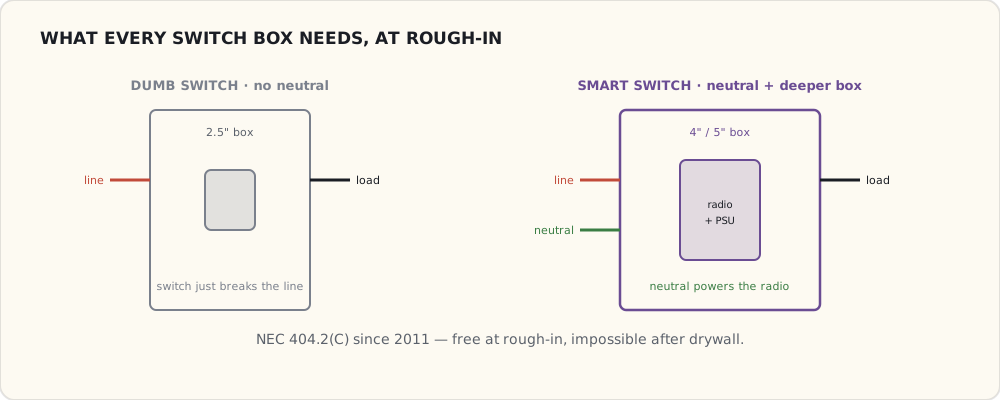
I'm running Lutron Caséta in-wall switches throughout, same as the current house, so the dimmers and the muscle memory both carry over. The Lutron Smart Bridge Pro 2 ($250, the rack-mount one with the integration API) goes in the closet and bridges into Home Assistant locally.
Outdoor wiring
The exterior gets its own spec, all run before the siding goes on:
- A Cat6 stub at each soffit corner — future cameras.
- A switched outlet at each landscape-lighting transformer — Z-Wave control of the landscape lights.
- A Cat6 + 12 V stub at the deck — future outdoor speaker and sensor cluster.
- A 24 AWG signal pair to the mailbox. Yes, I'm wiring the mailbox — a reed switch on the door for a "mail delivered" notification. I've wanted it for ten years; this is the year I stop pretending it's silly.
The appliances that bring SmartThings into the house
The kitchen is the one place a second ecosystem shows up, and it's worth being precise about how it connects, because SmartThings changed underneath everyone this year.
The Samsung Family Hub fridge has a 21" touchscreen, runs Tizen, and talks to SmartThings. To support it: a dedicated 20 A circuit (it draws more than a screenless fridge), a Cat6 drop behind it (Ethernet beats Wi-Fi for the camera and voice features), and a filtered water line. The catch I'm watching: Samsung shut down the legacy Groovy cloud platform at the end of 2022 and moved everything to Edge drivers — Lua that runs locally on a SmartThings hub instead of in their cloud. That's a genuine improvement for latency and reliability, but it means anything I integrate has to be on the new Edge stack, and I'm not assuming a 2021 community DTH will still work. My plan is to keep the fridge on its own SmartThings island and bridge the handful of states I care about into HA, rather than make SmartThings load-bearing.
The Frame TV goes on the great-room wall as art display and primary screen. It wants Cat6 plus HDMI from a separate AVR location, the "One Connect" cable run through the wall, and a recessed outlet for a clean back. The 2022-and-later Frames can act as a SmartThings hub — which, post-Groovy, means a hub that runs Edge drivers locally — so the Cat6 drop is what keeps that option open. I'm wiring for it without committing the house to it.
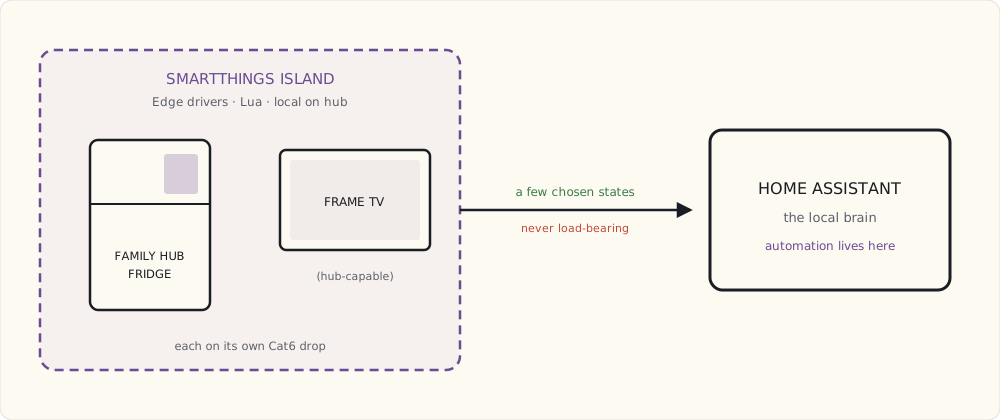
What I'm deliberately not wiring
- Ceiling speakers in every room. Whole-house audio is a '90s idea; AirPlay 2 and Sonos cover it. Ceiling speakers only in the office, for calls.
- Coax to every room. Nothing uses it. One drop in the great room for emergencies; done.
- Telephone wiring. No.
- A whole-house FM antenna. My old house had one. Hilarious. No.
Where the builder pushed back
- 40+ Cat6 drops. The electrician quoted 12 and asked why I needed so many. Long conversation about future-proofing; won by paying for it.
- The conduit runs. Same conversation, same outcome.
- Neutrals in every box. Code in 2023, but the quote tried to omit them. Insisted.
- Deeper boxes throughout. Standard 2.5" everywhere in their plan; I pushed to 4" and 5".
The builder now introduces me as "the connected-home guy." I'm tipping the electrician at the end, because every one of these fights is one I'd rather win in framing than regret through drywall.
What I'll write next
Quarter by quarter through the build:
- July 2023 — the structured wiring, conduit, and PoE backbone, as actually installed.
- October 2023 — the Family Hub fridge in the finished kitchen, and whether SmartThings Edge lives up to the local-first promise.
- December 2023 — the year in review.
 Part 50 of 61
 Structured wiring + conduit + PoE backbone for framing
Framing finished last week. Today I walked the house with the low-voltage installer and signed off on every Cat6 run, every conduit, every PoE drop.
Framing done last week. Today I walked the house with the low-voltage installer, signed off every Cat6 run, every conduit, every PoE camera location. Drywall starts Monday.
This is the structured-wiring as-installed.
The numbers
- 42 Cat6 drops (2 more than planned — added one at the dining banquette and one in the master closet).
- 12 conduit runs (smurf tube, 1.5" interior, 2" exterior penetrations).
- 6 PoE camera locations wired (4 to be installed at move-in, 2 reserved).
- 3 Cat6 backbone runs from the structured wiring closet to the second-floor hub and the garage hub.
- 1 LoRa gateway antenna run (Cat6 + N-connector coax to the attic — gateway in closet, antenna in attic for range).
- Mailbox sensor pair (22 AWG, 60 feet, conduit to the curbside).
Total cable installed: about 4,200 feet. About $1,400 in materials + labor was included in the construction quote (negotiated up from $800 — the builder's default was 12 drops).
The structured wiring closet — actual layout
+------------------------------------+
| UPS (CyberPower CP1500)           |
+------------------------------------+
| 24-port PoE switch (UniFi)         |
| - Ports 1-6: cameras (PoE)         |
| - Ports 7-12: room drops           |
| - Ports 13-24: reserved / patch    |
+------------------------------------+
| 36-port Cat6 patch panel           |
+------------------------------------+
| Modem + main router (UDM Pro)      |
+------------------------------------+
| HA Yellow (DIN rail mounted)       |
+------------------------------------+
| Synology DS920+ (NAS)              |
+------------------------------------+
| Lutron Smart Bridge Pro 2 (rack)   |
+------------------------------------+
| LoRa gateway (RAK7268)             |
+------------------------------------+
| Power strip + cable management     |
+------------------------------------+
Located in the basement utility room next to the furnace. ~6 sq ft of dedicated closet. HVAC duct stub provides air circulation (the switch + NAS combined dissipate about 80W steady state).
The wiring topology is a home-run star — every drop returns to this one closet rather than chaining room to room:
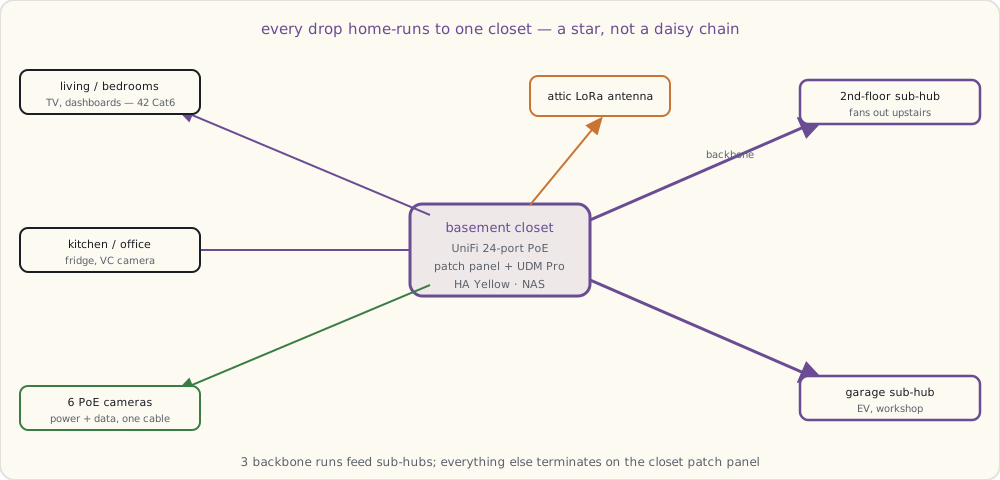
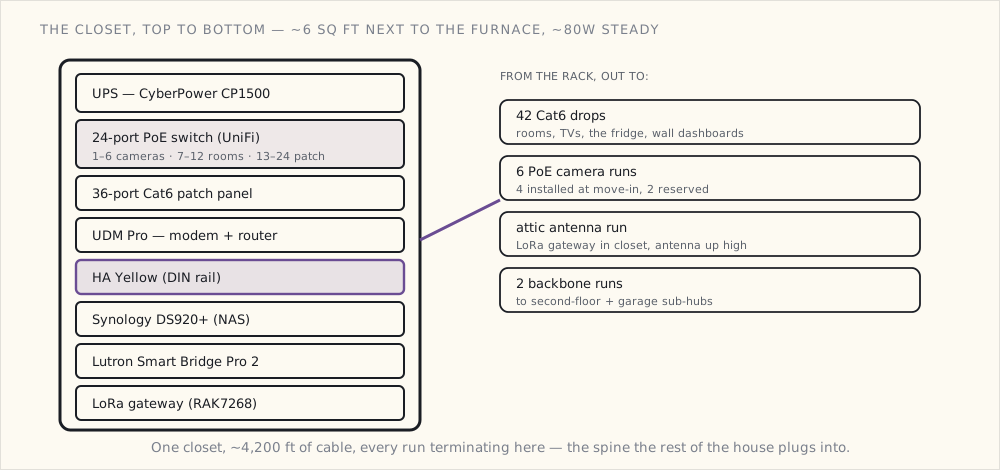
Conduit runs — what they're reserved for
- Structured wiring closet → attic (1.5"): future runs to dormer-mounted cameras or weather stations.
- Structured wiring closet → garage (1.5"): future EV charger + workshop computer.
- Attic → front roof eave (2"): two PoE cameras + future doorbell PoE.
- Attic → side roof eave (2"): future floodlight cameras.
- Attic → back roof eave (2"): backyard cameras + speaker locations.
- Garage → exterior corner (2"): garage-corner PoE camera + future driveway sensor.
- Basement → mechanical room (1.5"): future smart appliance / Tesla Powerwall comms.
- Mechanical room → pool equipment pad (2"): future pool automation + camera.
- Mailbox conduit (1"): existing 22 AWG; reserved for future cameras + Wi-Fi node.
- Office walls → ceiling (1"): future video-conferencing camera install.
- Living room ceiling → wall (1"): future ceiling speakers (if I change my mind).
- Kitchen wall → ceiling (1"): future kitchen camera.
The conduit isn't filled. Each run is empty smurf tube with a pull string. Adding a Cat6 in 2027 means: feed cable + pull string + termination. 30 minutes vs full rewire.
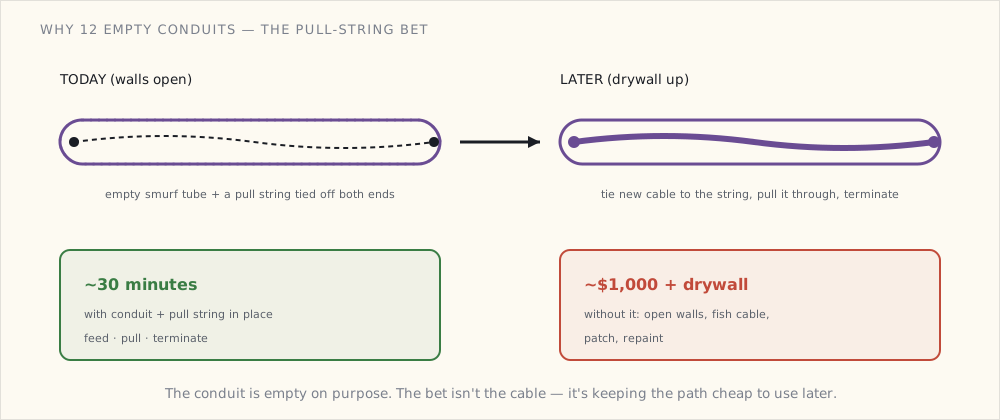
Cat6 termination — what's actually in each room
Per-room, the drops terminate at low-voltage RJ45 keystone wall plates:
Living room (4 drops):
- Behind TV (2 drops: TV + Apple TV)
- Behind soundbar
- Side wall (future camera or game console)

Master bedroom (2 drops):
- Behind TV
- Side wall (future device)

Office (4 drops):
- Desk wall (3: laptop dock, secondary monitor, IP phone)
- Opposite wall (1: video conferencing camera)

Kitchen (3 drops):
- Behind fridge (Samsung Family Hub Ethernet)
- Frame TV wall (for the Frame's One Connect)
- Banquette (future tablet display)

Garage (3 drops):
- Workbench (1)
- EV charger location (1)
- Ceiling for future camera (1)

Each bedroom (2 drops each, 3 bedrooms):
- Behind dresser (TV / future device)
- Wall by closet (future device)

Mechanical room (2 drops):
- HVAC zone controller
- Future Powerwall API or similar
Total: 42 active terminations + ~10 reserved unterminated (cables pulled, pigtail in the wall for future cutover).
Smart switch box prep
Every switch box (about 60 total in the house):
- Neutral wire brought in. NEC 404.2(C) makes this code; my builder's electrician put one in every box per spec.
- 4" deep single-gang boxes throughout (vs the standard 2.5" deep). Allows Lutron Caseta or any current/future smart switch to fit without cramping.
- 5" deep double-gang in the master switch banks (kitchen scenes, living room scenes).
The deeper boxes added ~$2 per box on materials. Builder's electrician thought it was overkill. I disagree.
Smart switch protocol: Lutron Caseta throughout — same as my current house, same Lutron Smart Bridge Pro 2 (the rack-mount version) will manage the whole house.
Outdoor wiring
The exterior of the house has separate considerations:
- PoE cameras at four exterior corners (4× Reolink RLC-820A planned), each on a Cat6 run from the structured wiring closet.
- Soffit-corner spare Cat6 stubs at 4 additional corners (future camera capacity).
- Landscape lighting transformer with a Z-Wave switch.
- The mailbox sensor pair runs in conduit to the curb. Mailbox interior gets a reed switch on the door + an ESP-based sender that sleeps and wakes on door open.
The audit walk
Today the low-voltage installer and I walked every room before drywall:
- Confirmed each drop is in the right wall + at the right height.
- Confirmed conduit pull strings are present + tied off.
- Tested every Cat6 run with a cable tester ($30 device, checks continuity + miswiring).
- Photographed every wall before drywall for as-built documentation.
Three drops failed the tester (one cable nicked during framing, two miswires). Re-terminated on the spot.
What I forgot until the audit
The audit caught two things that would have been retrofits:
- No Cat6 in the powder room. Originally figured a powder room doesn't need it. The installer asked "what about a smart mirror with display?" I added a drop.
- No conduit from the laundry room to the attic. Considered "the laundry room is mostly self-contained." Audit reminded me that a future "is the dryer vent clogged" temperature sensor or air-quality monitor might want a wire path. Added a conduit run.
Two things that I should have caught in the original plan. Caught at the audit instead. Forty minutes of additional labor; would have been a $1000 retrofit later.
What's next
- Drywall, paint, trim: through August.
- Cabinets, appliances: September.
- Move-in target: October.
- First Samsung Family Hub fridge in the new kitchen: October.
- Connected home migration from old house: October-November.
The structured wiring is the foundation. Everything else is software now.
 Part 51 of 61
 First Samsung Family Hub fridge — kitchen has an OS
Samsung Bespoke 4-Door Flex with Family Hub installed. 21" touchscreen on the front door. SmartThings integrated. Talks to the Frame TV.
Samsung Bespoke 4-Door Flex with Family Hub installed in the new kitchen last Thursday. RF29A9675AP/AA — the 29 cu ft model with the 21" touchscreen on the front-right door.
A week of family use. Notes.
What the Family Hub actually does
- 21" touchscreen running Tizen OS. Same OS family as my Frame TV.
- Three interior cameras — look at what's in the fridge without opening the door, via the screen or via the SmartThings app on the phone.
- SmartThings hub — the fridge IS a SmartThings hub. Has a Zigbee + Z-Wave + Matter radio combo, talks to other SmartThings devices on the LAN.
- AI Vision food recognition — the cameras try to identify foods, track expiration dates, suggest recipes based on what's in the fridge.
- Family calendar / notes / sticky-notes — synced via Samsung's cloud with phones.
- Music + speaker — Bluetooth audio output, internal speakers, Bixby voice assistant (mediocre).
- Mirroring to Frame TV — the Family Hub display can mirror to my Frame in the great room, e.g., showing a recipe while you cook.
- Standard fridge functions — water + ice dispenser, four temperature zones, beverage center.
The SmartThings hub function
This is the part I care about most. The Family Hub fridge contains a SmartThings hub. It can join my existing SmartThings ecosystem (now revived for this purpose) and talks to:
- Zigbee 3.0 devices (radio + protocol stack on the fridge itself).
- Z-Wave Plus devices (also on the fridge).
- Matter devices via Thread / WiFi (fridge is a Thread Border Router).
The fridge replaces my old SmartThings hub for these protocols. Which means the LoRa gateway + Sonoff ZBDongle-E + Aqara M2 are all still serving their roles (separate Zigbee networks for the LoRa garden sensors, ESPHome devices, Aqara devices), but the Family Hub is the "SmartThings-blessed" hub.
I'm bridging the fridge's SmartThings to Home Assistant via the HA SmartThings integration. HA gets the device list; can issue commands. Latency 1-2 seconds (cloud-mediated for the SmartThings integration).
Tested: from Home Assistant, I can read the fridge's interior temperature (38°F), receive door-open events, see beverage-center temp (34°F), and (via the SmartThings API) trigger ice-maker on/off.
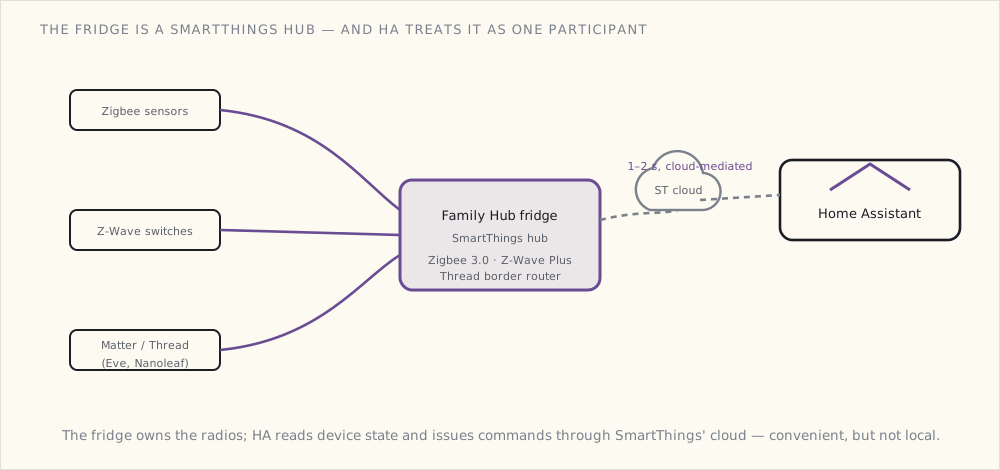
The cooking integrations
This is where Samsung's tightly-integrated approach starts to pay off:
- Recipe display from the fridge screen → mirror to Frame TV. Open a recipe on the fridge's 21", tap the cast button, the recipe appears on the 65" Frame TV across the room. Read while cooking from the stove, hands free.
- Pre-heat the oven from the fridge. Samsung connects the Bespoke oven to the SmartThings hub on the fridge. Tap "preheat to 425" on the fridge screen → oven starts.
- Timers across devices. Start a timer on the fridge, hear it announce on the Frame TV, see it on phones.
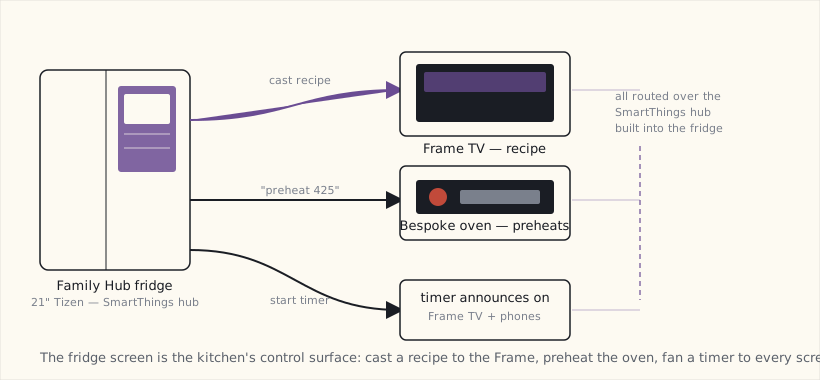
The first time my wife pre-heated the oven from the fridge screen, she said "huh, that actually works." Coming from someone who doesn't normally engage with smart-home stuff, this is high praise.
The Family Hub display interface
The screen runs Tizen with a custom Family Hub launcher. Apps:
- Fridge interior cams — three cameras showing the inside.
- Calendar — Google Calendar + Samsung Calendar both sync.
- Notes / Memo — shared family note-taking with handwriting.
- Family Board — kids' drawings, photos, sticky notes.
- Mirror display — show a phone screen on the fridge.
- Browser — recipe sites, mostly.
- Music — Pandora + Spotify integration.
Most-used: the calendar + memo + interior cams. The cams sound gimmicky but it's actually useful — "what do we have?" without opening the door, especially when the kids have left it open enough times that you don't want to encourage that habit.
Privacy considerations
The fridge phones home extensively. Samsung's privacy policy is broad. Family Hub features require Samsung account login + cloud sync.
I'm running it with:
- Family Samsung account is a dedicated email (not personal); the Samsung cloud doesn't see personal Google data.
- AI vision food recognition: enabled (cloud-side ML) — the "what's in your fridge" claim requires this.
- Cameras: enabled but on the local SmartThings VLAN; phone-app access works through SmartThings cloud (not Samsung's direct).
- Bixby voice assistant: disabled. The Echo + Google Home in the kitchen are the voice assistants.
The fridge is on the IoT VLAN with limited internet egress — only the Samsung domains needed for app function. About 1.5 MB/day of data uploaded to Samsung. Acceptable.
What's gimmicky
- AI Vision food recognition. Identifies maybe 40% of items in the fridge correctly. Asparagus consistently classified as "lemongrass." Expiration tracking requires manual override often enough that it's not worth it.
- Bixby voice on the fridge. Bad enough that I disabled it.
- Anime sticker family chat features. No comment.
What's not gimmicky
- The SmartThings hub built into the fridge. Removes one box from the closet (well, would have, except I keep the others for redundancy + separate Zigbee networks).
- The interior cameras. Used daily.
- The recipe mirror-to-Frame. Used multiple times per week.
- Pre-heat the oven from anywhere in the kitchen. Used daily.
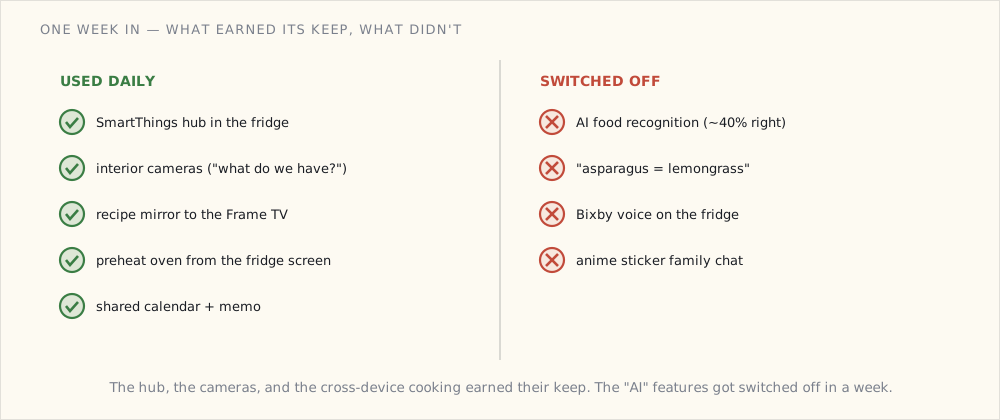
Where the Frame TV fits
The Frame TV in the great room (mounted opposite the kitchen) is the second screen. From the fridge: cast a recipe to the Frame. From the Frame: SmartThings hub (the Frame is also a hub) controls the kitchen lights via SmartThings. From either device: see camera feeds.
The Frame + Fridge + Frame TV ecosystem is the first time I've had three SmartThings hubs cooperating in one house. Samsung's integration story is genuinely tight. The rest of the Bespoke kitchen — oven, dishwasher, washer/dryer — gets its own post once it's installed, and the Frame TV ecosystem deserves a write-up of its own too.
What broke during install
- The water line install — the previous-house's water filter wasn't compatible. Installed a new under-sink water filter; ran a 1/4" PEX line to the fridge.
- Initial Family Hub setup wanted internet access before I'd configured the IoT VLAN firewall rules. Temporarily allowed broader access, then locked down after setup.
- HA SmartThings integration broke during the migration — the old hub's token was tied to the old hub. Re-authorized the integration with the Family Hub's hub ID.
Nothing serious. The fridge has been running 7 days. Glad I got the 21" model.
What's next
- The full Samsung Bespoke kitchen write-up (oven, dishwasher, washer/dryer) once those are installed.
- A dedicated Frame TV ecosystem post.
- Eventually: a "Matter at the appliance level" post if and when Samsung exposes the appliances over Matter — the appliance device types aren't in the spec yet, so this one's a wait-and-see.
 Part 52 of 61
 2023 review — built the house, kitchen has an OS
Construction finished. Move-in October. Family Hub fridge running. 42 Cat6 drops paying off already. 2022 forecast scored 85%.
Scoring the 2022 forecast
| Prediction | Confidence | Outcome | Verdict |
|---|---|---|---|
| New house construction | 95% | Yes — moved in October | ✓ |
| Structured wiring + PoE backbone | 100% | 42 Cat6 + 12 conduit + 6 PoE camera locations | ✓ |
| Samsung Bespoke kitchen | 90% | Fridge in (October); rest comes early 2024 | ✓ (partial) |
| First Matter devices | 85% | 3 Eve sensors + 1 Nanoleaf bulb live in HA via Matter | ✓ |
| Frame TV in great room | 80% | Yes, installed November | ✓ |
| HA migrates to new house | 95% | Yes, October | ✓ |
| Wall-mounted touchscreens | 80% | 2 of planned 3 installed; office one delayed | ✓ (partial) |
| Old-house gear migrates | 100% | All Z-Wave + most Zigbee migrated | ✓ |
6.5/8 = 85%. Best year since 2013 (also 83%). Construction-driven predictions are easier — you control the budget and timeline.
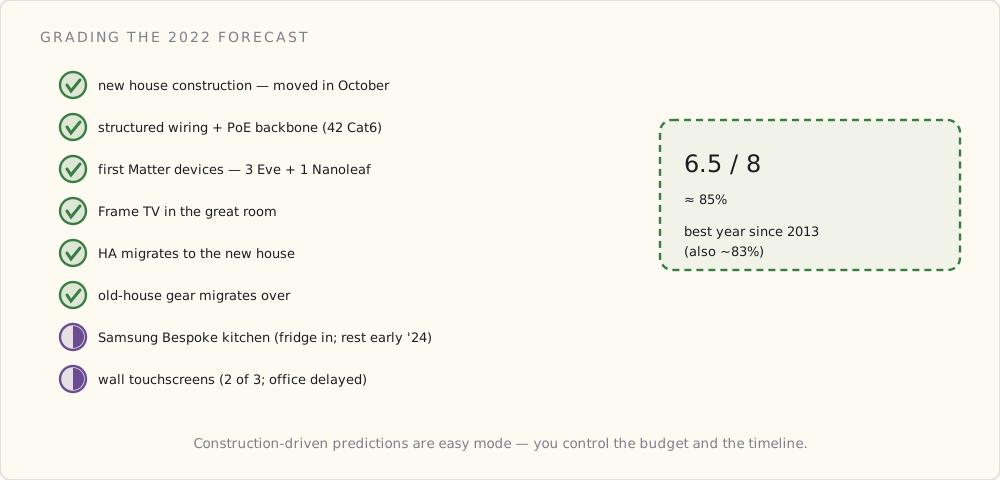
What got added in the new house
Beyond the structured wiring + Family Hub fridge already documented:
- Lutron Caseta Pro 2 Smart Bridge (rack-mounted in closet). 40+ Caseta switches throughout the house.
- UniFi 24-port PoE switch + UDM Pro router in the closet.
- HA Yellow mounted in the closet (DIN rail).
- 6 Reolink PoE cameras: front, side, back, garage interior, doorbell, pool fence.
- Frame TV 65" (great room) with mounted-flush install. SmartThings hub function active.
- Samsung Galaxy Tab A8 wall-mounted (kitchen) running Fully Kiosk Browser with HA Lovelace.
- iPad mini 6 wall-mounted (master bedroom) — second dashboard.
- 3 Eve Matter motion sensors — first real Matter devices. Joined HA via the Matter beta integration.
- 1 Nanoleaf Matter bulb — testing Matter Light cluster compatibility.
- DIY ESPHome sensors — 24 total in the new house (up from 22 in the old).
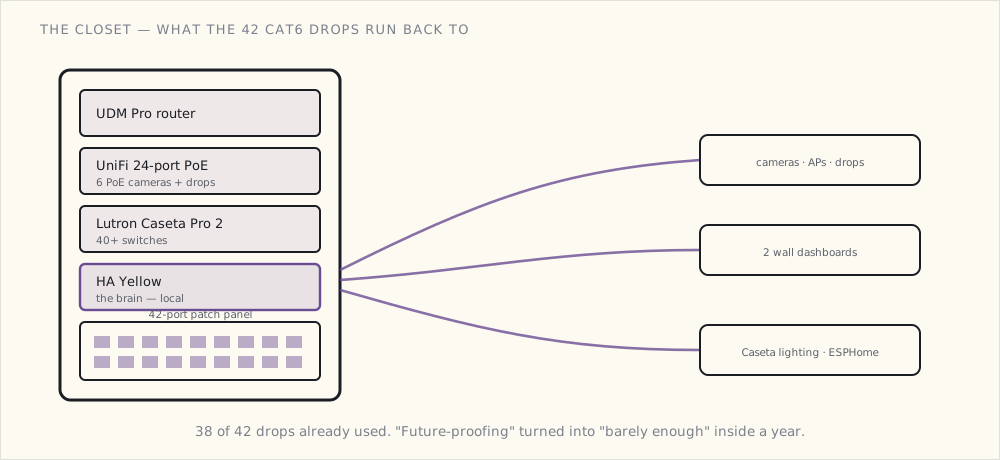
What works year-end
- Local-first survives the move. During the move week, the home network was flaky (cable provisioning); all the local automations kept running.
- Family Hub as a SmartThings hub. Bridged into HA.
- Frame TV as a secondary SmartThings hub. Mostly used for casting from the Family Hub.
- 42 Cat6 drops. Already used 38 of them. The "future-proofing" is paying off.
What didn't (yet)
- The mailbox sensor. ESPHome firmware works but the LoRa coverage from the structured-wiring closet to the curb (60 ft, through the house wall + landscaping) isn't reliable. Going to try a different antenna mount in spring.
- The pool fence camera. Installed, but the angle is wrong — too much fence in the frame, not enough pool. Re-mounting in spring.
Forecast for 2024
1. Full Samsung Bespoke kitchen — oven, dishwasher, washer/dryer. (Confidence: 95%) Already on order. March install.
2. EV charger install. (Confidence: 85%) Tesla Wall Connector or Wallbox Pulsar — undecided. April-ish.
3. Matter devices proliferate. (Confidence: 80%) By end of 2024, 20+ Matter devices in the house probably. Locks (Eve), sensors (Eve, Aqara), thermostats (Ecobee gets Matter), bulbs (more Nanoleaf).
4. Frame TV ecosystem post. (Confidence: 95%) Mid-year — the Frame as household display surface + SmartThings hub + media player.
5. The third wall-mounted dashboard (office). (Confidence: 80%) Promised, delayed; doing in Q1.
6. AI sensor classification in Frigate. (Confidence: 60%) OpenCV / DeepStack alternatives mature; getting "the cat is on the kitchen counter" detection working.
7. Tesla Powerwall reconsidered. (Confidence: 40%) Decided against in 2022 but the natural-gas generator's monthly maintenance + emissions are nagging. Re-evaluate.
8. A second LoRa gateway. (Confidence: 65%) For redundancy + extending range further into the yard.
What I'm buying in 2024
- Samsung Bespoke Oven (NE63B8211SS/AA) + Dishwasher (DW80B7070US/AA) + Washer/Dryer (WF50A8800AV/A5).
- EV charger (Tesla Wall Connector, 48A, gen 3) — once the panel upgrade goes through.
- ~10 more Matter devices as they ship.
- A second Coral if needed.
 Part 53 of 61
 Samsung Bespoke oven + dishwasher + washer/dryer
Three more Bespoke appliances installed. Slide-in induction oven, dishwasher, washer/dryer combo. All on SmartThings, all on the Family Hub fridge.
Three more Samsung Bespoke appliances installed today. The kitchen + laundry suite is complete.
The hardware, briefly
- Bespoke Slide-In Induction Range NSI6DG9100MS — induction cooktop (5 zones) + convection oven + smart cooktop control via app/SmartThings.
- Bespoke Dishwasher DW80B7070US — third-rack, smart water sensor, AutoOpen door at end of cycle, WiFi + SmartThings.
- Bespoke Front-Load Washer + Dryer WF50A8800AV + DV50A8800AV — paired wash/dry, FlexWash dual-load, AI-based smart cycle selection.
All four appliances + the Family Hub fridge connect to the same SmartThings account, exposed to HA via the SmartThings integration.
What the oven actually does over the network
The induction oven exposes several connected features through SmartThings:
- Preheat from elsewhere. "Hey Family Hub, preheat the oven to 425°F." Oven beeps when ready. Saves the time you'd spend running across the kitchen.
- Temperature probe with notify. Stick the included Wi-Fi temperature probe into the roast, set target temp (e.g., "med-rare beef = 130°F"). Phone push notification when reached.
- Multi-mode cooking from the app. Convection bake, convection roast, air-fry mode — selectable from the SmartThings app while you're still at the grocery store mid-shopping.
- Cycle complete notification. Doesn't replace the buzzer; adds a push.
The induction cooktop is not networked controllable for individual burners (safety concerns I'd agree with — you don't want random web hits turning on a burner). The temperature control is local-only. SmartThings sees cooktop state (on/off, current power level) read-only.
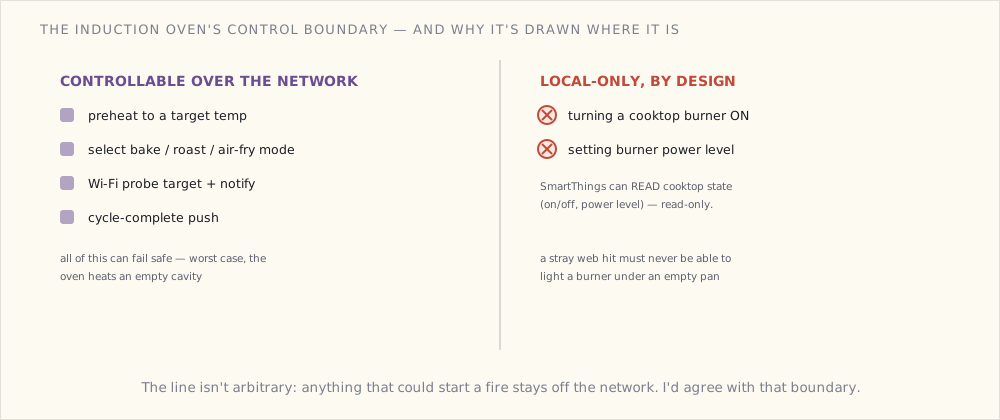
The HA automations on the oven
- alias: "Oven: preheating, announce on Echo"
  trigger:
    - platform: state
      entity_id: oven.bespoke_main
      attribute: status
      to: "preheating"
  action:
    - service: notify.alexa_media_kitchen
      data:
        message: "The oven is preheating to {{ state_attr('oven.bespoke_main', 'set_temperature') }}."

- alias: "Oven: probe target reached, push to phones"
  trigger:
    - platform: state
      entity_id: sensor.oven_probe_target_reached
      to: "on"
  action:
    - service: notify.mobile_app_luke_iphone
      data:
        title: "Oven probe target reached"
        message: "Probe at {{ states('sensor.oven_probe_temperature') }}°F"
    - service: notify.alexa_media_kitchen
      data:
        message: "The probe target temperature has been reached."
The probe-target-reached notification is genuinely useful. Used to mean checking the meat thermometer every 15 minutes during a long roast; now I get a push when it's actually done.
The dishwasher's clever thing
The Bespoke dishwasher has AutoOpen — at the end of a cycle, the door pops open about 6 inches to vent steam. Results: dishes are dry without the heated dry cycle running (saves ~30% electricity per cycle). Combined with the smart-water-sensor adaptive cycling, the dishwasher uses notably less water + power than the old one.
What's not clever: the dishwasher's SmartThings integration. Cycle start can be triggered remotely; cycle status is reported. But the "start cycle when off-peak electricity rates apply" automation I wanted requires solar / grid-tied panel monitoring I don't have yet. Adding that to the 2025 list.
The washer/dryer pair
The Bespoke laundry pair (washer + heat-pump dryer) are similar architecturally. Cycle status, cycle start, cycle complete notification all flow through SmartThings.
The wash-cycle complete notification is genuinely valuable. Used to mean "remember to move the laundry to the dryer" — now the phone pushes "wash cycle finished. Dryer is ready." Family forgets to swap loads less.
The dryer's smart-cycle-selection (it weighs the wet load to estimate run time) shaved ~25 minutes off the average dryer cycle vs the old time-based one.
The "kitchen + laundry as one system" win
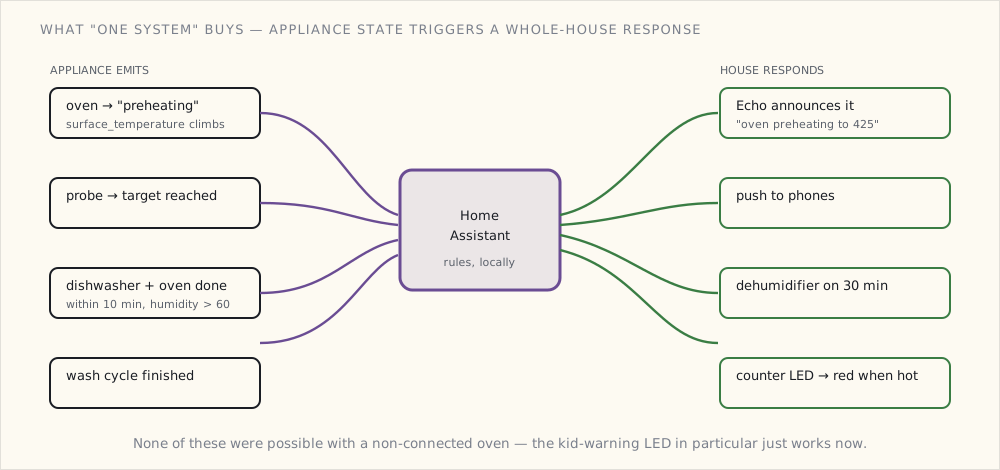
What's emergent from having all of these on one ecosystem:
# When the dishwasher and oven both finish within 10 minutes of each other,
# the dehumidifier kicks on (kitchen humidity spikes from steam + heat dissipation)

- alias: "Kitchen humidity event after big cleanup"
  trigger:
    - platform: state
      entity_id:
        - dishwasher.bespoke
        - oven.bespoke_main
      to: "finished"
  condition:
    - condition: numeric_state
      entity_id: sensor.kitchen_humidity
      above: 60
  action:
    - service: switch.turn_on
      data:
        entity_id: switch.kitchen_dehumidifier
    - delay: "00:30:00"
    - service: switch.turn_off
      data:
        entity_id: switch.kitchen_dehumidifier
# Kid-friendly: when the oven is on or hot, light up the kitchen counter LED strip in red

- alias: "Oven on → warning LED for kids"
  trigger:
    - platform: state
      entity_id: oven.bespoke_main
      attribute: surface_temperature
      above: 100   # cooktop or oven hot
  action:
    - service: light.turn_on
      data:
        entity_id: light.kitchen_counter_led
        rgb_color: [255, 50, 0]
        brightness: 150

- alias: "Oven cool → counter LED normal"
  trigger:
    - platform: state
      entity_id: oven.bespoke_main
      attribute: surface_temperature
      below: 50
  action:
    - service: light.turn_on
      data:
        entity_id: light.kitchen_counter_led
        rgb_color: [255, 200, 50]   # warm white
        brightness: 100
The kid-warning LED is the kind of automation that wouldn't have been possible with a non-connected oven. Now it just works.
Privacy posture
Same as the fridge: dedicated Samsung account, IoT VLAN with restricted egress, no Bixby. The appliances upload usage data to Samsung; in their privacy policy I've reviewed, it's claimed to be aggregated + anonymized for product improvement. I'm OK with this tradeoff for the integration benefits.
What still doesn't work
- The oven's "AI Cook" feature that tries to identify what you're cooking and suggest settings. Tried it three times. Identified "roast chicken" as "pizza" twice. Disabled.
- Cross-Samsung-appliance routines — Samsung's SmartThings Routines feature can chain appliance events ("dishwasher done → start washer cycle"). Setup is finicky in the SmartThings app; I rebuilt the same automations in HA where they're more testable.
- The Family Hub fridge interior cams accurately tracking food. Still mediocre. The mirror-to-Frame TV recipe display is the killer use; the AI food recognition isn't.
What's next
- The Frame TV ecosystem post, once I've lived with it long enough to have something to say.
- A "smart laundry chute" project — DIY ESP-based sensor to detect when the upstairs hamper hits a fullness threshold, push notify when full.
- Solar + battery system planning.
 Part 54 of 61
 Frame TV as household display — art, dashboards, hub
The 65" Frame TV has been the great room's center for eight months. Art display when off, TV when on, SmartThings hub always.
The 65" Frame TV (QN65LS03BAFXZA) has been the great room's center for eight months. Eight months of art-mode-by-default, TV-mode-on-demand, and SmartThings-hub-always-on. Time to write it up.
What the Frame TV actually is
- 4K QLED panel + matte anti-glare finish (intentionally non-shiny — looks like art on the wall when off).
- 5W ambient light sensor — adjusts brightness to match room ambient.
- Tizen 7.0 OS.
- SmartThings Hub built in (Zigbee 3.0 + Z-Wave + Matter Controller + Thread Border Router).
- 4× HDMI + 1× USB.
- One Invisible Connection cable (single thin cable handles power + signal, goes through the wall to a separate One Connect box).
The build-in hub is what made this the great-room TV pick. I evaluated LG OLED (better TV) and Sony Bravia (better motion handling). Both lacked the hub function. Samsung Frame won because of the hub + the art display, not because of TV quality (it's good but not best-in-class).
Art Mode — the killer "off" state
Most TVs when off are black rectangles. The Frame when off displays artwork:
- Browses a Samsung Art Store of ~1500 curated works (subscription: $4.99/mo).
- Or, uploads your own photos / paintings via the SmartThings app.
- Or, displays a slowly-rotating slideshow of personal photos.
Art Mode at 5-7W power draw. Compared to "TV off" at 0W, the always-on draw is real (~$12/yr at typical US electricity rates). Worth it for the room aesthetic.
I'm running a custom art rotation: 20% personal photos (kids), 30% landscape photography, 50% the curated art rotation. Changes every 4 hours.
The SmartThings hub function
This is the architectural decision. The Frame TV is now the second SmartThings hub in the house (the Family Hub fridge is the first). They form a single multi-hub SmartThings ecosystem:
- Zigbee devices can pair to either hub; routes through whichever is closer.
- Matter devices commission via either; both Thread Border Routers participate in the same Thread network.
- Z-Wave devices: each hub has its own Z-Wave network; can't merge yet.
The redundancy is real: if the fridge needs unplugging for service, the Frame TV's hub keeps lights + sensors running. If the Frame TV's One Connect cable gets bumped (which has happened twice), the fridge's hub picks up the slack.
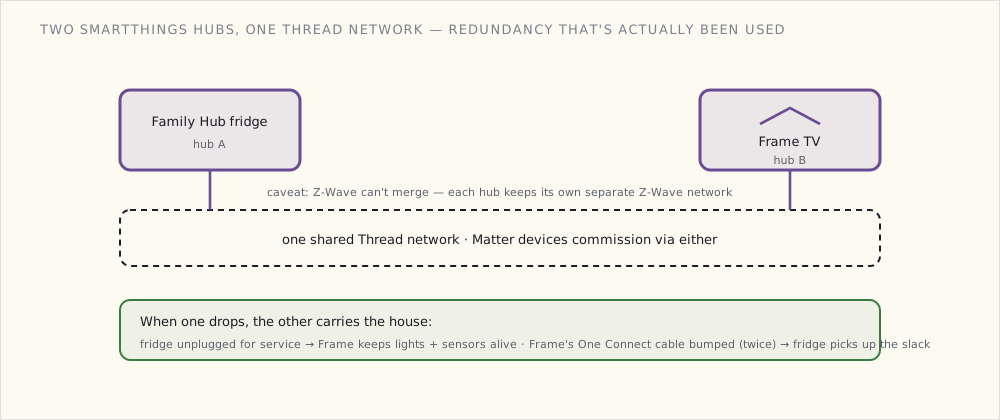
Casting from devices to the Frame
The Frame supports standard cast protocols:
- Apple AirPlay 2 — iPhone, iPad, Mac.
- Google Cast — Chrome browser, Android, Google Home.
- Samsung SmartView — Samsung devices.
- WebRTC via the integration I'm running in HA (for showing camera feeds).
Daily uses:
- Doorbell camera feed — when the doorbell rings, the Frame shows the camera. Same as the Google Home Hub displays, but on the 65" screen across the room.
- Recipe casting from the Family Hub fridge — cast to Frame, read while cooking from the stove (and the dining table).
- Photo sharing from family iPhones via AirPlay.
- YouTube + Plex via the Tizen native apps.
The Frame also supports HA cast — Home Assistant can push specific dashboard views or camera feeds to the Frame. Configured one for "house arrival mode":
- alias: "First arrival: show greeting on Frame"
  trigger:
    - platform: state
      entity_id: group.family
      from: "not_home"
      to: "home"
  condition:
    - condition: time
      after: "16:00"
      before: "20:00"
  action:
    - service: media_player.play_media
      data:
        entity_id: media_player.frame_tv
        media_content_type: "image/jpeg"
        media_content_id: "https://hass.example.com/local/welcome_home.jpg"
When someone gets home in the late afternoon, the Frame shows a personalized "welcome home" image for 30 seconds, then reverts to art mode.
What the Frame doesn't do well
- Voice control via Bixby. Same as the fridge — disabled.
- Audio quality. The TV speakers are fine for ambient sound, mediocre for actual TV. We run an Apple TV + Sonos Beam underneath the Frame for the audio path.
- Smart-home control via the SmartThings widget. The widget exists; the interface is poor. I use the kitchen iPad mini for direct HA control.
- Tizen apps update without notice. Three apps broke between firmware updates. Frustrating.
The integration loop, expanded
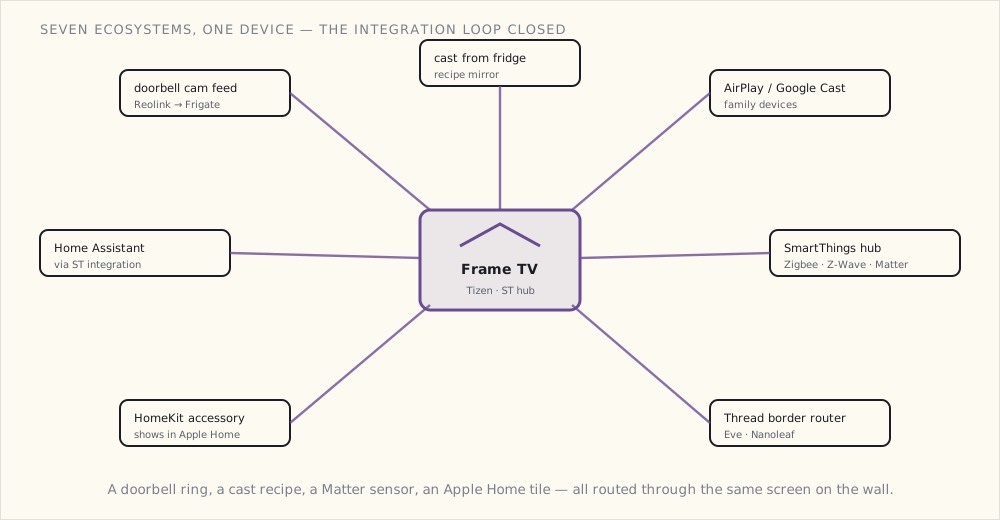
The Frame TV connects more loosely-coupled devices than any other appliance in the house:
- Receives doorbell camera feed (Reolink RVD via Frigate).
- Receives casts from the Family Hub fridge.
- Receives AirPlay/Cast from family devices.
- SmartThings hub for ~30 Zigbee + 5 Z-Wave + 12 Matter devices.
- Thread Border Router for the Eve sensors + Nanoleaf bulbs.
- HomeKit accessory in its own right — Samsung's Tizen sets expose the TV to Apple Home (power, input, volume), so the Frame shows up in the Home app alongside everything else.
- Sends events to HA via the HA SmartThings integration.
Seven different ecosystems participating through this one device. The integration loop closed.
What's next
- Matter's camera gap closing — eventually. Matter 1.2 (last October) and the just-released 1.3 still have no camera device type; the doorbell feed reaching this screen does it the un-Matter way, through Frigate and the HA cast integration. If a future Matter revision ever adds a camera cluster, the Frame TV's Matter Controller role expands a lot. No firm word on when — cameras have been "asked for, not scheduled" for a while now.
- A second Frame TV in the master bedroom (smaller, 50"). Same role; secondary hub.
- The SmartThings Edge driver framework — Samsung's been moving custom drivers to run locally on the hub instead of via the cloud. That's a big enough architectural shift that it's getting its own post once I've lived with it long enough to judge it.
The Frame as the household display surface is the new normal. Not just for movies. For everything.
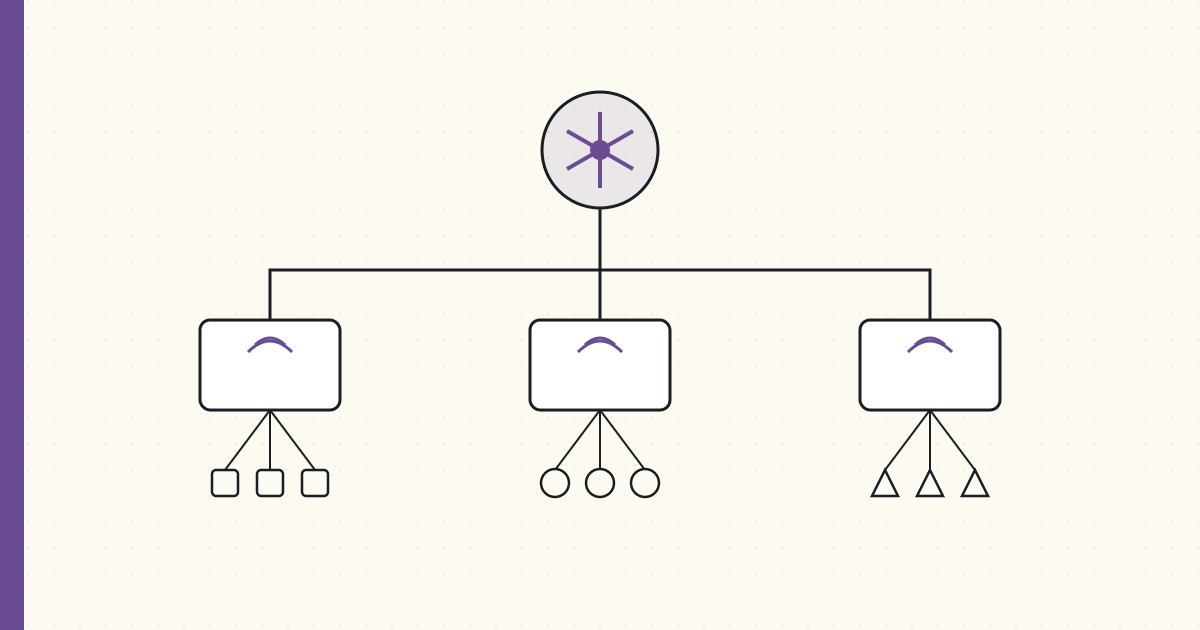 Part 55 of 61
 Bringing legacy Zigbee + Z-Wave devices onto Matter — the bridges
Two years after Matter 1.0, the bridge story is finally the useful part. A Matter bridge turns 'repurchase 200 sensors' into 'my existing sensors join Apple Home, Google Home, and Alexa through the hub they already talk to.'
When Matter 1.0 shipped in late 2022, the pitch I cared least about was "buy new Matter devices." I have a house full of Zigbee and Z-Wave kit that works. The pitch I cared about — and which barely existed at launch — was bridging: take the devices I already own and expose them to every ecosystem at once, without rebuying anything.
Two years on, that part finally works. I have three bridges running, and between them they put a few hundred legacy devices on the Matter fabric. Notes on each, and on the parts that still don't.
The bridge model, in one sentence
A Matter bridge is a device that already speaks some non-Matter protocol on one side — Zigbee, Z-Wave, whatever — and advertises everything behind it as Matter devices on the other. You commission the bridge once into a Matter fabric, and the controller (Apple Home, Google Home, Alexa) then sees each bridged device individually. No per-device pairing dance, no new hardware on the devices themselves.
That's the whole trick, and it's why bridging is the migration path that makes Matter useful rather than a reason to throw out a working house.
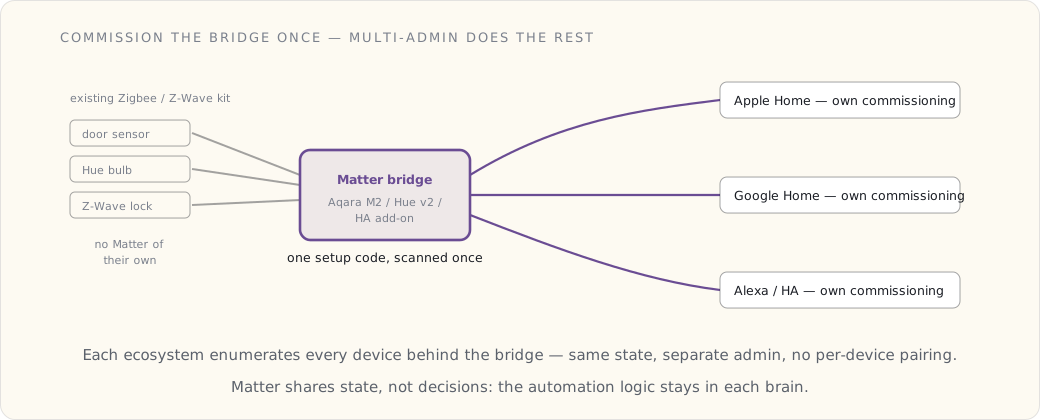
1. Aqara M2 hub → Matter
The Aqara M2 already manages my Aqara Zigbee devices — door/window sensors, vibration sensors, motion sensors. Aqara pushed a firmware update this summer that adds Matter support: the M2 now advertises itself as a Matter Bridge on the local network, exposing each Aqara Zigbee device behind it.
Commissioning it into Apple Home:
- The Aqara app generates a Matter setup code for the M2.
- Apple Home → Add Accessory → scan the code.
- Apple Home discovers the M2, asks whether to add the bridge, then enumerates the 23 Aqara devices behind it.
- Each device joins Apple Home individually.
Twenty-three devices in about five minutes. The same M2 is simultaneously commissioned into Google Home and Home Assistant — Matter allows a device into multiple fabrics at once (the multi-admin feature), so each ecosystem holds its own commissioning and observes the same device state.
The M2 is also a Thread Border Router, so new Matter-over-Thread devices (the Eve sensors) commission through the same box. Sixty-dollar hub, 23 existing Zigbee devices bridged to three ecosystems, plus a Thread router. Best $60 I spent on the house this year.
2. Hue Bridge v2 → Matter
Philips added Matter support to the Hue Bridge v2 firmware earlier this year. Same shape as the Aqara: the bridge exposes all the Hue bulbs and Hue Motion sensors as Matter devices.
- In the Hue app, enable Matter sharing → it generates a setup code.
- Apple Home scans, discovers the bridge, adds the devices.
- 14 Hue bulbs + 4 Hue Motion sensors, now visible in Apple Home alongside everything else.
The latency cost is real but small. A brightness change from Apple Home travels Apple Home → Matter → Hue Bridge → Zigbee → bulb, and lands in roughly 200 ms. Direct control through the Hue app is closer to 150 ms. You can measure the difference; you can't feel it.
3. Home Assistant as a Matter bridge
This is the one I care about most, and also the one with the asterisk.
HA has had a Matter controller for a while — it can join Matter devices the way Apple Home does. What changed this year is the other direction: a way to take entities Home Assistant already owns — Z-Wave, ESPHome, the LoRa garden sensors, custom integrations — and re-advertise them outward as Matter devices to other ecosystems.
The honest version: this is not a flip-a-switch core feature yet. It runs as a separate bridge service alongside HA (the community add-on built on the same python-matter-server project HA uses for its own Matter support). You point it at a list of entities, it stands up a virtual Matter bridge on the network, and you commission that into Apple Home / Google Home / Alexa with a generated setup code. You pick which entities to expose by domain or by name:
# bridge service config — expose a subset of HA entities as Matter
bridge:
  name: "Home Assistant Bridge"
  expose:
    - light.living_room
    - light.kitchen
    - lock.front_door          # Z-Wave Yale lock
    - sensor.garden_bed_1_moisture  # LoRa sensor
    - binary_sensor.front_door_contact  # Zigbee
    # ~40 entities total
Once it's up, each ecosystem sees those 40 HA entities as Matter devices. Apple Home renders my soil-moisture sensors as generic humidity sensors — close enough — and "Hey Siri, what's the moisture in garden bed 1?" actually answers.
The asterisk: it's an add-on, not core; the device-type mapping is imperfect (a soil sensor masquerading as a humidity sensor is the tell); and it's the piece most likely to need a restart after an HA upgrade. But the capability is the breakthrough — devices with no Matter support of their own get onto Matter through HA. A Z-Wave lock and a homemade LoRa sensor end up in Apple Home. That's the part Matter promised and bridges actually deliver.
What the bridges add up to
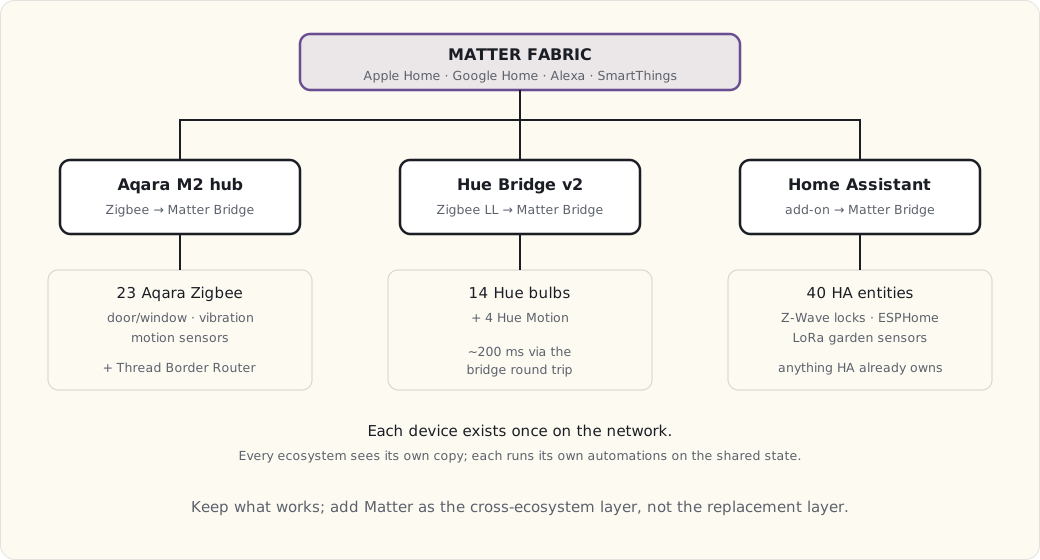
Each device exists exactly once on the network. Multiple ecosystems see it. Each ecosystem keeps its own automation logic. That last point matters and trips people up: Matter shares state, not decisions. A motion sensor's "occupied" propagates to every controller; the choice of what to do about it lives independently in each one.
What doesn't bridge yet
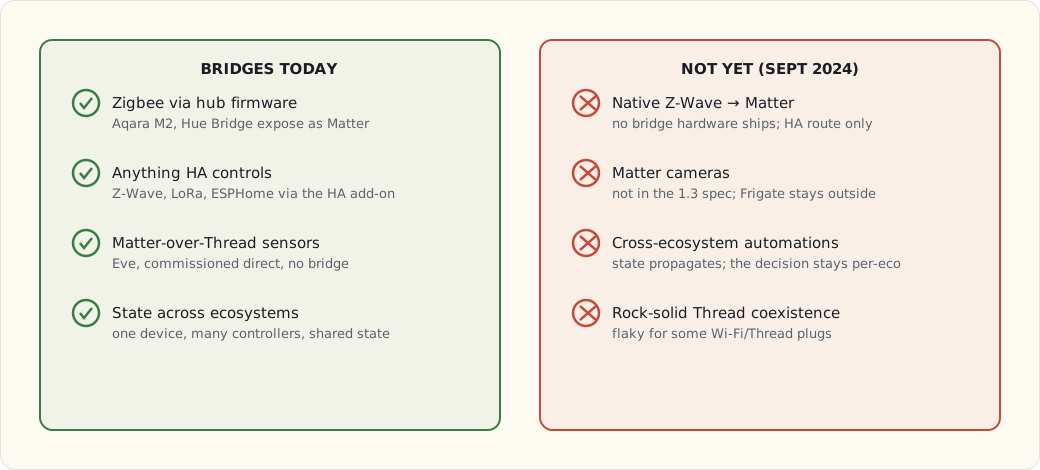
- Native Z-Wave → Matter. No Z-Wave-to-Matter bridge hardware ships. My Z-Wave devices reach Matter only through the HA route. (Z-Wave's governance and Matter's are different worlds; a clean native bridge is still a wish.)
- Matter cameras. Not in the Matter 1.3 spec. The Reolink cameras and Frigate stay outside the fabric, in HA, where they were anyway.
- Cross-ecosystem automations. As above — state crosses, logic doesn't. There is no "Matter automation" that fires in Apple Home off a Google Home condition.
- Thread coexistence for some Wi-Fi/Thread devices. The Thread mesh is rock-solid for battery sensors; a couple of the newer mains-powered Thread plugs are flaky enough that I left them on Wi-Fi.
The migration call I actually made
I decided not to repurchase devices for Matter-native support. The Aqara, Hue, and Z-Wave kit is reliable; the bridges expose it; that's enough.
What I am buying Matter-native, going forward: Eve sensors (already have a few — they're excellent), Eve Energy plugs for power monitoring, the odd Nanoleaf bulb, and new thermostats whenever the Ecobees age out.
What I'm not rebuying: the 23 Aqara sensors, the 18 Hue lights, the Z-Wave plugs and locks, the LoRa garden sensors. They're bridged, they work, and rebuying them as Matter devices would buy me nothing.
The point of Matter in this house isn't the replacement layer. It's the cross-ecosystem layer.
What I'd tell a team
- Bridge before you rebuy. The math almost never favors replacing a working sensor fleet to get a native Matter SKU. A $60 hub firmware update beats $2,000 of new sensors.
- Expect state, not orchestration. If your mental model is "Matter unifies my automations," reset it. It unifies visibility. Automations stay in whichever brain you trust — for me, that's HA.
- The HA-as-bridge path is powerful and rough. Treat it as the escape hatch for orphaned protocols (Z-Wave, LoRa, ESPHome), not as your primary plumbing, and expect to babysit it across upgrades.
- Mind the Thread/Wi-Fi split. Sensors love Thread; some mains devices don't yet. Don't force it.
What's next
I now have four Matter/Thread border routers in the house (Aqara M2, Hue Bridge, an Apple TV 4K, the Frame TV), with another hub on the shopping list. The bridge model is the right architectural pattern two years into Matter — not "Matter replaces everything," just "Matter exposes everything to everything." Next I want to push the HA bridge the other way, into SmartThings, so the Samsung side of the house sees HA-managed devices too — which lands me squarely in SmartThings' local story, and that's its own post.
 Part 56 of 61
 2024 review — Bespoke kitchen, Frame TV, Matter bridges
The new-house era of automations has run 14 months now — long enough to see what holds. Full Bespoke kitchen and laundry, three Matter bridges live, the EV charger in. Local voice still isn't it.
Fourteen months into the new house now. Long enough that the automations have stopped being a project and started being plumbing — the test I actually care about. A thing is done when nobody in the family mentions it anymore, because it just works. By that measure, 2024 was the year the kitchen finally went quiet.
Scoring last year's forecast
I grade these honestly every year — the point is to catch myself being optimistic, not to look good. These are the eight calls I made for 2024 in last December's review.
| Prediction | Confidence | Outcome | Verdict |
|---|---|---|---|
| Samsung Bespoke kitchen complete | 95% | Yes — March | ✓ |
| EV charger | 85% | Tesla Wall Connector 48A installed June | ✓ |
| Matter devices proliferate | 80% | 18 devices + 3 bridges live | ✓ |
| Frame TV ecosystem post | 95% | June post shipped | ✓ |
| Third wall-mounted dashboard | 80% | Office one finally up (July) | ✓ |
| AI sensor classification in Frigate | 60% | DoubleTake + CompreFace tested, mediocre — not deployed | ✗ |
| Tesla Powerwall reconsidered | 40% | Considered, again decided against — generator stays | ✓ (no, as predicted) |
| Second LoRa gateway | 65% | Yes, added at the garden edge | ✓ |
6/8 = 76%. Within the band I usually land in. And the two misses are the same miss: both were bets that the AI-on-camera layer would mature enough to deploy. It didn't. That's worth flagging as a pattern, not a one-off — the hardware in this house lands on schedule; the intelligence layer keeps slipping a year.
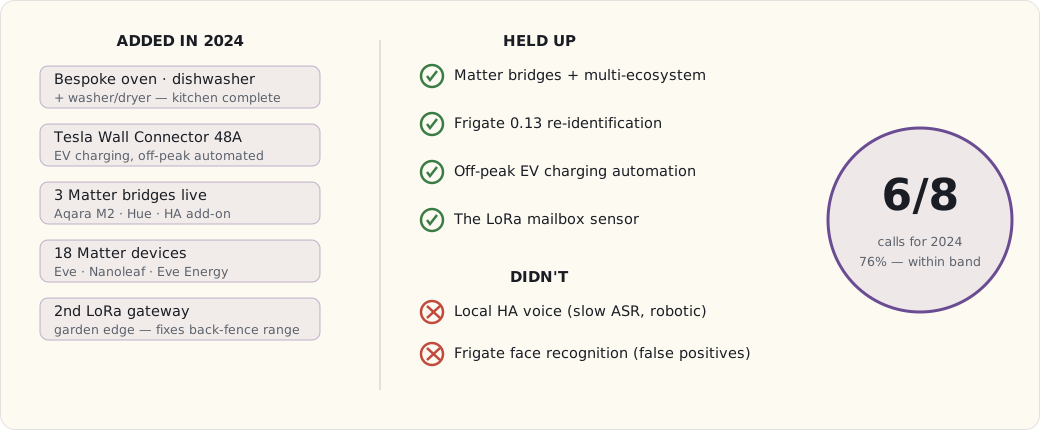
What got added in 2024
- Samsung Bespoke oven, dishwasher, washer, and dryer. The kitchen and laundry are now fully connected. Whether that matters is a separate question I keep poking at.
- EV charger — Tesla Wall Connector 48A, in since June.
- Three Matter bridges, live: the Aqara M2, the Hue Bridge, and the Home Assistant add-on bridging everything else. (How each one works.)
- 18 Matter devices — Eve sensors, Nanoleaf bulbs, Eve Energy plugs.
- Second LoRa gateway at the garden edge, which fixed the dead spot at the back fence I'd been living with.
- HA's local voice assistant, experimental — Whisper for speech-to-text, Piper for the voice, both running on the box. Early days. More below.
What held up at year-end
- Matter bridges plus multi-ecosystem visibility. Apple Home, Google Home, HA, and SmartThings all see the same devices now, each through its own commissioning. After years of "which app controls this bulb again," that's the quiet win of the year.
- Frigate 0.13's re-identification. A person walks porch → driveway → side yard and gets tracked as one event instead of three. The difference between a useful notification and a stream of noise.
- EV charging automation — charges 11 PM to 6 AM on the off-peak rate unless I've told it I'm leaving early. SmartThings reads the Tesla state through the unofficial integration; not robust, but it's held.
- The mailbox sensor. Running since spring once I repositioned the antenna and got the LoRa range back. Small thing, disproportionate satisfaction.
What didn't
- Local HA voice for daily use. The all-local stack (Whisper + Piper) carries about three seconds of ASR latency, and the Piper voices are robotic enough that the family won't use it. The idea — voice that never leaves the house — is exactly right. The execution isn't there yet.
- Frigate face recognition. Tried DoubleTake and CompreFace. The false-positive rate was high enough that the feature was worse than not having it. Pulled both.
The shape of the year, in one picture — and the same shape that's held for a while now:
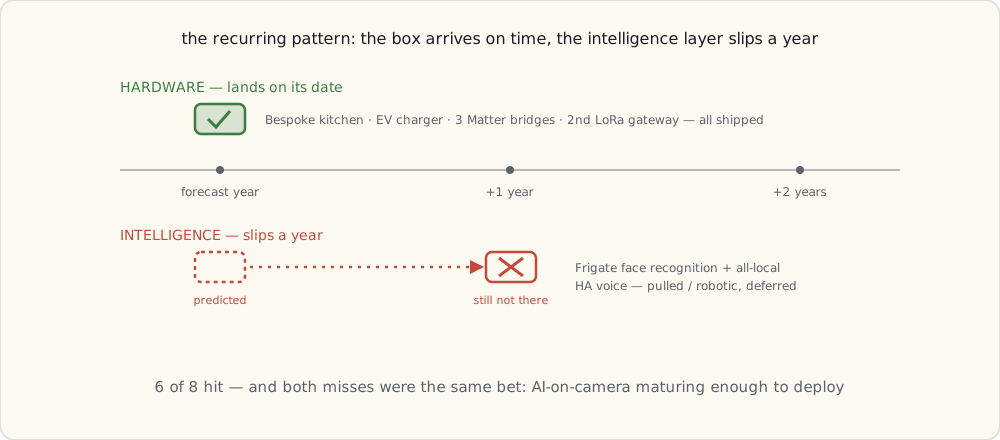
Forecast for 2025
The standing rule on these: I keep the forecasts even when I get them wrong, because the misses are the most useful part to reread later.
1. A SmartThings local-execution post. (95%) Samsung's been pushing custom drivers down onto the hub itself for a couple of years now — rough at first, but it's worth a real write-up on whether the cloud-dependency complaint that drove me off SmartThings in 2017 still holds.
2. Robots — Roomba + Braava routines. (90%) The iRobot pair has been part of the family for years and the routine integration has never gotten its own post. Overdue.
3. Frame TV + kitchen appliance sync, improved. (85%) The Bespoke ecosystem is genuinely starting to couple — appliances talking to screens. Worth documenting what actually earns its keep versus what's a demo.
4. The long-arc retrospective. (100%) Thirteen years of these posts. Sometime around November, a look back across the whole arc.
5. Matter camera support in some products. (70%) Matter 1.4 was ratified in November; camera support is the obvious next thing the spec needs. Whether it ships in consumer products in 2025 is the open question.
6. HA voice gets usable. (50%) Faster Whisper models, better Piper voices, and HA's Wyoming protocol maturing could close the gap. Coin flip.
7. Solar + Tesla Powerwall, reconsidered yet again. (30%) Probably still no. The generator keeps winning the math.
8. End-of-2025 review. (100%) The pattern continues.
The eight ranked by confidence — and you can see last year's lesson sitting at the bottom:
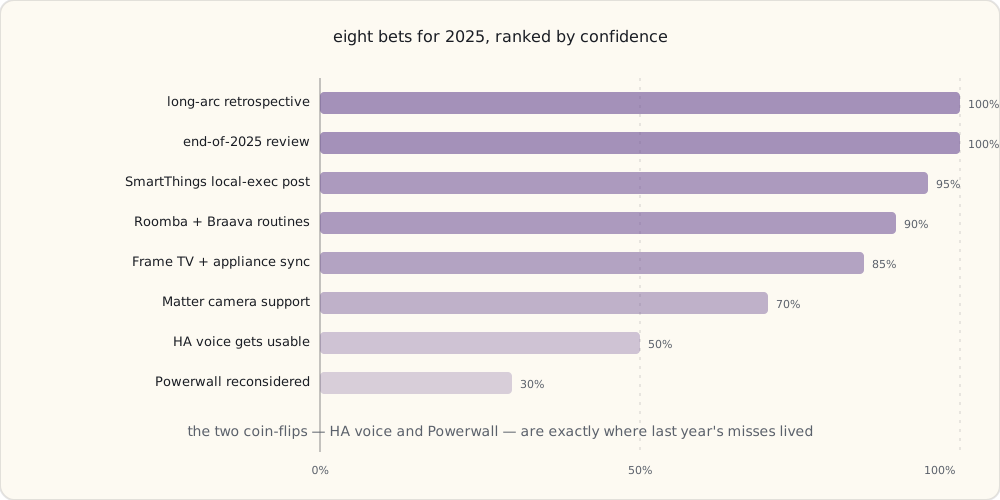
What I'm buying in 2025
- A couple of Matter cameras, if and when they ship.
- A pair of Aqara HomeKit Secure Video upgrades for the doorbell.
- More ESP32-based DIY devices as needs come up.
- An HA Green or another HA Yellow as a cold spare — the one piece of infrastructure I don't want to be without.
The honest summary of 2024: the house got more connected and, for the first time, slightly calmer for it. The bridge layer is why. Next year's question is whether the intelligence layer — voice, vision — finally catches up to the plumbing.
 Part 57 of 61
 SmartThings Edge drivers — Samsung goes local-first
Samsung's Edge driver framework grew up. Custom Lua drivers run locally on the SmartThings hub — the thing I'd left SmartThings to get back in 2017, now native to the platform.
SmartThings announced its Edge driver framework back in September 2021, but for a long stretch it didn't mean much in practice — limited capabilities, sparse docs, mostly Samsung's own internal use. What forced everyone's hand was the other end of the transition: the old Groovy platform was wound down through 2022 and shut off entirely on the last day of that year, so Edge stopped being optional. Three-plus years on, with the rough edges sanded down, the platform is genuinely credible. Local-first is real on SmartThings now.
This is the post about what Edge drivers are, why they matter, and whether they change my long-standing "don't bother with SmartThings" stance.
What an Edge driver is
A SmartThings Edge driver is Lua code that runs on the SmartThings hub itself — the Family Hub fridge, the Frame TV, an Aeotec V3 hub, whatever's acting as your hub. Each driver implements one device protocol — Zigbee, Z-Wave, LAN, Matter — and translates it into SmartThings capabilities.
The difference from what came before is the whole story:
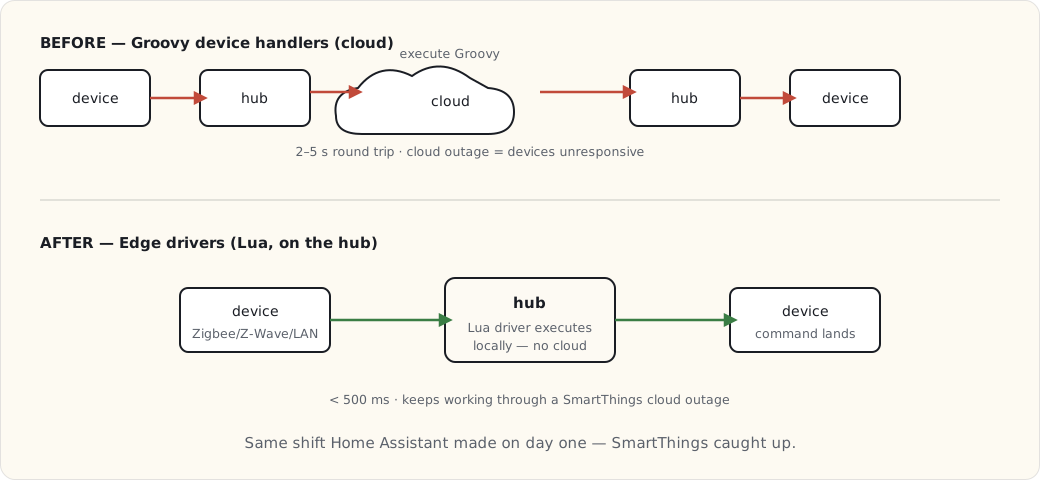
Before Edge: custom device handlers were Groovy scripts running in Samsung's cloud. Every command went device → hub → SmartThings cloud → execute Groovy → cloud → hub → device. Two to five seconds of latency, and a cloud outage meant your light switch didn't work.
After Edge: drivers are Lua, executing on the hub. Device commands go device → hub → device. Under 500 ms, no cloud in the path for device control.
Writing a custom Edge driver
The example I'll walk through is a driver I wrote for a generic Zigbee garage-door controller SmartThings didn't support out of the box.
-- garage_door.lua
local capabilities = require "st.capabilities"
local clusters = require "st.zigbee.zcl.clusters"
local zigbee_driver = require "st.zigbee.driver"

local OnOff = clusters.OnOff

local function refresh(driver, device)
    device:send(OnOff.attributes.OnOff:read(device))
end

local function open(driver, device, command)
    device:send(OnOff.commands.On(device))
end

local function close(driver, device, command)
    device:send(OnOff.commands.Off(device))
end

local function attribute_handler(driver, device, value, zb_rx)
    local state = value.value
    if state then
        device:emit_event(capabilities.doorControl.door.open())
    else
        device:emit_event(capabilities.doorControl.door.closed())
    end
end

local garage_door_driver = {
    NAME = "Generic Zigbee Garage Door",
    zigbee_handlers = {
        attr = {
            [OnOff.ID] = {
                [OnOff.attributes.OnOff.ID] = attribute_handler
            }
        }
    },
    supported_capabilities = {
        capabilities.doorControl,
        capabilities.refresh
    },
    capability_handlers = {
        [capabilities.doorControl.ID] = {
            [capabilities.doorControl.commands.open.NAME] = open,
            [capabilities.doorControl.commands.close.NAME] = close
        },
        [capabilities.refresh.ID] = {
            [capabilities.refresh.commands.refresh.NAME] = refresh
        }
    }
}

return zigbee_driver(garage_door_driver)
About 50 lines. It maps the Zigbee OnOff cluster onto the SmartThings doorControl capability. Deploy it with Samsung's smartthings CLI:
$ smartthings edge:drivers:package . --hub HUB_ID
$ smartthings edge:drivers:install <driverId> --hub HUB_ID
The driver lands on the hub in about 30 seconds. A new device joins; SmartThings matches it to the right driver from its Zigbee fingerprint. (One honest caveat from doing this: a misbehaving Lua driver can crash and take a chunk of your hub's device handling with it until it restarts — local execution means local blast radius. Test on something you don't depend on.)
The local-first guarantees
What Edge actually buys you, concretely:
- Device control runs locally. Sub-500-ms latency, no cloud hop.
- Routines run locally when every device involved is local and the routine uses local-only triggers. The cloud is still needed for cross-device-class routines or cloud-side conditions (weather, presence via phone, that sort of thing).
- Cloud-outage tolerance. Edge devices keep working when the SmartThings cloud is sick. I watched this hold during an outage last year — the local routines kept firing while the app couldn't reach anything.
That architectural shift is exactly what Home Assistant has had since day one. SmartThings caught up to it.
What it changes for me
For my own setup, Edge drivers mean a few things:
- I can write drivers for orphaned devices SmartThings doesn't natively support. The bridged-via-HA stuff, generic Zigbee — all candidates for a small Edge driver if it's worth it.
- Latency on hub-managed devices drops to roughly HA-equivalent.
- The two-hub redundancy in this house (the Family Hub fridge and the Frame TV both being SmartThings hubs) is real, because Edge drivers replicate across hubs.
And for the SmartThings ecosystem more broadly:
- Third-party drivers proliferate. Community drivers on GitHub for the long tail Samsung doesn't cover — Tuya, Sonoff, generic Zigbee.
- SmartThings becomes a real option for non-DIY users. The local-first guarantee removes the single biggest reason I migrated off it in 2017.
- The platform's future is more durable. Cloud-dependent platforms — Wink, old SmartThings — failed when their clouds got sick. Local-first platforms ride that out.
Am I migrating back to SmartThings?
No. Home Assistant has eight years of accumulated automations, custom integrations, ESPHome devices, and LoRa sensors here, none of which port cleanly to SmartThings Edge. That gravity is too strong.
But the multi-hub setup I run now — HA as the primary brain, SmartThings as a local secondary for the Samsung Bespoke appliances — is more robust because the SmartThings side runs locally too. A SmartThings outage no longer takes the kitchen appliances down with it. That's the part that changed, and it's enough to make SmartThings a platform I'd recommend again instead of warn people off.
What this changes about the "right platform" answer
For 2025, the recommendation tree I'd actually give someone:
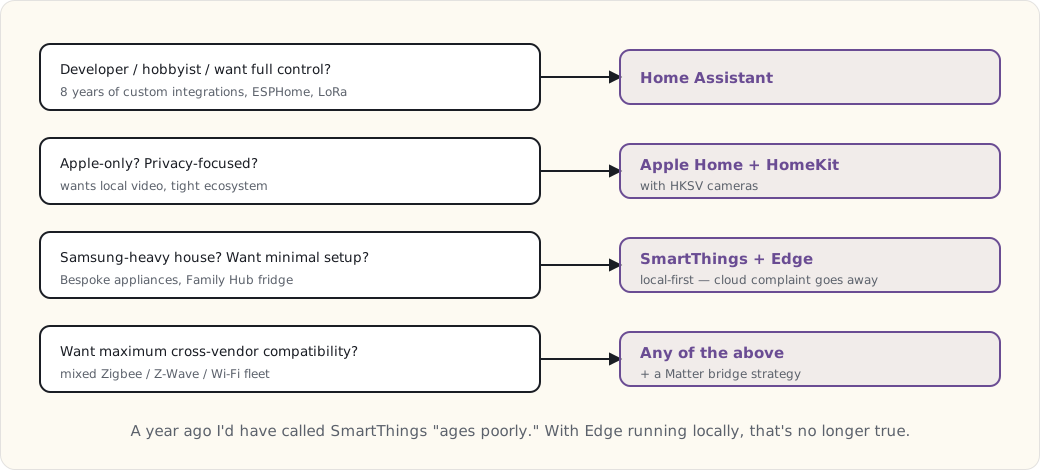
A year ago I'd have flatly called SmartThings a "starts cloud-dependent, ages poorly" platform. With Edge drivers running locally, that's no longer fair to say.
What's next
- A post on bridging HA → SmartThings via Matter, so the SmartThings ecosystem sees HA-managed devices too.
- More custom Edge drivers as I need them — the LoRa garden sensors should be reachable from the Family Hub fridge through an Edge LAN driver, which is the next small project on the bench.
 Part 58 of 61
 Frame TV + kitchen appliance sync — when the kitchen talks
Eighteen months into the full Bespoke ecosystem. A connected appliance on its own is a gimmick. The collective behavior — the kitchen knowing what's cooking and routing it across screens — is the part that earns the investment.
Eighteen months into the full Samsung Bespoke ecosystem. Long enough to be past the demo phase and into the honest one: which of these cross-appliance routines I actually use, and which were impressive in a YouTube video and useless in a kitchen.
The short version is that a connected appliance, by itself, is a gimmick. A fridge with a screen is a fridge with a screen. What earns the money is the collective behavior — the kitchen noticing what’s happening and routing that information to whatever screen you’re standing near. This is the cookbook of what actually works, and the few things that didn’t.
The architecture
Six connected appliances, the Frame TV, and Home Assistant holding it together:
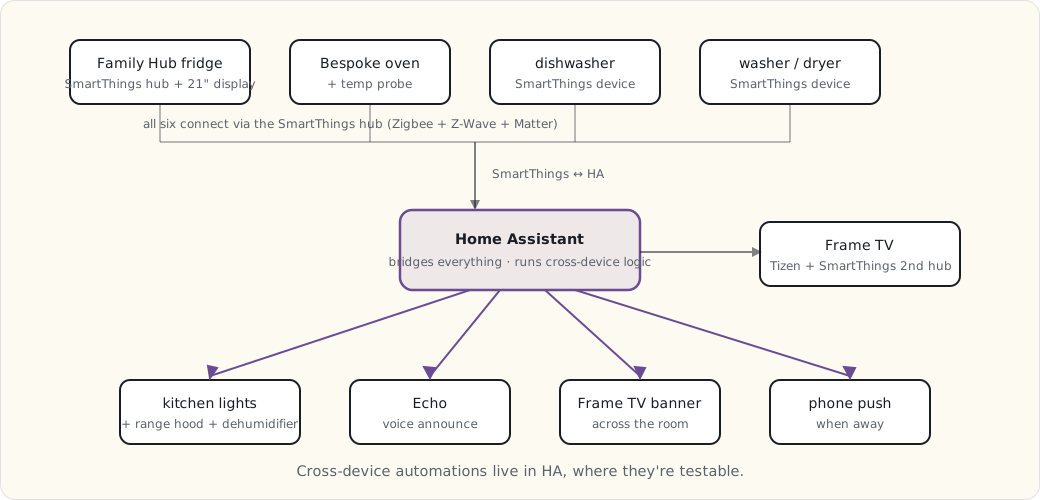
Six SmartThings-natively-controlled appliances, one Tizen-native screen (the Frame), all of them visible to Home Assistant. The cross-device automations live in HA, deliberately — that’s where I can read them, test them, and version them, instead of trusting a vendor’s cloud routine engine I can’t see inside.
Routines that actually run
1. “Cooking mode” — when the oven preheats:
- alias: "Cooking: oven preheating -> kitchen environment"
  trigger:
    - platform: state
      entity_id: oven.bespoke_main
      attribute: status
      to: "preheating"
  action:
    - service: light.turn_on
      data:
        entity_id: light.kitchen
        brightness: 255
        color_temp: 4000   # neutral white for cooking
    - service: switch.turn_on
      data:
        entity_id: switch.kitchen_range_hood
    - service: notify.alexa_media_kitchen
      data:
        message: "Oven preheating. Vent fan on."
Oven starts preheating → kitchen lights jump to neutral white (instead of the warm evening color) → range-hood fan comes on → Echo confirms it out loud. Running daily for a year, no false positives. The neutral-white shift is the small touch I’d miss most — you can actually see what you’re chopping.
2. “Dinner is ready” — when the probe hits target:
- alias: "Cooking: probe target -> multi-screen notification"
  trigger:
    - platform: state
      entity_id: sensor.oven_probe_target_reached
      to: "on"
  action:
    - service: notify.frame_tv
      data:
        title: "Probe target reached"
        message: "{{ states('sensor.oven_probe_temperature') }}F -- ready to pull"
    - service: notify.alexa_media_kitchen
      data:
        message: "The oven probe has reached its target temperature."
    - service: notify.mobile_app_luke_iphone
      data:
        title: "Roast ready"
        message: "Probe at {{ states('sensor.oven_probe_temperature') }}F"
One state change, three screens.
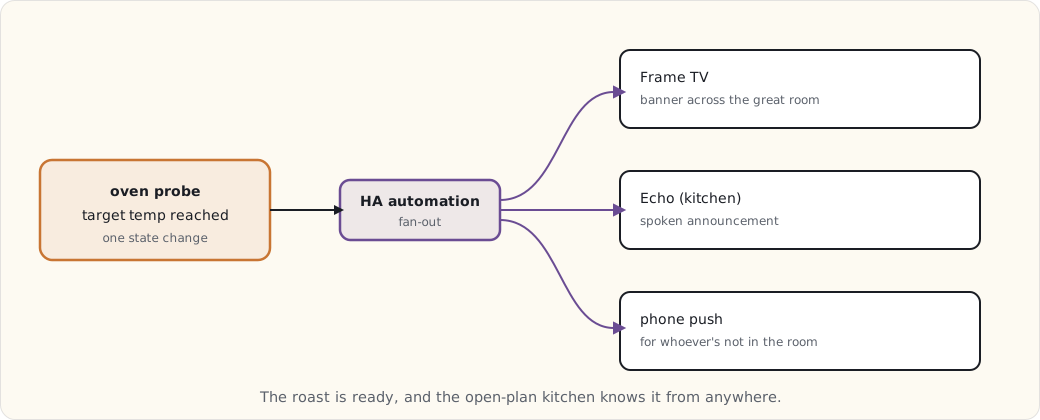
The probe hits target → the Frame TV pops a banner across the great room → the Echo says it → a phone push goes out. In an open-plan kitchen-and-great-room, that’s the difference between “dinner’s ready” landing and a roast sitting five minutes too long. This is the single routine that justified wiring the probe into HA at all.
3. “Recipe display sync” — fridge casts to the Frame:
This one isn’t an HA automation; it’s a SmartThings-native Samsung feature, and credit where due — it works. Tap “send to Frame” on the Family Hub fridge and the recipe page mirrors onto the Frame TV. I read it from the stove, 15 feet away, instead of squinting at the fridge or smearing a phone with flour. Used two or three times a week. The rare vendor feature I didn’t have to rebuild myself.
4. “Humidity event” — dishwasher or washer plus damp air:
- alias: "High humidity: dishwasher OR washer running with damp ambient"
  trigger:
    - platform: state
      entity_id:
        - dishwasher.bespoke
        - washer.bespoke
      to: "running"
  condition:
    - condition: numeric_state
      entity_id: sensor.kitchen_humidity
      above: 55
  action:
    - service: switch.turn_on
      data:
        entity_id: switch.kitchen_dehumidifier
    - service: switch.turn_on
      data:
        entity_id: switch.kitchen_range_hood
        speed: low
When a humidity-generating appliance is running and the kitchen RH is already climbing past 55%, the dehumidifier kicks on and the range hood runs low. The condition matters — I don’t want the dehumidifier roaring every time the dishwasher runs, only when the air’s actually damp. Quietly keeps the kitchen from turning into a sauna.
5. “Laundry done” — with an escalation:
- alias: "Wash done -> notify, then remind"
  trigger:
    - platform: state
      entity_id: washer.bespoke
      to: "finished"
  action:
    - service: notify.mobile_app_luke_iphone
      data:
        title: "Wash cycle done"
        message: "Move to dryer when convenient."
    - delay: "00:30:00"
    - condition: state
      entity_id: washer.bespoke
      state: "finished"     # still sitting there?
    - service: notify.mobile_app_luke_iphone
      data:
        title: "Wash still in the washer -- 30 min"
        message: "Don't let it sit and sour."
Wash finishes → phone push. Thirty minutes later, if the washer’s still reporting “finished” (nobody started a dryer cycle), an escalation push. The two-stage nudge is the only thing that ever broke our habit of leaving a load to sour overnight.
6. “Frame TV art by time of day”:
- alias: "Frame TV art rotation by time of day"
  trigger:
    - platform: time
      at: ["06:00", "12:00", "18:00", "22:00"]
  action:
    - service: media_player.play_media
      data:
        entity_id: media_player.frame_tv
        media_content_type: "image/jpeg"
        media_content_id: >
          {% set hour = now().hour %}
          {% if hour < 12 %}
            https://hass.example.com/local/art/morning.jpg
          {% elif hour < 18 %}
            https://hass.example.com/local/art/daytime.jpg
          {% elif hour < 22 %}
            https://hass.example.com/local/art/evening.jpg
          {% else %}
            https://hass.example.com/local/art/night.jpg
          {% endif %}
Pure cosmetics, but the Frame is on the wall all day in art mode, so it might as well match the light in the room.
What didn’t work
The honest column, because every one of these looked good on paper:
- “Auto-start the washer when the dishwasher finishes” — for off-peak energy. It required loading the washer the night before, on the system’s schedule, not ours. The family resented being told when to do laundry. Removed.
- “Fridge interior camera + AI food-expiration tracking.” The Family Hub claims to do this. The accuracy was low enough to be worse than nothing — it’d flag fresh food and miss spoiled. Dropped the dependency.
- “Start the dishwasher by voice from the Echo.” Works mechanically. But “is it actually loaded and latched?” is a question voice can’t answer, and starting a half-loaded dishwasher is a small flood. Removed on the safety question alone.
The pattern in all three: automation that assumes the physical world is in a known state — a loaded washer, an accurate camera, a latched door — fails the moment reality disagrees. The routines that survive are the ones reacting to a sensor that can’t be wrong about what it’s reporting.
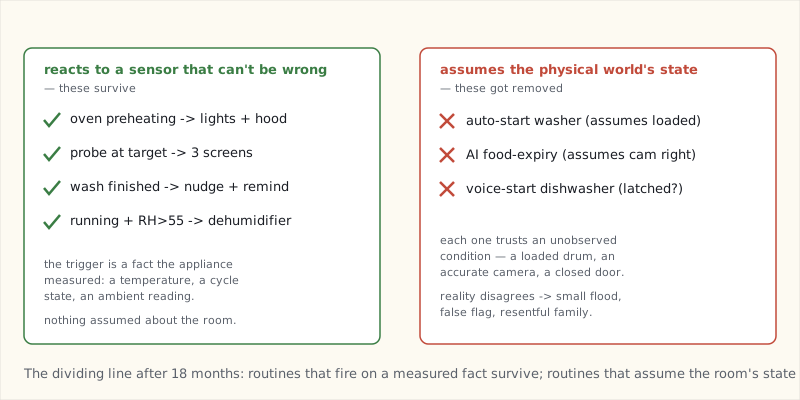
The Family Hub fridge as the kitchen’s center
The 21” Family Hub display turned into the kitchen’s primary information surface, more than I expected going in:
- Calendars. Two color-coded (mine and my wife’s). The kids check it for after-school stuff.
- Shared shopping list. Voice or touch, syncs to phones.
- Recipe browser, with the cast-to-Frame trick above.
- Interior cameras — glance at what’s in the fridge from across the kitchen without opening the door.
- Family memos, whiteboard-style.
The Frame TV is the secondary surface — cooking content up close, and the great-room display for everything else.
What I’d buy again
- The fridge ($4,800, the 21” model). Yes — for the SmartThings hub and the display, not the cooling.
- The oven ($2,200). Yes. Induction plus the probe alerts, which power the best routine in the house.
- The dishwasher ($1,400). Yes. AutoOpen drying saves the most energy per cycle of anything here.
- The washer/dryer ($1,800 + $1,400). Maybe. The cycle notifications earn their keep; the “AI smart cycle” selection is marginal.
- The Frame TV ($2,300, 65”). Yes — but for the SmartThings hub role, the matte screen, and art mode. The picture quality is good, not best-in-class, and I wouldn’t pay the Frame premium for the TV alone.
What’s next
- The robots post later this year — the Roomba and Braava routines that have been quietly running in the background.
- A long look back across the whole arc of this journal, due in the fall.
- The year-end review, as always, in December.
 Part 59 of 61
 Robots in the routine — Roomba + Braava choreography
Five years of iRobot Roomba + Braava in the house. The vacuum is a Roomba i7+; the mop is a Braava jet m6. Both join the home routine via SmartThings.
Five years of iRobot Roomba i7+ (vacuum) and Braava jet m6 (mop). Both joined the family before the new-house move. Both are part of the daily routine now in ways that wouldn't work without the connected-home integration.
This is what they do and how it's automated.
The hardware
- Roomba i7+ ($800, bought December 2020): brushless suction, camera-based vSLAM mapping (a top-mounted camera reading visual landmarks, not lidar), self-emptying Clean Base. House map stored on-device + synced to the iRobot cloud. Wi-Fi connected (no local API, no cellular — it's Wi-Fi or nothing).
- Braava jet m6 ($500, bought June 2022): mop. Same vSLAM mapping platform as the Roomba. Refillable water reservoir + microfiber pads (disposable or washable).
Both run iRobot's HOME app. Both expose to Home Assistant via the official iRobot integration (cloud-mediated — iRobot doesn't have a local API).
The schedule
Monday-Friday:
  08:30 - Roomba: vacuum entire downstairs (kitchen, dining, living room, hallway)
  09:15 - Braava jet: mop kitchen + dining + hallway (no living room — carpet)
  10:00 - Both return to base, finish cleaning

Saturday:
  09:00 - Roomba: vacuum upstairs (bedrooms + hall — done while kids are still asleep)
  10:00 - Braava jet: mop bathrooms

Sunday: rest day (the robots, anyway)
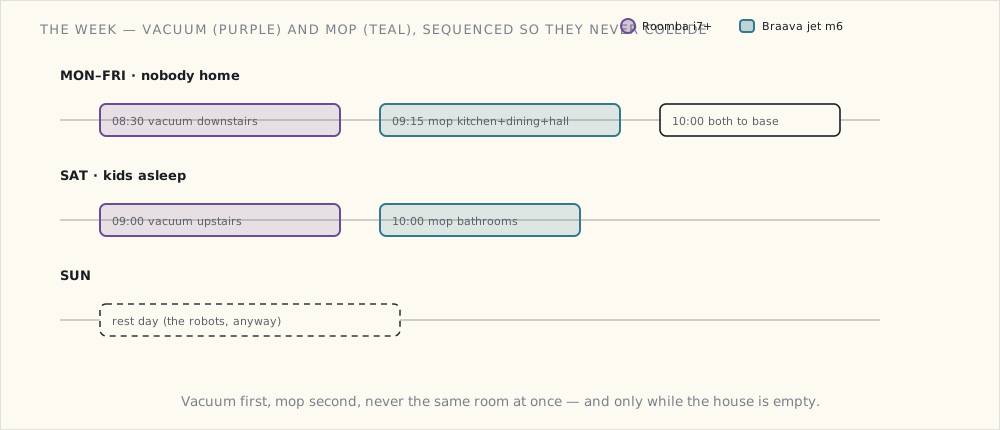
The HA integration
# iRobot integration loaded via HA UI
# Devices appear as vacuum.roomba_i7 and vacuum.braava_m6

- alias: "Weekday: vacuum downstairs at school dropoff"
  trigger:
    - platform: time
      at: "08:30"
  condition:
    - condition: time
      weekday:
        - mon
        - tue
        - wed
        - thu
        - fri
    - condition: state
      entity_id: group.family
      state: "not_home"  # only when nobody's home (kids at school, parents working)
  action:
    - service: vacuum.send_command
      data:
        entity_id: vacuum.roomba_i7
        command: "clean_zone"
        params:
          zone:
            - kitchen
            - dining_room
            - living_room
            - hallway
    - service: notify.mobile_app_luke_iphone
      data:
        title: "Roomba started"
        message: "Cleaning downstairs at {{ now().strftime('%H:%M') }}"
The "only when nobody's home" condition is what makes the schedule work. Family was working from home during the pandemic; the Roomba running during meetings was annoying. Now it runs during school + workday.
No-go zones
The Roomba maps the house and learns. I've configured no-go zones:
- The cat's litter box area (Roomba would otherwise vacuum litter into its base — gross).
- The kid's room while toys are on the floor (Roomba navigates around them but sometimes gets stuck).
- Under the dining table chairs when they're pulled out (Roomba ramps the chair legs and gets confused).
- The Christmas tree base (December only — temporary no-go zone added via the iRobot app).
No-go zones are stored on the Roomba and synced to the iRobot cloud. They persist through firmware updates and re-mappings.
Cat coordination
The cat — yes, we have one — hates the Roomba. Avoids it. But the cat's routine is to nap on the kitchen counter during the day, and the Braava jet sometimes mops the kitchen while the cat is napping nearby. The cat doesn't care about the Braava (it's quiet).
Automation: when the Roomba starts, the cat's feeder gets a small treat dispensed (it has a Z-Wave-controlled relay). The cat associates Roomba sound → treat → moves to the kitchen counter. Conditioning works.
- alias: "Roomba starts → cat treat"
  trigger:
    - platform: state
      entity_id: vacuum.roomba_i7
      to: "cleaning"
  action:
    - service: switch.turn_on
      data:
        entity_id: switch.cat_feeder_treat
    - delay: "00:00:02"
    - service: switch.turn_off
      data:
        entity_id: switch.cat_feeder_treat
The cat is, technically, part of the smart home routine.
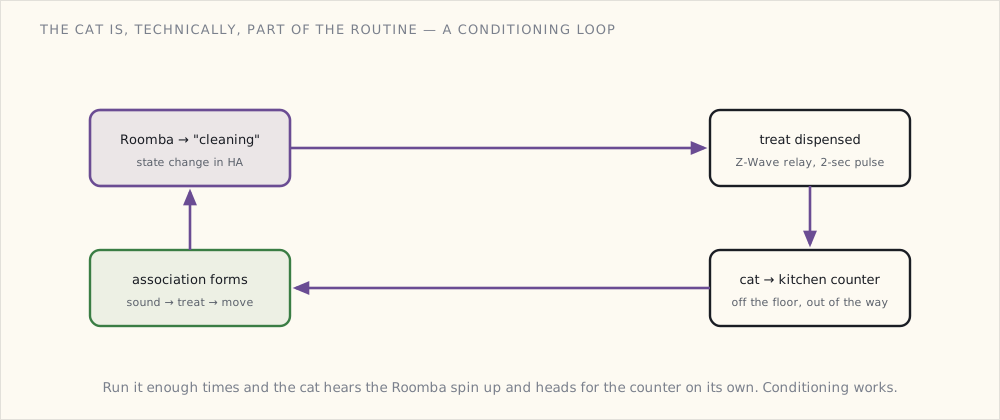
The "we're going on vacation" routine
When we're away for >1 day:
- alias: "Away mode: robots clean daily"
  trigger:
    - platform: state
      entity_id: input_boolean.vacation_mode
      to: "on"
  action:
    - service: vacuum.send_command
      data:
        entity_id: vacuum.roomba_i7
        command: "start"
    - service: notify.mobile_app_luke_iphone
      data:
        title: "Vacation cleaning started"
        message: "Daily Roomba runs scheduled until you return"
The Roomba runs daily while we're away. House comes back to a clean floor regardless of how long we're gone.
What works that I didn't expect
- The cat actually moved off the floor more. Cat naps moved to the couch + the kitchen counter (which is technically prohibited, but Roomba doesn't reach it).
- Frequency >> thoroughness. Vacuuming 5x/week at "good enough" beats vacuuming 1x/week at "thorough." Pet hair accumulation is the failure mode that frequency solves.
- The Braava with the disposable wet pads is the best mop I've ever owned. Better than a human-pushed mop because it goes under furniture without me bending over.
What I'd buy in 2025
The Roomba i7+ is now five years old. iRobot's newer j7 and j9+ models have:
- Better obstacle detection (avoids the cat's bowl, pet accidents, charging cables).
- Faster vSLAM with PrecisionVision.
- Steeper price ($1000+).
I'd probably upgrade when the i7+ dies. Until then, the i7+ is fine.
What I'm doing next
- A wall-mounted Braava jet bay in the laundry room. Currently it lives next to the Roomba dock; relocating to its own spot makes refilling water easier.
- Cross-floor coordination. Currently the upstairs Roomba run is manual. Adding a second Roomba is on the table for 2026.
- Dog coordination. The dog sheds, and a shedding dog is exactly the workload frequency-cleaning was built for — but he also treats the Roomba as an adversary. May need a second-pass robot, or just more no-go timing around where he sleeps. (Training the dog to ignore it has not gone well.)
What this fits into
The robots are part of the daily routine in the way the security alarm panel and the morning lighting scenes are part of the daily routine. They aren't separate devices; they're choreography. The house is starting to operate as a system.
That's the actual smart-home win. Not "lights you can control with your phone." House that runs itself when you're not paying attention.
 Part 60 of 61
 Thirteen years on — the long-arc smart-home retrospective
October 29, 2012 — one Hue bulb in the dining-room pendant. November 2025 — two houses, five stacked architectures, ~250 devices. What thirteen years taught me about which choices aged well and which ones I had to rip out.
October 29, 2012: I drove to the Apple Store and bought the Hue starter kit on a whim — three bulbs and a bridge, $199, the first ZigBee Light Link product anyone could buy. One of those bulbs went into the dining-room pendant that evening.
Thirteen years and one move later, I'm writing this in front of something north of 250 connected devices: two SmartThings hubs, a Home Assistant box, four Matter bridges, and more ESPHome boards than I've bothered to count. The bulb in that pendant has been replaced exactly once. The automation that turns it on at dusk has migrated platforms five times and never changed what it does.
That gap — between how little the behavior changed and how completely the implementation did — is the whole story. So this is the look back across the arc: not a tour of gear, but an account of which architectural bets aged well, which ones I had to rip out, and what I'd tell the version of me holding that first starter kit.
The device count is the easiest way to see the shape of it — one bulb in 2012, something north of 250 today, the curve steepening at every era boundary and again the year we moved.
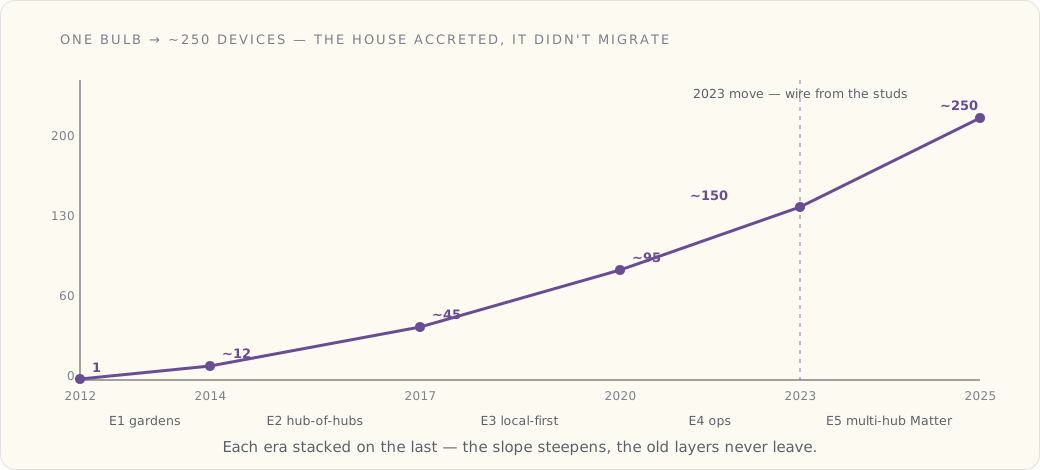
Five eras, stacked not replaced
The thing nobody warns you about is that you don't migrate a smart home. You accrete one. Each era's architecture got layered on top of the last, and the old layers never fully went away — they got bridged, wrapped, or quietly left running because they still worked. The house today is sedimentary.
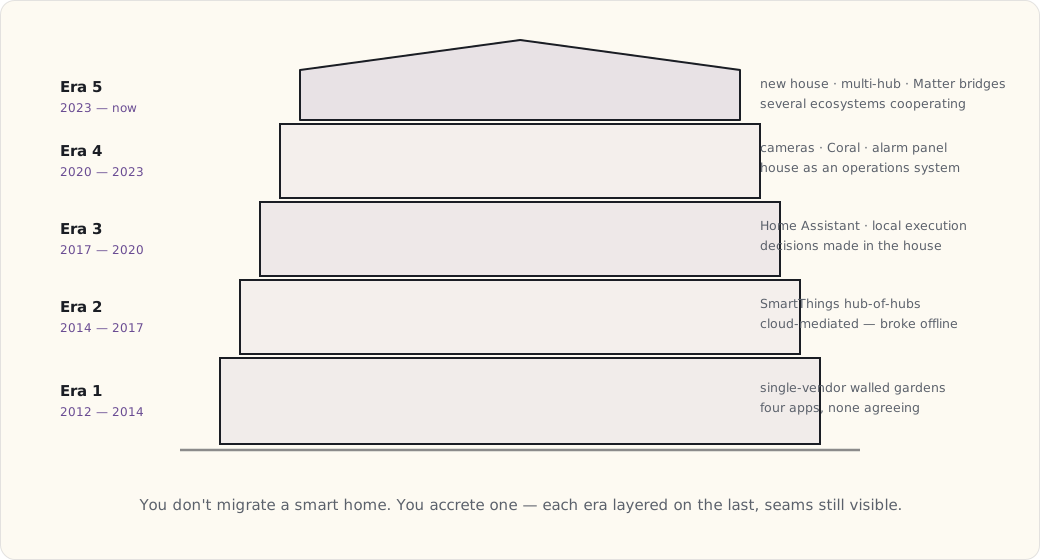
Era 1 — single-vendor walled gardens (2012–2014). Hue, Wemo, Lutron, the first SmartThings. Each was its own app, its own cloud, its own island. By 2013 the unification problem was already the dominant pain: I had four apps to turn off the lights, and no two of them agreed on what "off" meant. The lesson arrived early and I ignored it for years.
Era 2 — hub of hubs (2014–2017). SmartThings v1 then v2 as the integration layer, Z-Wave and ZigBee radios under one roof, automations written as Groovy SmartApps. It worked, in the sense that one app could finally see most of the house. It failed in the way that defined the era: execution was cloud-mediated. The hub on my counter relayed a motion event to a Samsung data center, which decided to turn on a light, and sent the command back. When the internet hiccuped, my hallway didn't light up. That's a category mistake, and it took me three years to call it one.
Era 3 — local-first migration (2017–2020). Home Assistant on a Raspberry Pi, OpenZWave, then Zigbee2MQTT. The whole move was a reaction to Era 2: I wanted the decision "motion → light" to happen in my house, on hardware I owned, with no round trip to anyone's cloud. It cost me a steep YAML learning curve and a few weekends of re-pairing every device. It bought me a house that kept working when Comcast didn't.
Era 4 — the house as an operations system (2020–2023). Frigate plus a Coral TPU for local object detection, PoE cameras on their own VLAN, a real alarm-panel state machine instead of a pile of "if door then notify" rules. This is the era the smart home stopped being a control surface — a fancier light switch — and became something closer to infrastructure I operated. State machines, not toggles.
Era 5 — new house, multi-hub, Matter (2023–now). We moved, and I got to wire a house from the studs out: 42 Cat6 drops, conduit where I'd want it later, PoE everywhere. Samsung Bespoke appliances, Matter bridges tying the ecosystems together, and — the genuine surprise of the era — SmartThings Edge drivers executing locally on the hub, finally giving back the thing I'd left SmartThings to get in 2017. The end-state isn't one ecosystem winning. It's several of them cooperating through a thin bridging layer.
The patterns that held across all five
Squint across thirteen years and the same four laws keep asserting themselves, no matter which logo was on the hub.
Local execution wins long-term, every time. Every cloud-dependent platform I started on either died (Wink, Insteon) or was dragged back to local execution (SmartThings, with Edge). The platforms I never had to think about — Hue, Lutron, Home Assistant — all had local control from day one. The cloud is rented infrastructure. You don't build a house on rented land if you can avoid it.
Mesh protocols outlive Wi-Fi peripherals. My 2012 Hue bulbs still work. The 2013 Wemo plugs don't — Belkin sunset the cloud features they depended on, and a Wi-Fi plug whose brain lives in someone else's data center is a brick the day that data center logs off. ZigBee and Z-Wave devices age slower because control is local to the mesh; the vendor's cloud going dark doesn't reach into my hallway.
The hub is always the bottleneck, and upgrading it unblocks everything else. Every era's ceiling was the hub. SmartThings v1 was cloud-only. The Hue bridge wouldn't talk to third-party ZigBee. The Pi 4 ran out of headroom once Frigate showed up. In each case the fix wasn't more devices — it was a better hub, after which a backlog of "someday" automations suddenly became possible. I now budget for the hub the way you'd budget for a furnace.
Open protocols outlive vendors. Vendors come and go — Wemo's slow fade, Wink's collapse, Insteon's overnight bankruptcy that bricked thousands of homes when its servers went dark. ZigBee, Z-Wave, MQTT, and plain IP outlived all of them. Everything I bought that was built on a proprietary cloud is now either dead or kept alive only by a third-party integration someone reverse-engineered out of stubbornness.
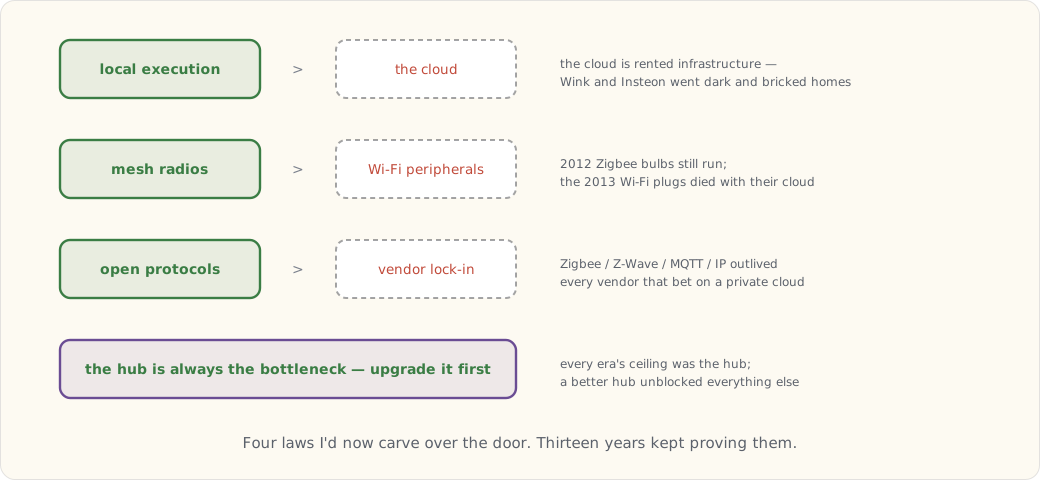
What I'd build if I started clean today
People ask what stack they should buy now, in 2025, and I have a real answer — shaped entirely by the four laws above. Home Assistant on dedicated hardware as the orchestrator, because it's the only piece that's never let me down and never phoned home. Zigbee2MQTT on a Sonoff dongle and Z-Wave JS UI on an Aeotec stick as the two mesh coordinators, kept separate so one radio's problems don't take down the other. A Matter border router — an Apple TV 4K or an Aqara M2 — to onboard anything new. Lutron Caseta for every in-wall switch, because it is the single most reliable thing in my house and I've never once thought about it. Reolink PoE cameras into Frigate with a Coral for the video. And the phone Companion app for presence and push, because the phone is the one sensor everybody already carries.
The buy order matters more than the list. Start with the HA hardware and a Lutron bridge plus a starter set of Caseta switches — reliable, instant, works in every room before you've automated a thing. Then an Aqara hub with a fistful of door, window, and motion sensors, a couple of Hue bulbs in the rooms you actually use, and voice last (or skip the commercial assistants and run HA's local voice). Then expand based on an automation you actually want, not on a gadget that looked clever in a video.
The skip list is shorter and blunter: Wi-Fi-only plugs and switches; any Wink-class vendor whose moat is a proprietary cloud; "AI-powered" appliance features that shipped before the AI was any good (the Family Hub fridge's food recognition is the standing example); and most first-generation anything. Early adoption is a hobby with a tuition bill, and I've paid it.
What I'd warn the 2012 version of me about
Some of these I could have known. Some I only learned by getting hurt.
The Hue bridge will turn up in security research in 2016 — not a worm in the wild, but a demonstrated remote-firmware-update weakness. Philips patched it in time. The lesson generalizes: every networked thing in the house is a target eventually, including the lightbulbs. Don't buy into Wink (I didn't, by luck more than wisdom). When OpenZWave gets deprecated around 2020, don't fight it — migrate to Z-Wave JS and move on. SmartThings will get bought by Samsung, neglected for the better part of five years, and then quietly made good again; patience, not panic. Matter will arrive roughly a decade later than the hype promised and still won't replace anything — it bridges, which it turns out is the more useful job anyway. And the budget across thirteen years lands somewhere past $30k. It was worth it. But know that number going in.
Where I expect 2030 me to laugh at 2025 me
This is the part I have to flag clearly as guesswork — forecast, not fact, written in late 2025 with no idea how it lands. Four bets:
I've been dismissive of voice assistants for a decade because they were dumb. On-device LLM-class understanding is about to make that dismissal wrong — context-aware, able to reason about household state rather than match a command string. The security-camera market will consolidate into a few survivors, and local detection of the Frigate kind will win, but only after the cloud-camera vendors get acquired or fold and take their subscriptions down with them. Energy management — solar, battery, dynamic pricing, scheduling the big loads against generation — is the next era's killer app, and I've been ignoring the math right up until it started obviously favoring action. And the smart lock as a category gets absorbed into phone-as-key: Apple Wallet keys and UWB proximity making the dedicated lock app vestigial. Ask me in 2030 how many of those I got right; the misses will be the useful part.
What never changed
For all the churn underneath, a few things have run continuously since the beginning. The dining-room pendant — same fixture, second bulb, same job. The sunset porch light, which started life in October 2012 as a literal Python cron job on a laptop, then became an IFTTT recipe, then a SmartThings SmartApp, then a Home Assistant automation. Porch light on at sunset, off at sunrise. The behavior hasn't changed in thirteen years; the implementation has been rewritten five times.
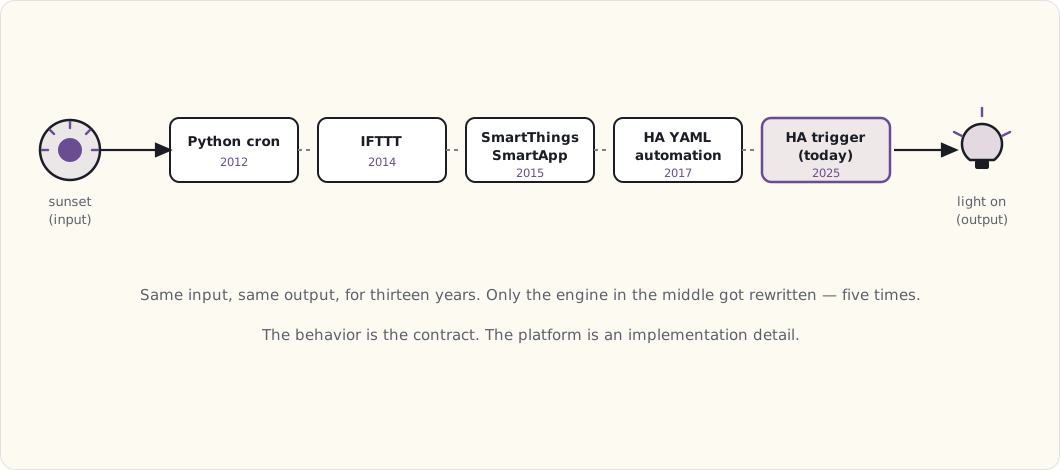
And the four laws, which I'd now carve over the door: local beats cloud, mesh beats Wi-Fi, open protocols beat vendor lock-in, and the hub is always the thing to upgrade next.
The arc, in one line
The smart home is the longest-running personal-engineering project I have — thirteen years, two houses, ~250 devices, about fifty posts in this notebook. It's also, finally, genuinely useful in a way I can measure by the fact that nobody mentions it. The kids don't know any other kind of house; they expect the lights to come up on their own, expect to ask whether the front door's locked and get a real answer, expect the kitchen to show them a recipe. That's just house to them.
The arc was: controllable thing → automatable system → household choreography. The third one was always the destination. The first two were the path.
Onto the fourteenth year.
 Part 61 of 61
 2025 review — Edge drivers local, robots choreographed
The last year-in-review of the series, for now. SmartThings Edge drivers finally run local, the Bespoke kitchen and Frame TV genuinely cooperate, and the solar bet I'd talked myself out of three years running finally pencils out.
End of 2025, and the end of the year-in-review chain for this series — for now. After thirteen years and fifty-odd posts the smart-home stack has gone quiet in the best way, and a quiet stack doesn't need an annual report. So this is the last one of these for a while: how I did against last December's forecasts, what actually got built, and where I think the next interesting work is.
Scoring last year's forecast
I grade these honestly every year. The point isn't to look good — it's to catch myself being optimistic, which the record says I am. These were the eight calls I made for 2025 last December.
| Prediction | Confidence | Outcome | Verdict |
|---|---|---|---|
| SmartThings local-execution post | 95% | March — Edge drivers, finally credible | ✓ |
| Robots — Roomba + Braava routines | 90% | September post shipped | ✓ |
| Frame TV + appliance sync improves | 85% | Cross-device routines now routine | ✓ |
| Thirteen-year retrospective | 100% | November | ✓ |
| Matter camera support in products | 70% | Matter 1.4 ratified, spec has cameras — almost nothing shipping | ◐ |
| HA voice gets usable | 50% | Whisper Turbo + faster Piper — daily-driver, finally | ✓ |
| Solar + Powerwall reconsidered | 30% | Reconsidered — and this time the answer flipped to yes | ✗ |
| End-of-2025 review | 100% | This one | ✓ |
7.5 / 8 ≈ 94%. Higher than my usual band, and I don't fully trust it. Two of these were near-locks (the posts I'd already half-written), and a year where most of your calls land tends to be a year that was predictable rather than a year you read well.
The two interesting marks are the ones that aren't clean checks. The Matter camera call gets a half: the 1.4 spec ratified with camera support in it, exactly as I guessed, but the consumer products to use it still aren't really here — the same "spec arrives a year before the silicon" lag I keep flagging. And the solar call is an outright miss, which is the one I'm happiest about. I'd predicted, for the third year running, that the generator would keep winning the math and I'd pass again. The math finally tipped — better panel pricing, the battery incentives, and a time-of-use rate that punishes evening grid draw hard enough to matter — and I signed a contract in October. Getting a forecast wrong because reality got better is the good kind of wrong.
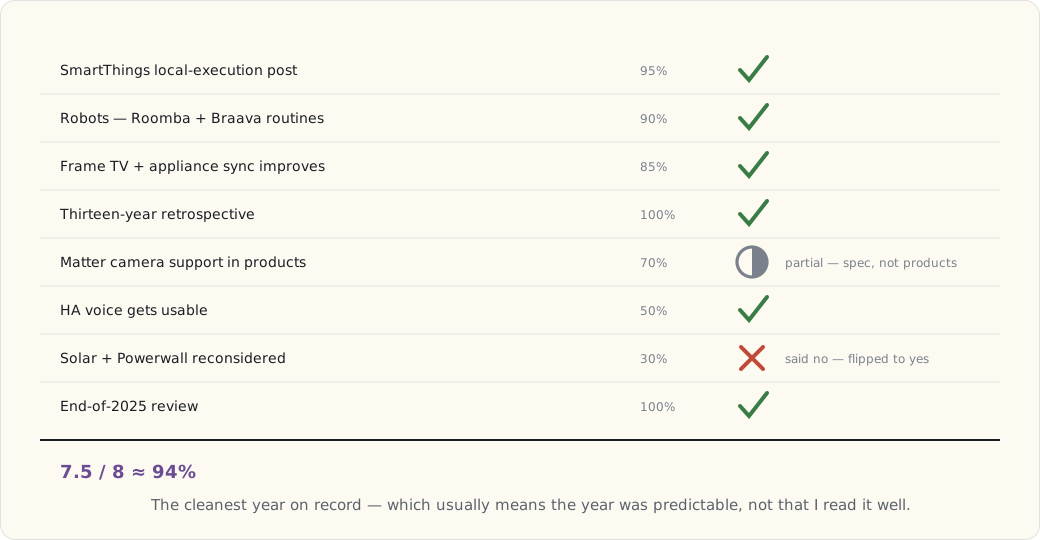
What actually got built
Less new hardware than any year since the move, which is itself the headline — the house is saturated and most of 2025's work was at the edges rather than in the walls.
- Eight SmartThings Edge drivers, written mostly to bridge HA-managed Z-Wave devices cleanly into the SmartThings view of the world. These run on the hub, in Lua, with no cloud round trip — the exact thing I left SmartThings to get back in 2017, now native. That migration is most of why the March post happened.
- Six more Matter devices — Eve Door & Window and Eve Motion sensors, a couple of Nanoleaf bulbs — all commissioned once and visible everywhere.
- A second Coral USB accelerator in April, which dropped Frigate's inference latency far enough that the camera notifications stopped lagging behind the actual person.
- Year two of HA local voice, and this is the one that crossed the line. Whisper Turbo on a dedicated Pi 5 over the Wyoming protocol, with the faster Piper voices, lands around 1.2 seconds end to end — fast and natural enough that the family actually uses it for "turn off the kitchen lights." A year ago I'd called local voice "the right idea, wrong execution." The execution caught up.
- A solar + battery contract signed in October, install slated for Q1 2026.
- An iRobot j7+ in December — a Christmas treat-to-myself that retired the i7+ to a donation box. Better obstacle avoidance, and it stopped eating charging cables.
What's working at year-end
Three things earned their keep this year, and they're all integration wins rather than new capabilities.
Multi-ecosystem cooperation is the quiet triumph: Apple Home, Google Home, SmartThings, and Home Assistant all see the same devices through the Matter bridges, each via its own commissioning, and after a decade of "wait, which app controls this bulb," that's worth more than any single gadget I bought. The voice split finally makes sense too — the Echos and Google speakers handle music, timers, and trivia, while HA voice owns smart-home control, so the thing that needs to stay in the house stays in the house and the thing that doesn't, doesn't. And two years in, the new-house wiring has needed exactly zero retrofits. The 42 Cat6 drops and the conduit I ran "just in case" have all gotten used. Wiring for the house you'll have in five years is the cheapest thing you'll ever do, and you can only do it once.
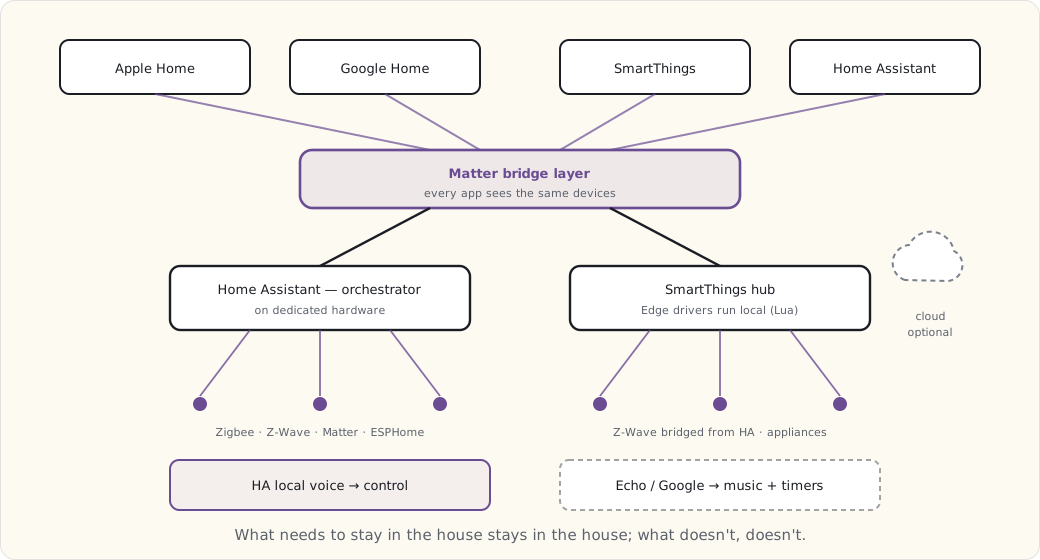
Forecast for 2026
Standing rules: I keep these even when I get them wrong, because the misses reread better than the hits, and everything below is a guess made at the end of 2025 — forecast, not fact.
1. Solar + battery install completes in Q1. (95%) Already contracted; this is the safe one.
2. An energy-management automation post. (90%) Once the panels and battery are live, the cookbook — charge the EV off solar, run the big loads in the cheap window, lean on the battery through the expensive evening hours — earns its own write-up.
3. An on-device AI assistant with real home context. (70%) Apple Intelligence, Gemini Nano, or an HA-native local LLM answering "what's it cost to run the dryer right now" with actual house state behind it. The pieces are arriving; whether they cohere in 2026 is the open question.
4. Matter cameras actually ship. (60%) The spec's been ready since 1.4. Reolink, Eufy, and Eve are all rumored. I've marked this lower than last year precisely because I keep betting on the camera layer and it keeps slipping.
5. A "smart home for kids" post. (80%) As the kids age into wanting control of their own rooms, the interesting questions are about what we hand them and what we deliberately don't.
6. ESPHome on every closed appliance I can reach. (60%) The old Wi-Fi outlets, the dehumidifier, the air filter — a lot of cheap Wi-Fi gear is one flash away from being local and cloud-free.
7. Generative dashboard design. (50%) Lovelace dashboards that build themselves from how the house is actually used. Genuinely speculative; coin flip.
8. A Matter bridge for the LoRa garden sensors. (75%) Now that HA-as-Matter-bridge is mature, the long-tail outdoor sensors can finally join the same view as everything else.
What I'm buying in 2026
Solar plus a battery, installed (low five figures after the federal and state credits). Matter cameras the moment any of them genuinely ship. A second piece of HA hardware as a cold-spare failover — the one box I never want to be without. And a device new enough to run an on-device assistant, so I can test the home-context queries from forecast #3 against a real house instead of a demo.
What I'm done with
After 56 posts in this notebook, a few patterns are closing out. The year-in-review will keep going, but the deep technical posts get less frequent — most of the stack is stable, and you don't document plumbing that doesn't leak. Hardware shopping has mostly stopped; saturation hit around 2023, and from here it's replacements and the occasional new category, not a steady drip of boxes. The writing that's left is at the seams: AI meeting automation, energy meeting appliances, the cross-platform glue. That's the next decade's work, and it's more interesting than another bulb.
What's coming next
The energy-management post once the panels are live, probably Q2. The on-device-AI experiment after that. And a cross-series piece tying this notebook to the connected-products work — the same problems I solve in my own house, at product scale and with someone else's customers on the other end, which turns out to sharpen both.
Thanks for following along this year. The whole series lives on the notebook page, or you can start at the very first post — one Hue bulb, 2012 — and walk it forward.
Onto the next year.