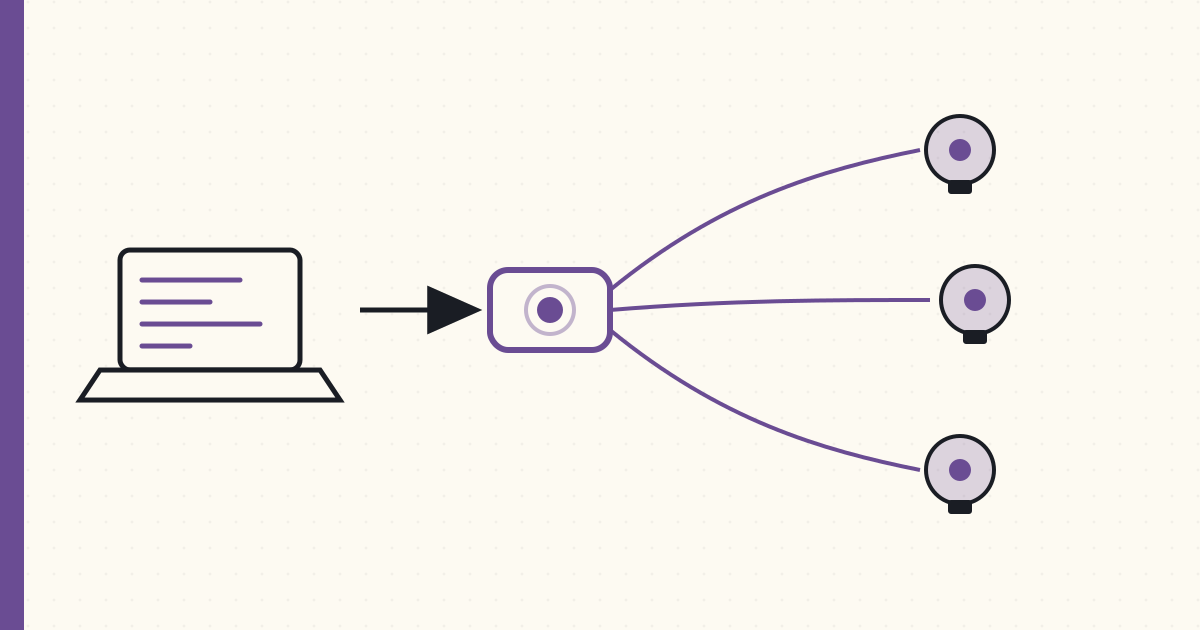
Hue scenes and the local REST API — first Python automation
Two months into the Hue setup. The official Philips app is fine for ad-hoc lighting changes; it's terrible for schedules. The "schedule" feature is bridge-resident but UI-driven and won't let me express "twenty minutes before sunset" without manual recalculation every couple of weeks.
Time to move past the app.
Caveat up front: Philips hasn't published any developer documentation for the bridge. The HTTP endpoint is just there — undocumented, unauthenticated beyond a one-time button-press pairing token, sitting on the LAN. A few enthusiasts on a Dutch forum and a couple of GitHub gists have reverse-engineered the JSON API since launch in October. That community work is what I'm running with. Philips may or may not bless this someday; for now it's all unofficial. (Worth noting: nothing on the bridge prevents you from hitting it. The endpoint isn't hidden, it's just not documented.)
Scenes — bridge-resident state snapshots
The Hue bridge stores scenes server-side. A scene is a named snapshot of light states (on/off, brightness, hue/saturation, color temperature) for a specified set of lights. The bridge persists scenes in non-volatile storage; they survive reboot.
Creating one via the REST API:
# PUT a new scene named livingroom-reading
curl -X PUT http://192.168.1.42/api/<username>/scenes/livingroom-reading \
     -d '{
       "name": "Living Room — Reading",
       "lights": ["1","2","3"],
       "transitiontime": 4
     }'

# Capture current light states INTO the scene
curl -X PUT http://192.168.1.42/api/<username>/scenes/livingroom-reading \
     -d '{"storelightstate": true}'

# Recall the scene (apply to group 0 = all lights)
curl -X PUT http://192.168.1.42/api/<username>/groups/0/action \
     -d '{"scene": "livingroom-reading"}'
Three details that matter:
- Scene IDs are bridge-assigned strings. You don't get to pick them; the bridge returns one when you POST. Store the ID in your client.
transitiontimeis in deciseconds.4= 0.4 seconds. The default if omitted is4. Long transitions (60 = 6 seconds) feel like a movie fade; instant (0) feels jarring.storelightstate: trueis the way to capture state. Otherwise the scene is empty.
Groups — bulk operations over Zigbee
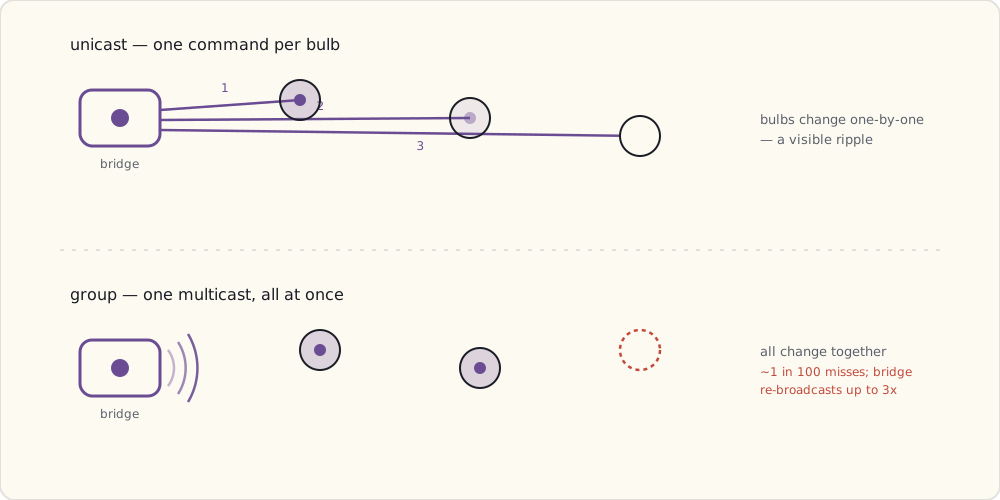
Sending an On command to bulb 1, then bulb 2, then bulb 3 means three separate Zigbee unicasts — bulbs change one at a time, visibly rippling. The bridge can issue a group command as a single Zigbee broadcast that all group members act on simultaneously:
# Create a group
curl -X POST http://192.168.1.42/api/<username>/groups \
     -d '{
       "name": "Living Room",
       "lights": ["1","2","3"],
       "type": "LightGroup"
     }'

# Command the group
curl -X PUT http://192.168.1.42/api/<username>/groups/1/action \
     -d '{"on": true, "bri": 200}'
Group commands use Zigbee multicast vs unicast. They're not transactional — one bulb can miss the broadcast and stay off. The bridge re-broadcasts up to three times; you'll still see occasional misses in practice (~1 in 100 in my logs so far).
The first automation — porch light at sunset
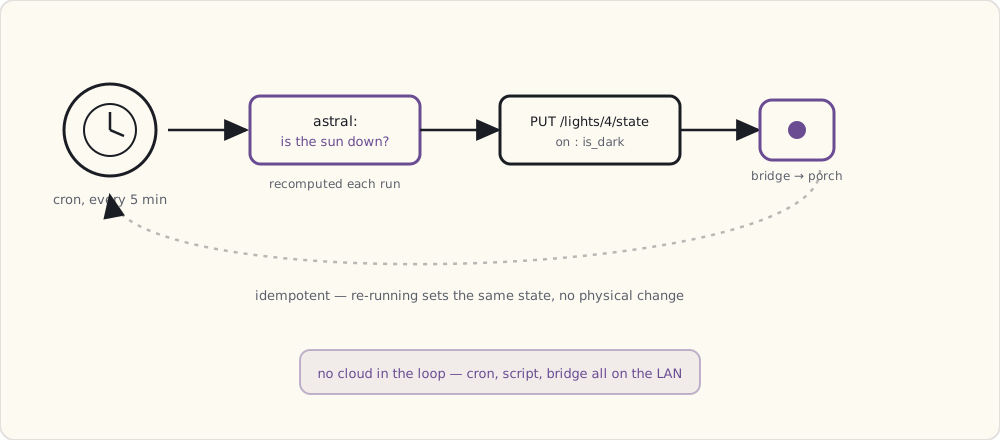
Python script, runs from cron every five minutes on the home server:
#!/usr/bin/env python
# turn porch light on at sunset, off at sunrise

import json, requests
from datetime import datetime, timezone
import astral  # pip install astral

BRIDGE = "http://192.168.1.42"
USERNAME = "4mpFn-fLgvqnGzFDxYZ..."
LIGHT_ID = "4"  # porch light

a = astral.Astral()
loc = a["Boston"]
now = datetime.now(timezone.utc)
suntimes = loc.sun(date=now.date(), local=False)

is_dark = now < suntimes["sunrise"] or now > suntimes["sunset"]

state = {"on": is_dark, "bri": 200, "ct": 454}  # warm white
r = requests.put(
    f"{BRIDGE}/api/{USERNAME}/lights/{LIGHT_ID}/state",
    data=json.dumps(state),
    timeout=2.0,
)
print(r.status_code, r.text)
Cron entry:
*/5 * * * * /usr/local/bin/hue-porch.py >> /var/log/hue-porch.log 2>&1
Five-minute granularity is overkill (sunrise/sunset shift minutes per day), but the script is idempotent — setting on:true on an already-on light is a no-op at the Zigbee layer, so re-running has zero physical effect. Cheap and correct beats clever.
The state JSON, in detail
A complete light state response from the bridge:
{
  "state": {
    "on": true,
    "bri": 254,
    "hue": 15331,
    "sat": 121,
    "effect": "none",
    "xy": [0.4575, 0.4099],
    "ct": 343,
    "alert": "none",
    "colormode": "ct",
    "reachable": true
  },
  "type": "Extended color light",
  "name": "Living Room 1",
  "modelid": "LCT001",
  "manufacturername": "Philips",
  "uniqueid": "00:17:88:01:00:13:24:48-0b",
  "swversion": "65003148"
}
Field notes:
briis 1–254.bri:0is not off —on:falseis off.hueis 16-bit (0–65535), wraps around.ctis mired (153–500, 153 = ~6500K cool, 500 = ~2000K warm).xyis the CIE 1931 chromaticity — what Hue stores internally.hue/sat/ctare convenience conversions.reachableis the bridge's best guess about Zigbee reachability. Flaps false-positive sometimes; if you've seen the bulb respond recently, trust that overreachable.
Security note
The bridge's HTTP API has no authentication beyond the one username token I generated by pressing the link button. Anyone on my LAN can hit the API and control my lights. That's fine for now — the LAN is trusted, and there's no path from the public internet to the bridge today (the bridge holds no inbound port-forward by default).
The thing that's going to make this not-fine eventually: the bridge runs an embedded OS with services I haven't audited. If Philips ever exposes the bridge to remote control via their cloud, the bridge's software stack becomes an internet-facing target. Also — and this is the bigger structural issue — the API is undocumented by Philips. That means the contract can change without warning. A firmware update that closes an endpoint, renames a JSON field, or removes a feature is entirely within Philips's rights. The community-reverse-engineered docs aren't a stable surface. I'm building on sand and I know it.
What's next
Three months in. Hue is solid. The next pain point is that I want to control non-Hue devices the same way. Coming up: BLE 4.0 entering the consumer market, and the first WiFi smart plug.