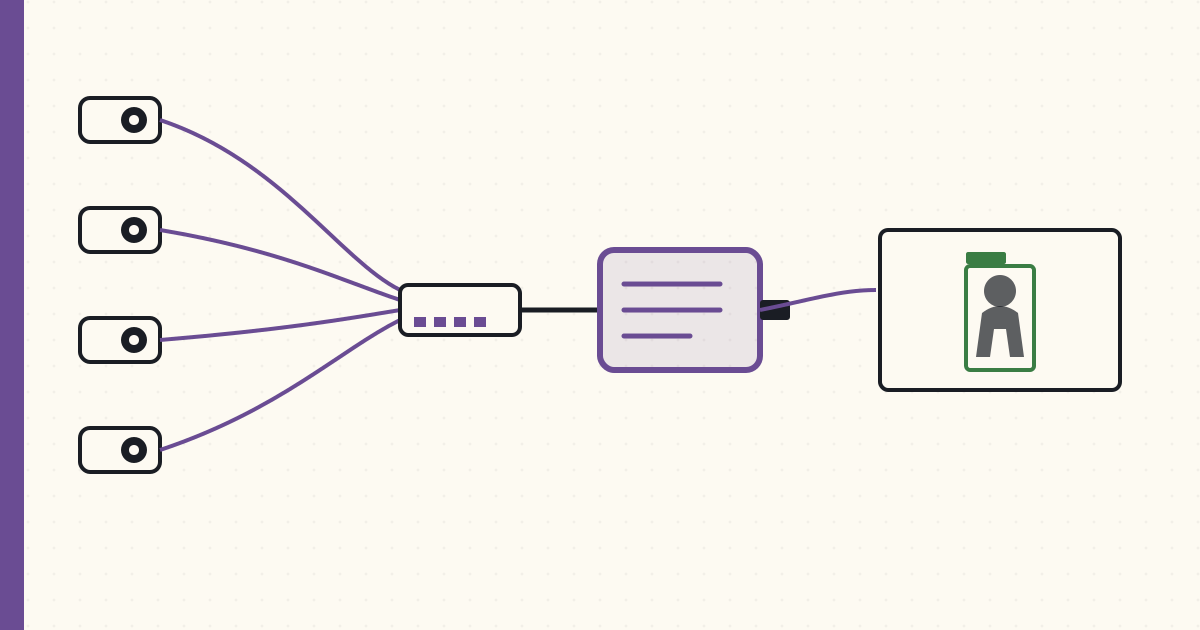
PoE cameras + Frigate NVR — local object detection
Four PoE cameras now live around the house: front porch, backyard, side yard, driveway. RTSP feeds flow into Frigate 0.8 running on a small Pi 4. Frigate uses the Coral USB Accelerator for object detection — runs at 10 fps per stream across all four streams concurrently. All local. No vendor cloud.
Hardware
Cameras (4× Reolink RLC-820A):
- 4K resolution (3840×2160) @ 25 fps.
- PoE (802.3af, ~7W per camera).
- IP66 weatherproof.
- Onboard motion + person detection (basic, used as a redundancy layer to Frigate).
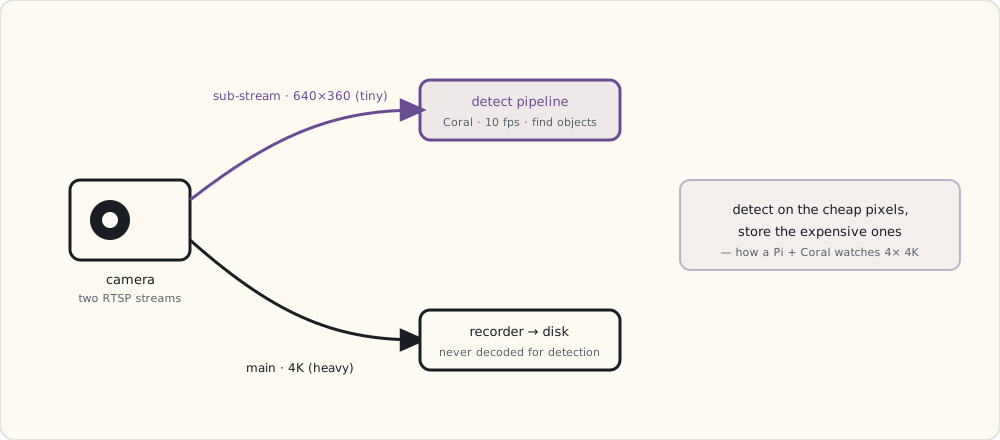
- RTSP stream support, two profiles (main 4K + sub 640×360 for thumbnails).
- $80 each. $320 total.
PoE switch (TP-Link TL-SG108PE, 8-port managed PoE):
- 8 × Gigabit + 4 PoE ports (60W total budget).
- 4 cameras × 7W = 28W used. Room for more.
- Managed (VLAN tags) — cameras live on an isolated camera-only VLAN.
- $80.
Frigate Pi (Raspberry Pi 4 8GB + 256GB SSD via USB3):
- HA still runs on the main Pi 4. Frigate runs on its own Pi 4 to keep CPU isolated.
- $180 total ($75 Pi + $40 SSD + $25 PSU + small case).
Coral USB Accelerator:
- Google's edge TPU. 4 TOPS inference, USB3.
- Runs MobileNet-SSD models for object detection at ~15 ms per inference.
- $75.
Total camera-side cost: $655. No subscriptions.
VLAN isolation
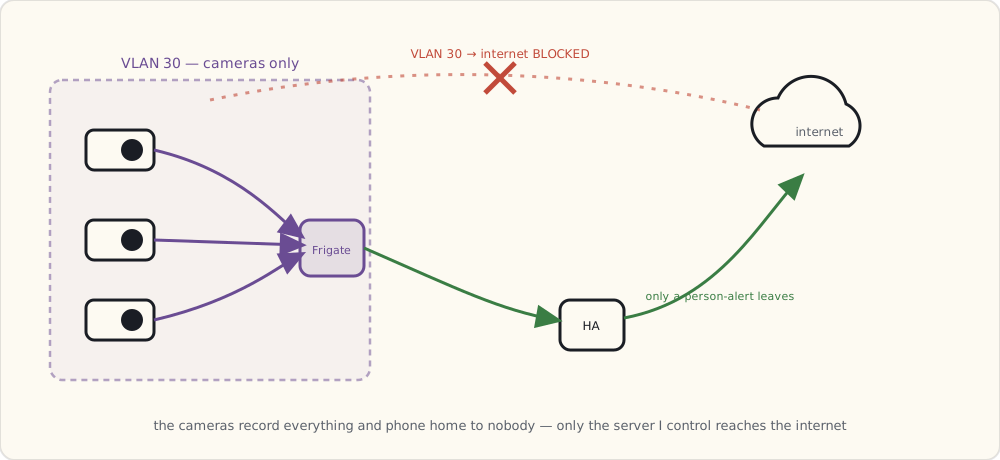
Cameras live on VLAN 30 — camera-only, isolated from the main LAN and from the internet:
VLAN 10: family devices (laptops, phones, tablets, smart-home-IoT)
VLAN 20: kids' devices
VLAN 30: cameras — outbound to internet BLOCKED
VLAN 40: guests
The cameras have no internet route. Reolink's cloud features (which want to upload to their servers) silently fail. Each camera can only talk to the Frigate Pi on the same VLAN.
This is the "cameras don't phone home" guarantee. Their default behavior would be to upload motion clips to Reolink's cloud + send DNS lookups all over the place. With VLAN isolation, none of that happens.
Frigate config
mqtt:
  host: 192.168.10.10  # HA Pi's MQTT broker

detectors:
  coral:
    type: edgetpu
    device: usb

cameras:
  front_porch:
    ffmpeg:
      inputs:
        - path: rtsp://reolink:!secret_rec_pw@192.168.30.21:554/h264Preview_01_main
          roles: [record]
        - path: rtsp://reolink:!secret_rec_pw@192.168.30.21:554/h264Preview_01_sub
          roles: [detect]
    detect:
      width: 640
      height: 360
      fps: 10
    objects:
      track: [person, car, dog, bicycle, package]
      filters:
        person:
          min_score: 0.5
          threshold: 0.7
        car:
          min_score: 0.5
        package:
          min_score: 0.6
    record:
      enabled: true
      retain:
        days: 7
        mode: motion
      events:
        retain:
          default: 30
    snapshots:
      enabled: true
      retain:
        default: 30

  # Repeated for backyard, side_yard, driveway with their own IPs + ROIs
The split between detect stream (640×360 sub-stream, low bandwidth) and record stream (4K main stream, full quality) is the key Frigate trick. Object detection runs on the small stream (CPU + Coral can handle 10 fps × 4 cameras easily). The 4K stream is only used for recording, never decoded for detection.
Total CPU on the Frigate Pi: ~40% steady state. Coral inference: ~12 ms/frame. Recording disk usage: ~20 GB/day across 4 cameras at 7-day retention.
What Frigate detects, in practice
After a week of running, the classification accuracy on my dataset:
| Object | Detection rate | False positives |
|---|---|---|
| Person | 99% (any size > 60 px in frame) | < 1% |
| Car | 98% | ~2% (trees in heavy wind sometimes classify as cars) |
| Dog | 95% | ~5% (cats sometimes classify as dogs) |
| Bicycle | 92% | ~3% |
| Package (UPS / Amazon box on porch) | 88% | ~10% (the model is the weakest here) |
For security, the person classification is the load-bearing one. 99% recall with <1% FP is good enough for "actual notification" triggers.
The HA automation: person on porch + nobody home → alert
- alias: "Camera: person detected on porch while away"
  trigger:
    - platform: mqtt
      topic: frigate/events
      payload: "new"
  condition:
    - condition: template
      value_template: >
        {{ trigger.payload_json.after.camera == "front_porch" and
           trigger.payload_json.after.label == "person" }}
    - condition: state
      entity_id: group.family
      state: "not_home"
  action:
    - service: notify.mobile_app_luke_iphone
      data:
        title: "Person on porch"
        message: "Detected at {{ now().strftime('%H:%M') }}"
        data:
          image: "/api/frigate/notifications/{{ trigger.payload_json.after.id }}/thumbnail.jpg"
          attachment:
            url: "/api/frigate/notifications/{{ trigger.payload_json.after.id }}/snapshot.jpg"
            content-type: "image/jpeg"
Push notification includes the snapshot of the detected person. Tap notification → opens the camera view in the Companion App with the recorded clip ready.
Storage math
4K @ 25 fps at h.264 medium quality is roughly 6 Mbps per camera. 4 cameras × 6 Mbps × 86400 s/day = ~250 GB/day if recording 24/7.
Frigate's record-on-motion mode helps significantly — only frames around detected motion are persisted. Real-world recording: 15-30 GB/day across 4 cameras. 256GB SSD holds ~10 days; longer history syncs to a Synology NAS via rsync nightly.
Annual storage cost: a 4TB NAS drive ($90) covers ~6 months of full retention + indefinite "event-only" snapshots. Compare to cloud camera services at $5-15/mo per camera = $240-720/yr for cloud-equivalent of what costs $90 once.
What I'm wishing for
- License-plate recognition on the driveway camera. Frigate doesn't ship with LPR; the OpenALPR add-on exists. Going to try.
- Person re-identification across cameras — recognizing the same person as they move from the porch cam to the side-yard cam. The Frigate roadmap gestures at it; nothing usable yet, but it's the feature I want most.
- More cameras. Each new one is $80 of hardware + 5 minutes of YAML. The marginal cost has dropped enough that "everywhere there's a wall outlet, put a camera" is the new default.