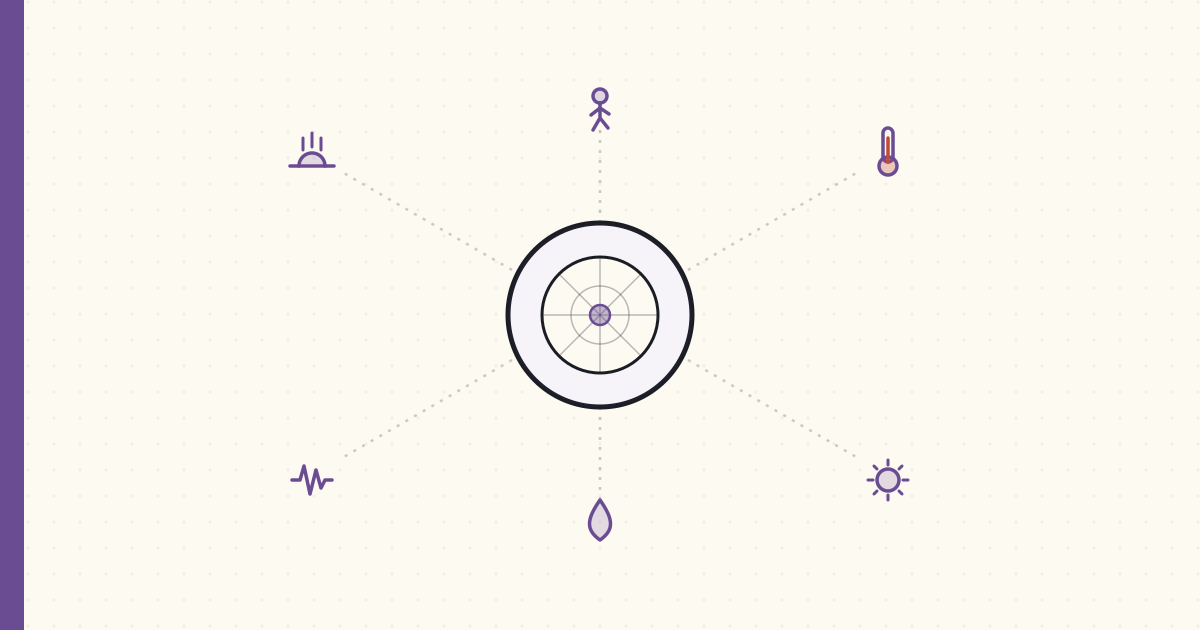
Aeotec Multisensor 6 — six sensors in one Z-Wave device
Aeotec's Multisensor 6 shipped last month — Z-Wave Plus, 500-series chip, six sensors in a tennis-ball-sized package:
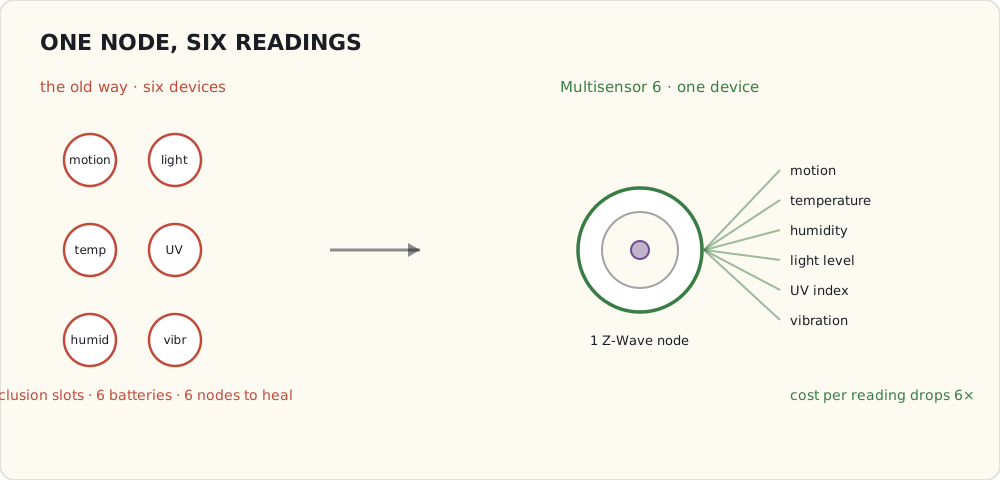
- Motion (PIR, 5 m range, 120° FOV)
- Temperature (±0.5 °C)
- Humidity (±3% RH)
- Light level (lux)
- UV index
- Vibration / tamper (3-axis accelerometer)
Two of them ordered and installed last week — one in the master bathroom, one in the front entryway. $50 each.
Why one device with six sensors beats six devices
Each Z-Wave node on the network uses an inclusion slot (max 232 per hub), takes up battery management overhead, and adds mesh-routing complexity. A single device that reports six readings is vastly cheaper than six separate devices that each report one.
It also means: when I want to add a new automation that depends on a new dimension (e.g., "trigger fan when humidity > 70%"), I don't have to install another device. The data is already arriving.
Power options — and the trade
The Multisensor 6 can run two ways:
Battery mode (2× CR123A lithium):
- Configurable reporting interval (default 60 min, can go down to 30 s).
- Battery life: ~6 months at default; ~1 month at aggressive reporting.
- Practical for "report every 5-10 minutes" patterns.
USB power (micro-USB at 5V):
- Reports as often as you want without battery worry.
- Acts as a Z-Wave repeater (battery mode is end-device only — doesn't route mesh traffic).
- I'm running both of mine on USB. They're stationary devices; finding an outlet wasn't hard.
The repeater behavior is the underrated win. Each USB-powered Multisensor extends my Z-Wave mesh by 30 m of additional coverage. The bathroom sensor in particular reaches the bedroom door sensors that were borderline on the previous mesh.
Configuration — the Z-Wave parameter dance
Multisensor 6 has 60+ configurable parameters via Z-Wave Configuration Set commands. The ones that matter for me:
Parameter 3  (motion timeout):       30s   — how long after motion before reporting "no motion"
Parameter 4  (PIR sensitivity):      5     — out of 5; max
Parameter 40 (selective reporting):  1     — only report when value crosses threshold
Parameter 41 (temp threshold):       2.0°C — minimum delta before reporting temp
Parameter 42 (humidity threshold):   5%    — minimum delta before reporting humidity
Parameter 101 (report interval):     300s  — 5-minute periodic report regardless of changes
Setting these in the SmartThings IDE requires writing a custom Device Handler (Groovy code that maps Z-Wave commands to SmartThings capabilities). I forked one from the community SmartThings forums; works fine.
The first humidity automation — bathroom fan
The bathroom Multisensor reports humidity every five minutes. The fan is on a Z-Wave switch (GE 12722, the same model I tried for general light switches a year ago — fine for fans because the box has neutral).
SmartApp:
definition(name: "Humidity Fan", namespace: "luke", ...)

preferences {
  section { input "sensor", "capability.relativeHumidityMeasurement" }
  section { input "fan", "capability.switch" }
  section {
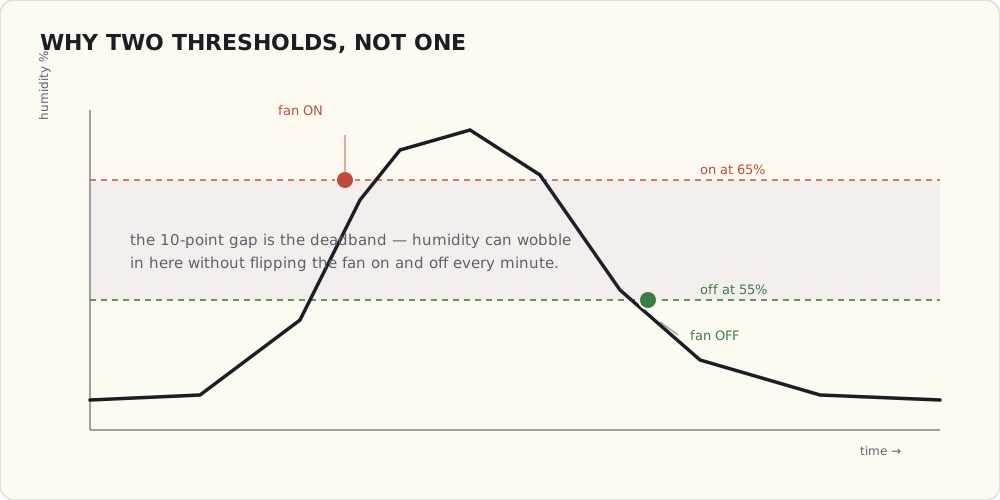
    input "threshold", "number", title: "Humidity % to trigger", defaultValue: 65
    input "offDelta",  "number", title: "Turn off below %",      defaultValue: 55
  }
}

def installed() { subscribe(sensor, "humidity", humidityChanged) }
def updated()   { unsubscribe(); installed() }

def humidityChanged(evt) {
  def h = evt.value as Integer
  def fanOn = fan.currentValue("switch") == "on"
  if (h >= threshold && !fanOn)      { fan.on();  log.info "Fan on at ${h}%" }
  else if (h < offDelta && fanOn)    { fan.off(); log.info "Fan off at ${h}%" }
}
The hysteresis matters — without it (just one threshold), the fan oscillates as humidity wobbles around the trigger value.
Two weeks running. Works. The fan kicks on within five minutes of someone starting a shower (5-minute reporting interval is the limit on how fast it can react). It turns off ~10 minutes after the shower finishes. House feels less damp; bathroom mirror clears faster.
The other automations
In progress:
- Motion + sunset → hallway light. Trivial. Existing SmartLighting builtin.
- Vibration on bedroom dresser → "burglar in the bedroom" alert. The accelerometer is more sensitive than expected — caught me opening a drawer last night and SMSed me. Tuning down.
- Temperature differential between bathroom and bedroom → "the HVAC zone valve isn't working." Diagnostic automation, not actionable, but useful.
What I'm wishing for
- Faster reporting. 5 minutes is fine for humidity; for motion-and-light it's too slow. Going to set up parameter 101 = 60s as an experiment.
- A motion + presence + temperature triple-trigger for the security automation. "Front door opens AND no presence detected AND motion fires in the entryway within 30 seconds" — false-alarm rate should drop substantially.
- Local-only execution. Still cloud-mediated. Samsung shipped the Hub v2 last month with a faster processor and the promise of more local processing — but in practice it only runs a handful of built-in SmartLighting rules on-device; my custom Groovy SmartApp still executes in the cloud. So a thunderstorm that takes out my internet still takes out my humidity fan. The hardware to run this locally now exists in the house; the software to let me use it doesn't. That gap is the thing I keep circling back to.