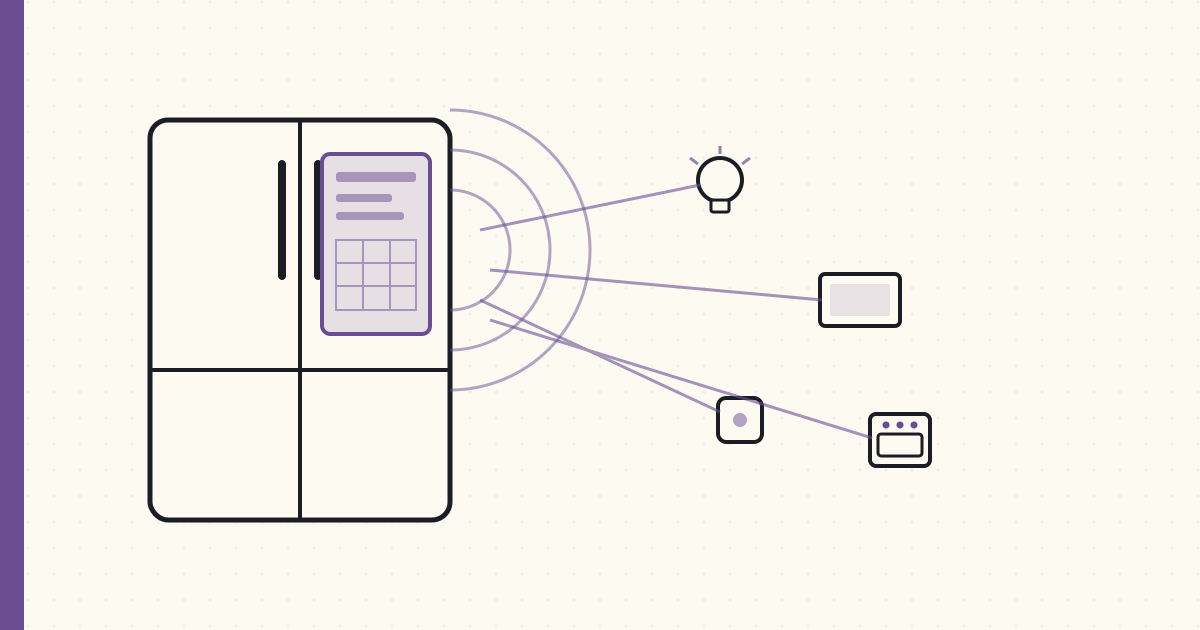
First Samsung Family Hub fridge — kitchen has an OS
Samsung Bespoke 4-Door Flex with Family Hub installed in the new kitchen last Thursday. RF29A9675AP/AA — the 29 cu ft model with the 21" touchscreen on the front-right door.
A week of family use. Notes.
What the Family Hub actually does
- 21" touchscreen running Tizen OS. Same OS family as my Frame TV.
- Three interior cameras — look at what's in the fridge without opening the door, via the screen or via the SmartThings app on the phone.
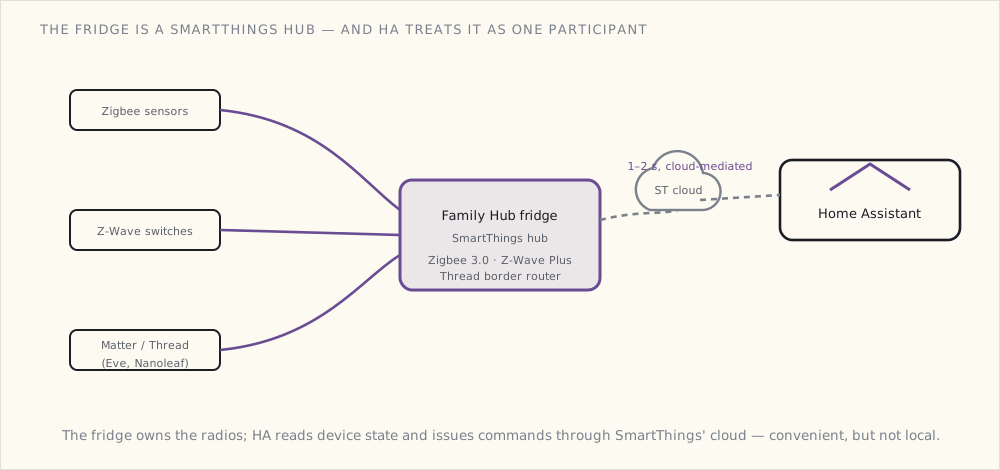
- SmartThings hub — the fridge IS a SmartThings hub. Has a Zigbee + Z-Wave + Matter radio combo, talks to other SmartThings devices on the LAN.
- AI Vision food recognition — the cameras try to identify foods, track expiration dates, suggest recipes based on what's in the fridge.
- Family calendar / notes / sticky-notes — synced via Samsung's cloud with phones.
- Music + speaker — Bluetooth audio output, internal speakers, Bixby voice assistant (mediocre).
- Mirroring to Frame TV — the Family Hub display can mirror to my Frame in the great room, e.g., showing a recipe while you cook.
- Standard fridge functions — water + ice dispenser, four temperature zones, beverage center.
The SmartThings hub function
This is the part I care about most. The Family Hub fridge contains a SmartThings hub. It can join my existing SmartThings ecosystem (now revived for this purpose) and talks to:
- Zigbee 3.0 devices (radio + protocol stack on the fridge itself).
- Z-Wave Plus devices (also on the fridge).
- Matter devices via Thread / WiFi (fridge is a Thread Border Router).
The fridge replaces my old SmartThings hub for these protocols. Which means the LoRa gateway + Sonoff ZBDongle-E + Aqara M2 are all still serving their roles (separate Zigbee networks for the LoRa garden sensors, ESPHome devices, Aqara devices), but the Family Hub is the "SmartThings-blessed" hub.
I'm bridging the fridge's SmartThings to Home Assistant via the HA SmartThings integration. HA gets the device list; can issue commands. Latency 1-2 seconds (cloud-mediated for the SmartThings integration).
Tested: from Home Assistant, I can read the fridge's interior temperature (38°F), receive door-open events, see beverage-center temp (34°F), and (via the SmartThings API) trigger ice-maker on/off.
The cooking integrations
This is where Samsung's tightly-integrated approach starts to pay off:
- Recipe display from the fridge screen → mirror to Frame TV. Open a recipe on the fridge's 21", tap the cast button, the recipe appears on the 65" Frame TV across the room. Read while cooking from the stove, hands free.
- Pre-heat the oven from the fridge. Samsung connects the Bespoke oven to the SmartThings hub on the fridge. Tap "preheat to 425" on the fridge screen → oven starts.
- Timers across devices. Start a timer on the fridge, hear it announce on the Frame TV, see it on phones.
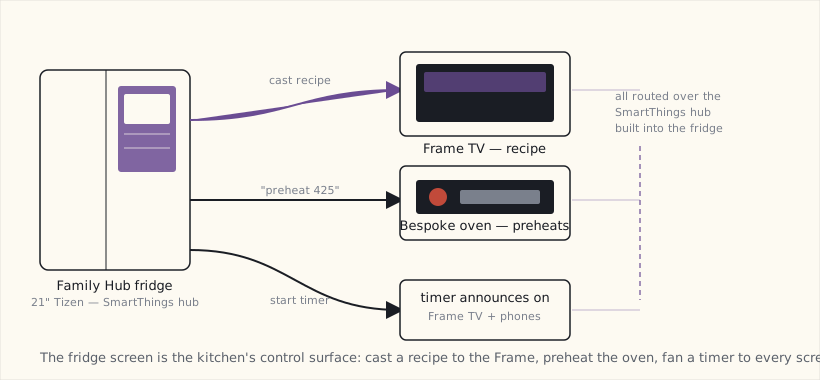
The first time my wife pre-heated the oven from the fridge screen, she said "huh, that actually works." Coming from someone who doesn't normally engage with smart-home stuff, this is high praise.
The Family Hub display interface
The screen runs Tizen with a custom Family Hub launcher. Apps:
- Fridge interior cams — three cameras showing the inside.
- Calendar — Google Calendar + Samsung Calendar both sync.
- Notes / Memo — shared family note-taking with handwriting.
- Family Board — kids' drawings, photos, sticky notes.
- Mirror display — show a phone screen on the fridge.
- Browser — recipe sites, mostly.
- Music — Pandora + Spotify integration.
Most-used: the calendar + memo + interior cams. The cams sound gimmicky but it's actually useful — "what do we have?" without opening the door, especially when the kids have left it open enough times that you don't want to encourage that habit.
Privacy considerations
The fridge phones home extensively. Samsung's privacy policy is broad. Family Hub features require Samsung account login + cloud sync.
I'm running it with:
- Family Samsung account is a dedicated email (not personal); the Samsung cloud doesn't see personal Google data.
- AI vision food recognition: enabled (cloud-side ML) — the "what's in your fridge" claim requires this.
- Cameras: enabled but on the local SmartThings VLAN; phone-app access works through SmartThings cloud (not Samsung's direct).
- Bixby voice assistant: disabled. The Echo + Google Home in the kitchen are the voice assistants.
The fridge is on the IoT VLAN with limited internet egress — only the Samsung domains needed for app function. About 1.5 MB/day of data uploaded to Samsung. Acceptable.
What's gimmicky
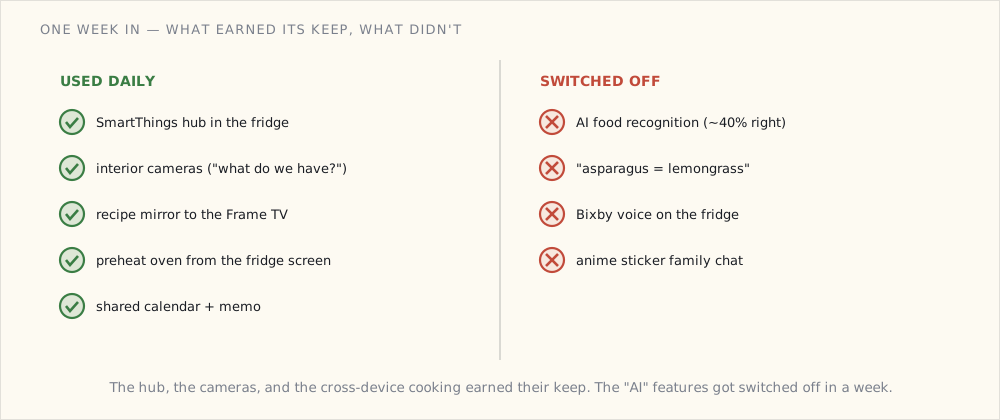
- AI Vision food recognition. Identifies maybe 40% of items in the fridge correctly. Asparagus consistently classified as "lemongrass." Expiration tracking requires manual override often enough that it's not worth it.
- Bixby voice on the fridge. Bad enough that I disabled it.
- Anime sticker family chat features. No comment.
What's not gimmicky
- The SmartThings hub built into the fridge. Removes one box from the closet (well, would have, except I keep the others for redundancy + separate Zigbee networks).
- The interior cameras. Used daily.
- The recipe mirror-to-Frame. Used multiple times per week.
- Pre-heat the oven from anywhere in the kitchen. Used daily.
Where the Frame TV fits
The Frame TV in the great room (mounted opposite the kitchen) is the second screen. From the fridge: cast a recipe to the Frame. From the Frame: SmartThings hub (the Frame is also a hub) controls the kitchen lights via SmartThings. From either device: see camera feeds.
The Frame + Fridge + Frame TV ecosystem is the first time I've had three SmartThings hubs cooperating in one house. Samsung's integration story is genuinely tight. The rest of the Bespoke kitchen — oven, dishwasher, washer/dryer — gets its own post once it's installed, and the Frame TV ecosystem deserves a write-up of its own too.
What broke during install
- The water line install — the previous-house's water filter wasn't compatible. Installed a new under-sink water filter; ran a 1/4" PEX line to the fridge.
- Initial Family Hub setup wanted internet access before I'd configured the IoT VLAN firewall rules. Temporarily allowed broader access, then locked down after setup.
- HA SmartThings integration broke during the migration — the old hub's token was tied to the old hub. Re-authorized the integration with the Family Hub's hub ID.
Nothing serious. The fridge has been running 7 days. Glad I got the 21" model.
What's next
- The full Samsung Bespoke kitchen write-up (oven, dishwasher, washer/dryer) once those are installed.
- A dedicated Frame TV ecosystem post.
- Eventually: a "Matter at the appliance level" post if and when Samsung exposes the appliances over Matter — the appliance device types aren't in the spec yet, so this one's a wait-and-see.