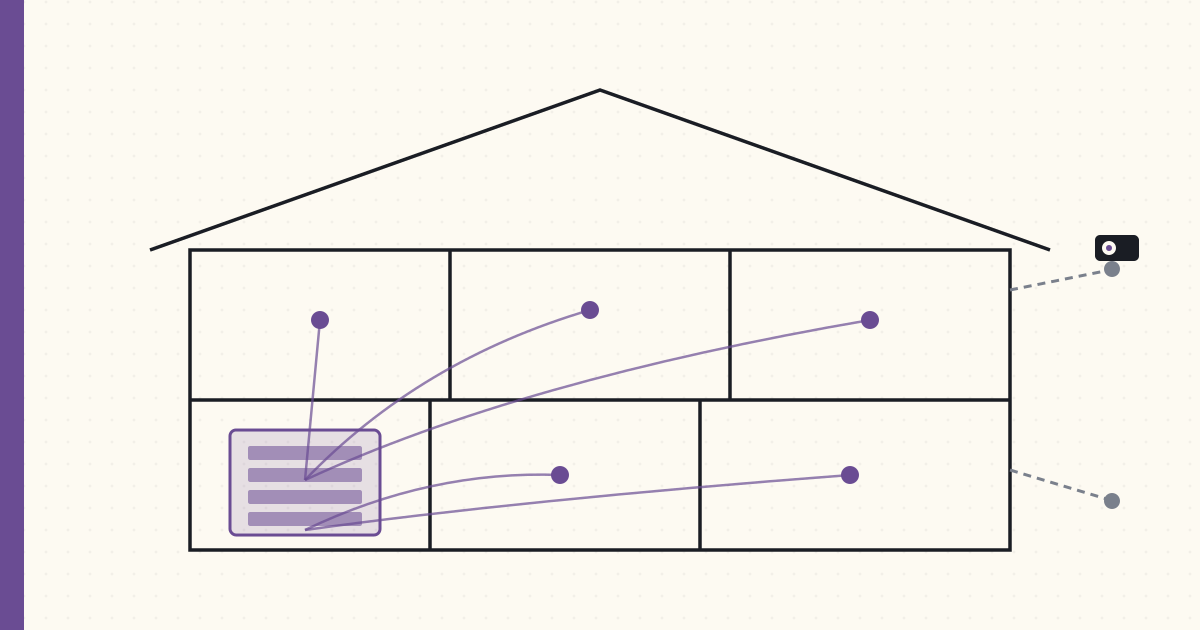
Designing the new build for the wires, from day one
Framing starts in six weeks. Tonight I finished the connected-home wire spec for the build — every Cat6 drop, every PoE camera location, every conduit run, every smart-switch box. After ten years of retrofitting a finished house, I finally get to do it in the right order, and the math is brutal enough that I treated tonight like an exam: anything I forget now is a $400 retrofit later, and some of it isn't retrofittable at any price.
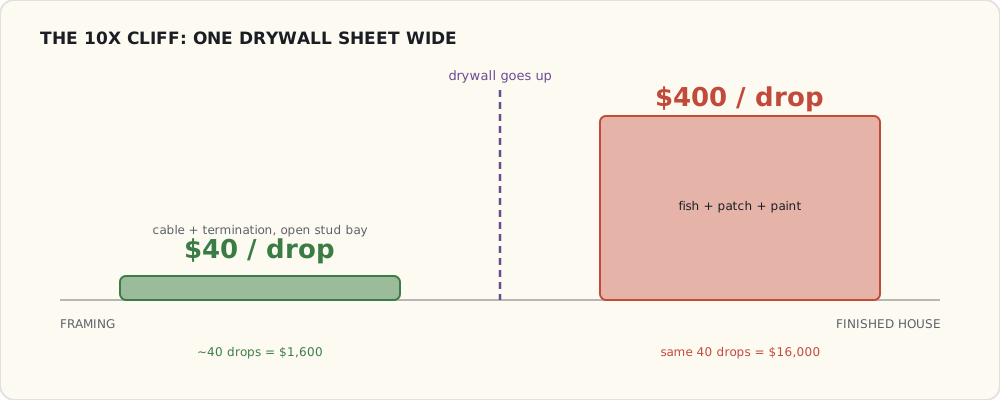
The governing number, the one I taped above the desk: $40 per Cat6 drop in an open wall, ~$400 per drop fished through finished drywall. Everything below is downstream of that ratio.
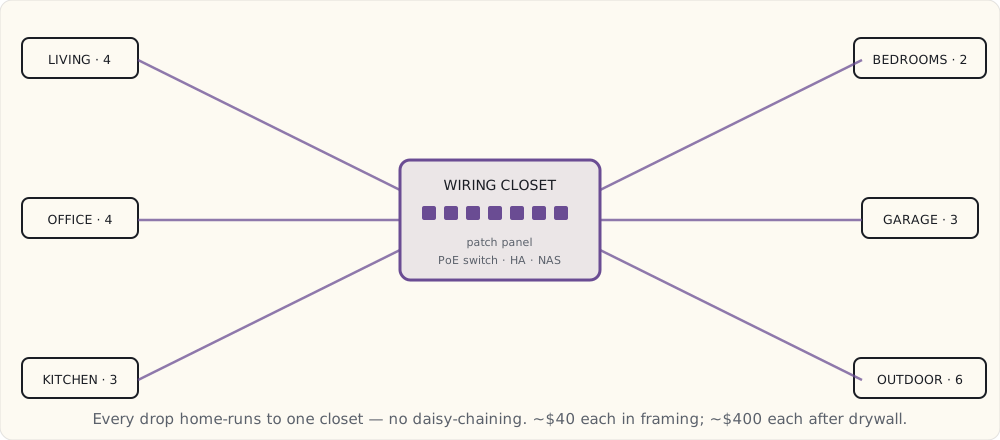
The structured-wiring closet — the brain
A climate-controlled corner of the basement utility room becomes the head end. It gets a duct stub off the HVAC because a 24-port PoE switch and a NAS throw real heat, and a Z-Wave lock on the door with a sign that says "do not unplug anything."
- 24-port managed PoE switch (UniFi 24-PoE-Pro) — every camera and every fixed device home-runs here.
- 36-port Cat6 patch panel — terminate everything in one place, labeled.
- Rack-mounted Home Assistant host — the HA Yellow moves here at first and gets replaced by a rack box when it's cramped.
- PoE injector for the LoRa gateway — the garden network comes along to the new house.
- UPS (CyberPower CP1500AVRLCD) — switch, HA host, and modem ride through a blip.
- 2× Synology NAS — one for camera recordings, one for everything else.
This closet is non-negotiable infrastructure. Wireless gear is a tenant; the closet is the landlord.
Cat6 drops, by room
Home-run topology — every drop goes back to the patch panel, no daisy-chaining, no in-wall switches. A drop is cheap insurance against a future device I can't predict tonight.
| Room | Cat6 drops | Notes |
|---|---|---|
| Living room | 4 | TV + AVR + Apple TV + future camera |
| Kitchen | 3 | Frame TV + Family Hub fridge + future tablet |
| Master bedroom | 2 | TV + future PoE camera |
| Office | 4 | Desk + Apple TV + wall display |
| Garage | 3 | Camera + future EV charger telemetry + workshop PC |
| Each bedroom | 2 | TV + future device |
| Mechanical room | 2 | HVAC controller + standby-generator transfer-switch monitor |
| Outdoor zones | 6 | PoE cameras (4) + LoRa gateway antenna run (2) |
About 40 drops. ~$1,600 in cable and termination at $40 each. The alternative — retrofitting any of these after drywall — is ~$400 a drop, so the same 40 drops becomes $16,000. That's not a close call; that's the whole argument for doing it now.
PoE cameras, planned during framing
Camera placement is a framing decision because the Cat6 has to leave through an exterior wall, and you only get to do that cleanly once:
- Front entry — above the door, ~10 ft, covering porch and walkway.
- Side yard — garage-roof corner, looking down the driveway.
- Backyard — under the eave, covering deck and lawn.
- Pool fence — pool-deck corner, covering the pool and the back gate.
- Garage interior — in the rafters, both bays plus the workbench.
- Doorbell — replacing the standard button and chime at the front door.
Six locations planned, four cameras installed at move-in, all home-run on Cat6 to the basement switch and recording locally through Frigate — no camera-vendor cloud, same as the current house.
Conduit — the "I don't know yet" insurance
A 1.5" smurf tube runs from the closet up to the attic, and from the attic out to the places I can't predict tonight but refuse to wall off:
- Each exterior camera location — so a future camera move is a pull, not a demolition.
- The garage — a future EV charger needs a 60 A circuit and low-voltage Cat6 for charger telemetry.
- The pool equipment pad — Cat6 plus 24 V for pool automation.
Conduit is the humility line item: it's me admitting I can't foresee everything, and buying the right to be wrong cheaply. The electrician hated the conduit runs and I paid for the labor anyway.
Smart-switch boxes
Two requirements on every box:
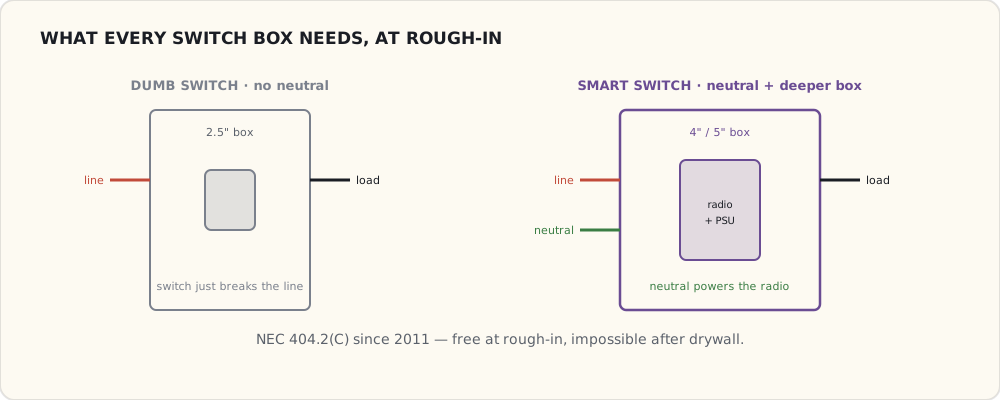
- Neutral wire in every box. This is code for new construction (NEC 404.2(C), in force since the 2011 cycle), and the builder's first quote tried to skip it "since you're using LED bulbs." Insisted. A neutral is what lets a smart switch power itself without flickering the load, and it's free to run during rough-in and impossible to add later without opening walls.
- Deeper boxes — 4" single-gang, 5" double-gang. Smart switches are physically deeper than dumb ones; the standard 2.5" boxes in the original plan won't physically close over a Lutron or Z-Wave switch.
I'm running Lutron Caséta in-wall switches throughout, same as the current house, so the dimmers and the muscle memory both carry over. The Lutron Smart Bridge Pro 2 ($250, the rack-mount one with the integration API) goes in the closet and bridges into Home Assistant locally.
Outdoor wiring
The exterior gets its own spec, all run before the siding goes on:
- A Cat6 stub at each soffit corner — future cameras.
- A switched outlet at each landscape-lighting transformer — Z-Wave control of the landscape lights.
- A Cat6 + 12 V stub at the deck — future outdoor speaker and sensor cluster.
- A 24 AWG signal pair to the mailbox. Yes, I'm wiring the mailbox — a reed switch on the door for a "mail delivered" notification. I've wanted it for ten years; this is the year I stop pretending it's silly.
The appliances that bring SmartThings into the house
The kitchen is the one place a second ecosystem shows up, and it's worth being precise about how it connects, because SmartThings changed underneath everyone this year.
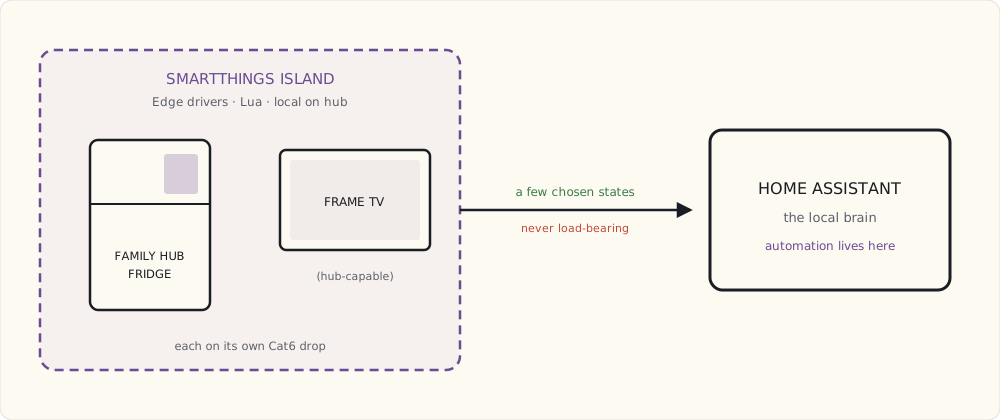
The Samsung Family Hub fridge has a 21" touchscreen, runs Tizen, and talks to SmartThings. To support it: a dedicated 20 A circuit (it draws more than a screenless fridge), a Cat6 drop behind it (Ethernet beats Wi-Fi for the camera and voice features), and a filtered water line. The catch I'm watching: Samsung shut down the legacy Groovy cloud platform at the end of 2022 and moved everything to Edge drivers — Lua that runs locally on a SmartThings hub instead of in their cloud. That's a genuine improvement for latency and reliability, but it means anything I integrate has to be on the new Edge stack, and I'm not assuming a 2021 community DTH will still work. My plan is to keep the fridge on its own SmartThings island and bridge the handful of states I care about into HA, rather than make SmartThings load-bearing.
The Frame TV goes on the great-room wall as art display and primary screen. It wants Cat6 plus HDMI from a separate AVR location, the "One Connect" cable run through the wall, and a recessed outlet for a clean back. The 2022-and-later Frames can act as a SmartThings hub — which, post-Groovy, means a hub that runs Edge drivers locally — so the Cat6 drop is what keeps that option open. I'm wiring for it without committing the house to it.
What I'm deliberately not wiring
- Ceiling speakers in every room. Whole-house audio is a '90s idea; AirPlay 2 and Sonos cover it. Ceiling speakers only in the office, for calls.
- Coax to every room. Nothing uses it. One drop in the great room for emergencies; done.
- Telephone wiring. No.
- A whole-house FM antenna. My old house had one. Hilarious. No.
Where the builder pushed back
- 40+ Cat6 drops. The electrician quoted 12 and asked why I needed so many. Long conversation about future-proofing; won by paying for it.
- The conduit runs. Same conversation, same outcome.
- Neutrals in every box. Code in 2023, but the quote tried to omit them. Insisted.
- Deeper boxes throughout. Standard 2.5" everywhere in their plan; I pushed to 4" and 5".
The builder now introduces me as "the connected-home guy." I'm tipping the electrician at the end, because every one of these fights is one I'd rather win in framing than regret through drywall.
What I'll write next
Quarter by quarter through the build:
- July 2023 — the structured wiring, conduit, and PoE backbone, as actually installed.
- October 2023 — the Family Hub fridge in the finished kitchen, and whether SmartThings Edge lives up to the local-first promise.
- December 2023 — the year in review.