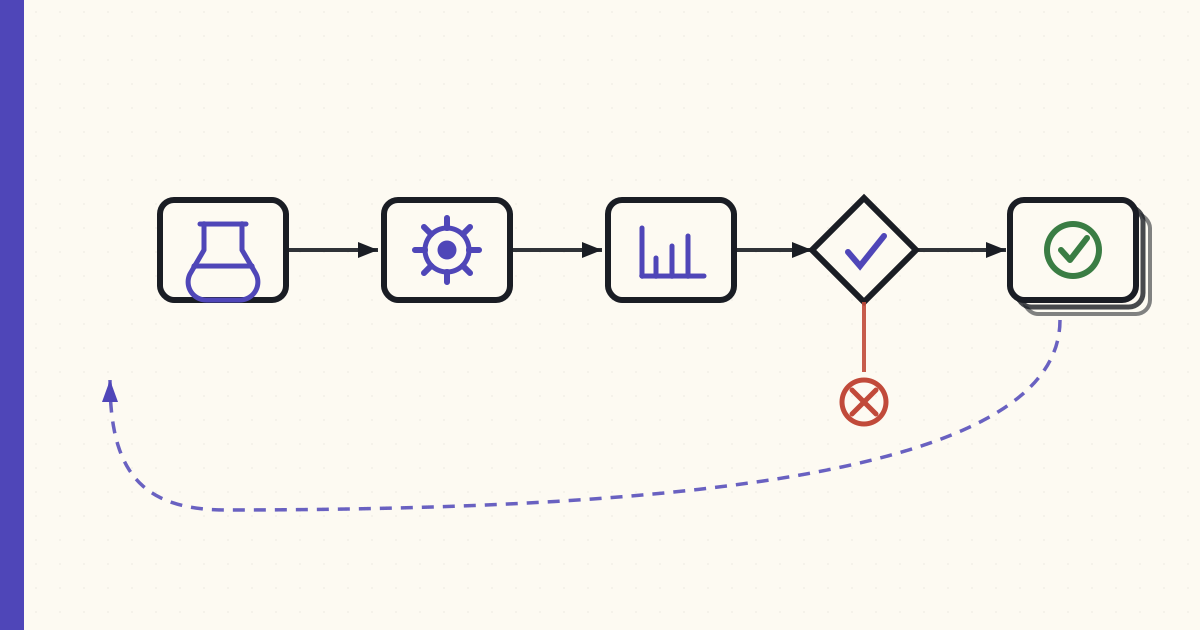
We've been moving our ML training pipeline onto SageMaker Pipelines for three weeks. The pipeline trains a small predictive model that lives behind one of our features; nothing exotic, just a real workload that was a tangle of glue scripts that nobody on the team wanted to own anymore.
Three weeks in, here's what I'd tell the next team about to do the same thing.
What SageMaker Pipelines actually is
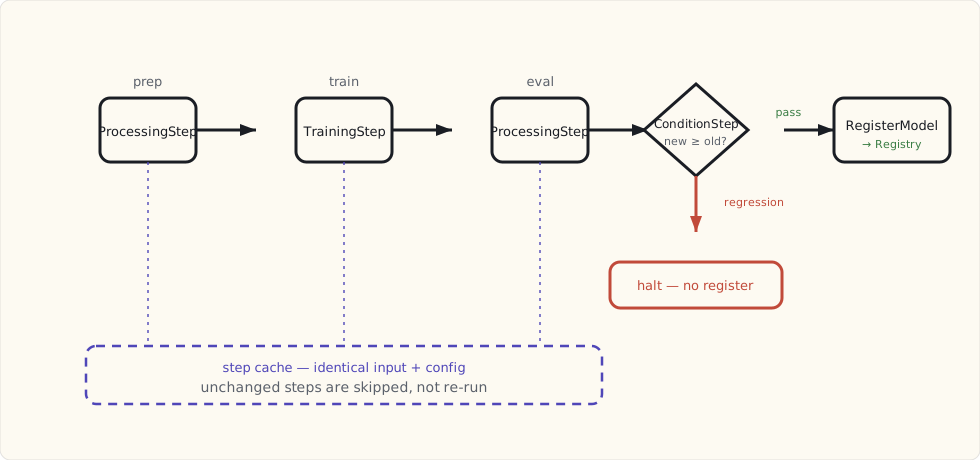
A DAG runner for ML steps. Each step is a typed thing — ProcessingStep, TrainingStep, TransformStep, RegisterModel, CreateModel, LambdaStep, conditional gates — and you wire them together in Python. The runtime is managed; the artifacts move through S3; lineage is tracked.
The simplest way to think about it: it's an Airflow that knows what an ML step is, runs on someone else's infrastructure, and integrates with the rest of the SageMaker ecosystem (Studio for notebooks, Model Registry for versioning, Model Monitor for drift) without you having to wire those integrations.
What stuck in week three
The Model Registry. Before this, our "model versioning" was a folder in S3 with a date in the name and a markdown file describing what was inside. The Model Registry replaces that with first-class versioning, approval workflows, and a model lineage graph that shows you which training run, which data slice, and which hyperparameters produced a given artifact. It is the single biggest "why didn't we have this years ago" feeling of the project.
Conditional steps. The pipeline has a step that compares the new model's eval score to the deployed one. If new < old by more than a threshold, the pipeline halts and the registration step never runs. This used to be a Slack thread on Friday afternoons. Now it's a JSON condition in the pipeline definition.
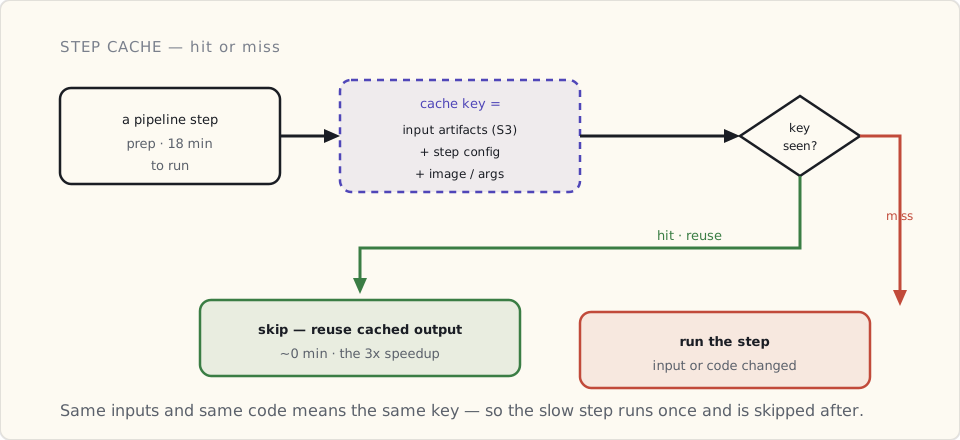
The cache. Steps with identical input artifacts and config get cached. A data-prep step that takes 18 minutes runs once; subsequent pipeline executions that haven't changed the input or the code skip it. This made iterating on the back half of the pipeline (training, eval, deploy) about three times faster.
The mechanism is a cache key built from the step's inputs and config — change neither and the step is skipped, change either and it re-runs:
What I'd swap
The SDK is verbose. Defining a pipeline takes a lot of Python boilerplate — instantiating Processor, Estimator, ProcessingStep, wiring ProcessingInput and ProcessingOutput per step. The team kept getting tripped on subtle distinctions between argument shapes. I ended up writing a small wrapper around the most common patterns. If I were starting over, I'd write that wrapper on day one, not day fifteen.
Local mode is fragile. SageMaker Pipelines has a local-mode runner that's supposed to let you test pipelines without spinning up SageMaker resources. In practice it has enough corner cases — Docker permissions, IAM differences, paths that work on Linux but not on a Mac — that the team mostly gave up and tests against a dev SageMaker account. That's slower but more predictable.
Cost visibility lags. A pipeline run can spin up multiple instances across different step types, and reading the per-pipeline cost back out of Cost Explorer is harder than it should be. We're tagging every pipeline run with the experiment ID and writing our own cost report on top. Not hard, but you'll need to.
The one decision I'd undo
We tried to put everything in the pipeline on day one. Data prep, feature engineering, training, eval, model registration, batch transform, monitoring setup, even the Slack notification at the end — all of it as pipeline steps.
I would not do this again. The right move is to put the production-critical steps in the pipeline and leave the experimental steps in a notebook for as long as possible. Once a piece of the workflow is stable, then promote it. We've spent more time refactoring "experimental step in pipeline shape" than we did building the original pipeline.
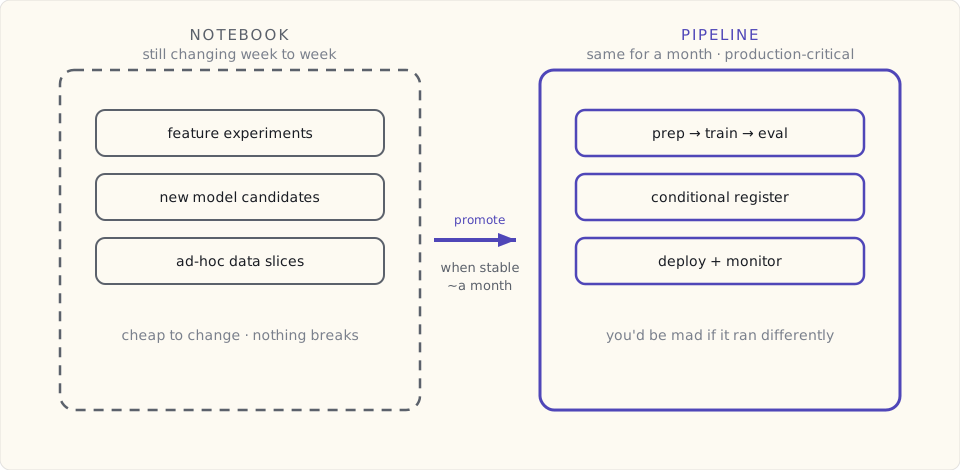
The rule the team is settling on: if the step has been the same for a month and you'd be mad if it ran differently next week, it belongs in the pipeline. Otherwise it lives in a notebook.
How it ties into the rest
Two things I didn't expect to matter that matter:
- JumpStart's Foundation Model tab is now where we go to test a candidate base model before integrating it into the pipeline. Claude 3 (which Bedrock got six weeks ago) and Llama 3 (which Meta dropped last week) both show up there alongside the older families. Useful for sanity-checking "would this model do the job" before paying for the integration.
- Model Monitor + the Pipelines deploy step is the loop we didn't have before. Deploy from the pipeline, monitor automatically picks up the endpoint, and drift detection runs against the same data slice the pipeline used for eval. That last piece — the eval set and the monitoring set are the same set — is what makes the whole thing trustworthy.
What's next
Two things I'm going to tackle in the next sprint:
- Pipeline triggers from S3 events. Right now the pipeline kicks off on a schedule. We want it to fire when new training data lands. Standard EventBridge → Lambda → Pipeline pattern, just haven't done it yet.
- A second pipeline for the eval-only path. We want to be able to re-evaluate the current production model against new data without retraining. Separating the eval pipeline from the train pipeline so we can run them independently.
Three weeks isn't long enough to have strong opinions. It's long enough to have noticed which mistakes are mine and which are the tool's. Write more in a couple of months.