Prompt regression — the rough first version of our test set
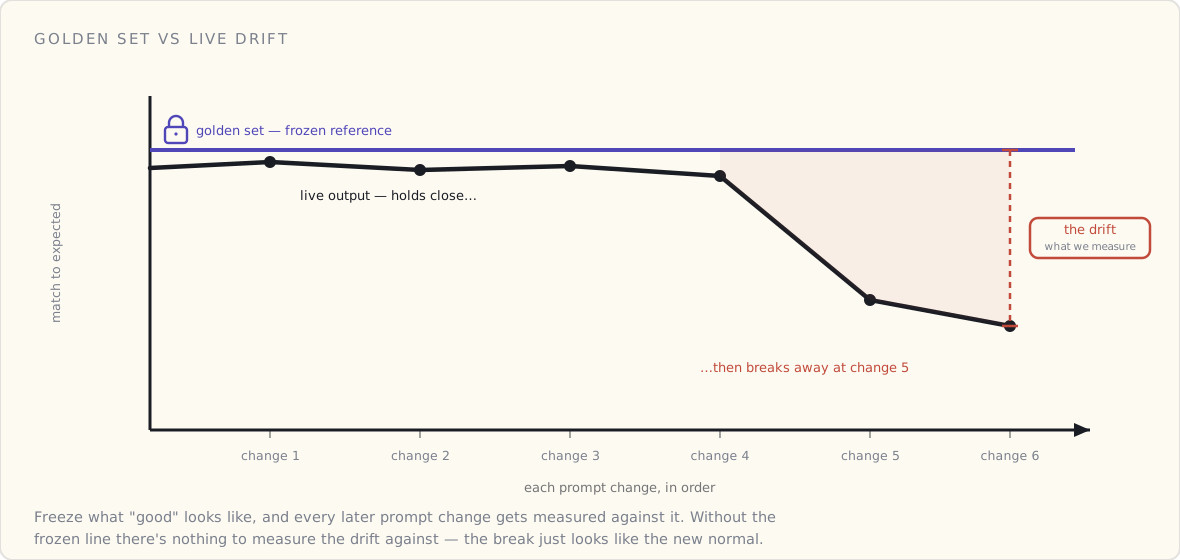
The engineers I lead shipped a feature last quarter that uses a model behind it. Twice now we've noticed that a small change to the prompt made the outputs worse in a way nobody caught for ten days. That's not a process problem. That's a missing test bed.
I sat down this week to try to fix it. This is what week two looks like.
What we have so far
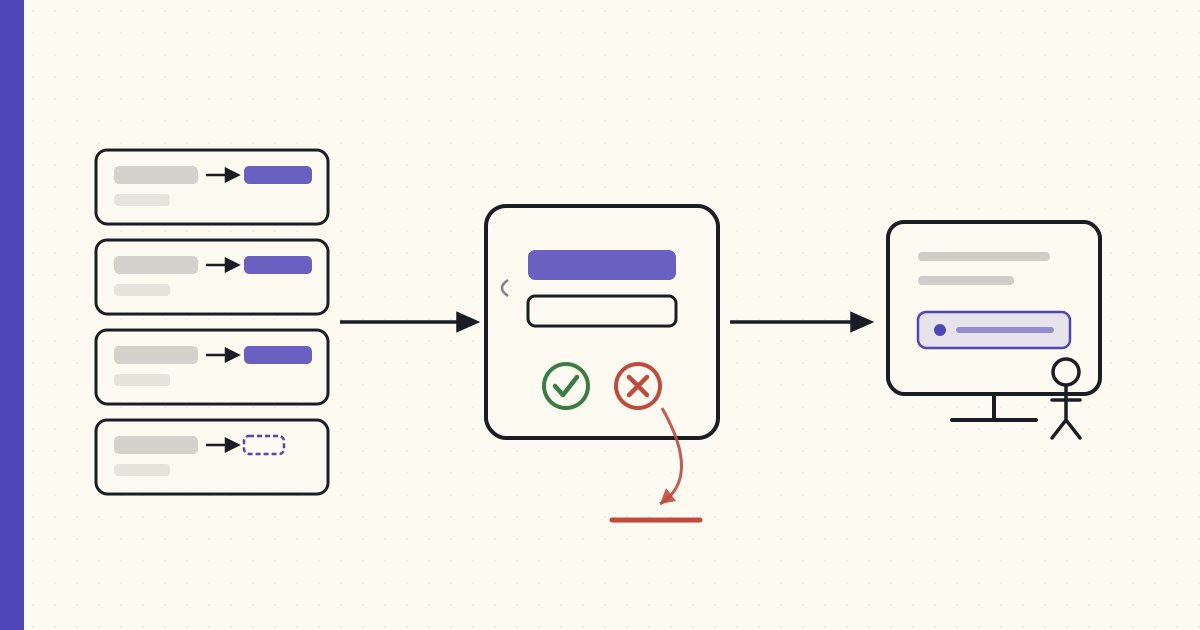
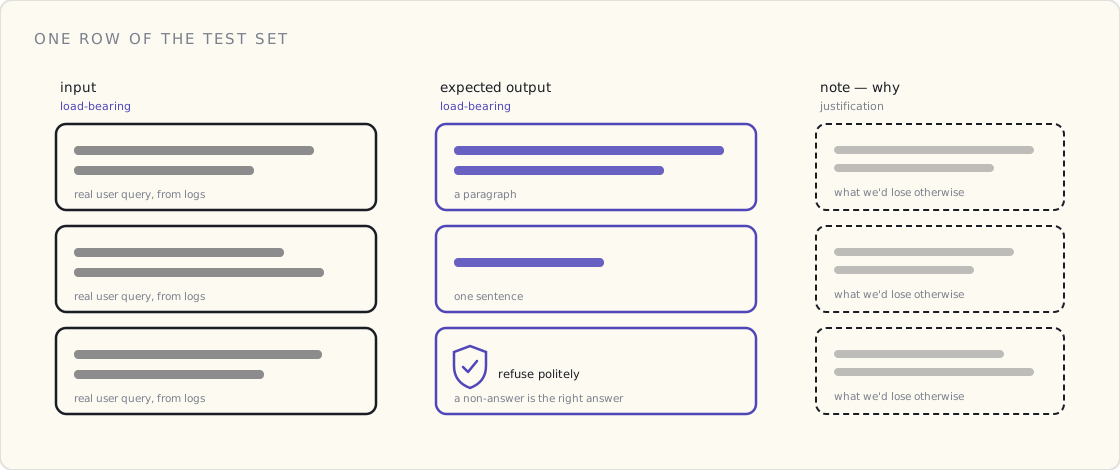
A spreadsheet. About forty rows. Each row has:
- An input — a real user query we pulled from production logs (anonymized).
- An expected output — the answer one of the PMs sitting in the room thought was the best version. Sometimes that's a paragraph. Sometimes it's a single sentence. Once, it's "the assistant should refuse politely."
- A note about why that's the expected output — what we'd lose if the model said something different.
That's it. Forty rows in a Google Sheet. Two columns load-bearing, one column is justification.
The script
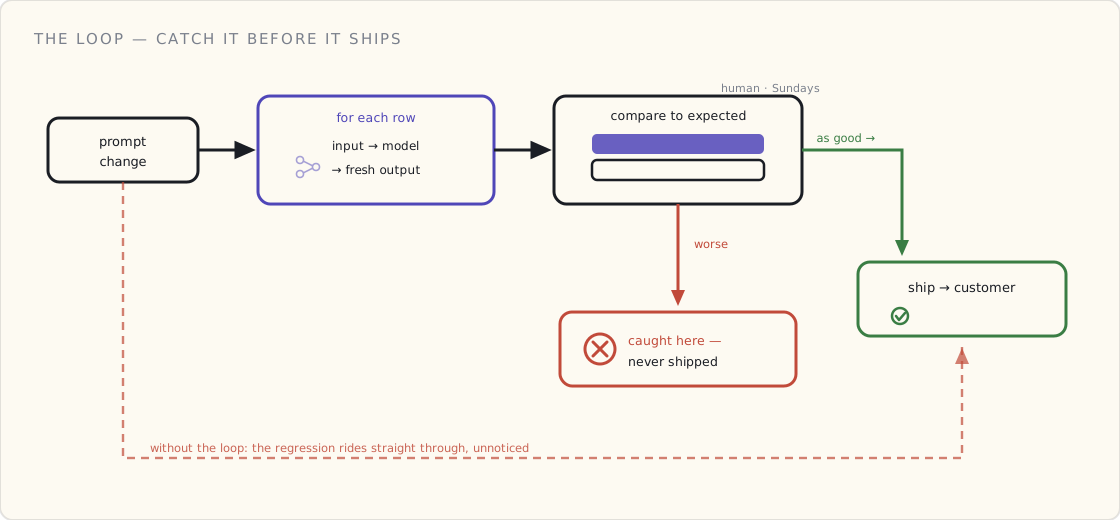
The script around it isn't much smarter. For each row, it sends the input to our model, captures the output, and dumps the pair into a second spreadsheet for a human to review. The human is me on Sundays for now.
What it doesn't do yet:
- It doesn't score anything automatically. I've read about using a stronger model to grade outputs (a paper went around earlier this year — "LLM as a judge" — that I'm still chewing on). For now, my eyes are the grader.
- It doesn't fail anything in CI. If the outputs look worse, I have to notice, and notice is doing a lot of work in that sentence.
- It doesn't have a rubric. I keep wanting to call this thing a rubric, but a rubric implies I've decided what "good" means on each axis. I haven't. The spreadsheet's "note" column is doing that job badly.
What's already useful
Two surprises after two weeks:
One, the act of writing the expected output forces an opinion. Our team had been arguing for a month about whether the assistant should hedge ("I might be wrong, but…") or commit. The argument felt unresolvable. The moment we had to write down the expected response for ten queries, we settled it in an afternoon. The expected outputs were all committed and direct. Argument over. The spreadsheet ended the meeting.
Two, the worst regressions were format regressions, not content regressions. A prompt change made the model start answering in bullet points when the downstream UI expected a paragraph. The content was fine. The shape of it broke a parser two hops away. I would not have predicted that.
What I'm trying next week
Three things:
- Tag each row with a scenario — "first-time user", "power user follow-up", "ambiguous query", "refusal-required". Right now they're undifferentiated. If we lose ground on the refusal-required rows, that's a much bigger deal than losing ground on the easy ones, and the average score is hiding it.
- Add a column for what would make this answer worse — the failure mode we're trying to avoid. That's closer to a rubric than what I have, but I'm not ready to commit to four axes yet. Maybe next month.
- Get one of the engineers to run the script on every prompt change before we ship. Right now it runs when I get to it on a Sunday. That doesn't scale.
What I still don't know
I don't know what to call this. "Tests" is wrong because the outputs aren't deterministic. "Regression suite" is half-right but oversells how rigorous it is. The paper I mentioned uses the word "evals." Maybe that's where this goes.
I also don't know what the threshold for "good enough" is supposed to be on a forty-row spreadsheet where the grader is me. Probably I need both more rows and a less-biased grader before that question has an answer.
For now, the test set exists. It already caught one regression that would have shipped. That's enough to keep going.
More next month.