
The City Walk: Path Loss ~4 in Dense Urban — and the Cache That Wouldn't Die
Last range test was a clean suburban line — 1,250 feet, zero hops, scorecard cleared with margin. The city test should have been the easy follow-up. Same rig, denser environment, walk the block, get the number.
Five walks later I had no number.
Not because the link failed — it didn't — but because every position the collar broadcast was a stale value baked into firmware, while the GPS chip itself was producing fresh fixes nobody could see. Once that finally cleared, the actual walk took six minutes and gave me the headline I came for: path loss exponent of about 4 in dense urban row housing, roughly half the suburban range — exactly what dense-urban LoRa literature predicts.
The bug is the interesting half of the post.
The rig and the plan
Same two Wio Tracker L1s as the suburb test, US 915 MHz, LONG_FAST preset, 30 dBm TX, hop limit 3. One stays home as a base station with a manually-set fixed position. One walks with me as the collar, GPS on, broadcasting position every 30 seconds and a range-test seq packet every 15. A small Python listener on the base writes each received packet to a CSV with timestamp, sender lat/lng, receive SNR, and a great-circle distance computed against the base's known coord.
That last detail is important: by computing distance on the receive side from a coord the base knows is correct, the SNR-vs-distance curve isn't at the mercy of whatever the collar's firmware claims about itself. Or so I thought.
The first four walks — same stuck coordinate, every time
Every position broadcast from the collar carried the same lat/lng, to the bit: 40.2953856, -75.6246912. Every one. Across multiple walks, across reboots, across a full power-cycle. That coordinate is about 3 km from where the collar was actually standing — a stuck value from another part of the city the collar was never near.
When the same firmware emits the same precise float across hours of broadcasts and a power loss, the value isn't from a sensor. It's coming out of flash.
I had a working theory the moment I saw it: somewhere in the device's persistent storage, the Meshtastic firmware keeps a "last broadcast position" that the POSITION_APP plugin pulls from when emitting a packet, separate from whatever the GPS chip is currently reporting. If that cache gets corrupted with a stale value, the broadcast keeps shipping it even when the chip downstairs has a perfectly good live fix.
But the theory needed a level of access the tool in my pocket couldn't give me. The diagnostic moved up a ladder, one walk at a time.
Each tool got me one layer closer
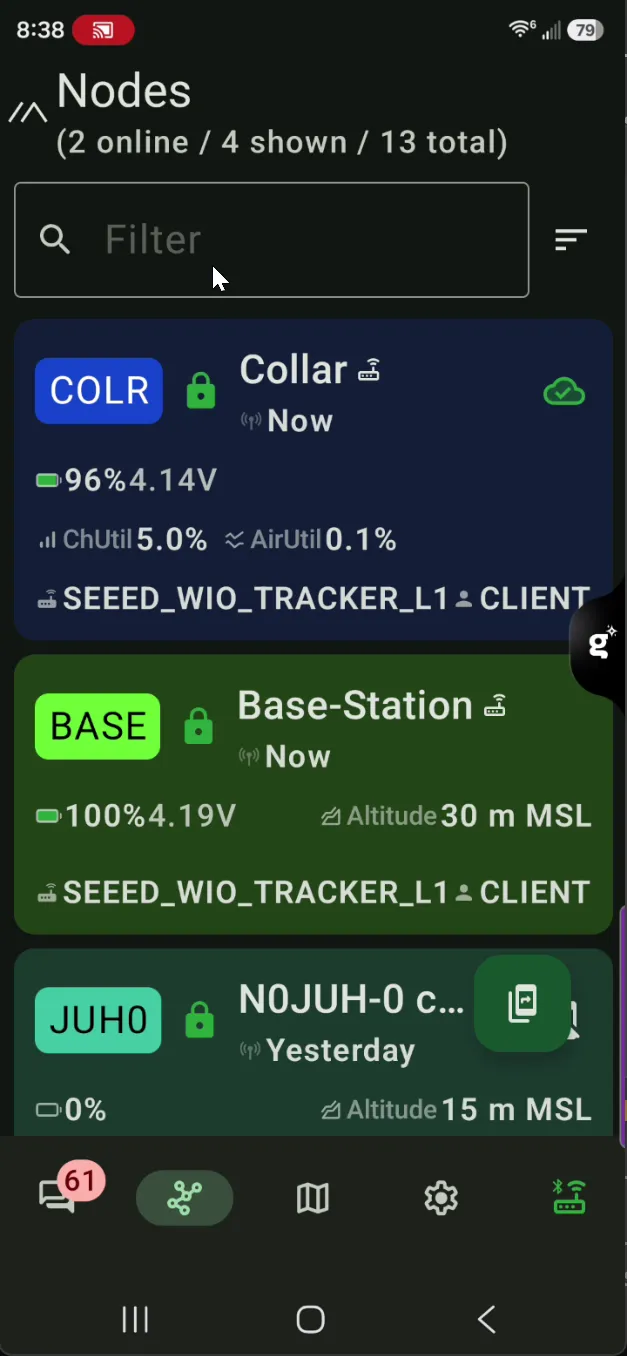
Walk 1 — the Meshtastic Android app in my pocket. Confirmed the link was alive: collar in the node list, hop count, a position. Small screen, the position display sits behind a default-imprecise grid square, and I was walking — I noticed something was off about where the collar said it was, but I didn't slow down to look hard.
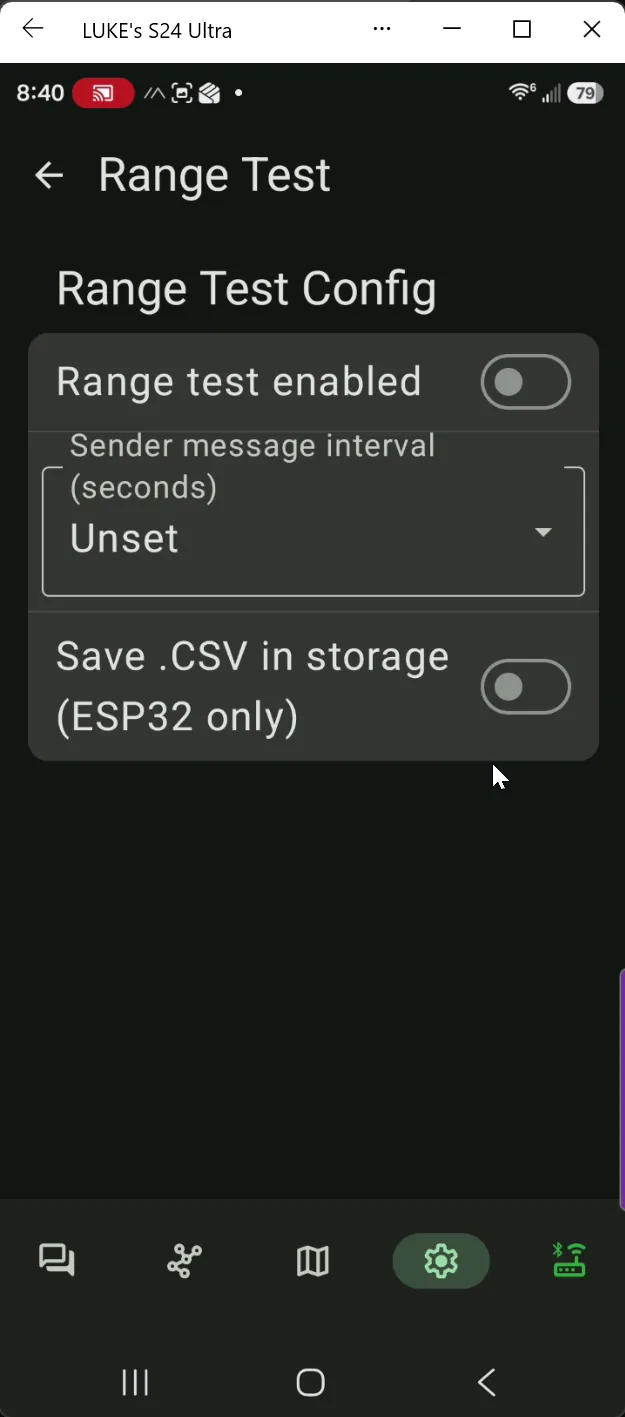
Walk 2 — same app, phone mirrored to the laptop side-by-side with a map. Bigger screen, the "wait, that's not where I am" feeling sharpened into a specific question. The Range Test module's config screen is also a clean tell of what the app can and can't do — there's a "Save .CSV in storage" toggle right there, greyed out, with "(ESP32 only)" next to it. The Wio Tracker L1 is nRF52840, so on-device CSV logging is off the table. That's the first time on this walk I knew I'd have to log the test from somewhere outside the app — still GUI, still abstracted from the firmware fields I actually needed to see.
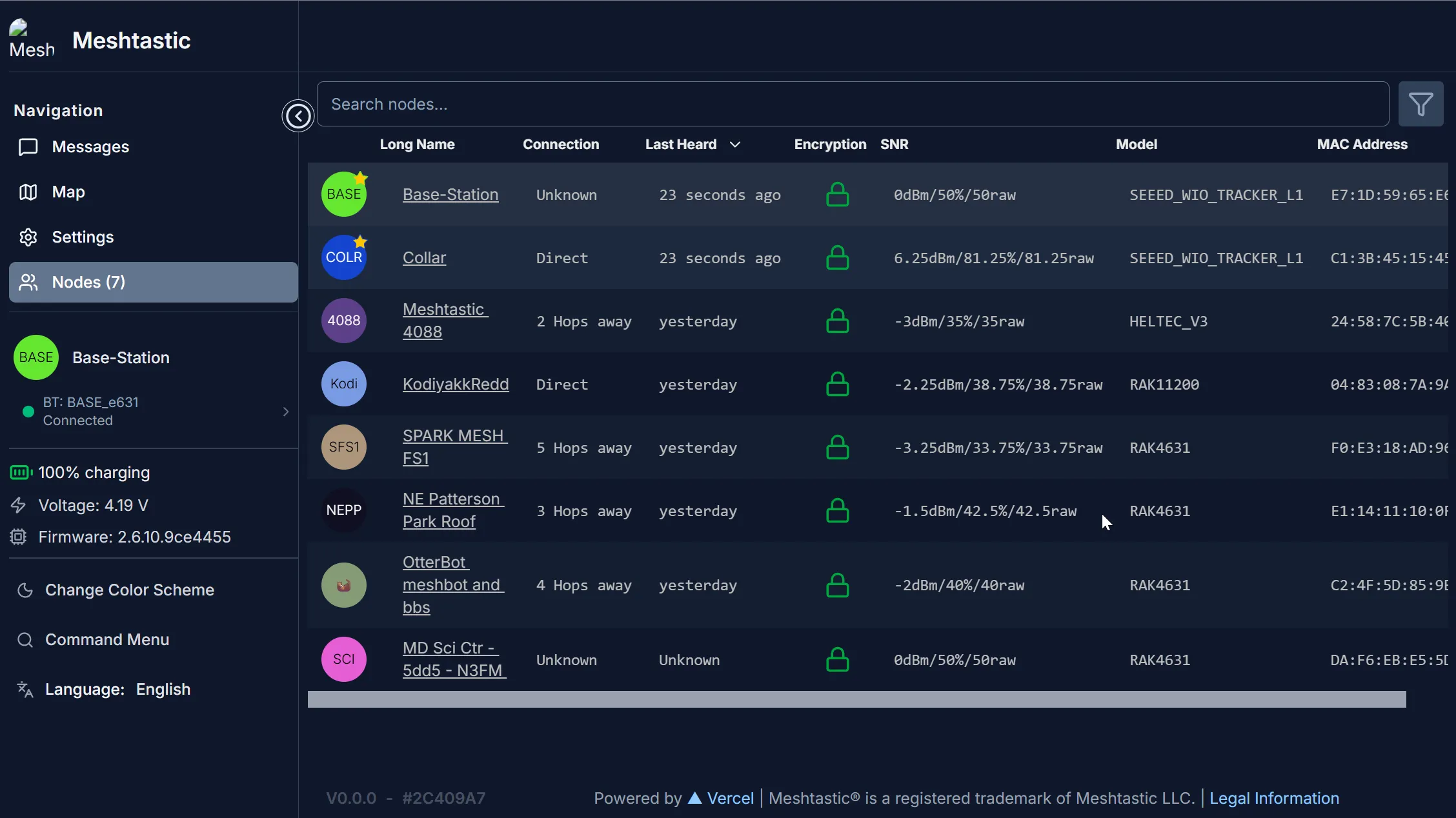
Walk 3 — the Meshtastic Web Client over Bluetooth. Genuinely cool moment: a Chrome tab, a Web Bluetooth handshake, the device's config tree in a browser, no driver install or USB cable. Caveat worth knowing: one device at a time — Web Bluetooth pairs one peripheral per session, so I had to disconnect and reconnect to swap between collar and base. Useful enough to confirm the fixedPosition flag was already off on the collar and the broadcast still carried the stuck coord, which ruled out the obvious cause and made the bug feel deeper.


Walk 4 — the Meshtastic Python CLI (pip install meshtastic) over USB serial. This is the rung where the bug became visible. The CLI reads the device's raw protobuf, prints every field of the local node dump including cache values the GUI doesn't expose, and lets me query the base's view of the collar separately from the collar's view of itself. That's the comparison the smoking gun depends on; the GUI couldn't make it.
The progression isn't accidental. Each tool ships its own view of the device — the app shows you what an end user needs, the Web Client shows you what a tinkerer needs, the CLI shows you what a developer needs. When the bug lives in a field none of the user-shaped views expose, you have to keep climbing until you can see it. There's one more rung beyond the CLI in this story — but that one comes later, and it's about a different bug.
The smoking gun
The cleanest evidence: the collar's own meshtastic --info and the base's view of the collar disagreed.
| latitude | longitude | altitude | source | |
|---|---|---|---|---|
| Collar self-view (chip output) | 40.272606 | -75.6147148 | 24 m | LOC_INTERNAL (fresh GPS) |
| Base's view of collar (received broadcasts) | 40.2953856 | -75.6246912 | 24 m | LOC_INTERNAL (claimed fresh) |
Read that altitude column twice. The broadcasts were arriving with fresh altitude every time. They were marked LOC_INTERNAL, the firmware's flag for "this came from my GPS chip just now." Time field, fresh. Lat/lng — locked. Same value across two hours of walking and power events.
Whatever path the firmware uses to assemble an outgoing position packet, the altitude and time fields are getting pulled from the live GPS, and the lat/lng fields are getting pulled from a different place — somewhere persistent, somewhere that doesn't update when the chip does, and somewhere --remove-position and --reboot and full unpower don't reach.

What didn't clear it
The depressing list, in the order I tried them:
meshtastic --port COM5 --remove-position— clears the fixedPosition config flag and zerosfixedLat/fixedLng. Does not touch the broadcast cache. No effect on the stuck coord.--reboot— software reboot. Cache survives.- Full power-cycle (unplug USB, hold 30 s to drain capacitors, replug). Cache survives.
- Toggling
position.gps_mode,gps_update_interval,position_broadcast_smart_enabled. Cache survives. - Reading the cache via
--get positionto inspect it directly. The field isn't exposed in the public config surface — there's nothing to set.
I confirmed the GPS chip was healthy in the middle of all of this — it briefly reported a clean indoor fix at 40.2719211, -75.6144608 while I was watching, then proceeded to broadcast 40.2953856 thirty seconds later. The chip was telling the truth the whole time. The firmware just wouldn't repeat it.
What did clear it
meshtastic --port COM5 --factory-reset. Bluntest hammer in the box: it wipes the channel config, the owner name, the LoRa settings, the position settings, and the persistent broadcast cache. Cost is about ten minutes to rebuild — re-import the channel URL, set owner name, push LoRa region and preset and TX power and hop limit, push the GPS interval and the broadcast cadence. The configs live in YAML in this repo so the rebuild is a single --ch-set-url plus a chain of --set calls.
Except — and here's the fifth rung I promised earlier — in meshtastic Python CLI 2.7.8, --factory-reset itself is broken. The flag dispatches an AdminMessage whose factory_reset_config field expects an integer (1 for soft, 2 for hard), but the CLI assigns the Python True. The protobuf encoder catches it and aborts with Expected an int, got a boolean. Different bug, same shape of fix: drop one layer further down, from the CLI to the Python API the CLI is built on. Twelve lines: open a SerialInterface, build the admin message with factory_reset_config = 1, send via localNode._sendAdmin(). First try. The CLI flag was the wrong wrench for a fastener the API ships in the same toolbox; the device-side firmware is perfectly happy as soon as you hand it the integer it actually wanted.
After the reset, the broadcast cache was gone. The next --info from the base showed the collar reporting 40.2714555, -75.6146695 — a real coord, near my house, varying between consecutive readings the way GPS jitter is supposed to. End-to-end: fresh.
The walk that worked
About six minutes, down the block east and back, holding the collar at shoulder height. Eleven position broadcasts with fresh varying coords, plus the seq packets every fifteen seconds. Distance and SNR pulled from the live capture:
| Time | Distance | SNR |
|---|---|---|
| 19:57:27 | 377 m | +6.0 |
| 19:57:45 | 367 m | +5.5 |
| 19:58:05 | 268 m | +6.25 |
| 19:58:25 | 310 m | +6.0 |
| 19:58:45 | 303 m | +3.5 |
| 19:59:05 | 303 m | +5.5 |
| 20:00:05 | 363 m | +4.5 |
| 20:00:25 | 379 m | +5.75 |
| 20:01:05 | 379 m | +2.75 |
| 20:01:25 | 463 m | +3.75 |
| 20:01:46 | 486 m | −4.0 |
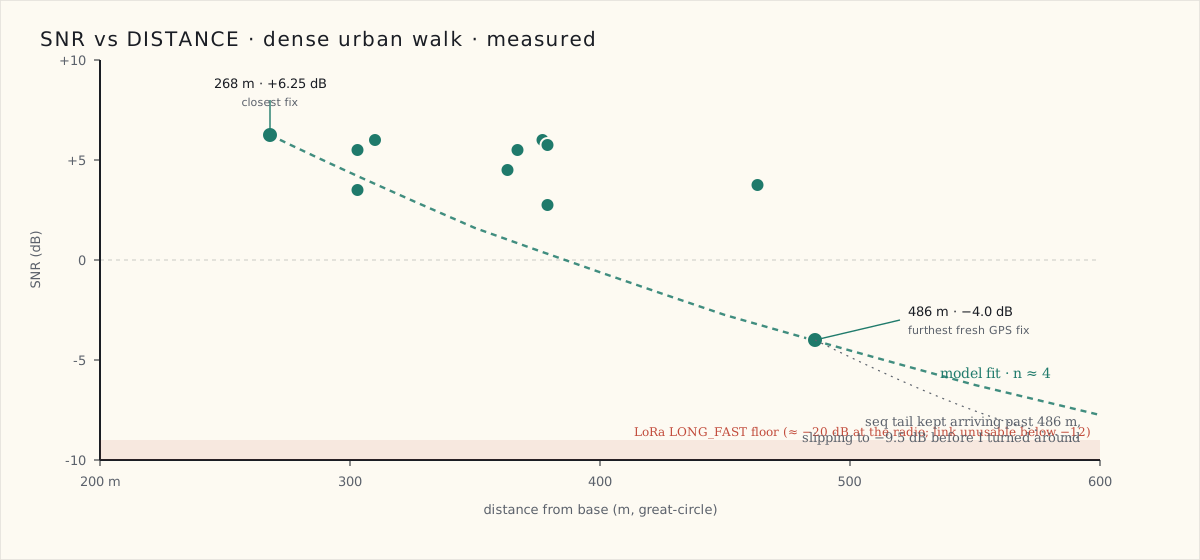
The seq packets after the last GPS broadcast kept arriving with SNR slipping further: −3.75, then −6.75, then −9.5 — about one decibel above where LONG_FAST loses lock. If I'd walked another thirty seconds I'd have caught the first dropped packet.
Path loss — the number
Plugging the closest and farthest fresh-GPS fixes into the standard log-distance model:
SNR(d₀) − SNR(d) = 10 · n · log₁₀(d / d₀)
With (d₀, SNR) = (268 m, +6.25 dB) and (d, SNR) = (486 m, −4.0 dB):
10.25 = 10 · n · log₁₀(486 / 268) = 10n · 0.2585
n ≈ 3.97 — call it 4.
That's not arbitrary. Path-loss-exponent tables for 900 MHz consistently put dense urban / row-house environments at 3.5 to 4.5, suburban at 3 to 3.5, free space at 2. My suburb walk in post 5 was calibrated against n = 3 and I extrapolated from a 1,250 ft direct number — that math holds for that environment. Dense urban density is roughly a decibel-per-meter harsher: brick walls, narrow row-house canyons, parked cars at antenna height, no clean line-of-sight past about a block.
Anchored at this walk's measured limit (SNR hitting LoRa's sensitivity floor at roughly 600 m given the tail slope), the direct-range ceiling in this density is somewhere around 600 to 900 m — half to two-thirds of the suburban result, exactly what the path-loss math forces. The mesh-relay extension I found before still applies — there are neighborhood Meshtastic nodes the collar can see from any given block, and a beacon that doesn't hit the base direct can still get there in two hops via somebody's roof.
Against the scorecard
The original scorecard split the LoRa range bar into three environments, and this walk fills in the dense-urban row:
| Criterion | Target | Result |
|---|---|---|
| LoRa range — open line-of-sight | ≥ 1.0 km | Not yet walked |
| LoRa range — suburban | ≥ 300 m | 381 m direct — pass (post 5) |
| LoRa range — dense urban / row housing | ≥ 300 m | ~500 m measured, ~600–900 m extrapolated — pass |
| LoRa range — dense foliage / trail | ≥ 150 m | Not yet walked |
Two of four environments cleared. The bar I cared about most for an escaped pet in a city — a block-plus of clean direct range through row houses — is met.
What I'd tell a team
Two things.
One. When a device's own self-view and the wire output disagree, the bug is almost always in the assembly path between sensor and packet, not the sensor itself. The altitude field being fresh while the lat/lng was stale was the find: it told me which fields lived where in firmware memory, and which path was broken. If both had been stale, I'd have spent another two hours suspecting the GPS chip.
Two. Persistent state survives more than people expect. --reboot is not a state reset. Power-cycle is not a state reset, for flash-backed values. Factory-reset is the only thing in the Meshtastic admin surface that wipes the whole flash-backed config, and in this case it was the only thing that mattered. The lesson for the production collar is to expose a deliberate "clear all persistent caches" operation in the device's own UI — not bury it behind a destructive reset that also wipes the channel and the owner. If users ever hit this in the field, they need a recovery path that doesn't unjoin them from their mesh.
What's next
Two open scorecard rows after tonight: GPS time-to-fix and accuracy (which I now actually trust the broadcasts to report, post-reset), and the Quark test — the escape simulation where I hand the collar to my Lab pup, open the back door, and time how fast the system says "the dog is gone" versus how long until it reads "the dog is back." That's the demo that matters.
The configs and the scripts from tonight are in the repo if you want to run the same walk: the collar YAML, the base YAML, the Python listener for live capture, and the twelve-line factory-reset workaround for the CLI bug. The CLI flag will get fixed in a release — the workaround is a today thing, not a forever thing.